HelloGrowthCRM software
Built for real small-business sales teams
HelloGrowthCRM helps reps qualify faster, follow up on time, and close more deals—with practical automation in one place.
- AI lead scoring and pipeline visibility
- Built-in dialer, WhatsApp, and email automation
- Sales forecasting and RevOps-ready reporting
A chat messaging API is a software interface that allows your business applications to send, receive, and manage chat messages automatically. It connects your website, app, or CRM to messaging platforms like WhatsApp or SMS, enabling faster customer communication. This article explains why small businesses seek chat messaging APIs, how to implement one step-by-step, common pitfalls, a practical example, and how HelloGrowthCRM handles chat leads integration.
Why this comes up / what goes wrong
Small-business owners often discover chat messaging APIs when they want to improve customer response times and avoid losing leads due to slow or manual follow-up. Many run sales using text messages, emails, and spreadsheets, which can cause delays or missed messages. Without automation, tracking conversations across platforms becomes chaotic, and sales teams struggle to stay organized. A chat messaging API helps unify and automate communication, ensuring every customer message is captured and responded to promptly.
Many small businesses rely heavily on WhatsApp, SMS, or email for sales communication, but managing these channels separately is inefficient. Leads can slip through the cracks, and salespeople waste time switching between apps and manually entering data. This leads to lost revenue and frustrated customers.
Step-by-step
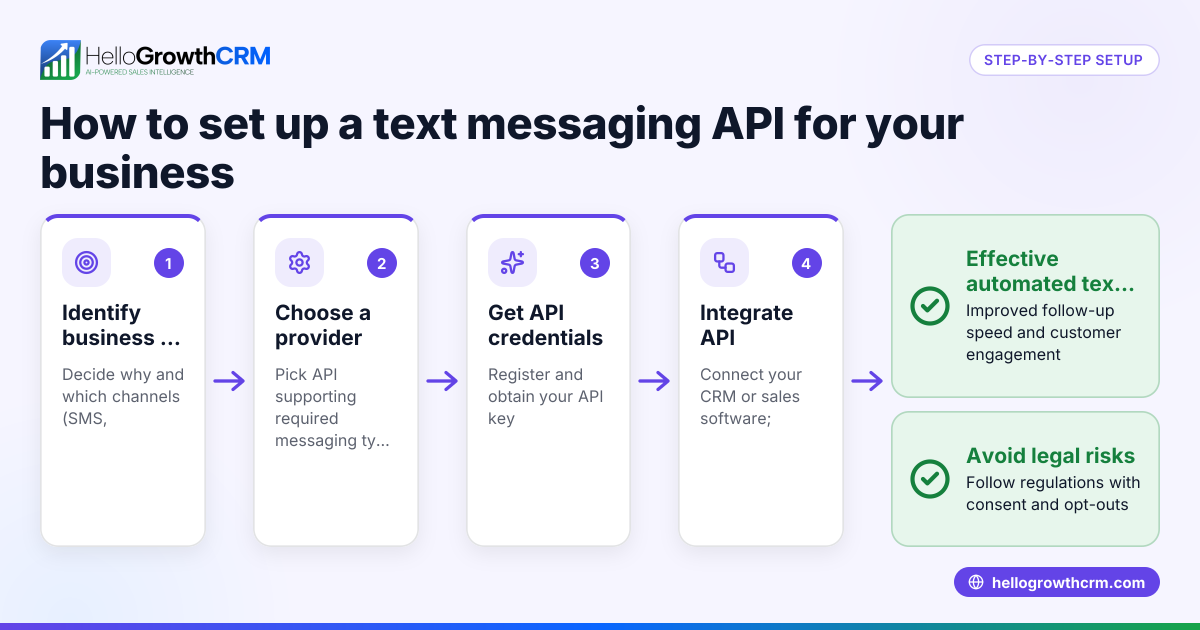
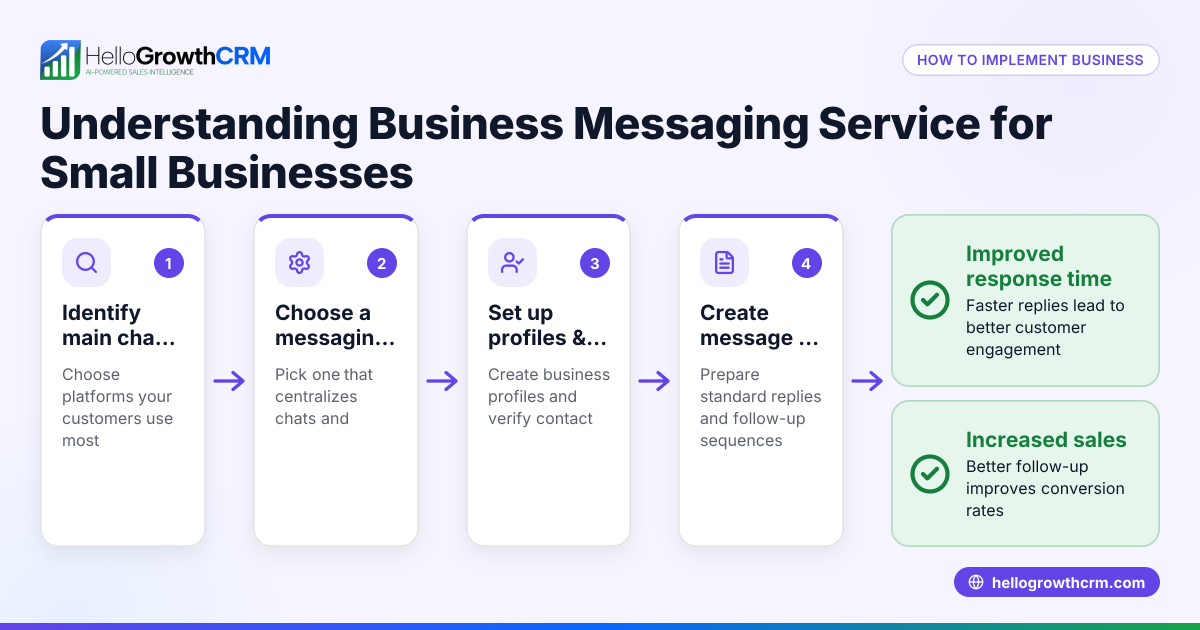
- Identify your messaging platforms: List the chat channels your customers use most, such as WhatsApp, SMS, or Facebook Messenger. Confirm the API supports these platforms.
- Choose an API provider: Research providers that offer chat messaging APIs matching your technical needs and budget. Look for clear documentation and support.
- Obtain API credentials: Register to get API keys or tokens. These authenticate your systems to send and receive messages securely.
- Plan integration points: Decide where the API will connect: your website, CRM, or sales tools. Map out workflows for incoming and outgoing messages.
- Develop or configure integration: Use the API to link messaging with your systems. Test sending and receiving messages to ensure everything works smoothly.
- Set up automation: Create message templates, auto-replies, and follow-up sequences to speed up customer responses.
- Monitor performance: Track delivery rates, response times, and engagement. Use this data to refine your messaging strategy.
- Ensure compliance: Check that your messaging respects privacy laws and platform rules, including opt-in requirements.
Small businesses using HelloGrowthCRM can benefit from its API and integrations, which bring leads from web forms and other connected lead sources inquiries directly into the CRM. This reduces manual entry and speeds up follow-up. Learn more about WhatsApp and SMS CRM and the built-in CRM dialer to enhance your messaging workflows.
Example (fictional figures)
A residential real-estate team in Phoenix, Arizona wants to automate WhatsApp messages to leads from their website.
- They pay $200 per month for the chat messaging API service.
- The API sends 1,000 messages monthly at $0.01 per message.
Calculations:
$200 (monthly fee) + (1,000 messages × $0.01) = $200 + $10 = $210 total monthly cost
By automating follow-up, they reduce lost leads by 15%, increasing sales revenue by $5,000 monthly.
Common mistakes
- Skipping platform research: Not all APIs support every chat platform. Prevent this by confirming compatibility before purchase.
- Ignoring security: Failing to secure API keys risks data breaches. Use secure storage and rotate keys regularly.
- Overlooking compliance: Sending unsolicited messages can violate laws and platform rules. Always obtain customer consent.
- Neglecting testing: Launching without thorough testing causes message failures. Test all workflows before going live.
- Not tracking performance: Without monitoring, you miss chances to improve. Set up analytics and review regularly.
For more guidance on integrating chat into your sales process, see HelloGrowthCRM for the United States.
Doing this in HelloGrowthCRM
HelloGrowthCRM supports API and integrations that bring leads from web forms and other connected lead sources directly into the CRM as leads. This helps small businesses automate lead capture and follow-up without manual entry. Learn more about available integrations at HelloGrowthCRM integrations.
Frequently asked questions
What is a chat messaging API? A chat messaging API is a tool that lets your software send and receive chat messages automatically through platforms like WhatsApp or SMS. It helps businesses streamline communication with customers.
Can I use a chat messaging API without technical skills? Basic setup usually requires some technical knowledge or developer help. However, many CRM platforms offer integrations that simplify the process. HelloGrowthCRM provides integrations that automatically capture leads from chat inquiries.
Is it expensive to use a chat messaging API? Costs vary depending on message volume and provider fees. Many charge a monthly fee plus a small cost per message. Evaluate pricing based on your expected usage.
How does a chat messaging API improve sales? It speeds up customer responses, reduces missed messages, and automates follow-ups, which helps convert more leads into sales.
Does HelloGrowthCRM support chat messaging APIs? HelloGrowthCRM offers API and integrations that sync data and leads from web forms and other connected lead sources directly into your CRM, helping automate lead management.
Key takeaways
- A chat messaging API automates sending and receiving messages across platforms.
- Small businesses use it to speed up follow-up and avoid losing leads.
- Proper setup involves platform choice, API keys, integration, automation, and monitoring.
- Common mistakes include ignoring platform support, security, compliance, and testing.
- HelloGrowthCRM integrates leads from chat inquiries via API and other integrations.
Start improving your customer communication and lead management with chat messaging APIs. To get started risk-free, Start on the Free Forever plan (200 leads, no credit card).
Ready to put this into practice?
Set up your pipeline, WhatsApp follow-ups, and AI lead scoring in minutes — free, no credit card.
Try HelloGrowthCRM freeGet CRM tips in your inbox
Join thousands of sales professionals who get weekly insights on CRM strategy, AI automation, and pipeline optimization.

The HelloGrowthCRM team publishes guides on CRM strategy, AI sales tools, and revenue operations for small business sales teams.