HelloGrowthCRM software
Built for real small-business sales teams
HelloGrowthCRM helps reps qualify faster, follow up on time, and close more deals—with practical automation in one place.
- AI lead scoring and pipeline visibility
- Built-in dialer, WhatsApp, and email automation
- Sales forecasting and RevOps-ready reporting
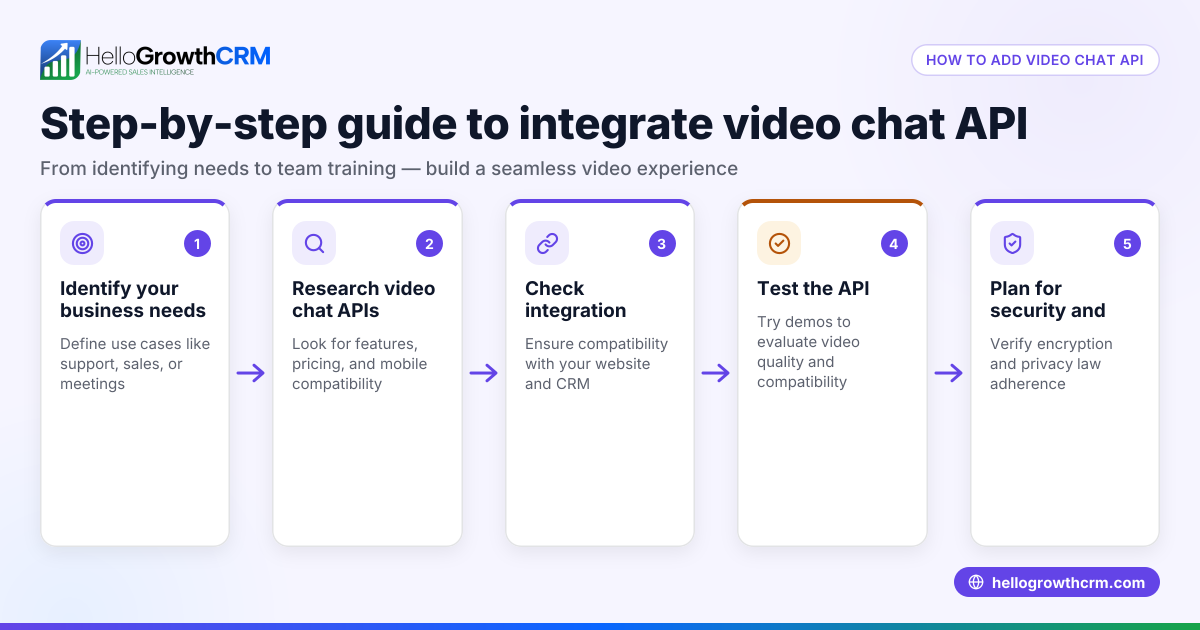
A video chat call is a live conversation where participants use internet-connected devices to see and hear each other in real time. This adds a visual layer to communication beyond voice calls, making conversations more engaging and effective. Small businesses use video chat calls to connect with customers, partners, and remote team members without needing physical meetings.
Why this comes up / what goes wrong
Small business owners search for "video chat call" because they want to improve how they communicate remotely. They may want to consult customers, conduct sales meetings, or manage teams spread across locations. However, without understanding what a video chat call involves, they risk poor call quality, confusion about technology, or ineffective conversations that waste time and harm relationships.
Many small businesses try video calls without proper preparation or tools. This can lead to dropped calls, unclear audio or video, missed appointments, or a lack of follow-up. Understanding the basics and following a clear process helps avoid these problems and makes video chat calls a useful business tool.
Step-by-step
- Choose a video chat platform: Pick software that supports video calls on your devices. Options include Zoom, Microsoft Teams, Google Meet, or WhatsApp video calls. Check that your team and customers can access the platform easily.
- Set up your equipment: Use a device with a working camera and microphone. Test these components and ensure your internet connection is stable to avoid interruptions.
- Schedule the call: Agree on a date and time with the other participant. Send a calendar invite with the video call link or instructions to join.
- Prepare the environment: Find a quiet, well-lit area free from distractions. Make sure your background looks professional or neutral.
- Start the call: Open the app or click the link to join. Greet the other person and check that your audio and video work properly.
- Conduct the call effectively: Speak clearly, maintain eye contact by looking at the camera, and use screen sharing or visuals if needed to explain your points.
- End the call politely: Summarize any agreed next steps and thank the participant before ending the call.
Example (fictional figures)
A plumbing company in Austin, Texas, wants to use video chat calls to consult with customers remotely and reduce travel costs.
- The company chooses WhatsApp video calls because many customers already use WhatsApp.
- On 05/10/2026, plumber Mike schedules a video call with a customer to diagnose a leak.
- Mike confirms his phone camera and microphone work properly before the call.
- The customer joins the call at the scheduled time.
- Mike visually inspects the leak via video, avoiding an unnecessary trip.
- The call lasts 15 minutes.
Cost savings calculation:
$50 (travel cost) × 1 (trip saved) = $50 saved
Time saved calculation:
15 minutes saved on travel + 15 minutes saved on-site = 30 minutes total saved
This example shows how video chat calls can save money and time by enabling remote consultations.
Common mistakes
- Poor internet connection: Causes lag or dropped calls. Prevent this by testing your connection beforehand and using wired or strong Wi-Fi.
- Unprepared equipment: Missing or faulty camera or microphone means no video or sound. Always test your devices before the call.
- Not scheduling clearly: Leads to missed or late calls. Send clear calendar invites with links and reminders.
- Distracting environment: Background noise or clutter reduces professionalism. Choose a quiet, tidy space for calls.
- Ignoring call outcomes: Failing to log or follow up wastes opportunities. Use tools like a CRM to track call results.
Using a built-in CRM dialer can help log call outcomes automatically and keep your sales process organized.
Doing this in HelloGrowthCRM
HelloGrowthCRM includes a built-in dialer that lets your sales or service team call customers directly from the CRM. Each call’s outcome is logged on the lead record, keeping your communication history organized. While the dialer focuses on voice calls, combining it with video chat tools can improve your overall customer contact strategy. Learn more about the WhatsApp and SMS CRM features that integrate messaging and calling.
Frequently asked questions
What devices can I use for a video chat call? You can use smartphones, tablets, laptops, or desktop computers with a camera and microphone. Ensure your device supports the video chat platform you choose.
Do I need special software for video chat calls? Yes, video calls require software like Zoom, Google Meet, Microsoft Teams, or WhatsApp. (support.google.com) Many offer free versions suitable for small businesses.
How can I make video chat calls more professional? Use a quiet, well-lit room, dress appropriately, and maintain eye contact by looking at the camera. Test your equipment and internet connection before calls.
Can I record video chat calls for later review? Some platforms allow recording, but always get consent from all participants before recording. Note that HelloGrowthCRM’s built-in dialer logs voice call outcomes but does not record video calls.
How does HelloGrowthCRM help with calls? The built-in dialer lets your team call leads from inside the CRM and logs call outcomes to keep your sales process organized. Visit HelloGrowthCRM for the United States to learn more.
Key takeaways
- A video chat call is a live video and audio conversation over the internet.
- Choose compatible software and prepare your devices and environment.
- Schedule calls clearly and test equipment beforehand.
- Avoid poor connections, distractions, and lack of follow-up.
- Use HelloGrowthCRM’s built-in dialer to manage voice calls and log outcomes.
Start improving your customer and team communication with video chat calls today. For managing your calls and leads efficiently, Start on the Free Forever plan (200 leads, no credit card).
Ready to put this into practice?
Set up your pipeline, WhatsApp follow-ups, and AI lead scoring in minutes — free, no credit card.
Try HelloGrowthCRM freeGet CRM tips in your inbox
Join thousands of sales professionals who get weekly insights on CRM strategy, AI automation, and pipeline optimization.

The HelloGrowthCRM team publishes guides on CRM strategy, AI sales tools, and revenue operations for small business sales teams.