HelloGrowthCRM software
Built for real small-business sales teams
HelloGrowthCRM helps reps qualify faster, follow up on time, and close more deals—with practical automation in one place.
- AI lead scoring and pipeline visibility
- Built-in dialer, WhatsApp, and email automation
- Sales forecasting and RevOps-ready reporting
Contact logs are detailed records of every interaction your business has with a customer or lead. They include notes about phone calls, emails, text messages, WhatsApp chats, and in-person meetings. Maintaining contact logs helps ensure no communication falls through the cracks, enabling timely follow-up and better customer relationships.
Why this comes up / what goes wrong
Many small-business owners and sales teams struggle to keep track of their customer communications. They might rely on scattered notes, text message threads, emails, or spreadsheets, which can lead to lost information, missed follow-ups, and confused team members. Without a clear contact log, it is difficult to know the status of a lead or customer, causing delays and lost sales opportunities. This is especially common in businesses using WhatsApp and SMS for sales communication, where messages can be informal and unorganized.
Step-by-step
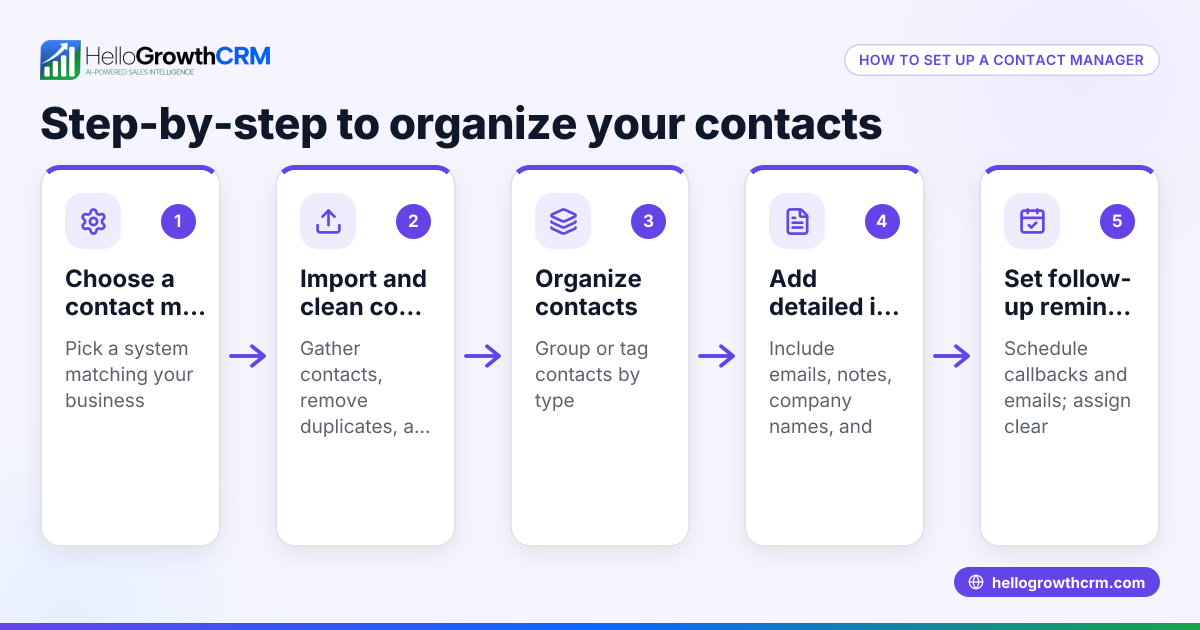
- Choose a method to record contacts: Decide how you will keep your contact logs. Options include a CRM system, spreadsheets, or a dedicated notebook. Ensure it can store dates, communication types, and notes.
- Record every interaction immediately: After each call, message, or meeting, log the date, time, contact name, communication channel, and summary of the conversation. This prevents forgetting details.
- Organize logs by contact or lead: Group all communications under each customer or lead’s profile. This helps you see the full history at a glance.
- Set reminders for follow-ups: Use your logs to note when you need to contact someone again. Check these regularly to avoid delays.
- Review and update regularly: Periodically check your contact logs for accuracy and completeness. Update any missing information.
- Ensure team access and consistency: If you have a sales team, make sure everyone uses the same system and follows the same logging procedures to keep information unified.
- Leverage communication channels effectively: If your business uses WhatsApp, SMS, or email for sales, include these details in your logs. This is important for businesses looking to integrate these channels efficiently, as described in WhatsApp and SMS CRM.
- Consider tools with built-in dialers: If your team makes many calls, a CRM with a built-in dialer can help log calls automatically and save time. Learn more at built-in CRM dialer.
Example (fictional figures)
A two-location dental practice in Columbus, Ohio, wants to improve patient follow-up. They start logging all contact with patients who inquire about teeth cleaning.
- On 05/01/2026, receptionist calls patient Jane Doe to confirm appointment, logs: "Confirmed 06/10/2026 cleaning appointment."
- On 05/15/2026, receptionist texts Jane a reminder, logs: "Sent appointment reminder via SMS."
- On 06/10/2026, patient misses appointment; receptionist calls to reschedule, logs: "Called Jane, rescheduled to 06/20/2026."
- On 06/20/2026, appointment completed; dentist notes: "Treatment completed, advised next cleaning in 6 months."
This log helps staff track communications and ensures Jane receives timely reminders and follow-up.
Common mistakes
- Not recording all interactions: Prevent this by logging every contact immediately.
- Using multiple unconnected systems: Avoid scattered notes by centralizing logs in one place.
- Failing to update logs after follow-ups: Set a routine to review and update logs.
- Ignoring team training: Train all staff on logging procedures to ensure consistency.
- Overcomplicating the process: Keep logging simple and focused on key details.
- Not leveraging communication tools: Use CRM features designed for WhatsApp and SMS to streamline logging, as covered in WhatsApp and SMS CRM.
Frequently asked questions
What is the best way to keep contact logs for a small business? The best way depends on your business size and communication channels. Many small businesses start with spreadsheets or simple CRM tools. The key is to record every interaction promptly and organize them by contact. For businesses using WhatsApp or SMS heavily, a CRM that supports these channels can simplify logging.
How often should I update my contact logs? You should update contact logs immediately after each interaction. Regular weekly reviews help catch any missed entries and keep information current.
Can contact logs improve sales follow-up? Yes. Contact logs provide a clear history of conversations and follow-up dates, reducing missed opportunities and improving customer relationships. Using a system with a built-in dialer can also speed up calling and logging, as explained in built-in CRM dialer.
Is it necessary to log informal communications like WhatsApp messages? Yes. Informal channels like WhatsApp are often where sales happen, so logging these messages ensures your team has a full view of customer interactions.
How do I ensure my team uses contact logs consistently? Set clear procedures, provide training, and use tools that are easy to access and update. Centralized systems help maintain consistency.
Can I integrate contact logs with other sales tools? Many CRMs allow integration with web forms and communication channels, enabling automatic lead capture and logging. For US businesses, see HelloGrowthCRM for the United States for options tailored to WhatsApp and SMS.
Key takeaways
- Contact logs record every communication with customers to improve follow-up and sales.
- Use a consistent, centralized method to record and organize all interactions.
- Update logs immediately after each contact and review regularly.
- Train your team on logging procedures to avoid missed or scattered information.
- Include WhatsApp and SMS communications for a complete customer history.
- Tools with built-in dialers and CRM integrations can simplify logging and follow-up.
Start managing your contact logs effectively to boost your sales consistency and customer satisfaction. You can Start on the Free Forever plan (200 leads, no credit card) to try a CRM designed for small businesses handling WhatsApp and SMS communications.
Ready to put this into practice?
Set up your pipeline, WhatsApp follow-ups, and AI lead scoring in minutes — free, no credit card.
Try HelloGrowthCRM freeGet CRM tips in your inbox
Join thousands of sales professionals who get weekly insights on CRM strategy, AI automation, and pipeline optimization.

The HelloGrowthCRM team publishes guides on CRM strategy, AI sales tools, and revenue operations for small business sales teams.