HelloGrowthCRM software
Built for real small-business sales teams
HelloGrowthCRM helps reps qualify faster, follow up on time, and close more deals—with practical automation in one place.
- AI lead scoring and pipeline visibility
- Built-in dialer, WhatsApp, and email automation
- Sales forecasting and RevOps-ready reporting
To create a report that displays quarterly sales by territory, you first need to organize your sales data by sales date and the geographic territory where the sale occurred. Then, group the sales into the four calendar quarters (Q1: Jan-Mar, Q2: Apr-Jun, Q3: Jul-Sep, Q4: Oct-Dec) and by each territory. Finally, sum the sales amounts within each quarter-territory group to get the total sales figures.
Why this comes up / what goes wrong
Small business owners and sales managers often want to understand how their sales perform across different regions and time periods. Quarterly sales by territory reports help identify strong and weak markets and guide resource allocation. However, without a clear step-by-step method, owners struggle to extract this information from raw sales data. Common issues include mixing up dates, inconsistent territory definitions, and difficulty summarizing data without a proper tool.
Step-by-step
- Gather your sales data: Collect all sales transactions with at least these fields: sale date, sale amount, and territory name or code. Check that the data is complete and accurate.
- Assign each sale to a quarter: Use the sale date to determine which quarter the sale belongs to:
- Q1: January 1 to March 31
- Q2: April 1 to June 30
- Q3: July 1 to September 30
- Q4: October 1 to December 31
- Group sales by quarter and territory: Organize your data so that all sales in the same quarter and territory are together.
- Sum the sales amounts: For each quarter-territory group, add up the sale amounts to get total sales.
- Create the report layout: Format the report with territories as rows and quarters as columns (or vice versa), filling in the summed sales values.
- Review and verify: Check for missing data, incorrect quarter assignments, or misnamed territories.
If you use spreadsheet software like Excel, you can use functions like SUMIFS or PivotTables to automate grouping and summing. If you use HelloGrowthCRM, its territory management and deals pipeline can help track and report sales by territory without spreadsheets.
Example (fictional figures)
A landscaping contractor in Charlotte, North Carolina, wants to report quarterly sales by territory for 2023. They have sales in three territories: Charlotte, Raleigh, and Greensboro.
| Sale Date | Territory | Sale Amount |
|---|---|---|
| 01/15/2025 | Charlotte | $12,000 |
| 03/28/2025 | Raleigh | $8,000 |
| 04/10/2025 | Greensboro | $15,000 |
| 06/05/2025 | Charlotte | $20,000 |
| 07/22/2025 | Raleigh | $10,000 |
| 10/01/2025 | Greensboro | $18,000 |
Step 1: Assign quarters
- 01/15/2025 → Q1
- 03/28/2025 → Q1
- 04/10/2025 → Q2
- 06/05/2025 → Q2
- 07/22/2025 → Q3
- 10/01/2025 → Q4
Step 2: Group and sum sales by quarter and territory
- Q1 Charlotte: $12,000
- Q1 Raleigh: $8,000
- Q2 Greensboro: $15,000
- Q2 Charlotte: $20,000
- Q3 Raleigh: $10,000
- Q4 Greensboro: $18,000
Step 3: Build the report table
| Territory | Q1 | Q2 | Q3 | Q4 |
|---|---|---|---|---|
| Charlotte | $12,000 | $20,000 | $0 | $0 |
| Raleigh | $8,000 | $0 | $10,000 | $0 |
| Greensboro | $0 | $15,000 | $0 | $18,000 |
This table clearly shows quarterly sales totals by territory.
Common mistakes
- Mixing calendar months when assigning quarters: Always use the standard quarter dates to avoid errors.
- Inconsistent territory names: Use standardized territory names or codes to ensure grouping is accurate.
- Including incomplete sales data: Verify that all sales are recorded with dates and territories.
- Summing without grouping: Summing total sales without breaking down by quarter and territory loses the needed detail.
- Not reviewing the final report: Always double-check for zero or missing values that may indicate data issues.
- Using outdated territory definitions: Territories can change; keep your definitions current as explained in territory management.
Doing this in HelloGrowthCRM
HelloGrowthCRM offers territories, field operations and commissions features that let you define territories and track field sales visits from mobile devices. This ensures sales data is accurately linked to territories. The deals (pipeline) feature tracks sales opportunities through stages, so you can see quotes sent and follow-ups scheduled without losing leads. For forecasting, the pipeline forecast and AI insights provide AI-assisted revenue projections by territory and stage, helping you identify where sales are stalling without building complex spreadsheets.
Frequently asked questions
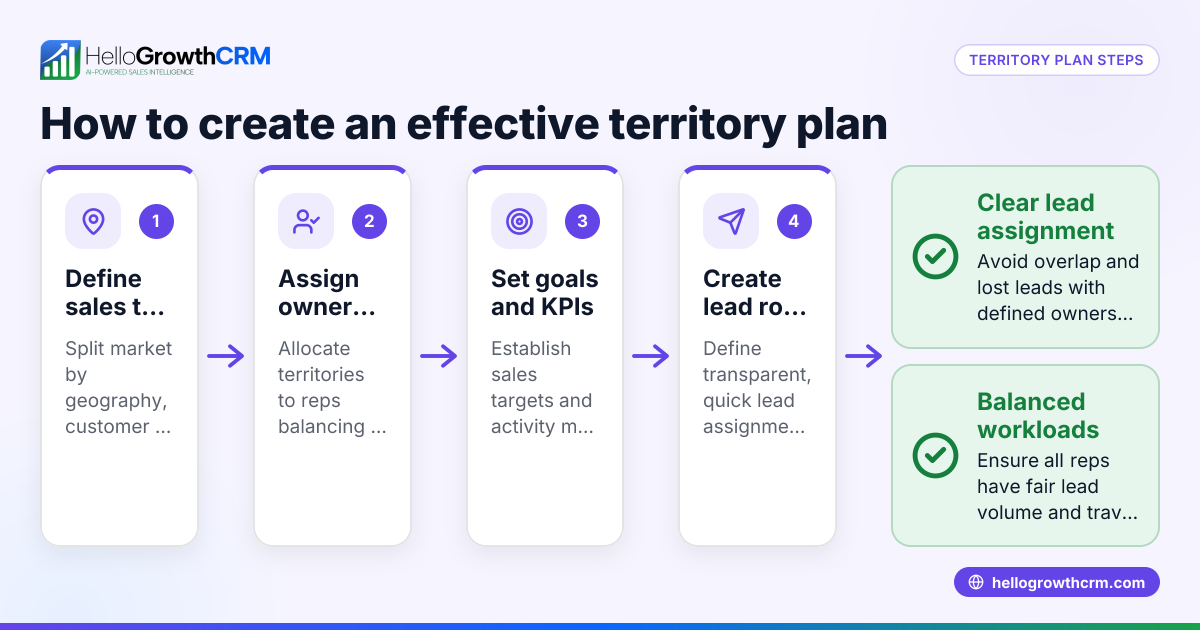
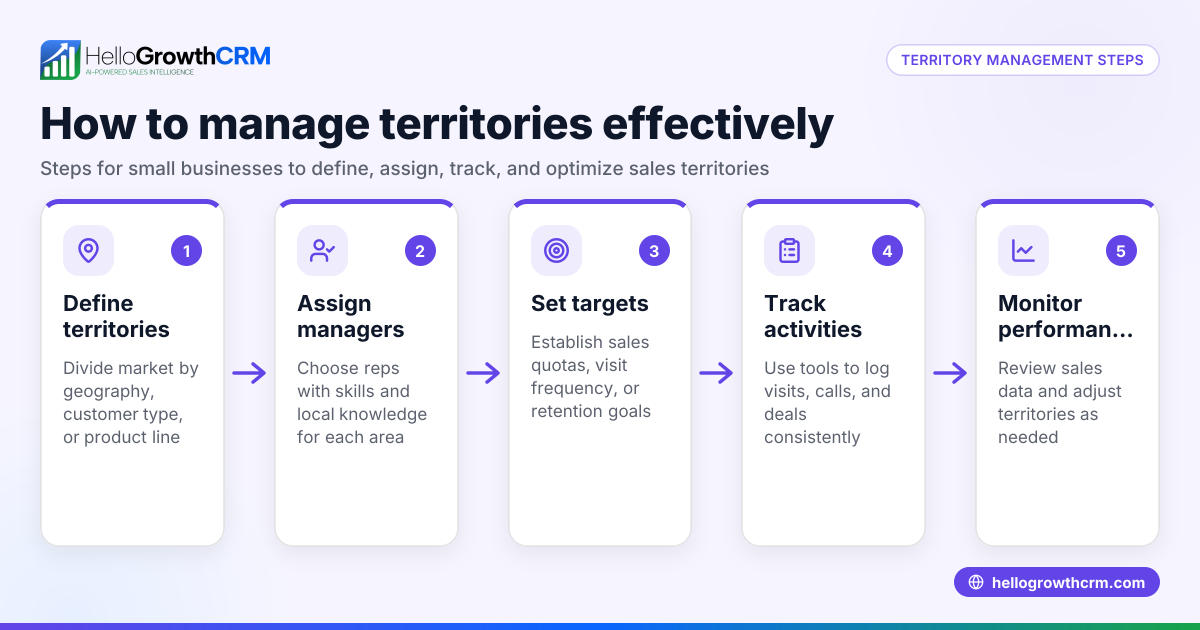
How do I define territories for sales reporting? Define territories based on geographic boundaries or customer segments relevant to your business. Use consistent names or codes to ensure sales data can be grouped properly. HelloGrowthCRM supports territory definitions and ownership tools to manage this.
Can I automate quarterly sales reports? Yes. Using spreadsheet tools like PivotTables or CRM reporting features, you can automate grouping sales by quarter and territory. HelloGrowthCRM’s pipeline and territory features help automate tracking and reporting.
What if some sales don’t have a territory assigned? Unassigned sales can distort your report. Review your data entry process to ensure every sale is tagged with a territory. HelloGrowthCRM’s mobile field operations help reps log visits and sales in the correct territory.
How often should I update my territory sales report? Quarterly reports are standard, but you can update monthly or weekly for more timely insights. Regular updates help spot trends and adjust sales strategies.
Can I include commissions in the sales report? Commissions linked to deals can be tracked alongside sales. HelloGrowthCRM supports commission tracking connected to deal outcomes, which can be included in broader sales analysis.
Key takeaways
- Assign sales to standard calendar quarters based on sale dates.
- Use consistent territory names or codes for accurate grouping.
- Sum sales amounts within each quarter-territory group to get totals.
- Review data for completeness and accuracy before reporting.
- Avoid common mistakes like mixing up quarters or territories.
- Use HelloGrowthCRM’s territory and pipeline features to streamline sales tracking and reporting.
Start creating your quarterly sales by territory report today to gain clearer insights into your sales performance and improve decision-making.
Start on the Free Forever plan (200 leads, no credit card) to organize your sales, territories, and pipeline in HelloGrowthCRM.
Ready to put this into practice?
Set up your pipeline, WhatsApp follow-ups, and AI lead scoring in minutes — free, no credit card.
Try HelloGrowthCRM freeGet CRM tips in your inbox
Join thousands of sales professionals who get weekly insights on CRM strategy, AI automation, and pipeline optimization.

The HelloGrowthCRM team publishes guides on CRM strategy, AI sales tools, and revenue operations for small business sales teams.