HelloGrowthCRM software
Built for real small-business sales teams
HelloGrowthCRM helps reps qualify faster, follow up on time, and close more deals—with practical automation in one place.
- AI lead scoring and pipeline visibility
- Built-in dialer, WhatsApp, and email automation
- Sales forecasting and RevOps-ready reporting
A CRM app with WhatsApp and SMS integration lets your sales team communicate with leads and customers on familiar messaging channels while automatically logging conversations and managing follow-ups. This centralises communication and prevents leads from being lost due to scattered messages or missed follow-ups.
Why this comes up / what goes wrong
Many Singapore small and mid-sized businesses rely on WhatsApp and SMS because customers respond quickly on these platforms. Without a CRM that integrates these channels, teams juggle multiple apps and spreadsheets, leading to lost messages, forgotten follow-ups, and no clear sales pipeline visibility. Slow responses cause leads to go cold or switch to competitors. Business owners want a single system that captures leads from web forms and enquiry platforms, manages WhatsApp and SMS conversations, and tracks tasks and sales progress efficiently.
Step-by-step
- Identify your communication channels: Confirm WhatsApp and SMS are key channels your customers use and your sales team prefers.
- Check for native WhatsApp integration: Ensure the CRM logs WhatsApp conversations directly on each lead record to centralise chat history.
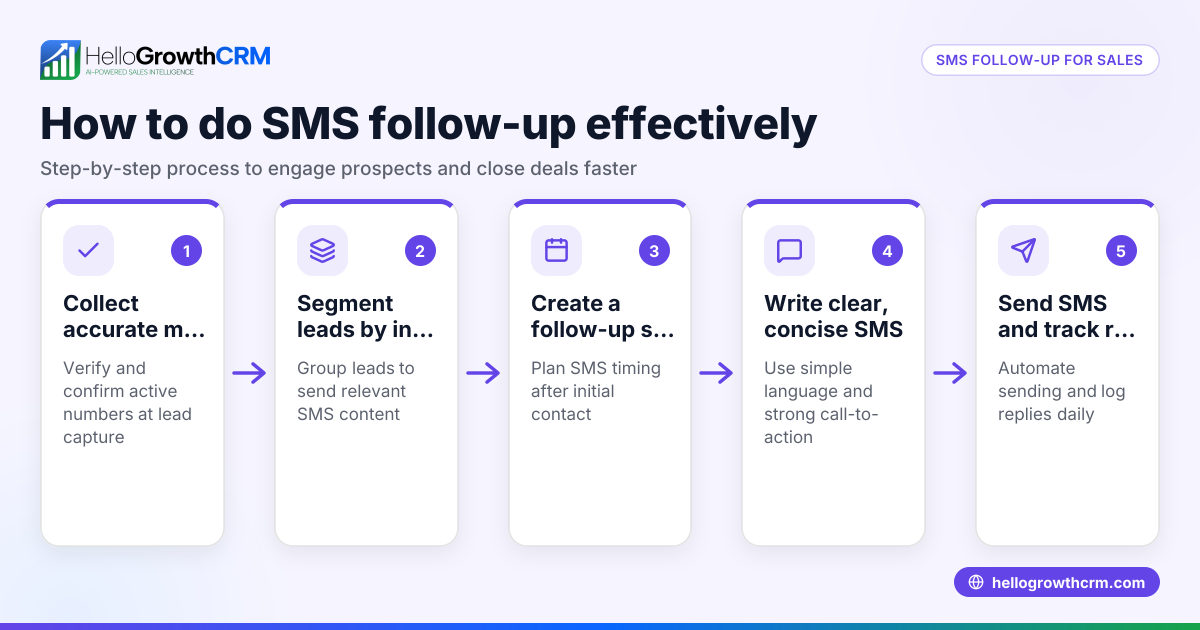
- Confirm SMS messaging support: The CRM should allow sending SMS messages and managing SMS follow-ups to leads.
- Evaluate lead capture options: Look for a CRM that automatically captures leads from web forms and enquiry platforms relevant to Singapore businesses.
- Look for task and activity management: Follow-ups should become tasks with due dates and reminders to keep your sales team organised.
- Consider API and integrations: Verify if the CRM integrates with platforms like IndiaMART and JustDial to automatically import enquiries as leads, reducing manual data entry (integrations).
- Assess ease of use: The CRM should be intuitive and simple enough for your sales team to adopt and use daily.
- Review reporting and forecasting features: Visibility into your sales pipeline and forecasts helps prioritise leads and plan revenue.
- Test mobile access and usability: Since WhatsApp and SMS are mobile-first channels, ensure the CRM works well on smartphones and tablets.
- Check pricing and plans: Match CRM features to your budget and expected growth.
Example (fictional figures)
A renovation contractor in Jurong receives about 50 leads monthly from their website and JustDial enquiries. They want to improve sales follow-ups using WhatsApp and SMS.
- Monthly leads: 50
- Average conversion rate: 20%
- Average project value: S$15,000
Expected monthly sales:
50 leads × 20% conversion rate = 10 projects
Expected monthly revenue:
10 projects × S$15,000 = S$150,000
By automating follow-ups with WhatsApp and SMS sequences, they improve response times and keep leads engaged, increasing their chances of closing more projects.
Common mistakes
- Not verifying true WhatsApp integration: Some CRMs only link WhatsApp externally without logging conversations. Prevent this by testing the CRM’s WhatsApp conversation logging feature.
- Ignoring task management: Without follow-up tasks, leads can slip through. Choose a CRM with task boards and due dates to keep your team on track (product/sales-task-boards).
- Overlooking API integrations: Missing enquiry imports from platforms like JustDial causes manual entry errors and delays. Ensure the CRM supports these integrations (integrations).
- Choosing complicated software: Complex CRMs discourage daily use. Pick one designed for small teams with simple workflows.
- Neglecting mobile usability: Since WhatsApp and SMS are mobile-first, the CRM must be mobile-friendly to enable timely responses.
Doing this in HelloGrowthCRM
HelloGrowthCRM is a WhatsApp-native CRM that logs WhatsApp conversations on each lead record and lets you send follow-up messages via WhatsApp and SMS. Leads from IndiaMART and JustDial automatically arrive in the CRM as leads through its integrations. Each follow-up becomes a task with a due date, and your team’s calls for the day appear as a list, reducing memory load. Learn more about its messaging features at WhatsApp and SMS CRM and integrations at integrations. HelloGrowthCRM is built for Singapore businesses and sales teams managing leads on mobile and desktop (HelloGrowthCRM for Singapore).
Frequently asked questions
What is a CRM with WhatsApp integration? It is a customer relationship management system that connects directly with WhatsApp, logging conversations and allowing you to send messages without leaving the CRM. This keeps your sales communication organised and easy to track.
Can I send SMS and WhatsApp messages from the same CRM? Yes, some CRMs support both SMS and WhatsApp messaging, enabling you to reach customers on their preferred channel and manage all conversations in one place.
How do integrations help with lead management? Integrations automatically bring enquiries from platforms like IndiaMART and JustDial into your CRM as leads, saving time on manual data entry and reducing errors (integrations).
Why is task management important in a CRM? Task management ensures follow-ups are scheduled with due dates and reminders, preventing leads from being forgotten and improving sales efficiency (product/sales-task-boards).
Is mobile access necessary for WhatsApp and SMS CRM? Yes, since WhatsApp and SMS are mobile-first communication channels, having a CRM accessible on mobile devices is crucial for timely responses and managing leads on the go.
Key takeaways
- A CRM app with WhatsApp and SMS integration centralises customer conversations and follow-ups in one place.
- Verify the CRM logs WhatsApp chats on lead records and supports SMS messaging sequences.
- Integrations with enquiry platforms like IndiaMART and JustDial automate lead capture, reducing manual work.
- Task boards with due dates keep your sales team organised and responsive.
- Mobile-friendly CRMs suit the messaging habits of customers and sales teams.
- HelloGrowthCRM offers these features tailored for Singapore small businesses.
Start managing your leads better today. Start on the Free Forever plan (200 leads, no credit card).
Ready to put this into practice?
Set up your pipeline, WhatsApp follow-ups, and AI lead scoring in minutes — free, no credit card.
Try HelloGrowthCRM freeGet CRM tips in your inbox
Join thousands of sales professionals who get weekly insights on CRM strategy, AI automation, and pipeline optimization.

The HelloGrowthCRM team publishes guides on CRM strategy, AI sales tools, and revenue operations for small business sales teams.