HelloGrowthCRM software
Built for real small-business sales teams
HelloGrowthCRM helps reps qualify faster, follow up on time, and close more deals—with practical automation in one place.
- AI lead scoring and pipeline visibility
- Built-in dialer, WhatsApp, and email automation
- Sales forecasting and RevOps-ready reporting
CRM conversion tracking means measuring how many leads captured in your CRM turn into paying customers. This tracking shows which marketing or sales activities generate revenue, so you can focus your efforts where they work best. This article covers why conversion tracking is important for small UK businesses, how to set it up step-by-step, a practical example with figures, common mistakes to avoid, and how HelloGrowthCRM helps manage this process effectively.
Why this comes up / what goes wrong
Many small UK businesses receive leads from multiple sources such as website forms, phone calls, WhatsApp chats, or emails. Without a clear system to track which leads convert into customers, it’s difficult to know which marketing channel or sales approach is effective. Often, leads are tracked manually in notebooks or spreadsheets, causing delays, lost information, and missed opportunities. Sales teams may not prioritise follow-ups properly or may waste time on low-value leads. Without CRM conversion tracking, it’s impossible to improve sales processes or forecast revenue accurately.
Step-by-step
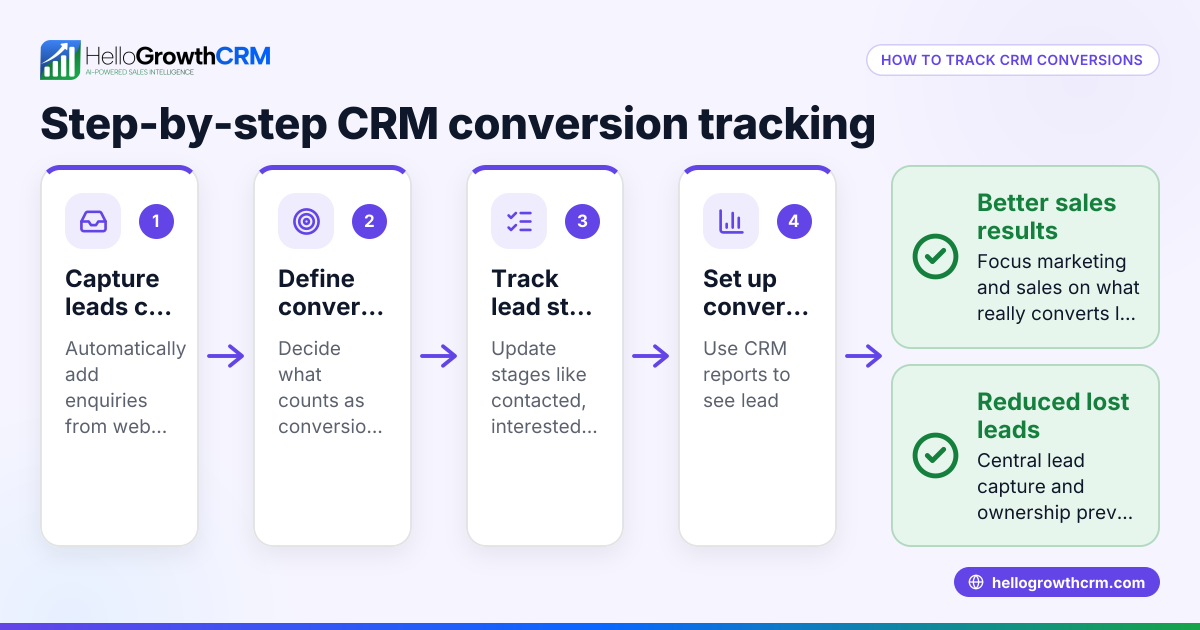
- Set up lead capture in your CRM: Make sure every enquiry from web forms, calls, or WhatsApp messages is automatically recorded as a lead. Assign an owner and a next step immediately to avoid leads getting lost in notebooks or emails.
- Define your conversion criteria: Decide what counts as a conversion for your business, such as a signed contract, a paid invoice, or completed service delivery.
- Record lead sources and interactions: Note where each lead came from (website, referral, WhatsApp, phone) and log all communications in the CRM. This helps track which channels produce paying customers.
- Use pipeline stages to monitor progress: Move leads through defined sales stages in the CRM pipeline to see their journey and identify where leads stall.
- Calculate conversion rates regularly: Divide the number of converted leads by total leads in a period to get your conversion percentage.
- Analyse which sources and actions yield the best results: Use CRM reports to find top-performing lead channels and effective follow-up methods.
- Adjust your sales process based on insights: Focus on high-converting sources and improve follow-up speed and quality to boost conversions.
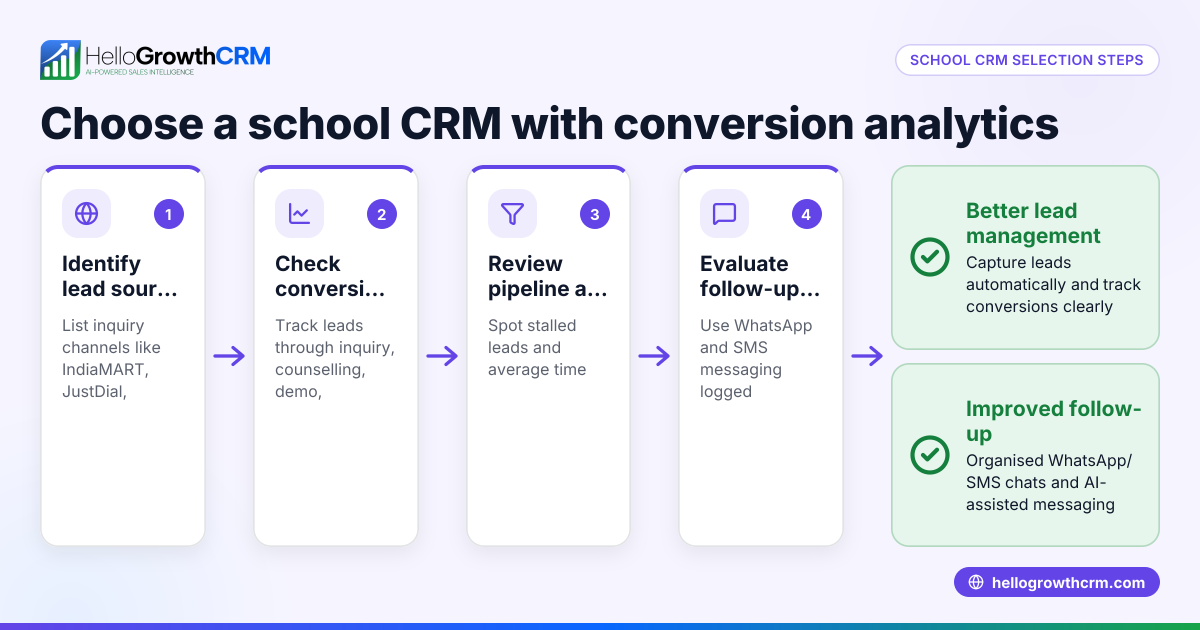
Check that your CRM supports WhatsApp and SMS logging to capture all conversations, and consider AI agents that draft follow-ups to speed response times. See WhatsApp and SMS CRM and built-in CRM dialer for features that help.
Example (fictional figures)
A kitchen-fitting company in Leeds tracked leads from its website and phone calls during March 2024.
- Total leads captured: 100
- Leads from website forms: 70
- Leads from phone calls: 30
- Converted leads (signed contracts): 25
- Website conversions: 15
- Phone call conversions: 10
Conversion rate overall = 25 ÷ 100 = 25% Website conversion rate = 15 ÷ 70 = 21.4% Phone call conversion rate = 10 ÷ 30 = 33.3%
Revenue from conversions was £120,000.
Average revenue per converted lead = £120,000 ÷ 25 = £4,800
This showed phone calls had a higher conversion rate and revenue per lead, so the company prioritised quicker call follow-ups and WhatsApp messaging to those leads.
Common mistakes
- Not tracking lead sources: Prevent by always recording where each lead originated.
- Failing to assign lead owners: Prevent by assigning responsibility immediately to avoid leads slipping through.
- Using multiple tools without integration: Prevent by using a CRM that logs calls, WhatsApp, and emails in one place, such as HelloGrowthCRM.
- Ignoring follow-up timing: Prevent by setting reminders and automating follow-ups with AI agents.
- Not defining clear conversion criteria: Prevent by agreeing on what counts as a conversion upfront.
- Relying on manual data entry: Prevent by automating lead capture from forms and calls.
Doing this in HelloGrowthCRM
HelloGrowthCRM captures every enquiry from forms, calls, or WhatsApp as a lead with an owner and next step, so nothing gets lost in notebooks. WhatsApp conversations are logged on the lead record, and follow-ups can be sent as WhatsApp or SMS messages. Its AI agents draft follow-up messages after calls, letting sales reps review and send quickly. This helps teams stay organised and respond faster, improving conversion rates. Learn more about HelloGrowthCRM for the United Kingdom here.
Frequently asked questions
What is CRM conversion tracking? It measures how many leads entered in your CRM become customers, showing which sales or marketing activities work best.
How do I set up conversion tracking in a CRM? Start by capturing all leads with source info, define what counts as a conversion, track progress through sales stages, and calculate conversion rates regularly.
Why is WhatsApp integration important for CRM conversion tracking? Many UK customers prefer WhatsApp. Logging these chats in your CRM ensures all communication is tracked, improving follow-up and conversion.
Can AI help with CRM conversion tracking? Yes, AI agents can draft follow-ups and update records automatically, speeding up response times and keeping leads engaged.
How often should I review conversion rates? Monthly reviews are common, but weekly checks help spot issues early and adjust sales tactics promptly.
Key takeaways
- CRM conversion tracking shows which leads turn into customers and which sales efforts work.
- Capture every lead with source info and assign an owner immediately.
- Use pipeline stages and define clear conversion criteria.
- Automate follow-ups and log WhatsApp and SMS messages for full communication history.
- Regularly calculate and analyse conversion rates to improve sales focus.
- HelloGrowthCRM supports lead capture, WhatsApp logging, and AI-assisted follow-ups.
Start tracking your CRM conversions today to boost sales effectiveness. You can try HelloGrowthCRM for free with up to 200 leads and no credit card at Start on the Free Forever plan (200 leads, no credit card).
Ready to put this into practice?
Set up your pipeline, WhatsApp follow-ups, and AI lead scoring in minutes — free, no credit card.
Try HelloGrowthCRM freeGet CRM tips in your inbox
Join thousands of sales professionals who get weekly insights on CRM strategy, AI automation, and pipeline optimization.

The HelloGrowthCRM team publishes guides on CRM strategy, AI sales tools, and revenue operations for small business sales teams.