HelloGrowthCRM software
Built for real small-business sales teams
HelloGrowthCRM helps reps qualify faster, follow up on time, and close more deals—with practical automation in one place.
- AI lead scoring and pipeline visibility
- Built-in dialer, WhatsApp, and email automation
- Sales forecasting and RevOps-ready reporting
A CRM migration checklist helps you plan and execute moving your customer data and sales processes from one CRM system to another without losing leads or disrupting your sales flow. This article covers why CRM migration matters, step-by-step actions to take, a practical example with figures, common mistakes to avoid, and how a WhatsApp-native CRM supports sales teams.
Why this comes up / what goes wrong
Small and mid-sized US businesses often switch CRMs when their current system no longer fits their sales process, is too expensive, or lacks features like mobile messaging or AI assistance. The migration process is complex because it involves transferring customer data, sales history, and workflows without losing information or creating downtime. Many small teams run sales on email, spreadsheets, or text messages, so migrating to a CRM that supports WhatsApp and SMS natively can improve follow-up speed and team adoption. However, without a checklist, businesses risk losing leads, duplicating records, or confusing the sales team.
Step-by-step
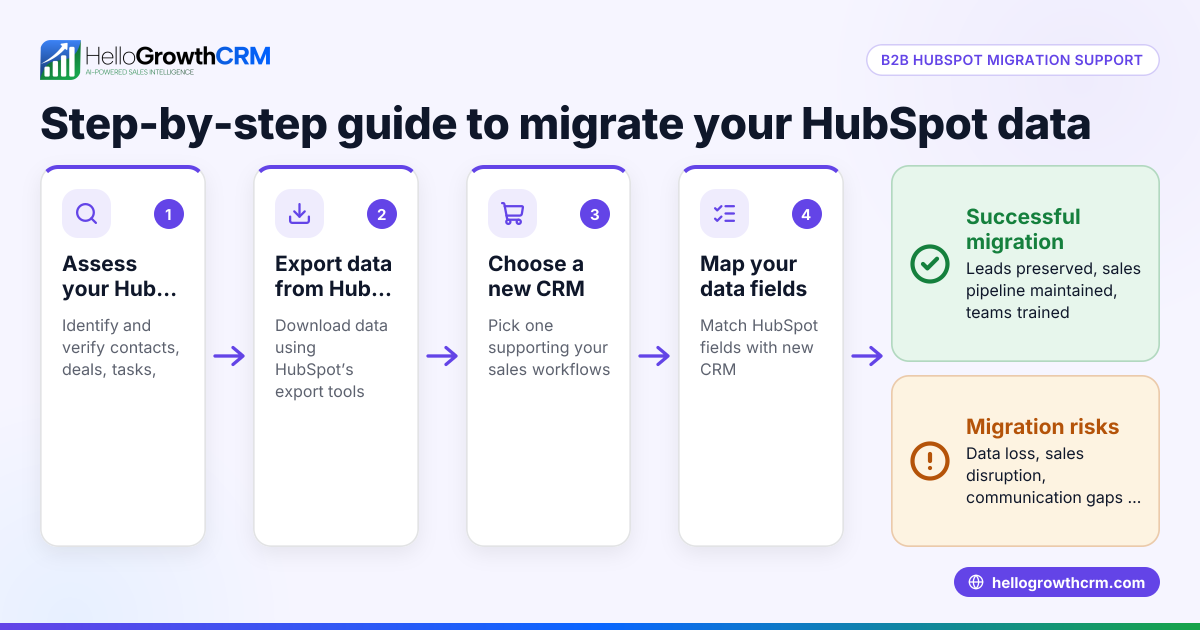
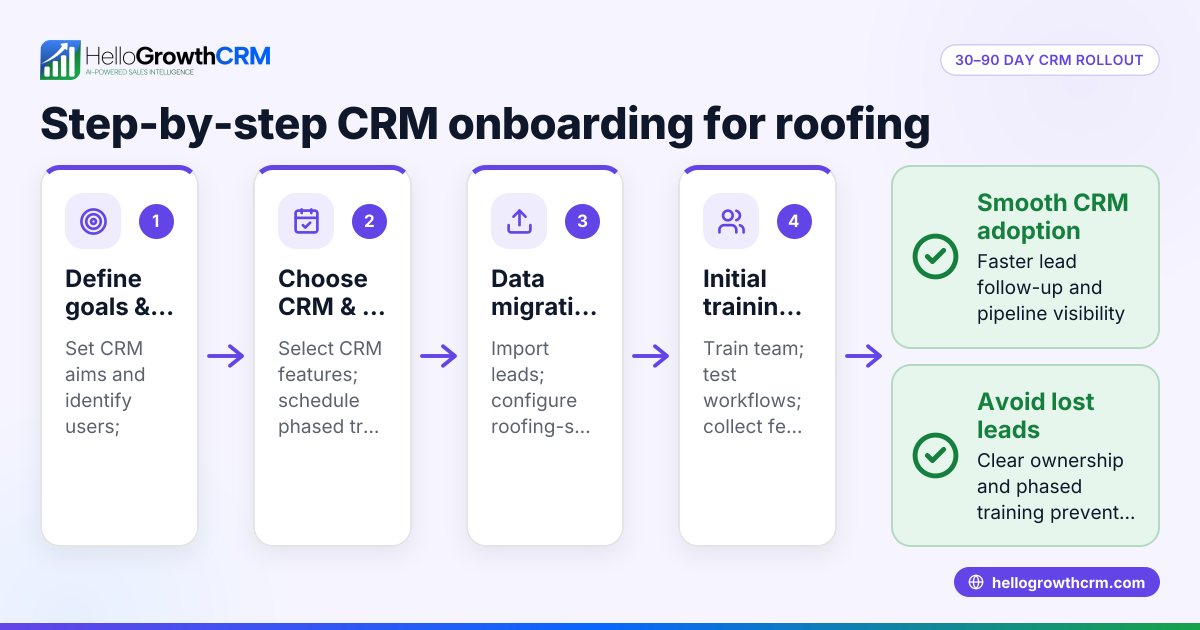
- Assess your current CRM and data
- Export all customer, lead, and sales data.
- Identify which fields and records are essential.
- Check data quality: remove duplicates, correct errors.
- Define your migration goals
- Decide what workflows and automations you want in the new CRM.
- Determine if you need features like WhatsApp and SMS integration or AI agents.
- Choose your new CRM
- Evaluate CRM options based on your goals and team size.
- Ask about data import formats and migration support.
- Plan the data mapping
- Match fields from your old CRM to the new CRM.
- Prepare for any fields that don’t have a direct match.
- Backup your data
- Save a secure copy of all original data exports.
- Test import with a small data set
- Import a subset of data to check for errors.
- Verify data integrity and completeness.
- Train your team
- Prepare training materials focused on new features.
- Schedule training sessions before full migration.
- Execute full data import
- Import all cleaned and mapped data.
- Confirm all records are present and accurate.
- Set up workflows and automations
- Configure pipelines, task boards, and messaging sequences.
- Enable WhatsApp and SMS follow-ups if available.
- Monitor and support post-migration
- Track any missing or incorrect data.
- Provide ongoing support for the sales team.
Example (fictional figures)
Austin Plumbing Co., a 15-person company in Austin, Texas, decides to migrate to a CRM that supports WhatsApp messaging to speed up lead follow-up. They have 5,000 leads in their old system.
- Data export size: 5,000 leads × $0 (no cost for export) = $0
- Data cleaning time: 10 hours × $30/hour = $300
- CRM subscription (monthly): $150
- Training time: 5 hours × $30/hour = $150
- Total first-month migration cost = $300 + $150 + $150 = $600
Austin Plumbing Co. plans migration over 2 weeks starting 05/01/2024.
Common mistakes
- Skipping data cleaning
- Prevent by auditing and removing duplicates before import.
- Not mapping fields correctly
- Prevent by carefully matching old and new CRM fields and testing imports.
- Ignoring team training
- Prevent by scheduling training sessions and sharing documentation.
- Rushing full import without testing
- Prevent by importing a small sample first to catch issues.
- Not backing up data
- Prevent by saving original exports securely before any changes.
- Failing to monitor post-migration issues
- Prevent by assigning a team member to track data accuracy and user feedback.
Doing this with a WhatsApp-native CRM
Using a WhatsApp-native CRM helps keep leads engaged during and after migration. Such CRMs log WhatsApp conversations on lead records and allow follow-ups via WhatsApp and SMS messages, keeping communication centralized. AI agents can draft follow-up messages after calls so sales reps only review and send them, saving time. Small teams can start managing their pipeline for free with a plan that supports up to two users, allowing them to migrate and organize leads without upfront costs. Learn more about WhatsApp and SMS CRM and the built-in CRM dialer.
Frequently asked questions
What is a CRM migration checklist for global teams? A CRM migration checklist for global teams includes steps to ensure data from multiple countries complies with local regulations and that time zones and languages are handled correctly during migration. It also involves coordinating training across regions and ensuring consistent workflows.
What are the key steps in CRM data migration? Key steps include exporting and cleaning data, mapping fields to the new CRM, testing imports with small data sets, training users, and monitoring post-migration. Each step ensures data integrity and user adoption.
How do I avoid losing leads during CRM migration? Avoid losing leads by backing up all data before migration, cleaning and de-duplicating records, testing imports on small batches, and verifying data completeness after import. Also, communicate changes clearly to your sales team.
Can I use WhatsApp and SMS messaging during CRM migration? Yes, using a CRM that supports WhatsApp and SMS natively helps maintain lead engagement by logging conversations and enabling follow-ups via these channels. This keeps communication consistent and accessible during migration. See HelloGrowthCRM for the United States for more details.
Is there a free plan to try a CRM for migration? Some CRMs offer free plans that let small teams manage pipelines with limited users and leads, ideal for starting migration without upfront costs. You can explore options like the Free Forever plan at free CRM for small business.
Key takeaways
- Plan CRM migration carefully with steps for data export, cleaning, mapping, testing, and training.
- Test imports with small data sets to catch errors before full migration.
- Avoid common mistakes like skipping backups and ignoring team training.
- Use WhatsApp and SMS messaging in your CRM to keep leads engaged.
- Start small with a free plan to manage your pipeline and migration.
Start your CRM migration confidently and keep your sales team productive. You can start on the Free Forever plan (200 leads, no credit card) today.
Ready to put this into practice?
Set up your pipeline, WhatsApp follow-ups, and AI lead scoring in minutes — free, no credit card.
Try HelloGrowthCRM freeGet CRM tips in your inbox
Join thousands of sales professionals who get weekly insights on CRM strategy, AI automation, and pipeline optimization.

The HelloGrowthCRM team publishes guides on CRM strategy, AI sales tools, and revenue operations for small business sales teams.