HelloGrowthCRM software
Built for real small-business sales teams
HelloGrowthCRM helps reps qualify faster, follow up on time, and close more deals—with practical automation in one place.
- AI lead scoring and pipeline visibility
- Built-in dialer, WhatsApp, and email automation
- Sales forecasting and RevOps-ready reporting
CRM software in Delhi NCR is essential for local businesses such as wholesalers, retailers, and service providers to manage leads and sales effectively. Choosing the right CRM requires understanding your business needs, the software’s features, and how it fits your team’s workflow. This article explains why Delhi NCR businesses search for CRM software, provides step-by-step evaluation tips, a worked example with realistic figures, common mistakes to avoid, and how a WhatsApp-native CRM with built-in dialer can help.
Why this comes up / what goes wrong
Many small businesses in Delhi NCR struggle with disorganized sales processes. They often rely on WhatsApp chats, Excel sheets, or manual call logs, which leads to lost leads and slow follow-ups. Local wholesalers, retailers, and service providers frequently have teams calling hundreds of leads daily but lack tools to track conversations or next steps. This results in missed sales and poor customer experience. When searching for "crm software in delhi ncr," business owners want a solution that works with their existing channels like WhatsApp and phone calls, supports Hindi, English, or Hinglish communication, and fits their budget and team size.
Step-by-step
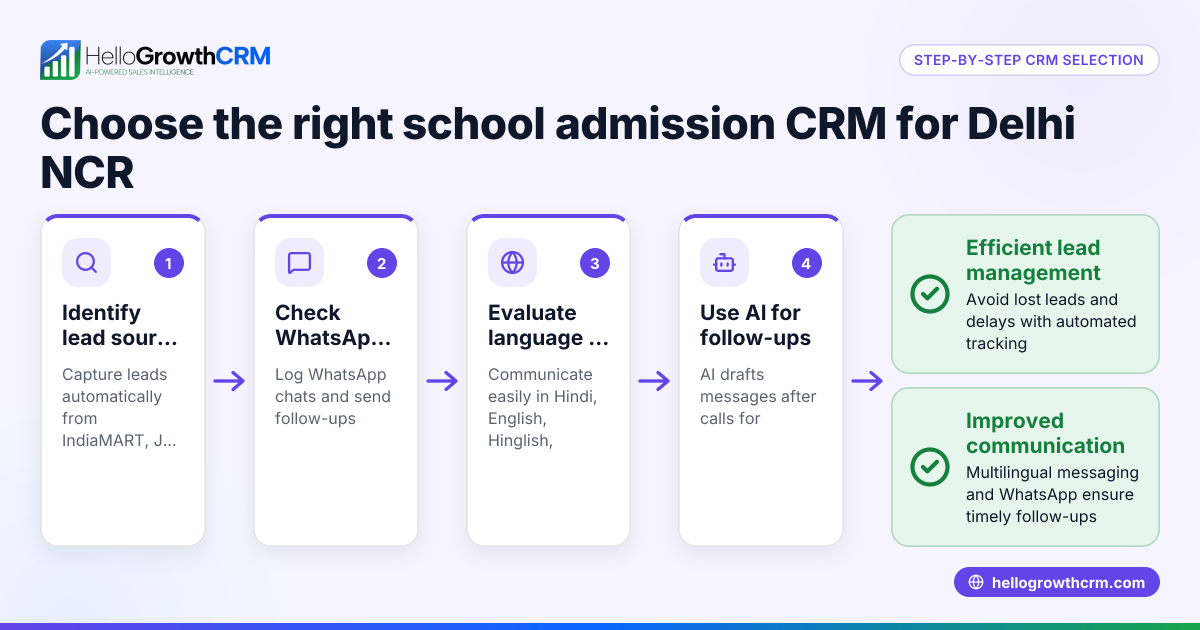
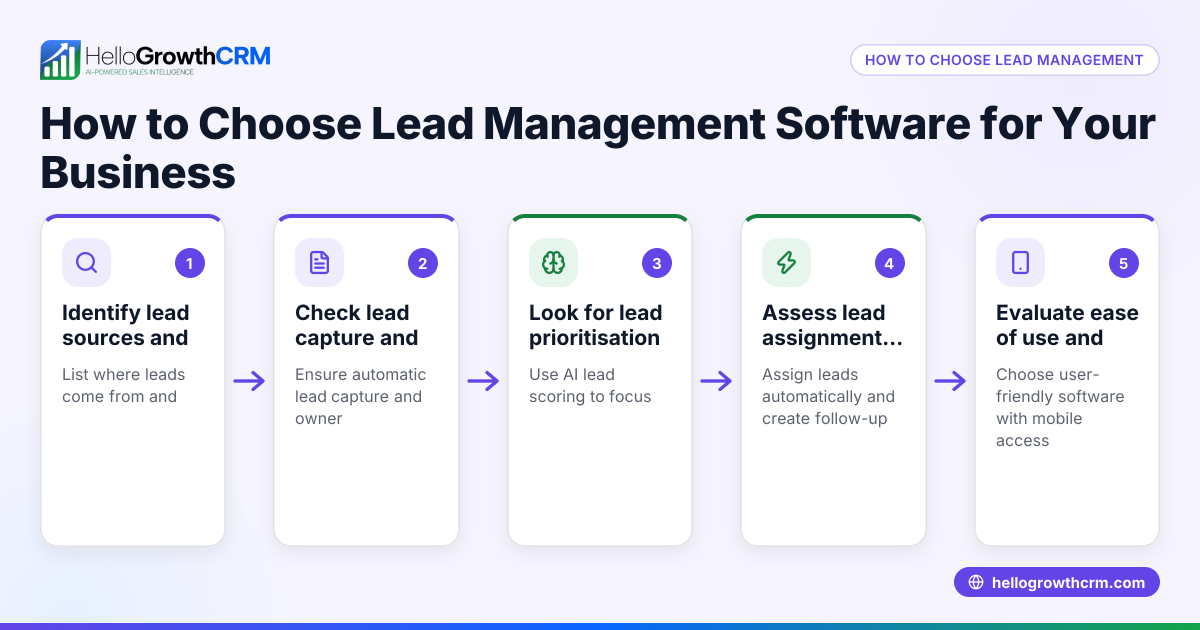
- Identify your sales process and pain points
- List how leads come in (IndiaMART, JustDial, walk-ins, referrals).
- Note how your team currently follows up (WhatsApp, calls, SMS, spreadsheets).
- Check where leads get lost or delayed.
- Decide essential CRM features
- Must support WhatsApp and SMS messaging to match Delhi NCR communication styles.
- Built-in dialer to make and log calls without switching apps.
- Ability to track lead status and next actions in one place.
- AI or automation features to help follow-up faster (optional).
- Check language and regional support
- Ensure the CRM interface and communication templates support Hindi, Hinglish, or Urdu if needed.
- Confirm data residency and compliance if sensitive customer data is involved.
- Evaluate ease of use and adoption
- Choose a CRM your sales and telecalling teams will actually use daily.
- Look for mobile-friendly or WhatsApp-native CRMs for field sales teams.
- Compare pricing and plans
- Check if the CRM charges per user or by features.
- Consider a free trial or free plan to test before buying.
- Ask about integrations
- Confirm if the CRM can capture leads from IndiaMART, JustDial, or your website forms automatically.
- Review support and training
- Check availability of local support or onboarding help.
See more about CRM features.
Example (fictional figures)
Rajesh runs a wholesale electrical goods business in Noida with 10 sales reps. He receives 500 leads monthly from IndiaMART and JustDial. Currently, his team uses WhatsApp and Excel to track leads but misses some follow-ups.
Rajesh wants a CRM to log calls, send WhatsApp follow-ups, and prioritize leads.
- Lead volume: 500 leads/month
- Average sales conversion: 10%
- Average sale value: ₹15,000
If Rajesh improves follow-up efficiency and converts an additional 25 leads monthly:
Additional leads = 25 leads/month
Additional monthly revenue = 25 × ₹15,000 = ₹3,75,000
Annual additional revenue = ₹3,75,000 × 12 = ₹45,00,000
This example shows how a CRM can increase revenue by improving lead follow-up.
Common mistakes
- Choosing CRM without WhatsApp integration: Delhi NCR businesses rely heavily on WhatsApp. Avoid CRMs that don’t log WhatsApp chats or allow messaging from the CRM. Prevent by verifying WhatsApp and SMS features before buying. See WhatsApp and SMS CRM.
- Ignoring team adoption challenges: Complex CRMs that require extensive training often fail. Prevent by selecting simple, WhatsApp-native CRMs or those with mobile apps.
- Not verifying lead capture sources: Many CRMs don’t support automatic lead import from IndiaMART or JustDial. Prevent by confirming lead capture capabilities.
- Overlooking call logging and dialer features: Manual call tracking wastes time and causes errors. Prevent by choosing CRMs with built-in dialers that log call outcomes automatically. See CRM features.
- Skipping trial or free plans: Buying without testing leads to regrets. Prevent by trying a CRM’s free plan or trial.
Doing this in HelloGrowthCRM
HelloGrowthCRM provides a WhatsApp-native CRM tailored for Indian SMBs including those in Delhi NCR. It includes a built-in dialer that lets telecallers work lead lists inside the CRM and logs every call outcome automatically. WhatsApp and SMS messages with leads are recorded on the lead record, enabling follow-ups directly from the CRM. Additionally, AI agents in beta draft follow-up messages after calls for review and sending, speeding up responses. Learn more at HelloGrowthCRM for India.
Frequently asked questions
What features should a CRM for Delhi NCR businesses have? A CRM should support WhatsApp and SMS messaging, have a built-in dialer, capture leads automatically from platforms like IndiaMART, and be easy for sales teams to adopt. Language support for Hindi and Hinglish is also important.
Can I use a CRM with WhatsApp for sales follow-up? Yes, WhatsApp-native CRMs let you send and log messages directly linked to leads. This helps keep all communication in one place and speeds up follow-up.
Is a built-in dialer necessary for telecalling teams? A built-in dialer saves time by allowing calls from inside the CRM and automatically logging call results. This reduces manual errors and helps track sales progress better.
How do I ensure my team will use the CRM effectively? Choose a CRM with a simple interface, mobile and WhatsApp integration, and features that match your sales process. Offering training and starting with a free plan can improve adoption.
Can this CRM capture leads from JustDial or IndiaMART? Check if the CRM supports lead capture from IndiaMART, JustDial, and web forms to centralize lead management.
See WhatsApp and SMS CRM for messaging features.
Key takeaways
- Choose CRM software that supports WhatsApp and SMS messaging for Delhi NCR businesses.
- A built-in dialer with automatic call logging improves telecalling team efficiency.
- Verify lead capture from IndiaMART, JustDial, and web forms to avoid manual data entry.
- Prioritize ease of use and team adoption by selecting WhatsApp-native, mobile-friendly CRMs.
- Use free plans or trials to test CRM features before committing.
- WhatsApp-native CRMs with AI drafting of follow-ups can speed up sales responses.
Start with the Free Forever plan (200 leads, no credit card) at HelloGrowthCRM to see how it fits your Delhi NCR business.
Ready to put this into practice?
Set up your pipeline, WhatsApp follow-ups, and AI lead scoring in minutes — free, no credit card.
Try HelloGrowthCRM freeGet CRM tips in your inbox
Join thousands of sales professionals who get weekly insights on CRM strategy, AI automation, and pipeline optimization.

The HelloGrowthCRM team publishes guides on CRM strategy, AI sales tools, and revenue operations for small business sales teams.