HelloGrowthCRM software
Built for real small-business sales teams
HelloGrowthCRM helps reps qualify faster, follow up on time, and close more deals—with practical automation in one place.
- AI lead scoring and pipeline visibility
- Built-in dialer, WhatsApp, and email automation
- Sales forecasting and RevOps-ready reporting
CRM task management means organising and tracking sales and customer follow-up tasks within a CRM system to avoid missed opportunities and improve team efficiency. It combines managing leads, scheduling calls, and setting reminders for next steps all in one place. This article covers why small businesses look for CRM task management, how to evaluate options step-by-step, common mistakes to avoid, and how HelloGrowthCRM supports this process.
Why this comes up / what goes wrong
Small and mid-sized UK businesses often lose leads or delay follow-up because their sales teams rely on fragmented tools like WhatsApp chats, email threads, or spreadsheets. Without a clear system for task management, it’s easy for calls, emails, and meetings to slip through the cracks. Founders and sales leaders find it hard to track who owns each lead, what the next step is, and when it’s due. This slows down sales cycles and lowers conversion rates.
CRM task management is sought to centralise all lead information and follow-up tasks in one place, assign responsibility, and give teams an organised daily to-do list. The goal is to replace manual reminders and scattered notes with automated task boards and activity tracking.
Step-by-step
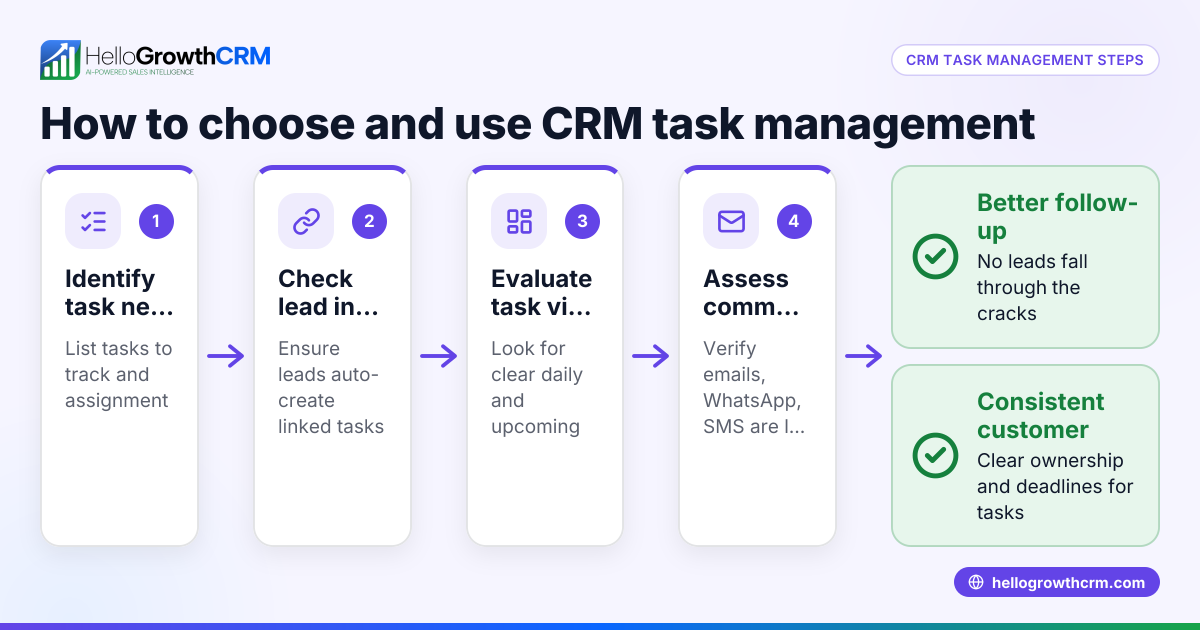
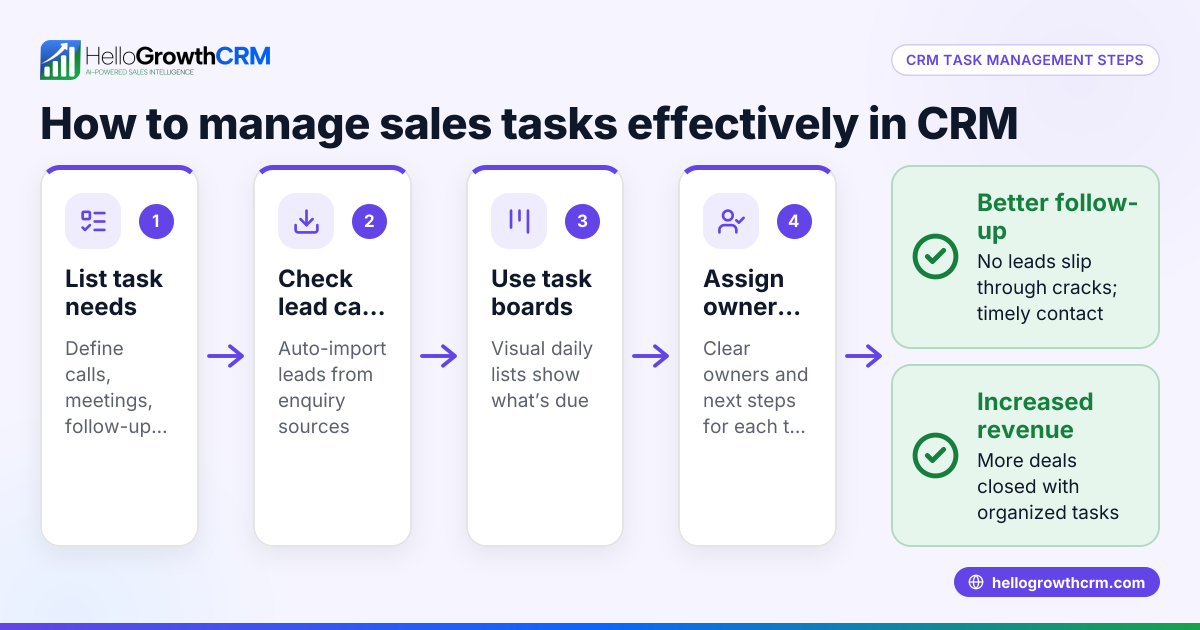
- Identify your task management needs: List the types of tasks you need to track, such as calls, emails, meetings, and follow-ups. Check if you want reminders, due dates, or recurring tasks.
- Check integration with your lead sources: Ensure the CRM can capture leads automatically from your web forms, calls, or messaging apps like WhatsApp. This avoids manual data entry and keeps leads organised.
- Look for task boards and activity tracking: A good CRM should have visual boards where tasks can be moved through stages, with due dates and owner assignment. This helps teams see daily priorities without memory reliance.
- Verify communication logging: Tasks often relate to customer conversations. Confirm the CRM logs WhatsApp, SMS, or email chats on each lead record for full context.
- Consider mobile and ease of use: Salespeople often work remotely or on the move. The CRM should have a mobile-friendly interface with quick access to tasks and calls.
- Evaluate reporting and forecasting: Check if the CRM provides reports on task completion rates and sales progress to help manage team performance.
- Trial and feedback: Use free trials or demos to test the CRM with your team’s actual workflow. Gather feedback on task management features before committing.
Example (fictional figures)
A Manchester-based letting agency, "CityLettings Ltd", receives about 50 rental enquiries weekly via web forms and WhatsApp. They want to improve follow-up speed and task tracking.
- Weekly leads: 50
- Average conversion rate without CRM: 20% (10 lets)
- Average conversion rate goal: 30% (15 lets)
Currently, follow-up tasks are noted in spreadsheets, causing delays and missed calls.
With CRM task management:
- Each enquiry lands as a lead with an assigned owner and a next step task due within 2 days.
- Daily task board shows 10 calls to make, 5 emails to send.
- WhatsApp chats are logged on lead records.
If each let is worth £1,200 monthly rent:
Additional lets expected = 15 - 10 = 5 lets
Monthly revenue increase = 5 lets × £1,200 = £6,000
Annual revenue increase = £6,000 × 12 = £72,000
This example shows how organised task management can boost revenue by improving follow-up.
Common mistakes
- No clear task ownership: Without assigning tasks to specific team members, follow-ups get missed. Prevent by ensuring every task has an owner.
- Overloading with tasks: Creating too many tasks without prioritisation overwhelms teams. Use task boards with due dates and focus on next steps only.
- Ignoring communication logs: Not linking messages or calls to leads causes loss of context. Use a CRM that logs WhatsApp and SMS conversations on lead records.
- Using multiple unconnected tools: Managing tasks across email, WhatsApp, and spreadsheets leads to errors. Choose a CRM that integrates leads and task management in one system.
- Lack of daily task visibility: If the day’s calls and tasks aren’t clearly listed, reps rely on memory and miss deadlines. Use a CRM with a daily task board to show what to do.
- Skipping trial and team input: Buying a CRM without testing it with actual users causes adoption issues. Always trial with your team and gather feedback.
Doing this in HelloGrowthCRM
HelloGrowthCRM offers activities and task boards where each follow-up becomes a task with a due date, turning the day’s calls into a clear list rather than a memory test. Every enquiry from a form, call or WhatsApp lands as a lead with an owner and a next step, instead of being lost in notebooks. WhatsApp conversations with leads are logged on the lead record, and follow-ups can be sent as WhatsApp or SMS messages. This keeps lead management and task tracking tightly connected and easy for sales teams to use. Learn more about sales task boards, WhatsApp and SMS CRM, and how HelloGrowthCRM works for UK businesses at HelloGrowthCRM for the United Kingdom.
Frequently asked questions
What is a CRM task management solution? A CRM task management solution organises sales and customer follow-up tasks within a CRM system. It helps assign tasks, set due dates, and track progress to ensure leads are contacted on time and no opportunities are missed.
Can I use CRM and task management together effectively? Yes. Combining CRM and task management means leads, communications, and follow-up tasks are all in one place. This improves team coordination and speeds up sales cycles by making tasks visible and actionable.
What should I look for in a task management CRM? Look for automatic lead capture, task boards with due dates, clear task ownership, communication logging (especially WhatsApp and SMS), and mobile access. Also, check if the CRM fits your team’s workflow and is easy to use.
Is task management CRM suitable for small businesses? Absolutely. Small businesses benefit from task management CRM by reducing manual follow-up errors and organising leads efficiently. It helps small sales teams stay on top of daily activities without extra complexity.
How does HelloGrowthCRM handle task management? HelloGrowthCRM turns every follow-up into a task with due dates on a visual task board. It captures leads from forms, calls, and WhatsApp, assigns owners, and logs conversations. This makes daily sales tasks clear and manageable.
Key takeaways
- CRM task management centralises lead follow-up tasks to avoid missed opportunities.
- Assign clear task ownership and use due dates to keep sales teams accountable.
- Choose a CRM that integrates lead capture, communication logs, and task boards.
- Avoid using unconnected tools like spreadsheets and WhatsApp alone for task tracking.
- Trial CRM task management features with your team before deciding.
- HelloGrowthCRM supports task management with activities, lead capture, and WhatsApp logging.
Start organising your sales follow-ups efficiently and never miss a lead with HelloGrowthCRM. Start on the Free Forever plan (200 leads, no credit card).
Ready to put this into practice?
Set up your pipeline, WhatsApp follow-ups, and AI lead scoring in minutes — free, no credit card.
Try HelloGrowthCRM freeGet CRM tips in your inbox
Join thousands of sales professionals who get weekly insights on CRM strategy, AI automation, and pipeline optimization.

The HelloGrowthCRM team publishes guides on CRM strategy, AI sales tools, and revenue operations for small business sales teams.