HelloGrowthCRM software
Built for real small-business sales teams
HelloGrowthCRM helps reps qualify faster, follow up on time, and close more deals—with practical automation in one place.
- AI lead scoring and pipeline visibility
- Built-in dialer, WhatsApp, and email automation
- Sales forecasting and RevOps-ready reporting
A CRM with business integrations for operations managers in Canada should connect seamlessly with your existing tools, capture leads automatically, and support communication channels like WhatsApp and SMS. This article explains why such integrations matter, how to evaluate CRMs step-by-step, common mistakes to avoid, and how HelloGrowthCRM supports these needs with API integrations, WhatsApp and SMS workflows, and AI agents.
Why this comes up / what goes wrong
Operations managers in small and mid-sized Canadian businesses often juggle multiple software tools for sales, marketing, customer communication, and operations. Without a CRM that integrates well, data silos form, leading to missed leads, slow follow-up, and inefficient workflows. For example, leads from web forms or third-party platforms may not enter the CRM automatically, requiring manual entry that wastes time and risks errors. Communication channels like WhatsApp and SMS are popular with customers but often run separately from sales tracking, causing lost context and inconsistent follow-ups. Operations managers need a CRM that fits into their existing stack and simplifies lead capture, communication, and task management.
Step-by-step
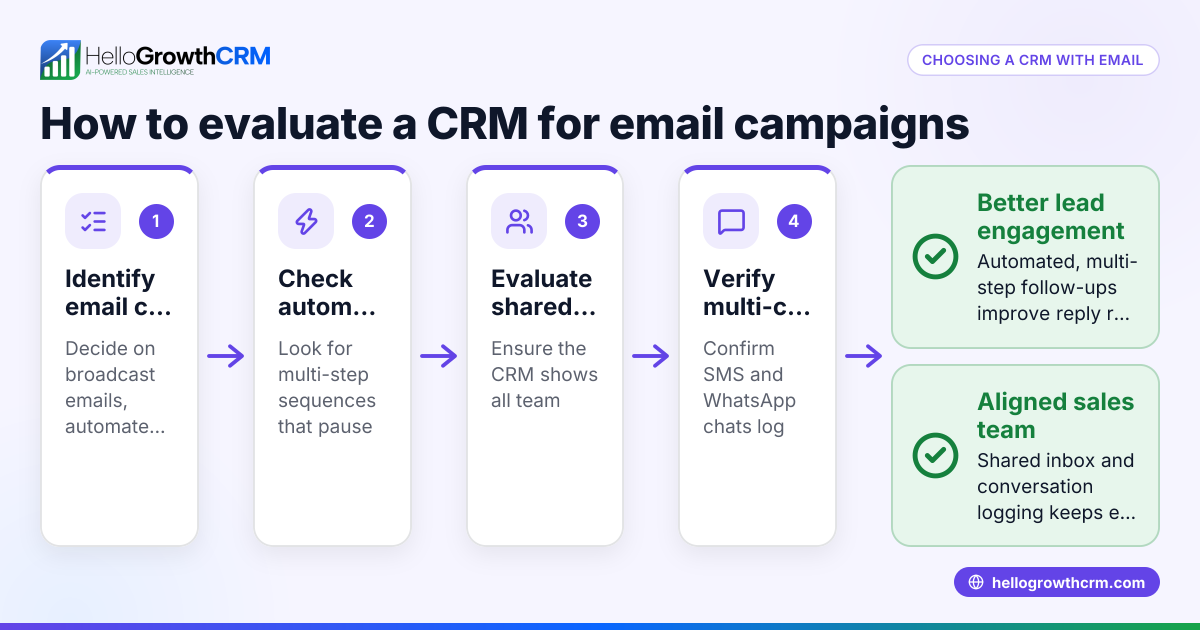
- Identify your key business tools and communication channels
- List platforms you use for lead generation (e.g., web forms, IndiaMART, JustDial).
- Note communication channels your team uses (WhatsApp, SMS, email).
- Check if your CRM can integrate with these tools to automate lead capture and communication logging.
- Evaluate CRM integration capabilities
- Confirm if the CRM offers API and native integrations with your platforms.
- Check if leads from external sources like IndiaMART and JustDial arrive automatically in the CRM.
- Verify if the CRM supports WhatsApp and SMS messaging workflows to log conversations and send follow-ups.
- Assess communication and automation features
- Look for CRMs that log WhatsApp conversations on lead records.
- Consider AI agents that can draft follow-up messages after calls for faster response times.
- Test user experience and adoption potential
- Ensure the CRM interface is easy for your sales and operations teams to use daily.
- Check if task boards and pipeline views help your team track progress clearly.
- Review reporting and forecasting tools
- Confirm the CRM provides sales forecasting and reporting to aid operations planning.
- Ask about support and scalability
- Understand the support options and whether the CRM can grow with your business.
For more on integrations, see integrations.
Example (fictional figures)
A bilingual insurance agency in Laval, Quebec, named "Laval Secure Insurance," wants to streamline lead capture and follow-ups. They receive leads from their website, IndiaMART, and JustDial. They also communicate with clients via WhatsApp and SMS.
- Monthly leads from website: 150
- Monthly leads from IndiaMART and JustDial combined: 50
- Average deal size: C$4,500
- Current manual follow-up rate: 60%
They choose a CRM with integrations that automatically capture all leads and log WhatsApp conversations.
Calculations:
Total monthly leads = 150 + 50 = 200
Estimated deals closed at 60% follow-up = 200 × 60% = 120
Monthly revenue = 120 × C$4,500 = C$540,000
By automating follow-ups with AI agents, they improve follow-up rate to 80%:
Improved deals = 200 × 80% = 160
Improved monthly revenue = 160 × C$4,500 = C$720,000
Revenue increase = C$720,000 - C$540,000 = C$180,000
This example shows how integrating lead sources and automating communication can boost revenue.
Common mistakes
- Choosing a CRM without native integrations
- Prevent by verifying the CRM supports your lead sources like IndiaMART and JustDial to avoid manual lead entry.
- Ignoring communication channels like WhatsApp and SMS
- Prevent by selecting a CRM that logs messages and allows follow-ups inside the system.
- Overlooking AI or automation features
- Prevent by exploring AI agents that draft follow-ups, saving time and reducing delays.
- Not testing user adoption
- Prevent by involving your team in trials to ensure the CRM is intuitive and fits workflows.
- Neglecting reporting and forecasting needs
- Prevent by confirming the CRM offers clear sales reporting to guide operations decisions.
For a detailed list of integrations, visit integrations.
Doing this in HelloGrowthCRM
HelloGrowthCRM supports operations managers with API and integrations that bring IndiaMART and JustDial enquiries directly into the CRM as leads. It offers WhatsApp and SMS workflows where conversations with leads are logged on their records, and follow-ups can be sent as messages. Additionally, AI agents (in Beta on Growth plans) draft follow-up messages after calls, so reps only need to review and send, speeding up response times. Learn more about HelloGrowthCRM’s WhatsApp and SMS CRM and integrations.
Frequently asked questions
What integrations should a CRM for operations managers in Canada have? A CRM should integrate with your lead sources like IndiaMART and JustDial, communication channels such as WhatsApp and SMS, and other tools in your sales and operations stack. This ensures leads enter automatically, conversations are logged, and workflows stay connected.
Can I use WhatsApp within a CRM for business communication? Yes, some CRMs, including HelloGrowthCRM, are WhatsApp-native and log conversations on lead records. This keeps communication history in one place and allows follow-ups via WhatsApp messages.
How do AI agents help in CRM workflows? AI agents can automate repetitive tasks like drafting follow-up messages after calls. This reduces manual work, speeds up response times, and helps your team focus on closing deals.
Is it important to test CRM usability with my team? Absolutely. A CRM that your team finds easy to use will have better adoption and more consistent data entry, which improves overall sales and operations efficiency.
Where can I find a list of integrations supported by HelloGrowthCRM? You can view the full list of integrations, including IndiaMART, JustDial, Razorpay, and Tally, on the integrations page.
Key takeaways
- Operations managers need CRMs that integrate with lead sources and communication channels.
- Automatic lead capture from platforms like IndiaMART and JustDial saves time and reduces errors.
- WhatsApp and SMS integration keep communication logged and enable timely follow-ups.
- AI agents can draft follow-ups, speeding up response and improving conversion.
- Testing CRM usability with your team ensures good adoption.
- HelloGrowthCRM offers these features tailored for Canadian small and mid-sized businesses.
Start streamlining your operations today by trying HelloGrowthCRM. Start on the Free Forever plan (200 leads, no credit card).
Ready to put this into practice?
Set up your pipeline, WhatsApp follow-ups, and AI lead scoring in minutes — free, no credit card.
Try HelloGrowthCRM freeGet CRM tips in your inbox
Join thousands of sales professionals who get weekly insights on CRM strategy, AI automation, and pipeline optimization.

The HelloGrowthCRM team publishes guides on CRM strategy, AI sales tools, and revenue operations for small business sales teams.