HelloGrowthCRM software
Built for real small-business sales teams
HelloGrowthCRM helps reps qualify faster, follow up on time, and close more deals—with practical automation in one place.
- AI lead scoring and pipeline visibility
- Built-in dialer, WhatsApp, and email automation
- Sales forecasting and RevOps-ready reporting
A customer care department is a dedicated part of a business that manages all customer interactions after a sale. It handles inquiries, resolves issues, processes service requests, and maintains ongoing communication to keep customers happy and encourage repeat business. For small and mid-sized businesses, establishing this department helps organize support efforts and improves customer experience.
Why this comes up / what goes wrong
Small-business owners often search for "customer care department" because they notice customer service is inconsistent, slow, or scattered across emails, texts, and phone calls. Without a clear team or process, customers may feel ignored or frustrated, leading to lost sales and damaged reputation. Owners want to understand how to set up a customer care function that fits their size and budget, ensuring no customer inquiry slips through the cracks.
Step-by-step
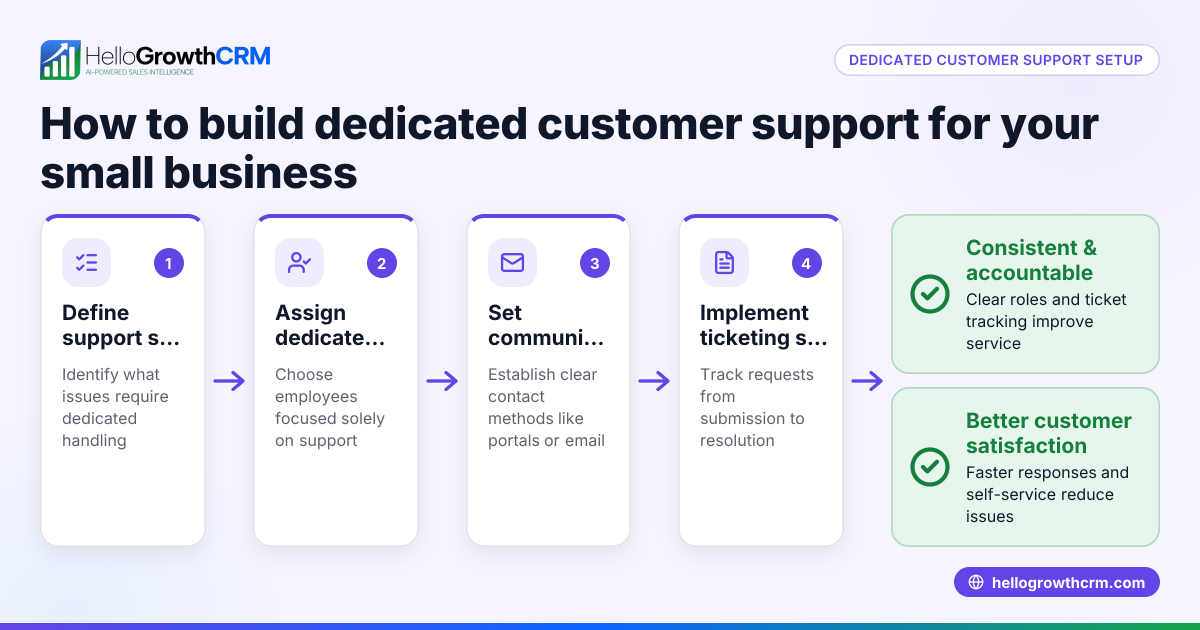
- Define the purpose and scope: Decide what issues your customer care department will handle, such as product questions, complaints, returns, or technical support. Check what your customers ask most often to prioritize.
- Assign roles and responsibilities: Choose team members to manage customer interactions. For small businesses, this might be one or two employees who also handle sales or operations. Confirm they have clear duties and training.
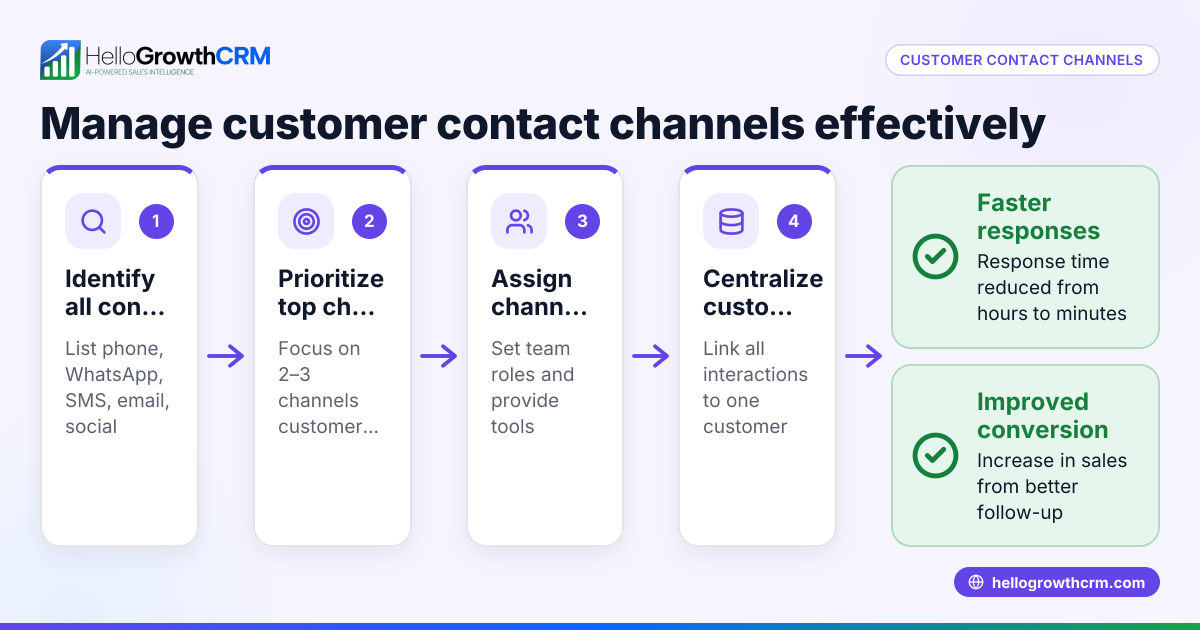
- Set up communication channels: Establish how customers will reach you—phone, email, WhatsApp, SMS, or a customer portal. Make sure these channels are monitored regularly.
- Implement a tracking system: Use tools to log and track customer requests and responses. This helps avoid missed messages and measures response times. Check that your system allows linking service requests to customer records.
- Create a knowledge base: Compile answers to common questions and troubleshooting steps. This supports faster responses and can be shared with customers via a self-service portal.
- Train the team: Provide training on product knowledge, communication skills, and using your CRM or ticket system.
- Monitor and improve: Regularly review customer feedback and ticket resolution times. Adjust processes and training as needed.
For businesses using HelloGrowthCRM, the customer care department benefits from features like a branded customer portal, tickets, and knowledge base, all connected to the same customer record as the sale. Learn more about customer health score and support features at customer health score and WhatsApp and SMS CRM.
Example (fictional figures)
A residential real-estate team in Phoenix, Arizona, with 15 employees decides to formalize their customer care department on 05/01/2026. They handle about 500 customer inquiries monthly.
- They assign 2 agents dedicated to customer care.
- They implement a ticketing system costing $300/month.
- They create a knowledge base with 50 articles.
Monthly cost calculation:
$300 (ticket system) + $3,000 (2 agents × $1,500/month each) = $3,300
They estimate improved customer retention increases sales by $20,000 monthly.
Return on investment:
$20,000 (increased sales) - $3,300 (cost) = $16,700 net gain per month
This example shows how investing in a customer care department can pay off by improving customer satisfaction and sales.
Common mistakes
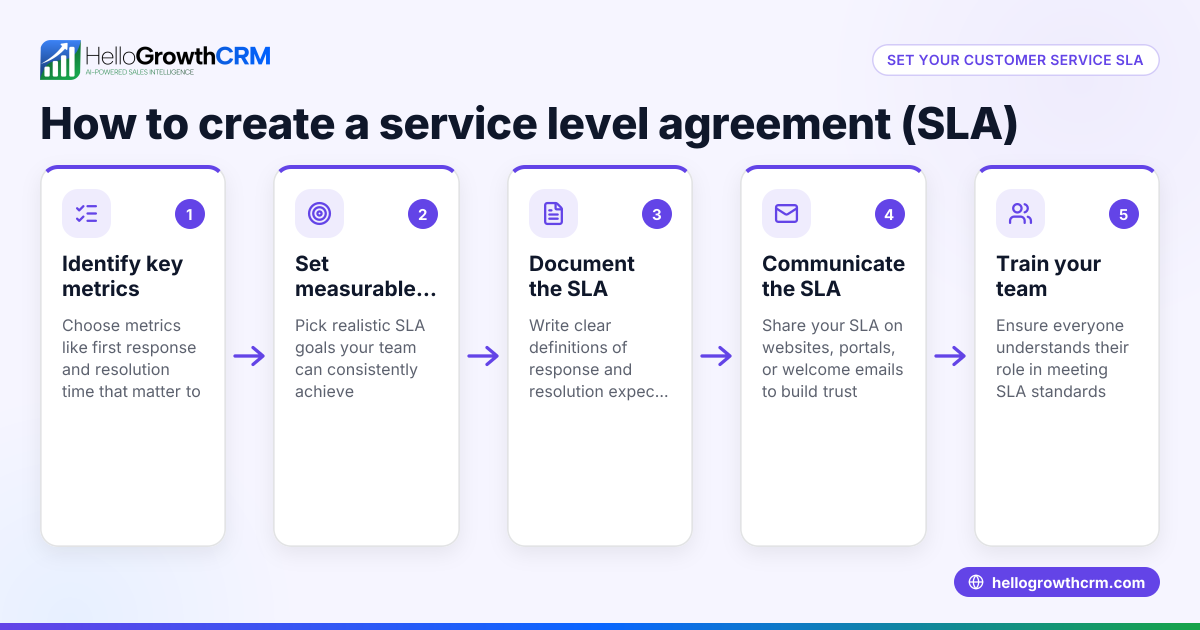
- Ignoring customer inquiries or slow responses: Prevent by setting clear response time goals and monitoring performance.
- Scattered customer data: Avoid using multiple disconnected tools; use a CRM that keeps all customer info and service requests in one place.
- No training for customer care staff: Provide regular training on products and communication.
- Lack of self-service options: Create a knowledge base and customer portal to reduce repetitive questions.
- Not measuring customer satisfaction: Use surveys or feedback tools to track and improve service.
- Failing to link service to sales records: Ensure customer care data ties back to deals for a complete view.
Doing this in HelloGrowthCRM
HelloGrowthCRM supports your customer care department with a branded self-service customer portal where customers can find answers and submit tickets. Referrals and tickets stay connected on the same customer record as the deal, keeping your sales and service teams aligned. The integrated knowledge base helps your team answer questions faster. Explore these features to improve your customer care at HelloGrowthCRM for the United States.
Frequently asked questions
What is the difference between customer care and customer service? Customer care focuses on building ongoing relationships and addressing customer needs proactively, while customer service tends to be reactive, solving immediate problems. Both are important but customer care is broader.
How can small businesses manage customer care without a big team? Start by assigning existing staff part-time to handle inquiries, use a CRM with ticketing and a customer portal to organize requests, and create a knowledge base for common questions to reduce workload.
Why is a knowledge base important for customer care? A knowledge base provides quick access to answers and solutions, enabling faster response times and empowering customers to self-serve, which reduces repetitive inquiries.
How does HelloGrowthCRM help with customer care? It offers a customer portal, support tickets, and a knowledge base all linked to the customer record, so your team can manage service requests efficiently alongside sales. See more at WhatsApp and SMS CRM.
What communication channels should a customer care department use? Common channels are phone, email, WhatsApp, SMS, and online portals. Choose those your customers prefer and ensure consistent monitoring.
Key takeaways
- A customer care department handles post-sale customer interactions to improve satisfaction and loyalty.
- Define clear roles, communication channels, and tracking systems to organize customer care effectively.
- Use a knowledge base and customer portal to speed up responses and enable self-service.
- Avoid common mistakes like slow responses, scattered data, and lack of training.
- HelloGrowthCRM integrates customer care requests with sales records, offering tickets, referrals, and a knowledge base.
Start managing your customer care better today. Start on the Free Forever plan (200 leads, no credit card).
Ready to put this into practice?
Set up your pipeline, WhatsApp follow-ups, and AI lead scoring in minutes — free, no credit card.
Try HelloGrowthCRM freeGet CRM tips in your inbox
Join thousands of sales professionals who get weekly insights on CRM strategy, AI automation, and pipeline optimization.

The HelloGrowthCRM team publishes guides on CRM strategy, AI sales tools, and revenue operations for small business sales teams.