HelloGrowthCRM software
Built for real small-business sales teams
HelloGrowthCRM helps reps qualify faster, follow up on time, and close more deals—with practical automation in one place.
- AI lead scoring and pipeline visibility
- Built-in dialer, WhatsApp, and email automation
- Sales forecasting and RevOps-ready reporting
A customer complaint log template for India is essential for small and mid-sized businesses to track customer issues clearly and follow them up promptly. It helps ensure no complaint is missed and improves customer satisfaction by providing a clear record of what was reported, when, and how it was resolved.
Why this comes up / what goes wrong
Many Indian small business owners handle customer complaints informally through WhatsApp, calls, or scattered notes. This leads to lost complaints, slow responses, and unhappy customers. Without a proper system, it becomes difficult to track if complaints were addressed or forgotten. A ready-to-use complaint log template saves time and improves accountability by capturing every detail in one place, making follow-ups easier and more organised.
Step-by-step
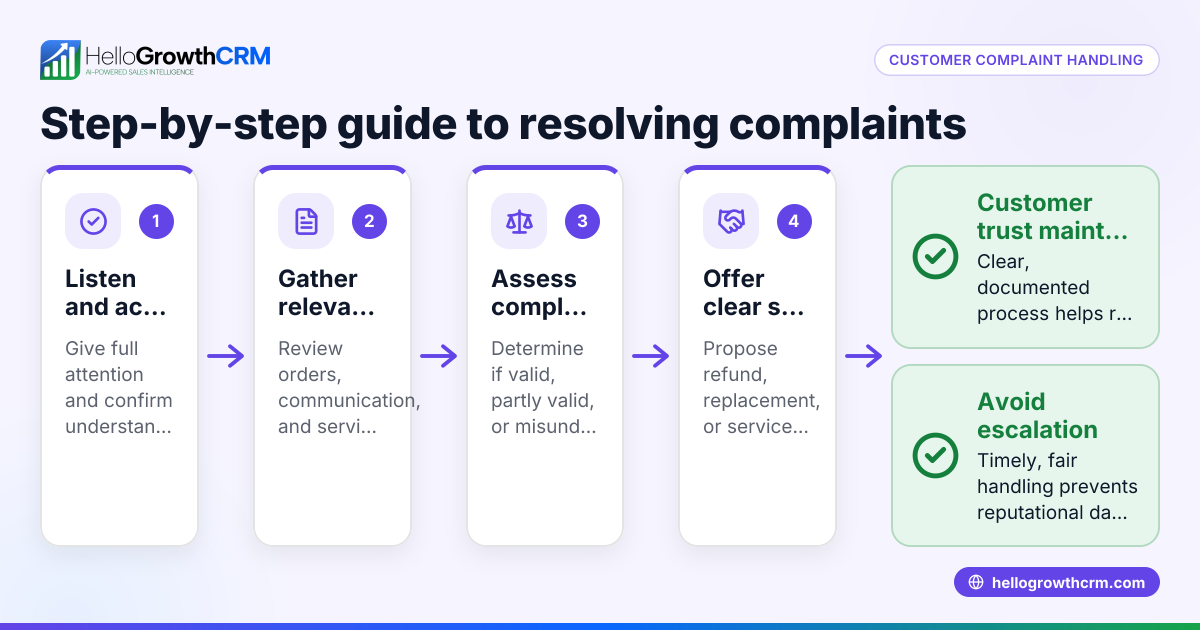
- Download or create a complaint log template: Use a spreadsheet or document with columns for Complaint ID, Customer Name, Contact, Date of Complaint, Complaint Description, Assigned To, Action Taken, Status, and Resolution Date. Check that the template is simple and easy for your team to update. You can find useful formats among sales templates.
- Assign unique Complaint IDs: Each complaint should have a unique identifier to avoid confusion. Usually, a sequential number or a combination of date and number works well. This helps in quick referencing.
- Record customer details accurately: Enter the customer's full name, contact number, and email if available. Verify these details to ensure follow-up calls or messages reach the right person.
- Describe the complaint clearly: Note the exact issue reported by the customer in their own words. Avoid vague terms. This helps in understanding and addressing the problem correctly.
- Assign responsibility: Allocate the complaint to a team member or department responsible for resolving it. This prevents complaints from being ignored.
- Track actions and status: Update the log with actions taken, dates, and current status (e.g., pending, in progress, resolved). Check regularly to ensure no complaint remains unattended.
- Close the complaint after resolution: Once the issue is resolved to the customer's satisfaction, mark the complaint as closed and note the resolution date.
- Review and analyse: Periodically review the log to identify common issues or bottlenecks in service. Use this insight to improve processes and customer experience.
For ready-to-use formats and sales tools that help manage follow-ups efficiently, see the free sales tools and calculators.
Example (fictional figures)
Company: ABC Electronics, Mumbai Date: 15/05/2024
| Complaint ID | Customer Name | Contact | Date of Complaint | Complaint Description | Assigned To | Action Taken | Status | Resolution Date |
|---|---|---|---|---|---|---|---|---|
| 001 | Ramesh Kumar | 9876543210 | 14/05/2024 | Delivered TV with screen issue | Support Team | Replacement arranged on 15/05/2024 | Resolved | 15/05/2024 |
Calculations (for example, compensation):
- Cost of TV: ₹45,000
- Compensation offered: 10% of cost
₹45,000 × 10% = ₹4,500
- Final refund amount = ₹4,500
This example shows a clear record of the complaint, action, and resolution, which helps in audit and follow-up.
Common mistakes
- Not assigning a unique ID: Leads to confusion and duplicate entries. Prevent by always generating a new ID for each complaint.
- Incomplete customer details: Makes follow-up difficult. Always verify phone numbers and email IDs.
- Vague complaint descriptions: Causes delays in resolution. Train staff to record exact customer words.
- No assigned responsibility: Complaints may get ignored. Assign each complaint to a specific team member.
- Failing to update status: Management loses track of pending issues. Update the log daily.
- Ignoring regular reviews: Missed patterns mean missed improvement opportunities. Schedule weekly reviews.
Avoid these by following the step-by-step process and using templates designed for clarity, such as those available in sales templates.
Doing this in HelloGrowthCRM
HelloGrowthCRM offers free sales tools, templates, and calculators that you can download without an account to help manage customer interactions efficiently. After the sale, customer service requests, complaints, and tickets stay linked on the same customer record as the deal, making it easier to track and resolve issues in one place. Learn more about managing customer service with HelloGrowthCRM at HelloGrowthCRM for India.
Frequently asked questions
What is a customer complaint log template? A customer complaint log template is a structured document to record complaints systematically. It helps businesses track issues, assign responsibility, and ensure timely resolution.
Can I use Excel or Google Sheets for the complaint log? Yes, Excel or Google Sheets are common tools for maintaining complaint logs. They allow easy entry, sorting, and filtering of complaints, making them practical for small teams.
How often should I update the complaint log? Update the complaint log daily or immediately after any action is taken. Regular updates ensure no complaint is forgotten and help in timely follow-up.
Does HelloGrowthCRM provide complaint log templates? HelloGrowthCRM provides free sales templates and tools, including follow-up cadence and pipeline templates, which can help maintain organized customer records. You can download these without signing up at free sales tools and calculators.
How do I ensure my team uses the complaint log consistently? Train your team on the importance of the log, assign clear responsibility, and review the log regularly. Using simple, accessible templates also helps maintain consistency.
Key takeaways
- Use a clear, simple complaint log template with unique IDs and detailed fields.
- Record all customer details and complaint descriptions accurately.
- Assign responsibility and update complaint status regularly.
- Review complaint logs periodically to improve service.
- Avoid common mistakes like vague entries and no follow-up.
- HelloGrowthCRM offers free templates and keeps service requests linked to customer records.
Start managing your customer complaints efficiently today. Start on the Free Forever plan (200 leads, no credit card).
Ready to put this into practice?
Set up your pipeline, WhatsApp follow-ups, and AI lead scoring in minutes — free, no credit card.
Try HelloGrowthCRM freeGet CRM tips in your inbox
Join thousands of sales professionals who get weekly insights on CRM strategy, AI automation, and pipeline optimization.

The HelloGrowthCRM team publishes guides on CRM strategy, AI sales tools, and revenue operations for small business sales teams.