HelloGrowthCRM software
Built for real small-business sales teams
HelloGrowthCRM helps reps qualify faster, follow up on time, and close more deals—with practical automation in one place.
- AI lead scoring and pipeline visibility
- Built-in dialer, WhatsApp, and email automation
- Sales forecasting and RevOps-ready reporting
A customer feedback form template USA helps small business owners gather structured feedback to improve products and services. It typically includes sections for customer contact info, rating scales, open-ended questions, and suggestions. This article covers why small businesses need a ready-to-use form, step-by-step instructions to create one, a realistic example, common pitfalls, and how HelloGrowthCRM’s free sales templates can support your customer engagement.
Why this comes up / what goes wrong
Small business owners often need a quick, effective way to collect customer opinions without spending hours designing forms from scratch. Without a proper template, feedback forms can be incomplete, confusing, or fail to capture actionable insights. Many rely on generic or complicated surveys that customers skip. A tailored customer feedback form template USA addresses these issues by providing a clear, concise format that fits local business needs and compliance.
Step-by-step
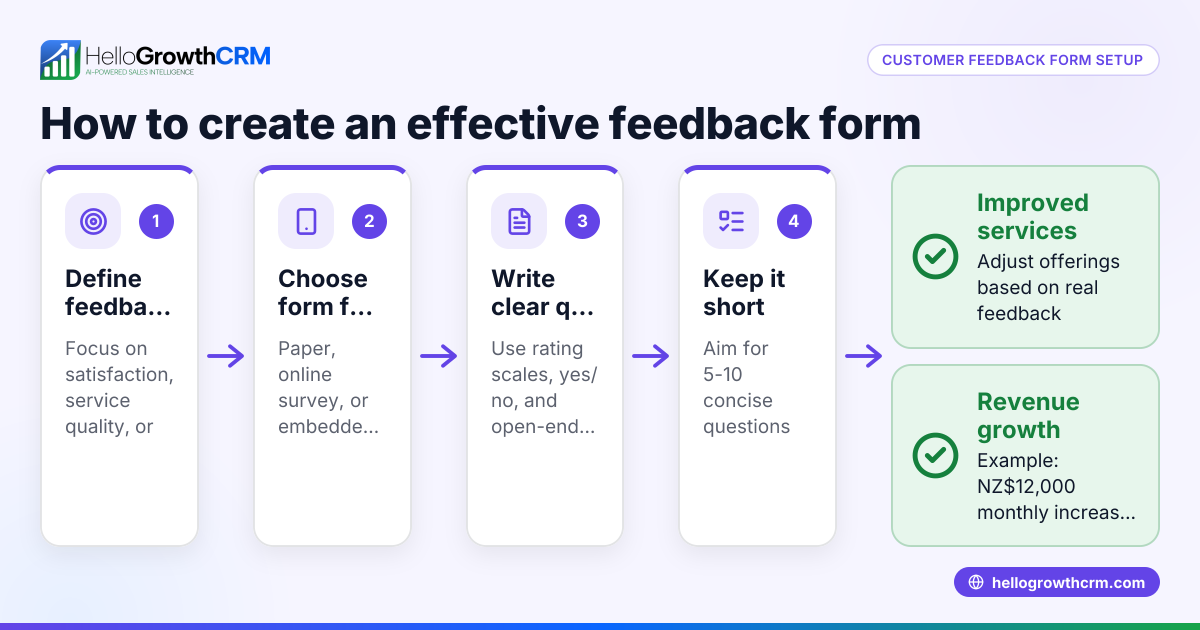
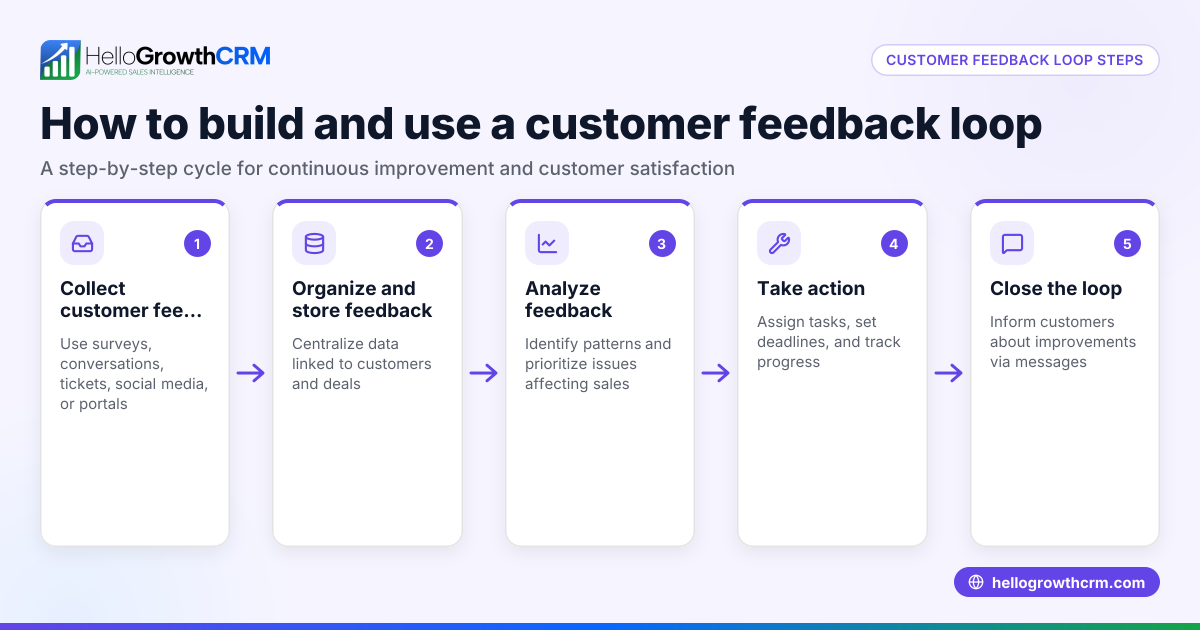
- Define your feedback goals: Decide what you want to learn—product satisfaction, service quality, or overall experience. Clear goals guide question selection.
- Choose the form format: Use digital forms (Google Forms, Typeform) or printable PDFs depending on your customer interaction mode. Check that the format is accessible on mobile devices.
- Create sections: Include these key parts:
- Customer information (name, contact details)
- Rating questions (scale 1-5 or 1-10) on key aspects
- Open-ended questions for detailed comments
- Suggestions or improvement ideas
- Keep it short and simple: Limit the form to 5-10 questions to encourage completion. Avoid jargon or ambiguous wording.
- Test the form: Share it with a few trusted customers or team members to check clarity and technical issues.
- Distribute the form: Use email, website links, or in-person handouts. Consider incentives for completion.
- Collect and analyze responses: Organize data in spreadsheets or CRM tools to identify trends.
- Follow up: Thank customers and inform them how their feedback will be used.
Check your form for completeness, ease of use, and relevance to your business goals before wide distribution. For ready-made examples, explore free sales templates that include customer engagement forms and follow-up cadences at sales templates.
Example (fictional figures)
Austin Plumbing Co., a small plumbing service in Austin, Texas, wants to collect feedback after each job.
They create a form with:
- Customer name and phone number
- Rating on timeliness (1-5)
- Rating on quality of work (1-5)
- Open-ended question: "What did you like or dislike about our service?"
- Suggestions for improvement
On 05/15/2024, they send the form to 100 recent customers. 60 respond.
Ratings average: Timeliness: (60 responses × average 4.5) = 270 Quality: (60 responses × average 4.7) = 282
Average rating per category: Timeliness = 270 ÷ 60 = 4.5 Quality = 282 ÷ 60 = 4.7
They use this data to identify strengths and areas for training, then plan a follow-up campaign to address any concerns.
Common mistakes
- Too many questions: Leads to low completion rates. Prevent by limiting to essential questions only.
- Vague questions: Cause unclear answers. Use specific, simple language.
- Ignoring mobile users: Many customers use phones. Preview your form on mobile devices.
- No follow-up plan: Collecting feedback without acting on it wastes effort. Plan how to address feedback.
- Mixing unrelated topics: Keep the form focused on one area to avoid confusing respondents.
- Not using templates: Starting from scratch can cause inconsistent formats. Use available templates to save time and maintain quality.
For tips on tracking customer satisfaction and following up efficiently, see the customer health score resource.
Doing this in HelloGrowthCRM
HelloGrowthCRM provides free sales tools and templates, including follow-up cadences and pipeline templates, without requiring an account. These resources can help you organize customer feedback collection and follow-up processes. Additionally, after the sale, service requests and tickets stay linked to the same customer record as the deal, enabling seamless customer support in one place.
Explore these resources at free sales tools and calculators.
Frequently asked questions
What is the best way to distribute a customer feedback form? Email with a direct link to an online form is common and convenient. You can also embed forms on your website or provide printed copies during service visits.
How often should I send customer feedback forms? Send feedback requests soon after a transaction or interaction to get timely responses. Avoid over-surveying the same customers to prevent fatigue.
Can I customize a customer feedback form template? Yes. Templates are starting points you can tailor to your business needs by adding or removing questions and adjusting wording. Using templates from sales templates can speed this process.
How do I encourage customers to complete the form? Keep forms brief, offer clear instructions, and consider incentives like discounts or entry into a prize draw.
How can I analyze feedback efficiently? Use spreadsheet tools or CRM features to sort and summarize responses. Look for patterns in ratings and comments. HelloGrowthCRM’s customer health score can help track satisfaction trends.
Key takeaways
- Use a clear, concise customer feedback form template tailored to your business goals.
- Include essential sections: customer info, rating scales, open questions, and suggestions.
- Test your form on multiple devices and with sample users before launch.
- Avoid common mistakes like too many questions or vague wording.
- Use free sales templates and tools to streamline feedback collection and follow-up.
Start improving your customer feedback process today. Start on the Free Forever plan (200 leads, no credit card) with HelloGrowthCRM to access tools that help you manage customer relationships and feedback efficiently.
Ready to put this into practice?
Set up your pipeline, WhatsApp follow-ups, and AI lead scoring in minutes — free, no credit card.
Try HelloGrowthCRM freeGet CRM tips in your inbox
Join thousands of sales professionals who get weekly insights on CRM strategy, AI automation, and pipeline optimization.

The HelloGrowthCRM team publishes guides on CRM strategy, AI sales tools, and revenue operations for small business sales teams.