HelloGrowthCRM software
Built for real small-business sales teams
HelloGrowthCRM helps reps qualify faster, follow up on time, and close more deals—with practical automation in one place.
- AI lead scoring and pipeline visibility
- Built-in dialer, WhatsApp, and email automation
- Sales forecasting and RevOps-ready reporting
An email signup form is a tool that allows you to gather email addresses from visitors interested in your business. It helps you build a list for marketing, newsletters, or sales follow-up. This article covers why small businesses need an email signup form, how to create one step-by-step, a realistic example, common mistakes to avoid, and how HelloGrowthCRM can support email follow-up.
Why this comes up / what goes wrong
Many small business owners want to grow their customer base by collecting emails but struggle to create an effective signup form. They often rely on basic contact forms or spreadsheets, losing leads due to slow follow-up or messy data. Without a clear format, signup forms may miss essential fields or legal consent, resulting in poor data quality or compliance risks.
Step-by-step
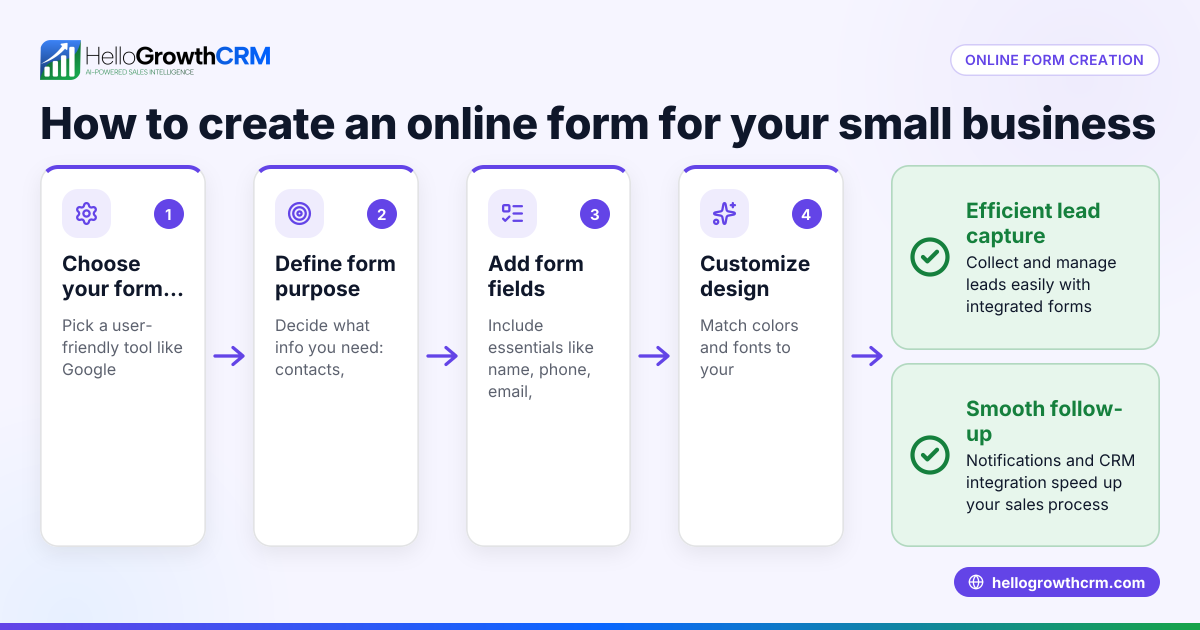
- Choose your signup form type: Decide if you want a web form embedded on your site, a landing page form, or a paper form for in-person events. Check that the form is mobile-friendly.
- Include essential fields: At minimum, ask for the visitor's email address. Optionally, add first and last name fields to personalize communications.
- Add a clear call to action: Use text like “Subscribe to our newsletter” or “Get exclusive offers” to motivate signups.
- Include consent checkboxes: To comply with email marketing laws, add a checkbox for users to agree to receive emails. Make this checkbox unchecked by default.
- Set up confirmation: Use a double opt-in process where users confirm their subscription via a follow-up email. This prevents fake or incorrect addresses.
- Test your form: Submit test entries to check that data is collected correctly and confirmation emails send as expected.
- Connect to your CRM or email tool: Automate adding new contacts to your marketing list. Check that integration works and data flows properly.
For automated follow-up and managing email sequences, see how HelloGrowthCRM handles email automation and sequences.
Example (fictional figures)
A two-location dental practice in Columbus, Ohio, wants to grow its patient list by collecting emails via a signup form on its website.
- They create a web form with fields: First Name, Last Name, Email Address.
- The call to action says: “Join our dental health tips newsletter.”
- A consent checkbox is added: “I agree to receive emails from SmileCare Dentistry.”
- They test the form by entering a test email: test@example.com.
- The form triggers a confirmation email the same day, 06/15/2026.
- After confirmation, the contact is automatically added to their email list.
Costs to consider:
- Website hosting and form plugin: $20/month
- Email service provider: $50/month for up to 2,000 contacts
- Time to set up: 4 hours × $50/hour = $200
Total monthly cost = $20 + $50 = $70 Setup cost = $200
Common mistakes
- No consent checkbox: Prevent by always including an unchecked consent box to comply with email laws.
- Collecting too much data: Keep the form simple to avoid deterring signups; ask only for what you need.
- No confirmation email: Use double opt-in to ensure valid emails and reduce spam complaints.
- Poor mobile experience: Test the form on phones and tablets to ensure usability.
- Not connecting to CRM or email tool: Automate data flow to avoid manual errors and speed follow-up.
Avoid these mistakes to improve your signup rate and data quality. Learn more about managing multi-step outreach with HelloGrowthCRM’s WhatsApp and SMS CRM.
Doing this in HelloGrowthCRM
HelloGrowthCRM offers a shared inbox called HelloMail where your team can see and manage replies to your quotation or marketing emails without switching apps. Its sequences and campaigns feature lets you set up automated multi-step follow-ups over two weeks that stop as soon as a prospect replies. This automation helps you engage new signups efficiently and avoid losing leads due to slow response. See details on email automation and sequences.
Frequently asked questions
What fields should I include in my email signup form? At minimum, include an email address field. Adding first and last name fields helps personalize emails. Avoid asking for too much information to keep signups easy.
How do I ensure my signup form complies with email laws? Include an unchecked consent checkbox for users to agree to receive emails. Use double opt-in confirmation emails to verify subscriptions.
Can I automate follow-up emails after someone signs up? Yes, using email automation tools or CRMs like HelloGrowthCRM, you can set sequences that automatically send welcome messages and reminders.
Should my signup form be mobile-friendly? Absolutely. Many users access sites on phones, so test your form on multiple devices to ensure it works smoothly.
How do I connect my signup form to HelloGrowthCRM? You can integrate your web form or email tool with HelloGrowthCRM to automatically add new contacts and trigger follow-up sequences. This keeps your sales and marketing aligned.
Key takeaways
- Use a simple form with email and optional name fields for easy signups.
- Always add a consent checkbox unchecked by default to comply with email laws.
- Implement double opt-in confirmation emails to verify subscribers.
- Test your form on mobile devices for usability.
- Connect your signup form to a CRM or email tool to automate follow-up.
- HelloGrowthCRM supports shared inboxes and automated sequences to manage new leads efficiently.
Start building your email list today with a proper signup form and automated follow-up. Start on the Free Forever plan (200 leads, no credit card) to try HelloGrowthCRM for your US small business.
Ready to put this into practice?
Set up your pipeline, WhatsApp follow-ups, and AI lead scoring in minutes — free, no credit card.
Try HelloGrowthCRM freeGet CRM tips in your inbox
Join thousands of sales professionals who get weekly insights on CRM strategy, AI automation, and pipeline optimization.

The HelloGrowthCRM team publishes guides on CRM strategy, AI sales tools, and revenue operations for small business sales teams.