HelloGrowthCRM software
Built for real small-business sales teams
HelloGrowthCRM helps reps qualify faster, follow up on time, and close more deals—with practical automation in one place.
- AI lead scoring and pipeline visibility
- Built-in dialer, WhatsApp, and email automation
- Sales forecasting and RevOps-ready reporting
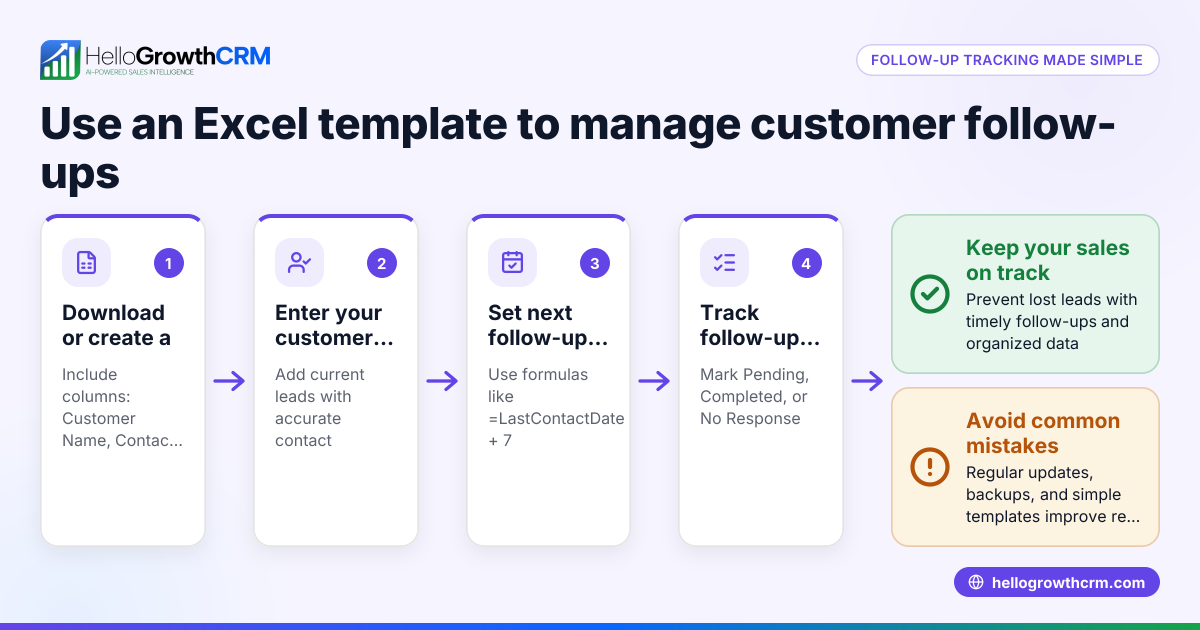
A customer follow up tracker Excel template helps Canadian small-business owners organise follow-ups with leads and customers to prevent missed opportunities and slow responses. It typically includes columns for customer details, last contact date, next follow-up date, follow-up method, and notes. This article covers why such a tool is essential, how to set it up step-by-step, an example with realistic figures, common pitfalls, and how HelloGrowthCRM can simplify follow-up management.
Why this comes up / what goes wrong
Many Canadian small-business owners rely on text messages, emails, and spreadsheets to manage sales leads and customer follow-ups. Without a systematic tracker, it’s easy to lose track of who needs a follow-up, when, and by what method. This leads to slow responses, missed sales, and frustrated customers. A ready-to-use Excel template tailored for Canadian businesses helps organise this process clearly and consistently.
Step-by-step
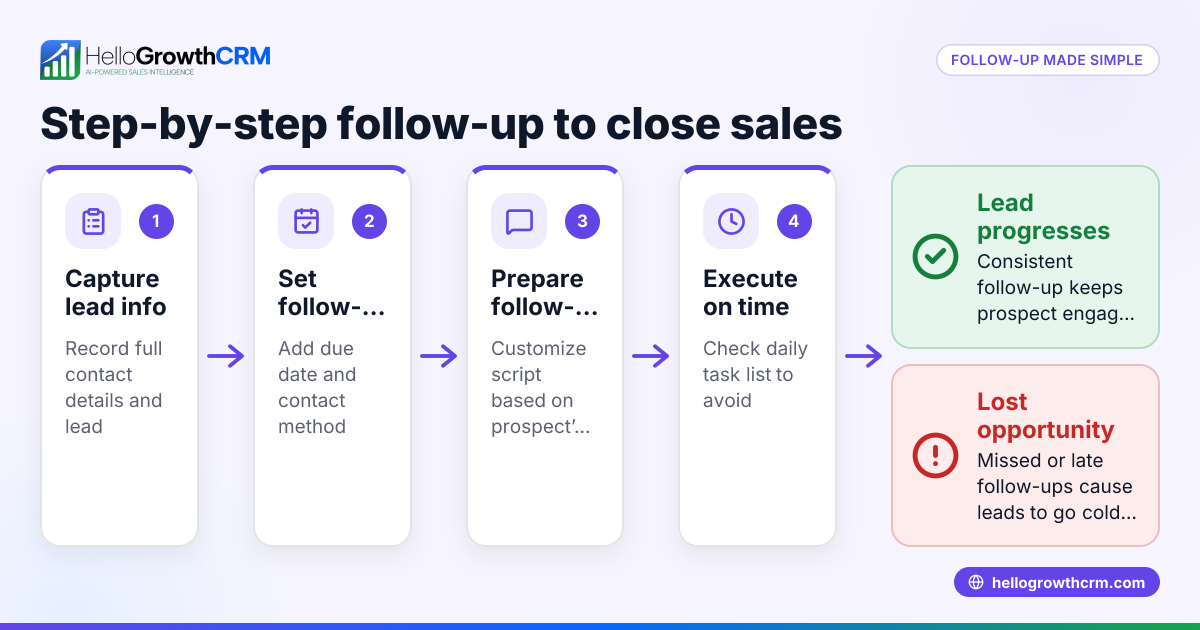
- Set up customer information columns: Include columns for customer name, contact details (phone, email), and company name if applicable. Check that contact info is complete and accurate.
- Add last contact and next follow-up dates: Create columns for the date of last contact and the planned next follow-up date. Use date format YYYY-MM-DD for consistency. Check that dates are entered correctly.
- Specify follow-up method: Add a column to note the follow-up method (phone, email, WhatsApp, SMS). This helps track which channel to use next.
- Include status and notes columns: Use a status column to mark if the lead is active, needs follow-up, or closed. Add a notes section for details from previous conversations. Check that notes are clear and updated.
- Create conditional formatting and filters: Apply colour coding to highlight overdue follow-ups and use filters to sort by next follow-up date or status. Check filter functionality regularly.
- Set reminders or use calendar integration: Although Excel itself doesn’t send alerts, link your tracker with calendar reminders or task boards to prompt timely follow-up.
- Review and update daily: Assign responsibility for daily review and updating of the tracker to keep information current.
For more advanced management beyond Excel, consider sales task boards that organise follow-ups as tasks with due dates.
Example (fictional figures)
A staffing agency in Halifax, Nova Scotia, uses the tracker to manage follow-up with a client lead:
| Customer Name | Contact | Last Contact | Next Follow-up | Method | Status | Notes |
|---|---|---|---|---|---|---|
| GreenTech Ltd | 902-555-1234 | 2024-04-20 | 2024-04-27 | Phone | Active | Discussed staffing needs for Q3 |
The agency called GreenTech Ltd on 2024-04-20 and scheduled a next follow-up call for 2024-04-27. They used phone as the method and noted the discussion topic. This clear record helps the sales rep prepare and not miss the follow-up.
Common mistakes
- Not updating the tracker daily: Leads to outdated info and missed follow-ups. Prevent by assigning daily review responsibility.
- Inconsistent date formats: Causes confusion and sorting errors. Prevent by standardising on YYYY-MM-DD.
- Missing contact details: Makes follow-up impossible. Prevent by verifying contact info at entry.
- No follow-up method specified: Leads to unclear next steps. Prevent by always filling the method column.
- Ignoring overdue follow-ups: Results in lost leads. Prevent by using conditional formatting to highlight overdue tasks.
- Relying solely on Excel without reminders: Risks forgetting follow-ups. Prevent by linking to calendar alerts or using CRM task boards like sales task boards.
Doing this in HelloGrowthCRM
HelloGrowthCRM offers Activities and task boards where each follow-up becomes a task with a due date, so the day's calls are a list, not a memory test. Its Sequences and campaigns feature runs automated five-step follow-ups over two weeks that stop as soon as the prospect replies. Additionally, AI agents draft follow-up messages after calls for quick review and sending. These features reduce manual tracking and improve follow-up speed. Learn more about these tools at HelloGrowthCRM for Canada.
Frequently asked questions
Can I use this Excel template for any type of business in Canada? Yes, the template is flexible and can be adapted to any Canadian small or mid-sized business needing to track customer follow-ups.
How do I ensure follow-ups are not missed using Excel? Use conditional formatting to highlight overdue follow-ups and set calendar reminders. For more automation, consider CRM tools with task boards and sequences.
What’s the best way to record follow-up notes? Keep notes concise but clear about what was discussed or agreed. Update notes immediately after each interaction.
Can I automate follow-ups with HelloGrowthCRM? Yes, HelloGrowthCRM’s Sequences and campaigns automate multi-step outreach and stop when a prospect replies, reducing manual work. See email automation and sequences for details.
Is there a free way to start managing follow-ups better? HelloGrowthCRM offers a Free Forever plan allowing up to 500 tasks and 200 leads, which can improve follow-up organisation without cost.
Key takeaways
- Use a structured Excel template with customer info, contact dates, follow-up methods, and notes.
- Standardise date formats and update the tracker daily to avoid errors.
- Highlight overdue follow-ups with conditional formatting and use filters for easy sorting.
- Assign responsibility for daily review to keep follow-ups on track.
- Consider using sales task boards and email automation and sequences in HelloGrowthCRM for more efficient follow-up management.
- Start with HelloGrowthCRM’s Free Forever plan to organise follow-ups without extra cost.
Start organising your customer follow-ups today with a ready-to-use Excel template or try HelloGrowthCRM to automate and simplify the process. Start on the Free Forever plan (200 leads, no credit card).
Ready to put this into practice?
Set up your pipeline, WhatsApp follow-ups, and AI lead scoring in minutes — free, no credit card.
Try HelloGrowthCRM freeGet CRM tips in your inbox
Join thousands of sales professionals who get weekly insights on CRM strategy, AI automation, and pipeline optimization.

The HelloGrowthCRM team publishes guides on CRM strategy, AI sales tools, and revenue operations for small business sales teams.