HelloGrowthCRM software
Built for real small-business sales teams
HelloGrowthCRM helps reps qualify faster, follow up on time, and close more deals—with practical automation in one place.
- AI lead scoring and pipeline visibility
- Built-in dialer, WhatsApp, and email automation
- Sales forecasting and RevOps-ready reporting
A customer follow up tracker Excel template helps small and mid-sized New Zealand businesses keep track of their leads and customers by recording contact details, follow-up dates, and notes. Without this, businesses often lose leads due to missed or late follow-ups. This article explains why a tracker is needed, how to set one up step-by-step, a practical example using NZD figures with calculations, common mistakes to avoid, and how HelloGrowthCRM can simplify follow-ups with automated task boards and sequences.
Why this comes up / what goes wrong
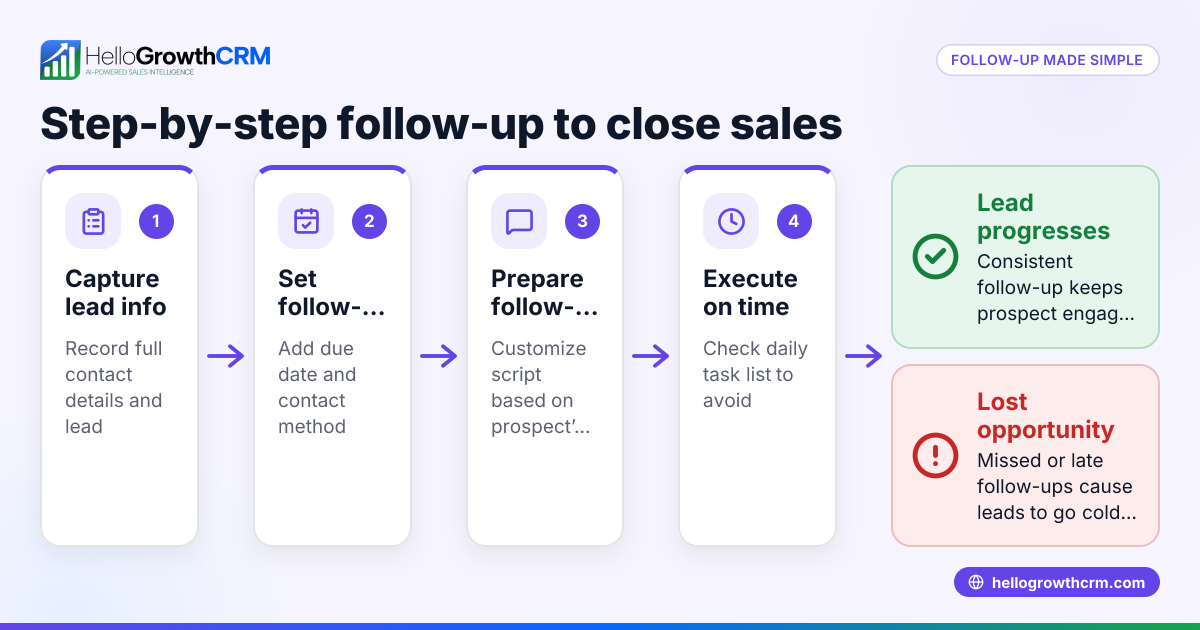
Small business owners in New Zealand often juggle multiple roles and sales channels like text messages, emails, and spreadsheets. Without a clear system, follow-ups slip through the cracks, causing lost leads and missed revenue. Many try to track follow-ups in basic Excel sheets but struggle with keeping data updated, managing due dates, or knowing which customer to contact next. This leads to confusion, duplicated efforts, or no follow-up at all.
A ready-to-use Excel template tailored for NZ businesses provides a structured format to record customer details, last contact dates, follow-up status, and next actions. It helps salespeople stay organised and ensures timely contact with prospects.
Step-by-step
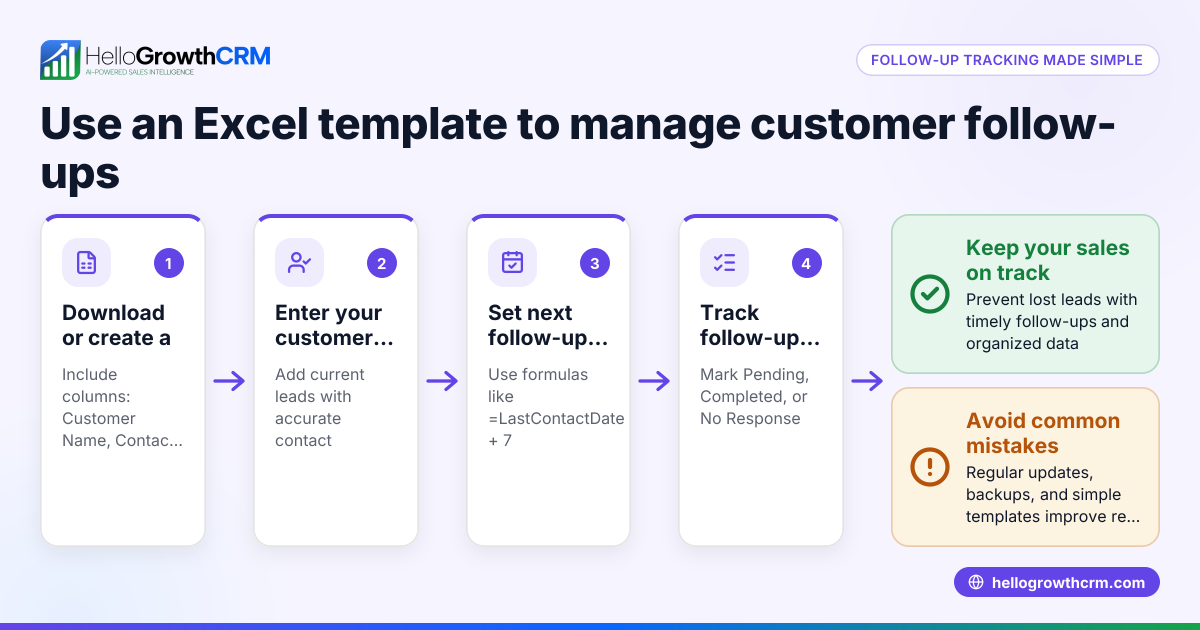
- Create columns for key information:
- Customer name
- Contact details (phone, email)
- Date of last contact
- Follow-up status (e.g., Pending, Completed, No response)
- Next follow-up date
- Notes
- Set date formats for New Zealand style (DD/MM/YYYY):
- Select date columns and format cells accordingly.
- Use conditional formatting:
- Highlight overdue follow-ups where next follow-up date is before today.
- Add filters or sorting:
- Enable filters on columns to quickly find customers needing follow-up.
- Include a summary section:
- Count of pending follow-ups, completed, and overdue tasks.
- Regularly update the sheet:
- After each contact, update status and next follow-up date.
- Back up the file:
- Save copies regularly or use cloud storage to avoid data loss.
- Check for duplicates:
- Use Excel’s remove duplicates feature to keep customer list clean.
For more advanced sales organisation, consider using sales task boards to visualise and manage follow-ups.
Example (fictional figures)
A Queenstown tourism operator, "Alpine Adventures Ltd", uses the tracker to follow up on enquiries for guided hikes. They record customer contact details, last contact date, follow-up status, and calculate the next follow-up date by adding 7 days.
| Customer | Phone | Last Contact | Status | Next Follow-up | Notes |
|---|---|---|---|---|---|
| Sarah Thompson | 021 555 123 | 15/05/2024 | Pending | 22/05/2024 | Interested in 3-day hike |
| Mark Wilson | 027 333 987 | 10/05/2024 | No response | 17/05/2024 | Left voicemail |
Calculations for next follow-up dates:
- Sarah’s last contact: 15/05/2024
- Next follow-up = 15/05/2024 + 7 days = 22/05/2024
- Mark’s last contact: 10/05/2024
- Next follow-up = 10/05/2024 + 7 days = 17/05/2024
This calculation helps Alpine Adventures maintain a weekly follow-up schedule to keep leads engaged.
Common mistakes
- Not updating follow-up status promptly:
- Prevent by setting a daily routine to update the tracker after calls or emails.
- Ignoring overdue follow-ups:
- Use conditional formatting to highlight overdue tasks and review them daily.
- Duplicate customer entries:
- Regularly use Excel’s remove duplicates feature to keep contacts unique.
- No clear next action:
- Always specify the next follow-up date and what the follow-up entails.
- Relying solely on manual tracking:
- Consider automated tools or CRM systems to reduce errors and save time.
For templates and automation tips, see our sales templates and free sales tools and calculators.
Doing this in HelloGrowthCRM
HelloGrowthCRM offers features that reduce manual follow-up tracking:
- Activities and task boards: Each follow-up becomes a task with a due date; the day’s calls appear as a list, so reps don’t have to remember everything. Learn more at sales task boards.
- Sequences and campaigns: Automate a five-step follow-up sequence over two weeks that stops as soon as the prospect replies. Details at email automation and sequences.
- AI agents: Beta AI agents draft follow-up messages after calls for reps to review and send, saving time on composing messages. See AI CRM.
Frequently asked questions
What should a customer follow up tracker include? A tracker should have customer contact details, last contact date, follow-up status, next follow-up date, and notes. This helps organise outreach and ensures no lead is missed.
How often should I update the tracker? Update it immediately after each customer interaction to keep data current and avoid confusion. A daily review of pending and overdue follow-ups is recommended.
Can Excel handle large sales teams? Excel works for small teams but can become cumbersome as the team grows. For better collaboration and automation, consider CRM tools with task boards and sequences.
How do I avoid missing follow-ups? Set reminders using conditional formatting in Excel or use CRM task boards that show due follow-ups clearly. Automating sequences also helps ensure timely contact.
Is there a free template for NZ businesses? Yes, many free templates are available online. You can also check our sales templates page for NZ-specific formats tailored to small businesses.
Key takeaways
- Use a structured Excel template with customer info, dates, status, and notes.
- Format dates in DD/MM/YYYY for New Zealand consistency.
- Use conditional formatting to highlight overdue follow-ups.
- Update the tracker immediately after each contact.
- Avoid duplicates and define clear next steps.
- For more automation, consider HelloGrowthCRM’s task boards and sequences.
Start organising your customer follow-ups today with a practical Excel template, or automate your sales process using HelloGrowthCRM. Start on the Free Forever plan (200 leads, no credit card).
Ready to put this into practice?
Set up your pipeline, WhatsApp follow-ups, and AI lead scoring in minutes — free, no credit card.
Try HelloGrowthCRM freeGet CRM tips in your inbox
Join thousands of sales professionals who get weekly insights on CRM strategy, AI automation, and pipeline optimization.

The HelloGrowthCRM team publishes guides on CRM strategy, AI sales tools, and revenue operations for small business sales teams.