HelloGrowthCRM software
Built for real small-business sales teams
HelloGrowthCRM helps reps qualify faster, follow up on time, and close more deals—with practical automation in one place.
- AI lead scoring and pipeline visibility
- Built-in dialer, WhatsApp, and email automation
- Sales forecasting and RevOps-ready reporting
A dispatch call is a phone call used to communicate instructions, updates, or assignments from a dispatcher to a service provider, delivery driver, technician, or customer. It is a key part of coordinating operations in businesses that rely on timely service or delivery. Small and mid-sized businesses often use dispatch calls to ensure tasks are completed efficiently and customers are kept informed.
Why this comes up / what goes wrong
Small-business owners frequently face challenges with dispatch calls when they rely on manual processes like spreadsheets, personal phones, or scattered notes. These challenges include missed or delayed dispatches, unclear communication, and difficulty tracking call outcomes. For example, a plumbing company with multiple technicians needs to quickly assign jobs and confirm details. Without a clear dispatch call system, jobs can be delayed, customers left waiting, and revenue lost. Slow or unlogged dispatch calls also make it harder to measure team performance or follow up effectively.
Step-by-step
- Prepare the dispatch list: Gather all pending jobs or deliveries that need dispatching. Check the priority, location, and required resources.
- Identify the right contact: Determine who needs to receive the dispatch call, such as a driver, technician, or customer.
- Make the dispatch call: Use a reliable phone system to call the contact. Clearly state the task details: what needs to be done, where, and by when.
- Confirm receipt: Ask the recipient to confirm they understand the instructions and can complete the task.
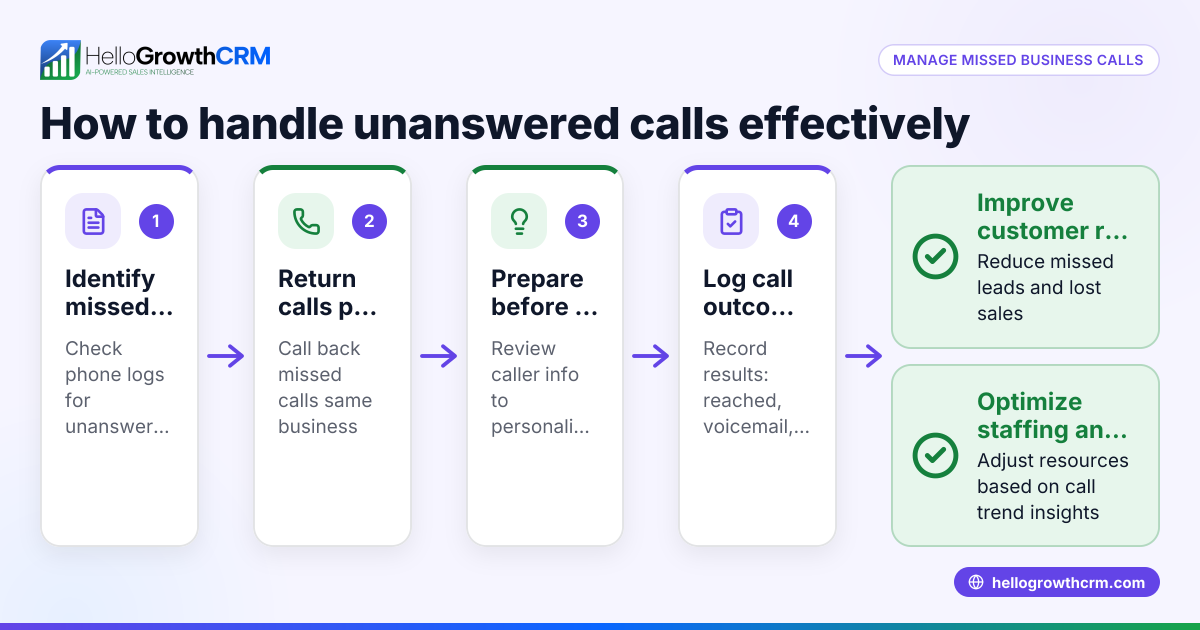
- Log the call outcome: Record whether the dispatch was accepted, rescheduled, or if there were issues. This helps track progress and accountability.
- Follow up as needed: Schedule reminders or follow-up calls if the task is delayed or requires updates.
Using a CRM with a built-in dialer can streamline these steps by letting you call directly from the system and automatically log call outcomes for each lead or contact. Learn more about the built-in CRM dialer.
Example (fictional figures)
A two-location dental practice in Columbus, Ohio, needs to dispatch a mobile dental hygienist to a patient’s home on 07/15/2026.
- The scheduler reviews the list and selects the hygienist available near the patient.
- The scheduler calls the hygienist using the CRM dialer.
- The hygienist confirms availability.
- The scheduler logs the call outcome as “Confirmed.”
Costs and revenue impact:
Appointment fee: $150 Travel expense: $20 Expected revenue from patient visit: $300
Calculations:
$300 (revenue) - $150 (appointment fee) = $150 $150 - $20 (travel expense) = $130 (net revenue)
If the dispatch call is delayed or missed, the appointment might be canceled, losing the $300 revenue.
Common mistakes
- Not logging call outcomes: Leads to lost information and missed follow-ups. Prevent by using a system that logs calls automatically.
- Using personal phones without tracking: Makes it hard to measure dispatch efficiency. Use a CRM dialer to keep calls organized.
- Failing to confirm task acceptance: Causes confusion and delays. Always get verbal confirmation.
- Not prioritizing dispatches: Urgent tasks may be delayed. Organize dispatch lists by priority.
- Ignoring follow-ups: Problems go unresolved. Schedule reminders to check on dispatched tasks.
Using a built-in CRM dialer helps prevent many of these mistakes by centralizing calling and logging.
Doing this in HelloGrowthCRM
HelloGrowthCRM offers a built-in dialer that lets your rep work through a list of leads or tasks directly inside the CRM. Each call’s outcome is logged on the lead record, keeping your dispatch calls organized and tracked. This reduces missed calls and improves follow-up efficiency, helping your team stay on top of dispatch tasks. Learn more about the built-in CRM dialer and how it supports dispatch calls.
Frequently asked questions
What is the difference between a dispatch call and a regular sales call? A dispatch call focuses on coordinating or assigning tasks like deliveries or services, while a sales call aims to promote or close sales. Dispatch calls are operational, ensuring jobs get done.
How can I track dispatch calls without a CRM? You can use spreadsheets or call logs on phones, but these methods are prone to errors and lost data. A CRM with a dialer automates tracking and centralizes information.
Can dispatch calls be automated? Some parts, like reminders or follow-ups, can be automated with sequences in a CRM, but the initial call often requires a human to confirm details.
Why is logging dispatch calls important? Logging ensures accountability, helps monitor team performance, and provides a history for follow-up or dispute resolution.
How does HelloGrowthCRM support dispatch calls via WhatsApp or SMS? HelloGrowthCRM integrates WhatsApp and SMS sequences to complement calls, allowing you to send updates or reminders through these channels. Learn more about WhatsApp and SMS CRM.
Key takeaways
- A dispatch call assigns or coordinates tasks between your business and field staff or customers.
- Preparing, calling, confirming, and logging are essential steps to manage dispatch calls effectively.
- Common mistakes include not logging calls, failing to confirm, and ignoring follow-ups.
- Using a CRM with a built-in dialer like HelloGrowthCRM improves call management and tracking.
- Combining calls with WhatsApp or SMS sequences enhances communication.
Start managing your dispatch calls more efficiently by trying HelloGrowthCRM’s built-in dialer. Start on the Free Forever plan (200 leads, no credit card) today to see how it can help your small business improve dispatch communication and follow-up.
Ready to put this into practice?
Set up your pipeline, WhatsApp follow-ups, and AI lead scoring in minutes — free, no credit card.
Try HelloGrowthCRM freeGet CRM tips in your inbox
Join thousands of sales professionals who get weekly insights on CRM strategy, AI automation, and pipeline optimization.

The HelloGrowthCRM team publishes guides on CRM strategy, AI sales tools, and revenue operations for small business sales teams.