HelloGrowthCRM software
Built for real small-business sales teams
HelloGrowthCRM helps reps qualify faster, follow up on time, and close more deals—with practical automation in one place.
- AI lead scoring and pipeline visibility
- Built-in dialer, WhatsApp, and email automation
- Sales forecasting and RevOps-ready reporting
An email marketing budget is the amount of money you allocate to create, send, and manage email campaigns that promote your business. It covers costs like software, design, content, and list management. This article explains why budgeting for email marketing matters, how to set your budget step-by-step, a practical example, common mistakes to avoid, and how HelloGrowthCRM’s email tools can support your efforts.
Why this comes up / what goes wrong
Small business owners often face challenges when planning an email marketing budget. They may not know how much to spend or where their money is going. Without a clear budget, businesses risk overspending or underspending, leading to ineffective campaigns or wasted resources. Some owners try to run email marketing with scattered tools like spreadsheets, emails, and text messages, which makes tracking costs and results difficult. Slow follow-up or missed replies can cause lost leads, reducing the return on investment. Understanding and managing your email marketing budget helps you allocate funds wisely and improve campaign results.
Step-by-step
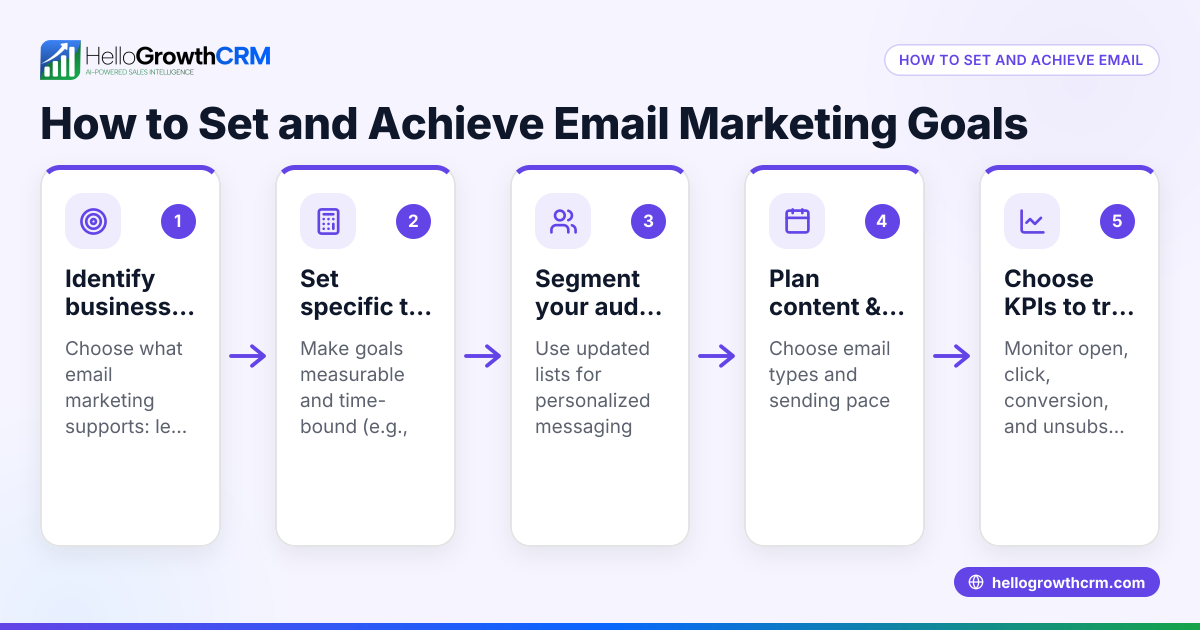
- Assess your marketing goals. Decide what you want to achieve with email marketing, such as increasing sales, generating leads, or building customer loyalty. Clear goals help determine how much to invest.
- Calculate your total marketing budget. Know your overall marketing budget first. Email marketing is typically a portion of this, but the exact percentage depends on your business needs and other channels. Adjust accordingly.
- List all email marketing costs. Include software subscriptions, design and copywriting, list management, automation tools, and any outsourced services.
- Estimate volume and frequency. Decide how many emails you will send monthly and how many contacts you have. Some email platforms charge based on list size or number of emails sent.
- Allocate budget for tools and resources. Choose a CRM or email platform that fits your needs and budget. Consider automation features that save time, such as sequences and campaigns.
- Plan for testing and optimization. Set aside funds for A/B testing subject lines, content, or send times to improve results.
- Track and adjust monthly. Monitor your spending and campaign performance regularly. Adjust your budget based on what works best.
- Use shared tools for team efficiency. Implement shared inboxes so your team can manage replies without delays, preventing lost leads.
For more on automating your email follow-ups, see email automation and sequences. To manage contacts and messages across channels like WhatsApp and SMS, explore WhatsApp and SMS CRM.
Example (fictional figures)
Sarah runs a landscaping business in Charlotte, North Carolina. She wants to budget for email marketing starting 07/01/2026.
- Total marketing budget: $12,000 annually
- She allocates about one-fifth of this to email marketing: $12,000 × 0.20 = $2,400
- Monthly email budget: $2,400 ÷ 12 = $200
- Costs breakdown:
- Email software subscription: $50/month
- Design and copywriting: $80/month
- List management and segmentation tools: $30/month
- Testing and optimization: $20/month
- Contingency for extra sends or campaigns: $20/month
This adds up to: $50 + $80 + $30 + $20 + $20 = $200
Sarah plans to send 4 emails per month to 1,500 contacts. The budget covers software with automation sequences for follow-up and a shared inbox for her team.
Common mistakes
- Not setting a clear budget upfront. Prevent by defining your total marketing spend and allocating a portion to email marketing.
- Ignoring hidden costs. Prevent by listing all expenses including design, testing, and list management.
- Using multiple disconnected tools. Prevent by choosing an integrated CRM with email automation and shared inboxes to save time and avoid lost replies.
- Not tracking performance or spending. Prevent by regularly reviewing your campaign results and adjusting your budget accordingly.
- Sending too many or too few emails. Prevent by planning frequency based on audience engagement and business goals.
- Skipping follow-up sequences. Prevent by automating follow-ups to increase response rates, as explained in email automation and sequences.
Doing this in HelloGrowthCRM
HelloGrowthCRM offers features to manage your email marketing budget efficiently. The HelloMail shared inbox lets your whole sales team see replies to quotation emails, preventing missed leads. Its sequences and campaigns automate multi-step outreach over two weeks, stopping automatically when a prospect replies. This saves time and ensures timely follow-up without extra manual work. Learn more about these tools at email automation and sequences.
Frequently asked questions
How much should a small business spend on email marketing? The amount depends on your business goals and marketing priorities. Many businesses allocate a portion of their marketing budget to email marketing. Start with what you can afford, track results, and adjust your spending as you learn what works best.
What costs are included in an email marketing budget? Costs include software subscriptions, content creation (design and copywriting), list management, automation tools, testing expenses, and sometimes outsourcing. Don’t forget to factor in time spent managing campaigns.
Can I run email marketing without a CRM? Yes, but it’s less efficient. Without a CRM, you may juggle spreadsheets, emails, and texts, increasing the risk of lost leads and slow follow-up. A CRM with email automation and shared inboxes helps your team stay coordinated.
How often should I send marketing emails? Frequency depends on your audience and goals. Common practice is 1-4 emails per month. Too many emails can annoy recipients; too few may reduce engagement. Test and adjust based on response.
What is email automation and how does it affect my budget? Email automation uses software to send sequences of messages automatically until a prospect replies. It saves time and improves follow-up consistency. While automation tools may add to your costs, they often increase your return on investment. See email automation and sequences for details.
How can I track if my email marketing budget is well spent? Monitor key metrics like open rates, click-through rates, conversions, and sales generated. Compare these to your spending monthly. Adjust your budget toward the strategies that deliver the best results.
Key takeaways
- Set your email marketing budget as a portion of your overall marketing spend.
- Include all costs: software, content, list management, and testing.
- Use automation and shared inboxes to save time and improve follow-up.
- Track spending and results regularly to optimize your budget.
- Avoid common mistakes like ignoring hidden costs or using disconnected tools.
- HelloGrowthCRM’s email automation and shared inbox features help manage campaigns efficiently.
Start managing your email marketing budget with confidence. To try email automation and shared inbox features that help your team follow up faster and smarter, start on the Free Forever plan (200 leads, no credit card).
Ready to put this into practice?
Set up your pipeline, WhatsApp follow-ups, and AI lead scoring in minutes — free, no credit card.
Try HelloGrowthCRM freeGet CRM tips in your inbox
Join thousands of sales professionals who get weekly insights on CRM strategy, AI automation, and pipeline optimization.

The HelloGrowthCRM team publishes guides on CRM strategy, AI sales tools, and revenue operations for small business sales teams.