HelloGrowthCRM software
Built for real small-business sales teams
HelloGrowthCRM helps reps qualify faster, follow up on time, and close more deals—with practical automation in one place.
- AI lead scoring and pipeline visibility
- Built-in dialer, WhatsApp, and email automation
- Sales forecasting and RevOps-ready reporting
An email spam checker is a tool that scans your outgoing emails for characteristics that might cause spam filters to block or divert them to recipients’ spam folders. It checks factors like subject lines, content, links, and technical settings such as SPF and DKIM authentication. Using an email spam checker helps small businesses ensure their emails reach prospects and customers reliably.
Why this comes up / what goes wrong
Small business owners often rely on email to communicate quotes, promotions, and follow-ups. However, if emails end up in spam folders, leads and customers may never see them, causing lost sales and wasted effort. Common causes include overly promotional language, broken links, missing authentication records, or sending emails to outdated lists. Without checking, businesses may not realize their emails are blocked or filtered.
Step-by-step
- Choose a reputable email spam checker tool. Search online for free or paid tools that analyze email content and technical setup.
- Prepare your email draft. Include your subject line, body text, links, and attachments as you intend to send it.
- Enter your email content into the spam checker. Some tools let you paste the text or upload the email file.
- Review the spam score and detailed report. Check for flagged issues like spammy words, broken links, or missing SPF/DKIM records.
- Fix the issues identified. Rewrite subject lines, remove suspicious links, or update your domain’s email authentication settings.
- Test again until your email scores well. A lower spam score means better chances of reaching the inbox.
- Send a test email to different email providers (Gmail, Outlook, Yahoo). Confirm it lands in the inbox, not spam.
- Monitor your email campaign’s open and reply rates. Adjust content and frequency based on results.
- Use email automation and sequences to maintain timely follow-up. Automated follow-ups help keep prospects engaged without manual effort. See email automation and sequences for more.
Example (fictional figures)
A two-location dental practice in Columbus, Ohio, plans a promotional email about teeth whitening to 1,000 patients on 07/01/2026.
- They draft the email and run it through a spam checker.
- The spam score is 8/10, flagged for excessive exclamation marks and missing SPF record.
- They revise the subject line from "Get Bright Teeth Now!!!" to "Schedule Your Teeth Whitening Today".
- Their IT manager adds SPF and DKIM records to their domain.
- They retest the email and get a spam score of 2/10.
- They send the email and achieve a 25% open rate and 5% appointment bookings.
Calculation of expected appointments:
1,000 × 25% = 250 (opened emails)
250 × 5% = 12.5 ≈ 13 (appointments booked)
Common mistakes
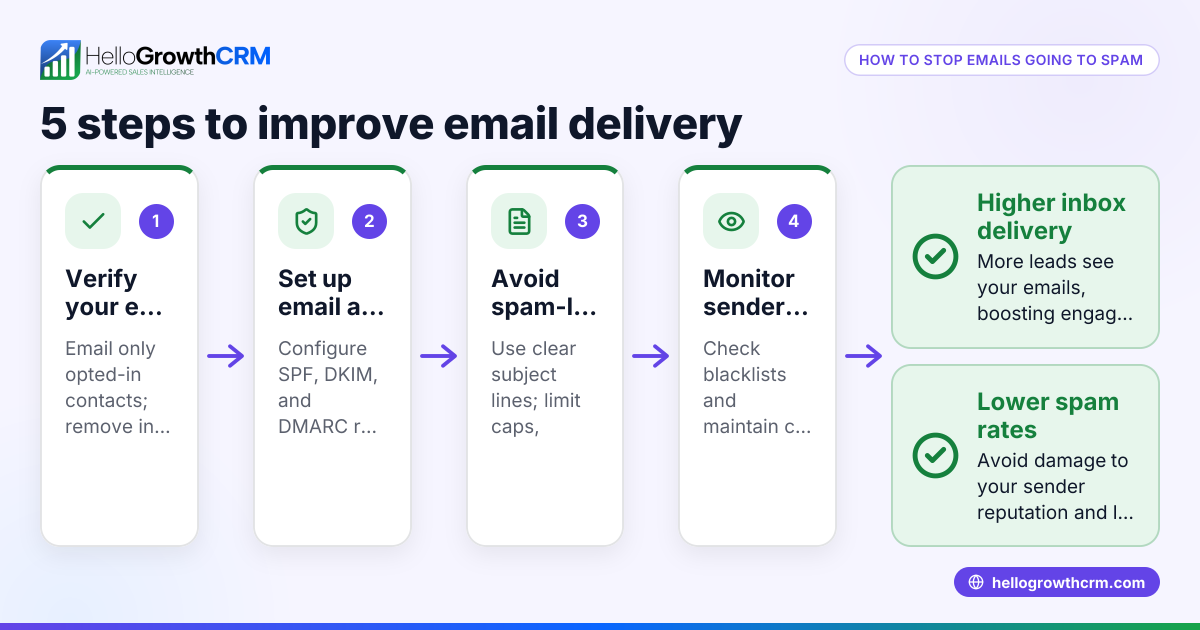
- Ignoring technical email authentication (SPF, DKIM). Prevent by setting these records correctly in your domain DNS.
- Using spammy language or excessive punctuation. Prevent by writing clear, professional subject lines and content.
- Not testing emails before bulk sending. Prevent by always running emails through a spam checker and sending test emails.
- Sending to outdated or unverified email lists. Prevent by regularly cleaning your email list.
- Not monitoring email performance. Prevent by tracking open and reply rates to adjust strategy.
- Failing to automate follow-ups. Prevent by using sequences to maintain contact without delays. See email automation and sequences.
Doing this in HelloGrowthCRM
HelloGrowthCRM helps small businesses manage email communication effectively with features like the HelloMail shared inbox, where replies to quotation emails are visible to the whole team on each deal. This ensures no follow-up is missed. Additionally, automated sequences allow you to set up a five-step email follow-up over two weeks that runs on its own and stops the moment the prospect replies, helping maintain timely contact without manual effort. Learn more about these features in email automation and sequences.
Frequently asked questions
What is the difference between an email spam checker and an email deliverability tool? An email spam checker focuses on analyzing email content and technical setup to predict if an email will be caught by spam filters. Email deliverability tools monitor actual email sending performance and whether emails reach inboxes or bounce.
Can I use a free email spam checker for my business emails? Yes, many free tools provide basic spam scoring and tips. However, paid tools often offer deeper analysis including authentication checks and inbox placement predictions.
How often should I use an email spam checker? Use it every time you create a new email campaign or change your email content significantly to ensure ongoing good deliverability.
Does HelloGrowthCRM help prevent emails from going to spam? HelloGrowthCRM’s email features like shared inbox and automated sequences improve team coordination and timely follow-up, which can indirectly improve engagement rates and reduce spam complaints. For technical checks, use a dedicated spam checker tool.
Can I integrate HelloGrowthCRM with other email tools? HelloGrowthCRM supports integrations and workflows that can complement your email strategy. Check the HelloGrowthCRM for the United States page for details.
How can I manage email and SMS outreach together? Using a CRM that supports WhatsApp and SMS alongside email sequences helps coordinate multi-channel communication. See WhatsApp and SMS CRM for options.
Key takeaways
- An email spam checker identifies and helps fix issues that cause emails to land in spam.
- Check both email content and technical authentication like SPF and DKIM.
- Test emails with spam checkers and send test emails before bulk sending.
- Use clean, verified email lists and monitor campaign performance.
- Automate follow-ups with sequences to maintain timely contact.
- HelloGrowthCRM’s shared inbox and automated sequences support effective email follow-up.
Start improving your email outreach now. Start on the Free Forever plan (200 leads, no credit card) and see how HelloGrowthCRM can help manage your email and sales pipeline.
Ready to put this into practice?
Set up your pipeline, WhatsApp follow-ups, and AI lead scoring in minutes — free, no credit card.
Try HelloGrowthCRM freeGet CRM tips in your inbox
Join thousands of sales professionals who get weekly insights on CRM strategy, AI automation, and pipeline optimization.

The HelloGrowthCRM team publishes guides on CRM strategy, AI sales tools, and revenue operations for small business sales teams.