HelloGrowthCRM software
Built for real small-business sales teams
HelloGrowthCRM helps reps qualify faster, follow up on time, and close more deals—with practical automation in one place.
- AI lead scoring and pipeline visibility
- Built-in dialer, WhatsApp, and email automation
- Sales forecasting and RevOps-ready reporting
An email thread or string is a sequence of email messages that share the same subject line and are linked by replies and forwards. This grouping helps keep all related communications in one place, making it easier to follow conversations and track decisions or requests. For small businesses, understanding email threads is crucial to avoid confusion, missed messages, or duplicated responses.
Why this comes up / what goes wrong
Small business owners and sales teams often face challenges managing email threads because they handle many leads and customers simultaneously. When multiple replies come in, or messages get forwarded, it’s easy to lose track of the conversation flow. For example, a sales lead may respond to an old email in the thread, and if your team doesn’t see the full history, they might miss important context. This can slow down follow-up, cause repeated questions, or result in lost deals.
Step-by-step
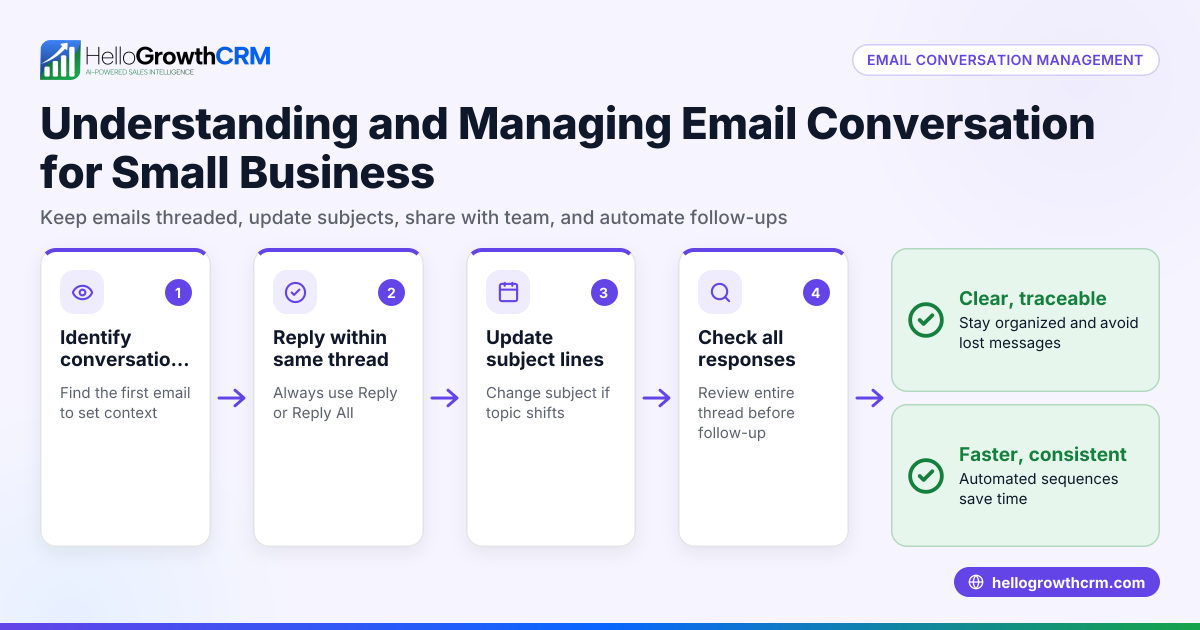
- Identify the email thread: Check the subject line and look for the chain of replies or forwards in your email client. Each message in the thread usually includes the previous emails below it.
- Read the entire conversation: Before replying, read all messages in the thread to understand the context and avoid repeating information.
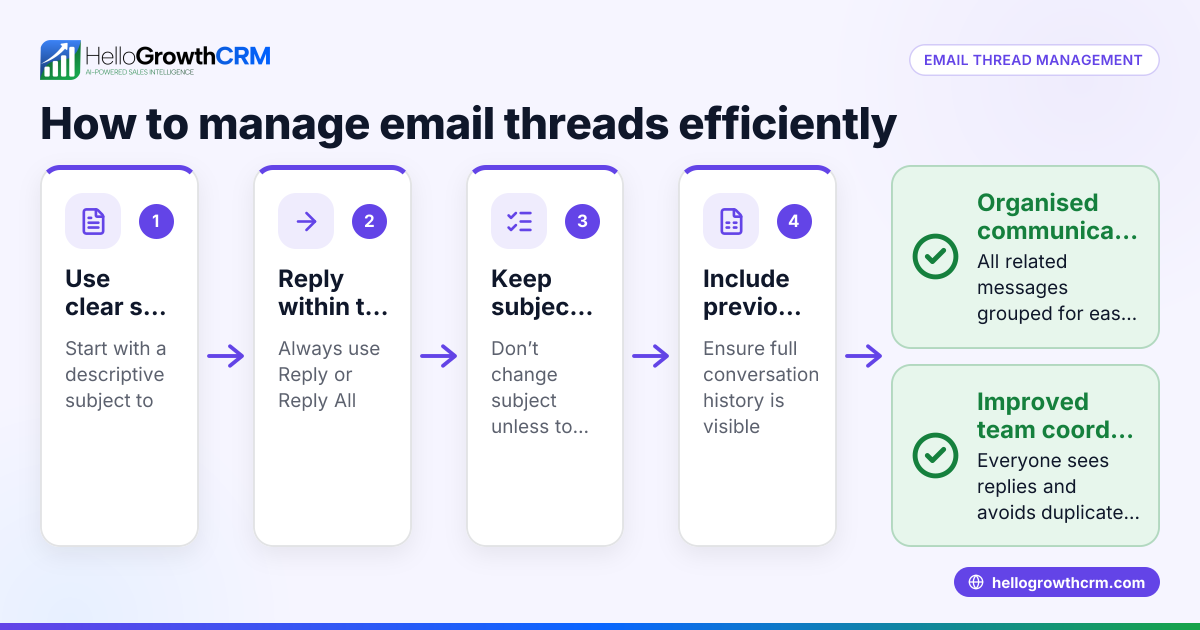
- Keep your replies within the thread: Respond by clicking “Reply” or “Reply All” within the existing thread to maintain the conversation’s continuity.
- Avoid changing the subject line: Changing the subject can break the thread and cause your email client to treat the message as a new conversation.
- Use clear, concise responses: This helps everyone in the thread follow the discussion without confusion.
- Check for multiple threads on the same topic: Sometimes conversations split into separate threads; consolidate information where possible.
- Archive or label completed threads: This helps keep your inbox organized and makes it easier to find past conversations.
Example (fictional figures)
A landscaping contractor in Charlotte, North Carolina, named GreenScape LLC, is negotiating a contract with a client for $15,000 worth of services. The email thread includes the initial quote, questions from the client, and GreenScape’s replies.
- Initial quote sent: $15,000
- Client asks about including garden lighting
- GreenScape replies adding $3,000 for lighting
- Client agrees
- Contract total updated to $18,000
Calculations:
$15,000 + $3,000 = $18,000
GreenScape keeps all these messages in one email thread, so the sales team can see the full conversation and confirm the agreed price before sending the contract.
Common mistakes
- Starting a new email instead of replying: Prevent by always clicking “Reply” to keep the conversation in one thread.
- Changing the subject line mid-conversation: This breaks the thread and causes confusion; keep the subject consistent.
- Ignoring previous messages in the thread: Leads to repeated questions or missed information; always read the full thread before responding.
- Not using a shared inbox: Team members might miss replies or duplicate efforts; using a shared inbox like HelloGrowthCRM’s HelloMail helps prevent this.
- Failing to archive or organize threads: Causes inbox clutter and difficulty finding past conversations; label or archive completed threads.
Doing this in HelloGrowthCRM
HelloGrowthCRM offers HelloMail, a shared inbox inside the CRM that lets your team manage inbound email from leads and customers without switching to a separate email client. Replies to a quotation email are visible to the whole team on the deal, preventing missed messages or duplicated follow-up. Additionally, you can automate follow-ups with sequences and campaigns — a five-step follow-up over two weeks runs on its own and stops the moment the prospect replies. Learn more about email automation and sequences and how HelloGrowthCRM supports US businesses at HelloGrowthCRM for the United States.
Frequently asked questions
What is the difference between an email thread and an email chain? An email thread and email chain generally mean the same thing: a series of related emails grouped by subject and replies. The terms are interchangeable and both refer to the conversation history in one place.
How can I keep my email threads organized? Use consistent subject lines, reply within the thread, and use folders or labels to archive completed conversations. A shared inbox like HelloMail can also centralize communication for your team.
What happens if I change the subject line during a conversation? Changing the subject line can break the email thread, causing your email client to treat the message as a new conversation. This can lead to confusion and lost context.
Can I manage email threads across multiple platforms? Yes, but it requires consolidating messages from different email clients. HelloGrowthCRM helps by integrating email with WhatsApp and SMS CRM features, keeping communication unified. See WhatsApp and SMS CRM for details.
How do automated sequences affect email threads? Automated sequences send follow-up emails within the same thread or related threads, stopping automatically once a prospect replies, ensuring timely and relevant communication without manual tracking.
Key takeaways
- An email thread or string is a series of related messages grouped by subject and replies.
- Always reply within the thread and keep the subject line unchanged to maintain conversation history.
- Read the entire thread before responding to avoid repeated questions or missed information.
- Use shared inboxes and email automation tools like HelloGrowthCRM to manage threads efficiently.
- Organize completed threads with labels or archives to keep your inbox manageable.
To improve your email communication and manage threads efficiently, consider starting on the Free Forever plan (200 leads, no credit card) at HelloGrowthCRM.
Ready to put this into practice?
Set up your pipeline, WhatsApp follow-ups, and AI lead scoring in minutes — free, no credit card.
Try HelloGrowthCRM freeGet CRM tips in your inbox
Join thousands of sales professionals who get weekly insights on CRM strategy, AI automation, and pipeline optimization.

The HelloGrowthCRM team publishes guides on CRM strategy, AI sales tools, and revenue operations for small business sales teams.