HelloGrowthCRM software
Built for real small-business sales teams
HelloGrowthCRM helps reps qualify faster, follow up on time, and close more deals—with practical automation in one place.
- AI lead scoring and pipeline visibility
- Built-in dialer, WhatsApp, and email automation
- Sales forecasting and RevOps-ready reporting
To follow up leads automatically means using technology or a system to send reminders and messages to potential customers at scheduled times without you having to do it manually. This helps you keep in touch with prospects consistently, increasing the chances of converting them into customers. This article covers why small businesses struggle with follow-ups, clear steps to set up automatic follow-ups, a worked example, common pitfalls, and how HelloGrowthCRM can help.
Why this comes up / what goes wrong
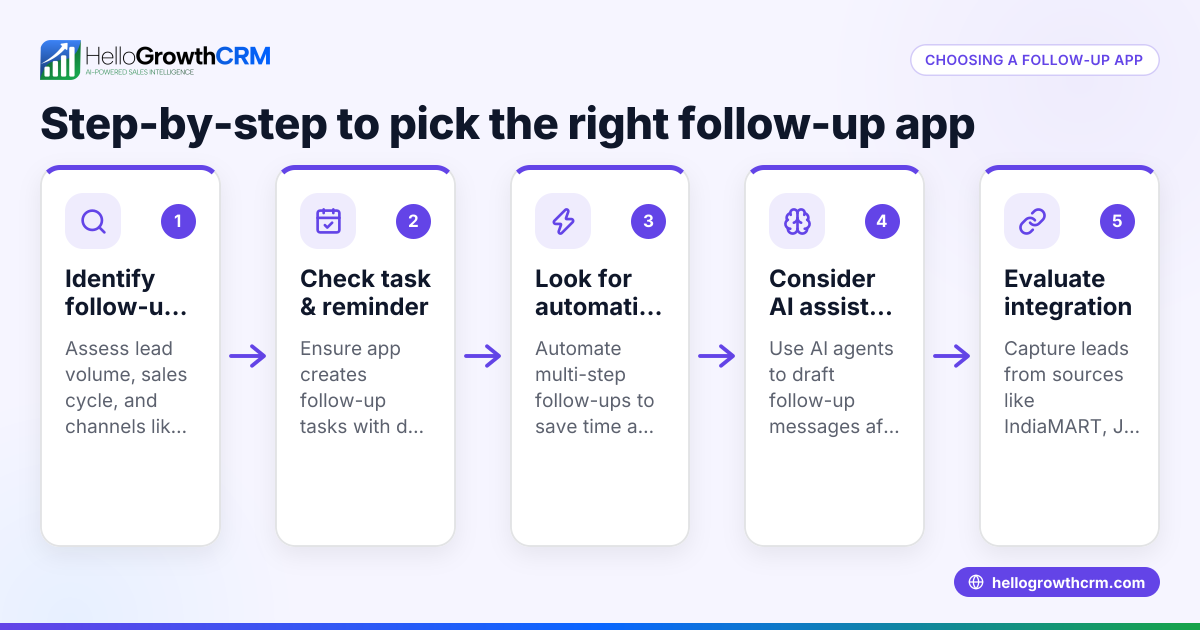
Small-business owners in India often lose leads because follow-ups are delayed or forgotten. Many rely on WhatsApp chats, notebooks, or spreadsheets to track enquiries. When leads come from multiple sources like IndiaMART, JustDial, or website forms, it becomes hard to remember who to call or message next. Sales teams may miss the right time to follow up or fail to send timely reminders. This results in lost sales opportunities and wasted marketing spend.
Manual follow-up is also time-consuming and prone to errors. Without a clear system, calls and messages are often reactive instead of planned. This creates stress for salespeople and inconsistent customer experience. Automatic follow-up solves this by scheduling tasks and messages in advance, freeing your team to focus on talking to interested prospects.
Step-by-step
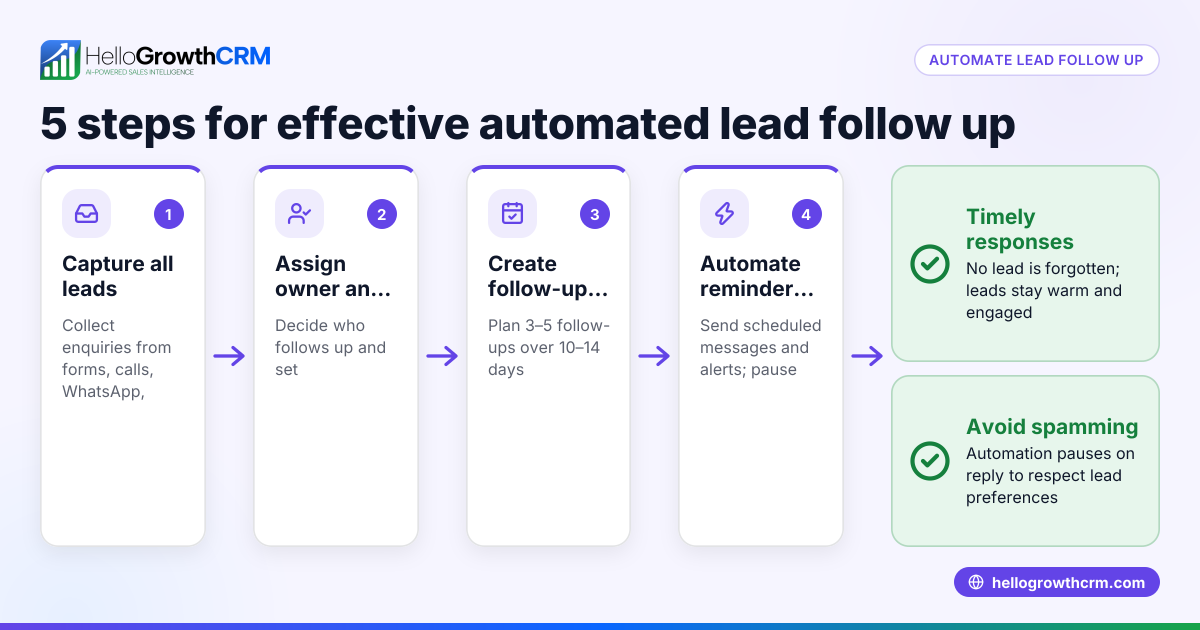
- Collect and centralize leads: Ensure all enquiries from forms, calls, WhatsApp, or marketplaces land in one place. Check that each lead has an assigned owner responsible for follow-up.
- Set follow-up tasks with due dates: For every new lead, create a follow-up task with a specific date and time. This task should be visible to the assigned salesperson.
- Create a follow-up schedule or sequence: Decide how many follow-ups you want (e.g., 5 messages over 2 weeks) and the interval between each. Include calls, WhatsApp messages, SMS, or emails.
- Automate message sending and reminders: Use automation tools to send messages and reminders on schedule. Ensure the system stops sending messages once the lead responds.
- Track follow-up status and update pipeline: After each interaction, update the lead status and next step. Use task boards to see what needs to be done daily.
- Review and adjust your sequence: Regularly check which messages get responses and tweak your follow-up schedule to improve results.
- Maintain a history of all communications: Keep notes of calls, messages, and meetings linked to each lead for context in future follow-ups.
Check that your team follows these steps consistently and that your system alerts you to overdue tasks or unresponsive leads.
Example (fictional figures)
A Delhi-based manufacturer receives 100 new leads in March 2024. Each lead needs 5 follow-ups over 14 days. They automate messages and calls as follows:
- Lead count: 100
- Follow-ups per lead: 5
- Total follow-up messages: 100 × 5 = 500
Assuming each message costs ₹2 (SMS/WhatsApp) and calls are included in the CRM plan:
- Total message cost = 500 × ₹2 = ₹1,000
If 20% of leads respond before all 5 messages:
- Responded leads: 100 × 20% = 20
- Messages stopped early: 20 × 2 messages saved = 40
- Adjusted messages sent = 500 - 40 = 460
- Adjusted message cost = 460 × ₹2 = ₹920
This automation saves time and ensures no lead is missed, improving conversion chances.
Common mistakes
- Not centralizing leads: Leads scattered across WhatsApp, calls, and spreadsheets cause missed follow-ups. Prevent by capturing all leads in one CRM system.
- No assigned owner for leads: Without clear responsibility, follow-ups slip through cracks. Assign each lead an owner immediately.
- Ignoring follow-up scheduling: Relying on memory leads to irregular contact. Use task boards to schedule and track follow-ups daily.
- Sending too many or irrelevant messages: Over-messaging annoys prospects. Design sequences that stop automatically when a reply comes.
- Not tracking communication history: Without notes, salespeople lose context. Log every call, message, and meeting.
- Failing to review and improve sequences: What worked last year may not work now. Regularly analyze response data and adjust your follow-ups.
Using sales task boards helps prevent these mistakes by organizing daily activities clearly. See sales task boards.
Doing this in HelloGrowthCRM
HelloGrowthCRM captures every enquiry from forms, calls, or WhatsApp as a lead with an owner and next step, so nothing gets lost in notebooks. Each follow-up becomes a task with a due date, and the day’s calls appear as a clear list, not a memory test. You can set up automated five-step follow-up sequences over two weeks that run on their own and stop the moment the prospect replies. This keeps your team focused and consistent. Learn more about leads, activities and task boards, and sequences and campaigns.
Frequently asked questions
How does automatic lead follow-up improve sales? Automatic follow-up ensures timely contact with prospects, reducing the chance of leads going cold. It also frees salespeople from manual reminders, allowing more focus on conversations that matter.
Can I automate follow-ups on WhatsApp? Yes, you can automate WhatsApp messages as part of your follow-up sequences. The automation stops as soon as the prospect replies, ensuring personalized communication.
What if a lead responds before the sequence ends? The follow-up sequence should automatically pause when a lead replies, so you don’t overwhelm them with messages. This lets you handle the conversation personally.
Is it necessary to assign a lead owner? Assigning a lead owner creates accountability and ensures follow-ups happen. Without an owner, leads can be forgotten or duplicated.
How do I track follow-up tasks daily? Using sales task boards, you get a clear list of daily calls, messages, and meetings, so you never miss a follow-up. This replaces manual tracking methods like notebooks or spreadsheets.
Key takeaways
- Centralize all leads from calls, WhatsApp, and forms in one system with assigned owners.
- Schedule follow-up tasks with clear due dates and use task boards to track daily activities.
- Automate multi-step follow-up sequences that pause when a lead replies.
- Keep a complete history of communications linked to each lead.
- Regularly review and adjust your follow-up process based on response data.
Start following up leads automatically to avoid losing sales opportunities and reduce manual effort.
Start on the Free Forever plan (200 leads, no credit card) to try automatic lead follow-up with HelloGrowthCRM today.
Ready to put this into practice?
Set up your pipeline, WhatsApp follow-ups, and AI lead scoring in minutes — free, no credit card.
Try HelloGrowthCRM freeGet CRM tips in your inbox
Join thousands of sales professionals who get weekly insights on CRM strategy, AI automation, and pipeline optimization.

The HelloGrowthCRM team publishes guides on CRM strategy, AI sales tools, and revenue operations for small business sales teams.