HelloGrowthCRM software
Built for real small-business sales teams
HelloGrowthCRM helps reps qualify faster, follow up on time, and close more deals—with practical automation in one place.
- AI lead scoring and pipeline visibility
- Built-in dialer, WhatsApp, and email automation
- Sales forecasting and RevOps-ready reporting
It's generally a good idea to wait a few business days after your initial email before sending a follow-up. This period gives your recipient enough time to read and respond without feeling pressured. Waiting too little can seem pushy, while waiting too long risks losing their interest. This article explains why follow-up timing matters, offers clear steps to follow, a practical example with numbers, common mistakes to avoid, and how HelloGrowthCRM can ease your follow-up process.
Why this comes up / what goes wrong
Small business owners often face challenges deciding when to send follow-up emails. They want to stay on the prospect’s radar but worry about seeming too aggressive. Many run their sales process through email, text messages, and spreadsheets, which makes tracking follow-ups difficult. This leads to either sending follow-ups too soon, which can annoy leads, or too late, which can cause lost opportunities. Without a systematic approach, follow-ups might be forgotten or duplicated, hurting conversion rates.
Step-by-step
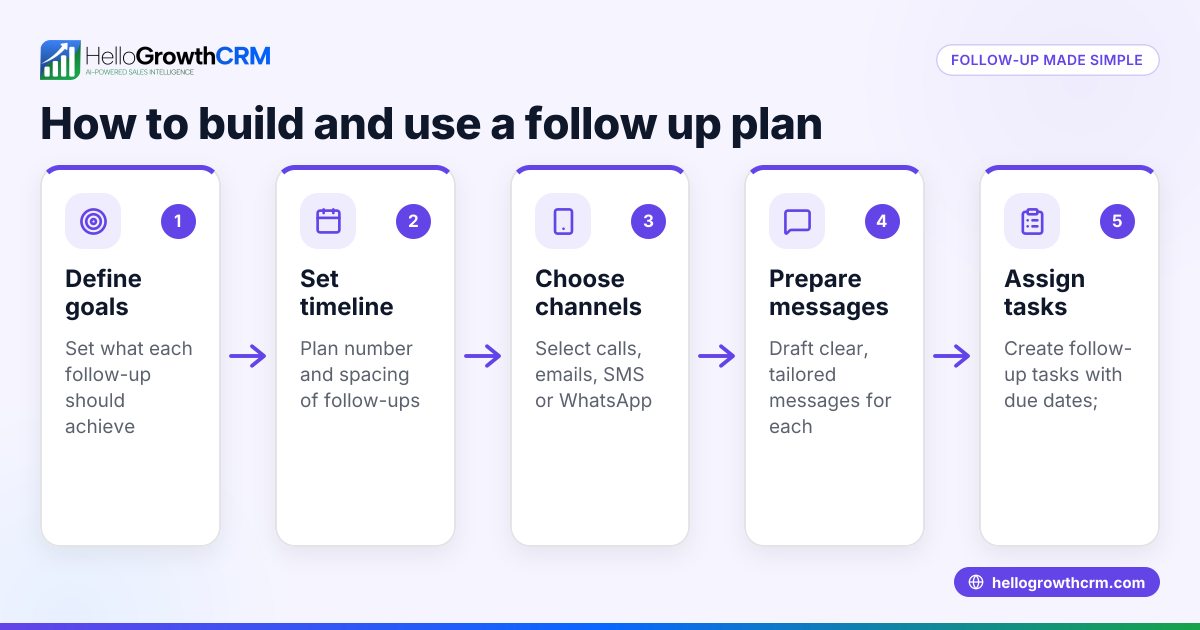
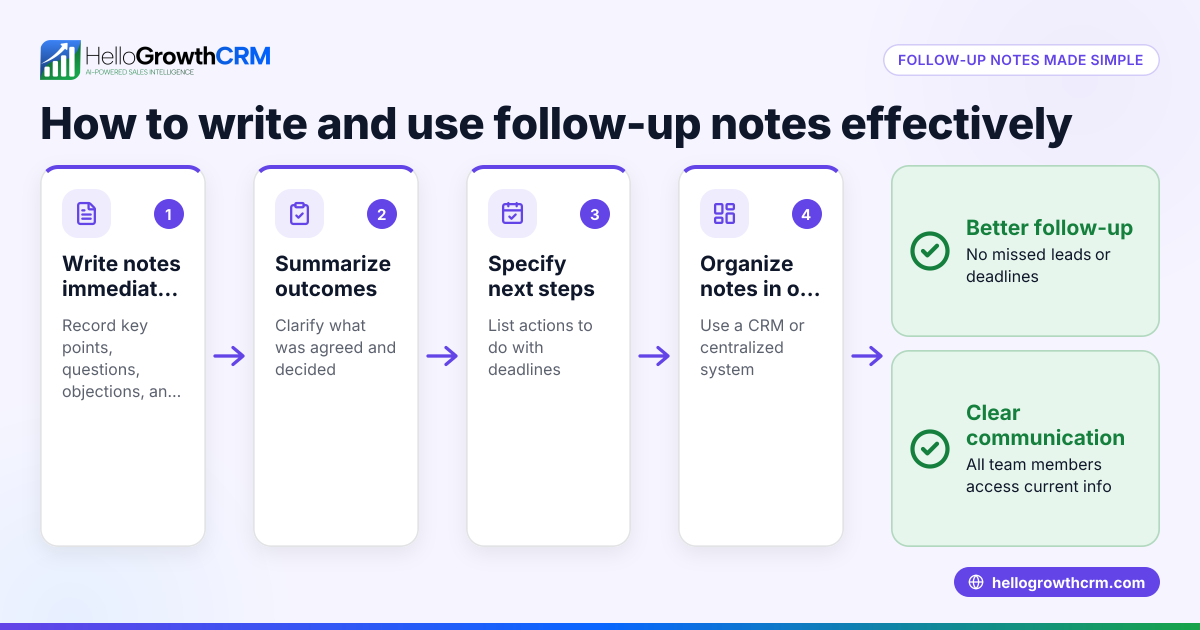
- Send your initial email: Ensure it’s clear, concise, and includes a call to action.
- Set a reminder to follow up in 2 to 3 business days: Avoid weekends and holidays when people are less likely to check emails.
- Before sending a follow-up, check for any replies: If the prospect has responded, no further follow-up is needed.
- Send a polite follow-up email: Reference your initial message and restate the value or question.
- If there’s no reply after your first follow-up, wait another 3 to 5 business days: Then send a second follow-up.
- Limit your follow-ups to 3 to 5 attempts over about two weeks: After that, pause or try a different contact method like a call or WhatsApp message.
- Track follow-ups as tasks or activities: Use tools like sales task boards to organize your outreach and avoid missing leads.
Using task boards can help you visualize and manage these steps efficiently. Learn more about managing follow-ups with sales task boards.
Example (fictional figures)
A plumbing company in Austin, Texas, sends a quote email on 04/01/2026 for a $4,500 job.
- Initial email sent: 04/01/2026
- Wait 3 business days: 04/04/2026
- No reply by 04/04/2026, send first follow-up email
- Wait 4 business days: 04/08/2026
- Still no reply, send second follow-up email
- Wait 5 business days: 04/15/2026
- No reply, send final follow-up email
This schedule respects reasonable wait times and avoids overwhelming the prospect.
Example label: Example (fictional figures)
Common mistakes
- Following up too soon: Sending a follow-up within a day can annoy prospects. Prevent this by setting reminders and waiting at least 2 business days.
- Waiting too long to follow up: Delays can cause leads to lose interest. Use task boards or calendar alerts to stay timely.
- Sending too many follow-ups: More than 5 attempts may feel spammy. Limit your follow-ups and consider switching contact methods.
- Not checking for replies before following up: This wastes effort and can confuse prospects. Always verify inboxes or shared inboxes.
- Not personalizing follow-ups: Generic messages are less effective. Reference previous communication or specific customer needs.
Tools like HelloMail shared inbox help teams avoid missing replies by sharing email conversations.
Doing this in HelloGrowthCRM
HelloGrowthCRM supports follow-up management with these features:
- Sequences and campaigns: Automate a five-step follow-up over two weeks that stops immediately when a prospect replies, saving you manual effort.
- Activities and task boards: Each follow-up becomes a task with a due date, so your daily calls and emails are organized and you never forget a follow-up.
- HelloMail shared inbox: Replies to your emails are visible to the whole team on the deal, ensuring no message is missed or duplicated.
Learn more about automating your follow-ups with sequences and campaigns at email automation and sequences.
Frequently asked questions
How many follow-up emails should I send? Aim for 3 to 5 follow-ups spaced over two weeks. More than that can overwhelm your prospect and reduce your chances of a positive response.
What if my prospect never replies after several follow-ups? If there’s no reply after your final follow-up, it’s usually best to pause outreach for a while or try a different communication channel like a phone call or WhatsApp message.
Should I follow up on weekends or holidays? It’s better to avoid weekends and holidays as people are less likely to check work emails. Schedule follow-ups on business days for better engagement.
Can I automate follow-up emails? Yes, automation tools like HelloGrowthCRM’s sequences can send timed follow-ups automatically and stop when a reply is received, saving you time and effort.
How can I keep track of follow-ups without missing any? Use task boards or CRM activities to log each follow-up with due dates. This keeps your daily outreach organized and prevents leads from falling through the cracks.
Key takeaways
- Wait 2 to 3 business days before sending your first follow-up email.
- Limit follow-ups to 3 to 5 attempts over about two weeks.
- Always check for replies before sending another follow-up.
- Use task boards or CRM tools to track follow-up tasks and due dates.
- Avoid weekends and holidays for sending follow-ups.
- Personalize follow-ups to increase response rates.
Start managing your follow-ups more effectively with HelloGrowthCRM. Start on the Free Forever plan (200 leads, no credit card).
Ready to put this into practice?
Set up your pipeline, WhatsApp follow-ups, and AI lead scoring in minutes — free, no credit card.
Try HelloGrowthCRM freeGet CRM tips in your inbox
Join thousands of sales professionals who get weekly insights on CRM strategy, AI automation, and pipeline optimization.

The HelloGrowthCRM team publishes guides on CRM strategy, AI sales tools, and revenue operations for small business sales teams.