HelloGrowthCRM software
Built for real small-business sales teams
HelloGrowthCRM helps reps qualify faster, follow up on time, and close more deals—with practical automation in one place.
- AI lead scoring and pipeline visibility
- Built-in dialer, WhatsApp, and email automation
- Sales forecasting and RevOps-ready reporting
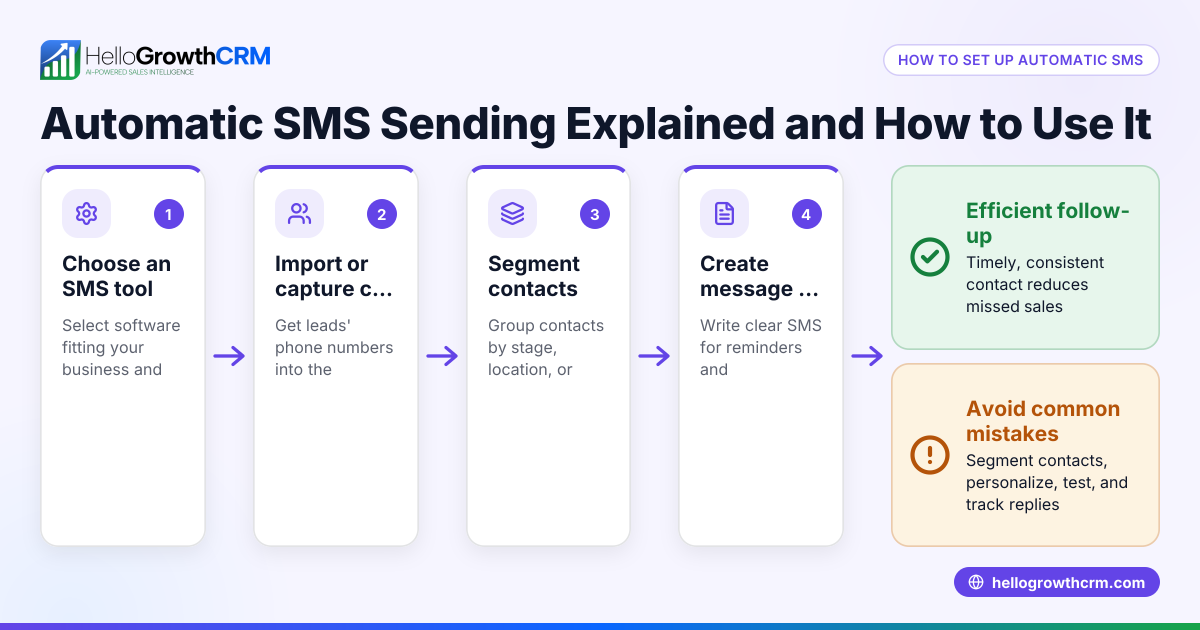
Automate SMS sending by using software to send texts automatically based on triggers or schedules, saving time and ensuring timely follow-up. This article explains why automating SMS is important for small businesses, how to set it up step-by-step, common pitfalls to avoid, and how HelloGrowthCRM supports SMS automation through its mobile messaging workflows.
Why this comes up / what goes wrong
Small business owners often rely on manual texting to follow up with leads or customers. This usually means sending SMS messages one by one from their phone or a basic texting app. The problem is that manual texting can be slow, inconsistent, and easy to forget. Leads may go cold if messages are delayed or missed. Sales teams juggling phone calls, emails, and texts can lose track of who to contact and when. Without automation, it’s hard to scale outreach or keep a clear record of conversations.
Automating SMS sending helps businesses stay in touch promptly and consistently, improving lead engagement and customer service without adding manual work. But setting up automation requires the right tools and clear steps.
Step-by-step
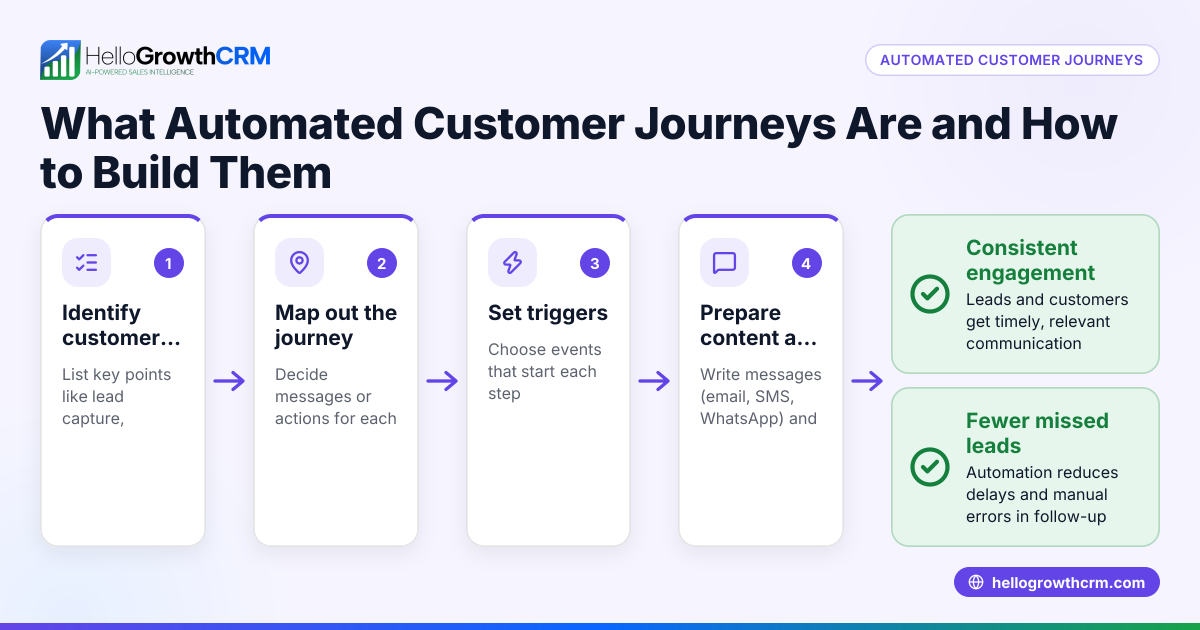
- Choose an SMS automation tool or CRM
- Look for software that supports SMS sending and automation workflows.
- Check it can integrate with your existing lead sources like web forms or spreadsheets.
- Set up lead capture and contact import
- Import your existing contacts or connect your lead capture forms.
- Verify phone numbers are in the correct format for SMS.
- Create SMS message templates
- Write clear, concise messages for common scenarios (welcome, follow-up, reminders).
- Keep messages compliant with US texting laws (opt-in, opt-out options).
- Define triggers for sending SMS
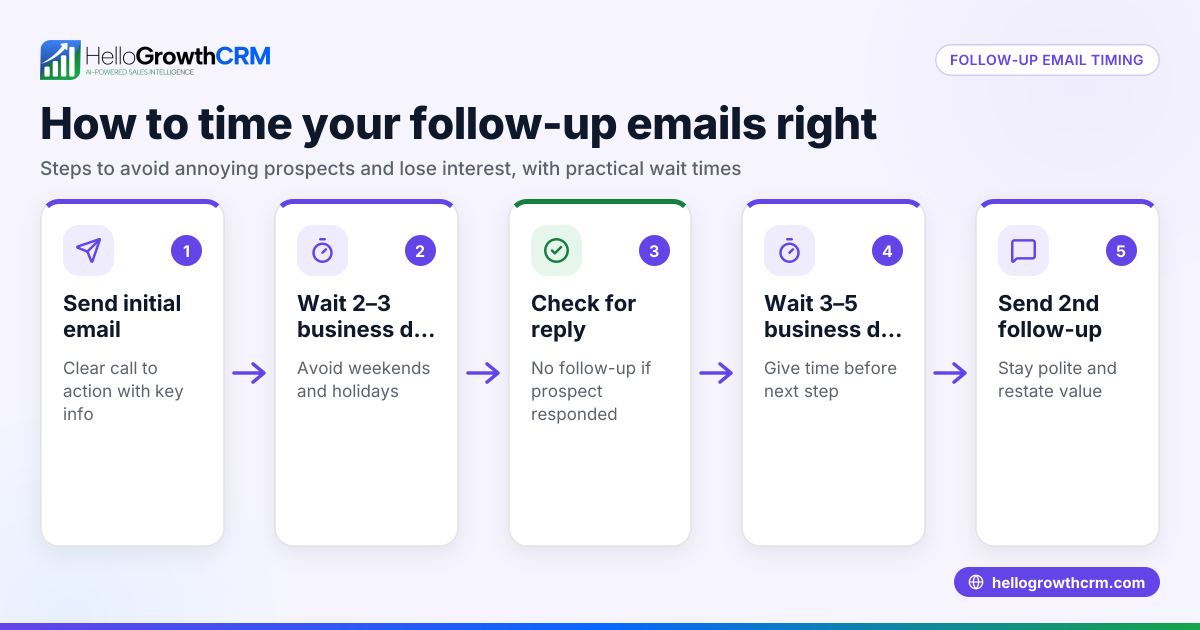
- Decide what actions or times will trigger automatic messages (new lead, no response after 2 days, appointment reminder).
- Configure these triggers in your software.
- Test the automation
- Send test messages to yourself or a small group.
- Check message timing, content, and delivery.
- Monitor and adjust
- Track open rates, replies, and delivery success.
- Refine message content and timing based on results.
- Train your team
- Make sure sales and support staff know how to use the system and follow up on replies.
Using a CRM with built-in SMS automation and tracking simplifies these steps. For example, WhatsApp conversations with a lead can be logged on the lead record and follow-ups can go out as messages, keeping all contact history in one place.
Example (fictional figures)
A two-location dental practice in Columbus, Ohio wants to automate appointment reminders via SMS to reduce no-shows.
- They have 1,200 active patients.
- They estimate 10% no-show rate costing $150 average revenue per appointment.
- They set up SMS reminders 24 hours before appointments.
Calculations:
No-show loss per month = 1,200 patients × 10% no-show rate × $150 average revenue = 1,200 × 0.10 × 150 = $18,000
If SMS reminders reduce no-shows by 50%, savings = $18,000 × 50% = $9,000
Cost of SMS automation tool = $100/month (assumed)
Net benefit = $9,000 - $100 = $8,900 monthly
This example shows automating SMS reminders can save significant revenue by reducing no-shows.
Common mistakes
- Not getting proper opt-in consent
- Prevent by always asking customers to opt in before sending SMS.
- Sending messages too frequently or at bad times
- Prevent by scheduling messages at reasonable hours and limiting frequency.
- Ignoring replies or inbound messages
- Prevent issues by training your team to monitor and respond quickly to SMS replies.
- Using generic, impersonal messages
- Prevent by customizing message templates with customer names and relevant details.
- Failing to test automation before full rollout
- Prevent by sending test messages and checking all workflows before going live.
- Not tracking SMS performance
- Prevent by using tools that report delivery, open, and response rates to optimize.
Doing this in HelloGrowthCRM
HelloGrowthCRM supports WhatsApp and SMS messaging workflows that help teams engage leads and customers on the channels where they already respond. WhatsApp conversations with a lead are logged on the lead record, and follow-ups can go out as messages automatically. This keeps all communication organized and easy to track. Learn more about WhatsApp and SMS CRM capabilities here.
Frequently asked questions
Can I automate SMS sending without a CRM? You can use standalone SMS marketing tools or texting platforms to automate messages. However, a CRM that integrates SMS helps keep contact data, conversations, and follow-ups all in one place, reducing manual work and errors. See options for the US market at HelloGrowthCRM for the United States.
Is it legal to send automated SMS to customers? Yes, but you must comply with applicable US laws, which often include requirements like obtaining consent, providing opt-out options, and avoiding unsolicited messages. Always check current regulations.
What types of messages can I automate? Common automated SMS include welcome messages, appointment reminders, payment alerts, follow-ups after inquiries, promotions, and feedback requests.
How do I handle replies to automated SMS? Set up your system or team to monitor inbound SMS replies promptly. Personal responses improve customer experience and can turn leads into sales.
Can SMS automation include calling features? Some CRM tools integrate calling with SMS. For example, a built-in CRM dialer can help manage calls alongside messaging. Learn more about dialer features here.
Key takeaways
- Automate SMS sending to save time and ensure timely customer follow-up.
- Use software or CRM tools that support SMS automation and lead management.
- Set up message templates, triggers, and test before full rollout.
- Avoid common mistakes like missing opt-in or ignoring replies.
- WhatsApp and SMS messaging can be logged and followed up automatically.
- Monitoring and adjusting your SMS campaigns improves results.
Start automating your SMS today to improve lead engagement and customer communication. Get started on the Free Forever plan (200 leads, no credit card) at HelloGrowthCRM.
Ready to put this into practice?
Set up your pipeline, WhatsApp follow-ups, and AI lead scoring in minutes — free, no credit card.
Try HelloGrowthCRM freeGet CRM tips in your inbox
Join thousands of sales professionals who get weekly insights on CRM strategy, AI automation, and pipeline optimization.

The HelloGrowthCRM team publishes guides on CRM strategy, AI sales tools, and revenue operations for small business sales teams.