HelloGrowthCRM software
Built for real small-business sales teams
HelloGrowthCRM helps reps qualify faster, follow up on time, and close more deals—with practical automation in one place.
- AI lead scoring and pipeline visibility
- Built-in dialer, WhatsApp, and email automation
- Sales forecasting and RevOps-ready reporting
To accept payments online, you must first choose a payment processor or gateway, connect it to your sales channels, and verify that payments are secure and recorded properly. You can complete this process today by following these steps, which include setup, testing, and ongoing management. This article covers the reasons businesses seek online payments, a step-by-step guide, a realistic example, common pitfalls, and how HelloGrowthCRM can help streamline your payment workflow.
Why this comes up / what goes wrong
Small-business owners in the US often want to accept payments online because customers expect quick, convenient checkout options beyond cash or checks. Many businesses still handle payments manually or by text, email, or spreadsheets, which leads to lost or delayed payments and extra administrative work. Without a clear process, owners struggle with slow follow-up, payment errors, or security risks. Setting up online payments helps close sales faster and keeps records organized.
Step-by-step
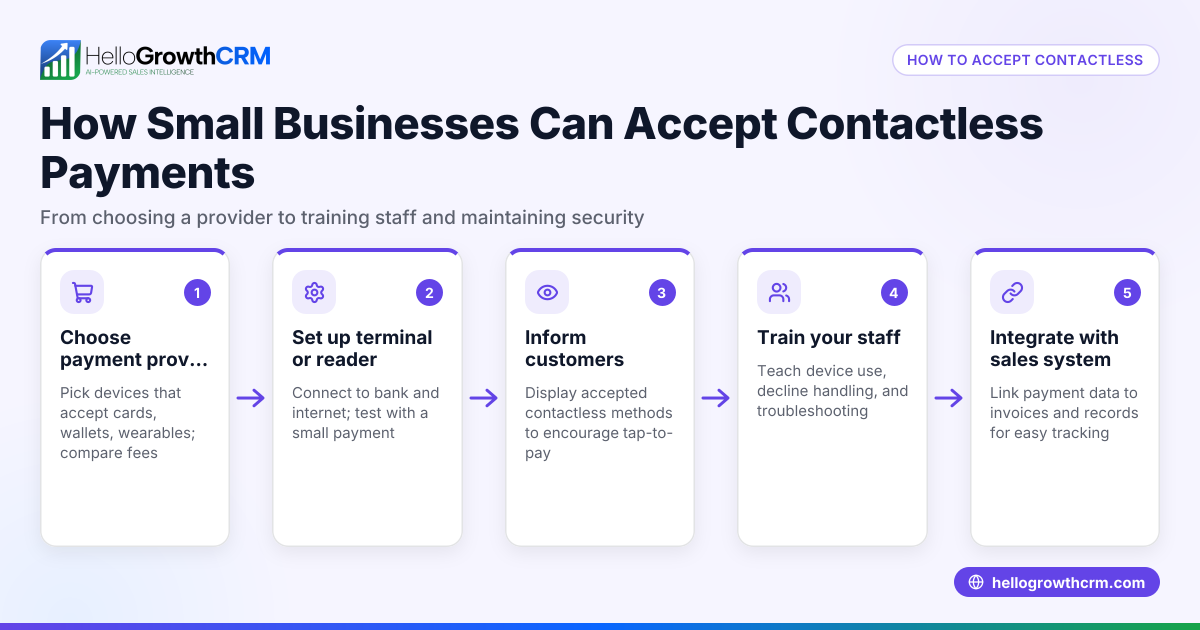
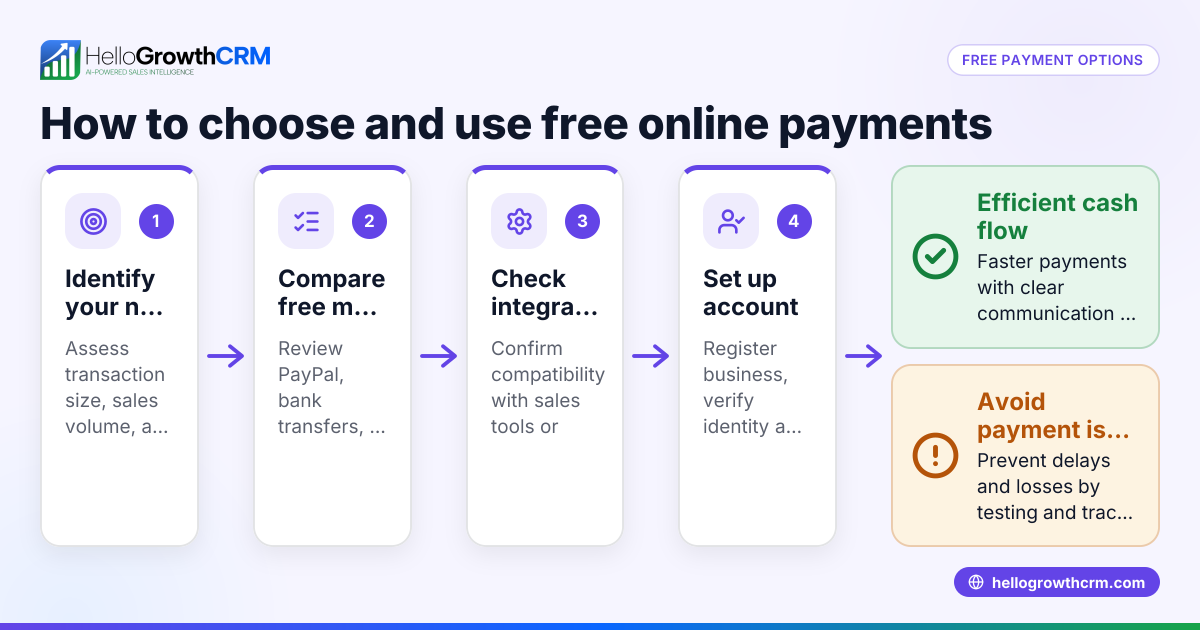
- Choose a payment processor or gateway. Popular options include PayPal, Stripe, Square, or bank ACH services. Check fees, supported payment types (credit card, ACH), and ease of integration.
- Create an account with your chosen payment provider. Provide your business details, bank account info, and complete any required identity verification.
- Integrate the payment system with your website or sales platform. This may involve adding payment buttons, checkout pages, or connecting through an API or third-party tool.
- Set up security measures. Ensure your website uses HTTPS and your payment provider complies with PCI DSS standards to protect customer data.
- Test the payment process. Run test transactions for different payment types to confirm funds are received and recorded correctly.
- Train your team on payment handling and follow-up. Make sure everyone knows how to send invoices, confirm payments, and manage refunds or disputes.
- Track payments and reconcile regularly. Use your payment provider’s dashboard or your accounting system to verify deposits and update records.
- Consider adding ACH payments if your customers prefer bank transfers. This often reduces fees but requires additional setup with your provider.
For more about managing sales and communications alongside payments, see WhatsApp and SMS CRM and the built-in CRM dialer.
Example (fictional figures)
A plumbing company in Austin, Texas, wants to accept online payments for repair services.
- They select Stripe as their payment processor.
- They create an account on 04/10/2026 and link their business bank account.
- They add a payment button to their website and test a $350 invoice.
Test transaction: $350 (invoice amount) - 2.9% (Stripe fee) - $0.30 (flat fee per transaction) = Net amount received
Calculate fees: $350 × 2.9% = $10.15 $10.15 + $0.30 = $10.45 total fees
Net amount: $350 - $10.45 = $339.55 received in their bank account
They confirm the payment shows in Stripe’s dashboard and update their records.
Common mistakes
- Skipping security checks. Always use HTTPS and PCI-compliant providers to protect customer data.
- Not testing payment flows. Run test transactions to catch issues before customers pay.
- Ignoring fee structures. Understand transaction fees to price your services correctly.
- Delaying payment reconciliation. Regularly check payments to avoid missing deposits.
- Not training staff. Ensure everyone handling payments knows the process to reduce errors.
- Overlooking ACH setup. If many customers want bank transfers, set up ACH payments properly to avoid delays.
Learn more about managing your sales pipeline efficiently with HelloGrowthCRM for the United States.
Doing this in HelloGrowthCRM
HelloGrowthCRM offers a built-in quoting and proposal tool that lets you build, send, and track commercial documents from a deal record. You can generate invoices tied to closed deals and reconcile payments directly within the CRM. The quotation status—whether sent, viewed, or accepted—is visible on the same screen as your follow-up tasks, helping you manage payments and sales in one place. For details, see the built-in CRM dialer.
Frequently asked questions
How do I accept ACH payments online? ACH payments are bank-to-bank transfers processed electronically. To accept them, choose a payment provider that supports ACH, complete their setup process, and enable ACH as a payment option on your checkout. ACH usually has lower fees but can take longer to clear than credit cards.
What payment methods should I offer online? Offer credit and debit cards, ACH bank transfers, and digital wallets if possible. This variety meets customer preferences and increases the chance of quick payment.
How do I ensure online payments are secure? Use HTTPS on your website, choose PCI DSS-compliant payment providers, and never store sensitive payment data yourself unless you meet strict security standards.
Can I handle payments and sales follow-up in one system? Yes. For example, HelloGrowthCRM allows you to send quotes, generate invoices, and track payment status alongside follow-up tasks, helping your sales team stay organized.
What fees should I expect for online payments? Fees vary by provider and payment type. Credit card fees typically run around 2.9% plus a small fixed fee per transaction. ACH fees are usually lower but check your provider’s pricing.
Key takeaways
- Choose a payment processor that fits your business needs and supports your preferred payment types.
- Set up accounts, integrate payment options, and secure your online transactions.
- Test payment flows before going live to avoid lost sales.
- Track and reconcile payments regularly to keep your finances accurate.
- Avoid common mistakes like ignoring security, fees, or staff training.
- Use tools like HelloGrowthCRM to combine quotes, invoices, and payment tracking with sales follow-up.
To start accepting payments online today and manage your sales efficiently, Start on the Free Forever plan (200 leads, no credit card).
Ready to put this into practice?
Set up your pipeline, WhatsApp follow-ups, and AI lead scoring in minutes — free, no credit card.
Try HelloGrowthCRM freeGet CRM tips in your inbox
Join thousands of sales professionals who get weekly insights on CRM strategy, AI automation, and pipeline optimization.

The HelloGrowthCRM team publishes guides on CRM strategy, AI sales tools, and revenue operations for small business sales teams.