HelloGrowthCRM software
Built for real small-business sales teams
HelloGrowthCRM helps reps qualify faster, follow up on time, and close more deals—with practical automation in one place.
- AI lead scoring and pipeline visibility
- Built-in dialer, WhatsApp, and email automation
- Sales forecasting and RevOps-ready reporting
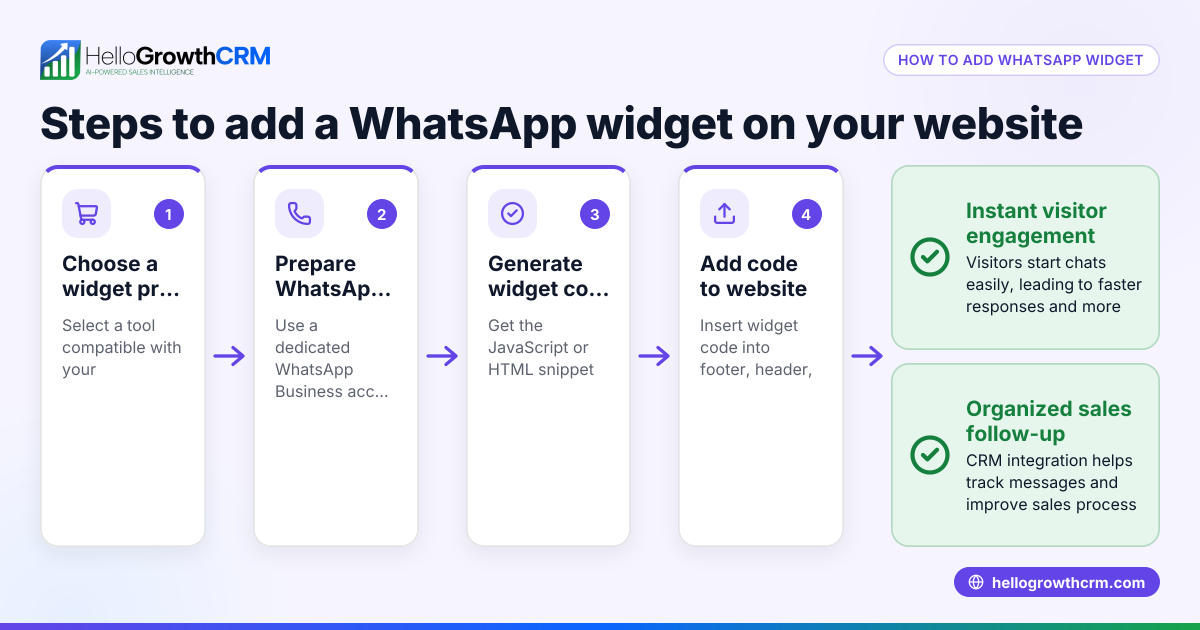
To add WhatsApp chat on your website in India, you need to generate a WhatsApp link using your phone number in the international format, then embed this link on your website as a clickable button or chat widget. Visitors who click this button can start a WhatsApp conversation with your business instantly.
Why this comes up / what goes wrong
Many small business owners in India want to offer quick support and sales conversations via WhatsApp because most customers use it daily. However, they struggle to add a WhatsApp chat feature on their website without technical help. Common issues include incorrect phone number formatting, placing the chat button in a hard-to-find spot, or not testing the link properly. Without easy chat access, businesses lose leads who prefer WhatsApp over calls or emails.
Step-by-step
- Get your WhatsApp number ready: Use your business WhatsApp number in the international format without plus signs or spaces. For India, start with country code 91 followed by your 10-digit number. Example: 919876543210.
- Create the WhatsApp chat link: Use this URL format:
https://wa.me/<number>Replace<number>with your full phone number (country code + mobile number). Example:https://wa.me/919876543210
- Add a pre-filled message (optional): To greet visitors with a message, add
?text=plus your URL-encoded text. Example:https://wa.me/919876543210?text=Hello%20I%20am%20interested%20in%20your%20products
- Create a chat button or widget on your website:
- If you use WordPress or website builders, add a button linking to your WhatsApp URL.
- If coding manually, add this HTML snippet where you want the chat button:
<a href="https://wa.me/919876543210" target="_blank">Chat with us on WhatsApp</a>
- Style the button: Use CSS or your website builder's design tools to make the button visible and attractive, placing it in the bottom right or a prominent spot.
- Test the chat link: Click the button on desktop and mobile devices to confirm it opens WhatsApp or WhatsApp Web and starts a chat with your business number.
- Inform your team: Make sure your sales or support team monitors WhatsApp messages promptly to avoid losing leads.
- Optional – Use a third-party WhatsApp chat plugin: Some plugins add advanced chat widgets with multiple agents, but basic linking works well for most small businesses.
Example (fictional figures)
Business: "Sundar Electronics" in Mumbai WhatsApp number: +91 98765 43210
Step 1: Format number as 919876543210
Step 2: Create link: https://wa.me/919876543210
Step 3: Add greeting message: https://wa.me/919876543210?text=Hello%20Sundar%20Electronics%2C%20I%27m%20interested%20in%20your%20LED%20TVs.
Step 4: Add HTML to website: <a href="https://wa.me/919876543210?text=Hello%20Sundar%20Electronics%2C%20I%27m%20interested%20in%20your%20LED%20TVs." target="_blank">Chat with Sundar Electronics on WhatsApp</a>
Step 5: Style the button with CSS to appear at bottom right
Step 6: Test on desktop and mobile to confirm chat opens
Step 7: Train sales team to respond quickly
Common mistakes
- Incorrect phone number format: Always use country code without plus or spaces. Prevent by double-checking the number format.
- Not testing the chat link: Visitors may face errors if the link is broken. Always test on multiple devices.
- Placing the chat button in a hidden or inconvenient spot: Ensure the button is visible and accessible on all pages.
- Ignoring WhatsApp messages: Leads lost if messages are not followed up. Assign team members to monitor.
- Using complicated plugins without need: Start simple with the wa.me link before adding complex widgets.
- Not adding a pre-filled message: Pre-filled messages guide visitors and improve engagement.
Doing this in HelloGrowthCRM
HelloGrowthCRM supports WhatsApp and SMS messaging workflows that help your sales team engage leads where they respond best. WhatsApp conversations with a lead are logged on the lead record, and follow-ups can be sent as messages directly from the CRM. This keeps all chats organized and ensures no lead is missed. Learn more about HelloGrowthCRM's WhatsApp and SMS CRM features here.
Frequently asked questions
Can I add WhatsApp chat to any website platform? Yes, you can add the WhatsApp chat link to any website by inserting a clickable link or button. Most website builders like WordPress, Wix, or Shopify support adding custom links or HTML.
Do I need WhatsApp Business or regular WhatsApp? You can use either, but WhatsApp Business offers extra features like business profiles and quick replies. The chat link works with both.
Is there a cost to adding WhatsApp chat on my site? No, creating a WhatsApp chat link and adding it to your website is free. You only need a WhatsApp account and a website.
Can I automate WhatsApp responses? Automation requires WhatsApp Business API and third-party tools, which may have costs and approval processes. For simple use, manual replies are common.
How do I handle multiple sales agents on WhatsApp? WhatsApp chat links go to one number. For multiple agents, use a shared WhatsApp Business number with a team inbox or CRM like HelloGrowthCRM that logs chats and assigns leads. See the built-in CRM dialer here.
Will adding WhatsApp chat improve my sales? Providing an easy way for customers to contact you on WhatsApp can increase leads and conversions, especially in India where WhatsApp is widely used.
Key takeaways
- Use the international phone format without plus or spaces to create your WhatsApp chat link.
- Embed the link as a visible button or chat widget on your website.
- Test the link on desktop and mobile before going live.
- Assign team members to respond promptly to WhatsApp messages.
- Start with a simple wa.me link before using complex plugins.
- HelloGrowthCRM helps log and follow up WhatsApp chats with leads.
Adding WhatsApp chat to your website is a simple way to boost customer engagement. Start today by creating your link, adding it to your site, and training your team to respond quickly. If you want to manage leads efficiently with WhatsApp conversations logged and follow-ups automated, try HelloGrowthCRM. You can Start on the Free Forever plan (200 leads, no credit card) to see how it works for your business.
Ready to put this into practice?
Set up your pipeline, WhatsApp follow-ups, and AI lead scoring in minutes — free, no credit card.
Try HelloGrowthCRM freeGet CRM tips in your inbox
Join thousands of sales professionals who get weekly insights on CRM strategy, AI automation, and pipeline optimization.

The HelloGrowthCRM team publishes guides on CRM strategy, AI sales tools, and revenue operations for small business sales teams.