HelloGrowthCRM software
Built for real small-business sales teams
HelloGrowthCRM helps reps qualify faster, follow up on time, and close more deals—with practical automation in one place.
- AI lead scoring and pipeline visibility
- Built-in dialer, WhatsApp, and email automation
- Sales forecasting and RevOps-ready reporting
Automating sales follow-up reminders means creating a reliable, repeatable process that ensures no lead is forgotten or contacted too late. This saves time, increases response rates, and keeps your sales pipeline active without manual tracking.
Why this comes up / what goes wrong
Small business owners and sales teams often lose leads because follow-ups are done manually using spreadsheets, calendars, or memory. This leads to missed opportunities and slow response times. Without automation, reps forget to follow up on time or follow-up schedules are inconsistent. Managing follow-ups via text messages, emails, and spreadsheets becomes chaotic as the business grows.
Step-by-step
- Choose your automation method: Decide if you want reminders as calendar tasks, automated emails, SMS, or multi-channel sequences. For manual control, task boards work well; for automatic outreach, sequences are better.
- Define your follow-up schedule: Determine how many follow-ups you want and at what intervals (e.g., 3 follow-ups every 3 days).
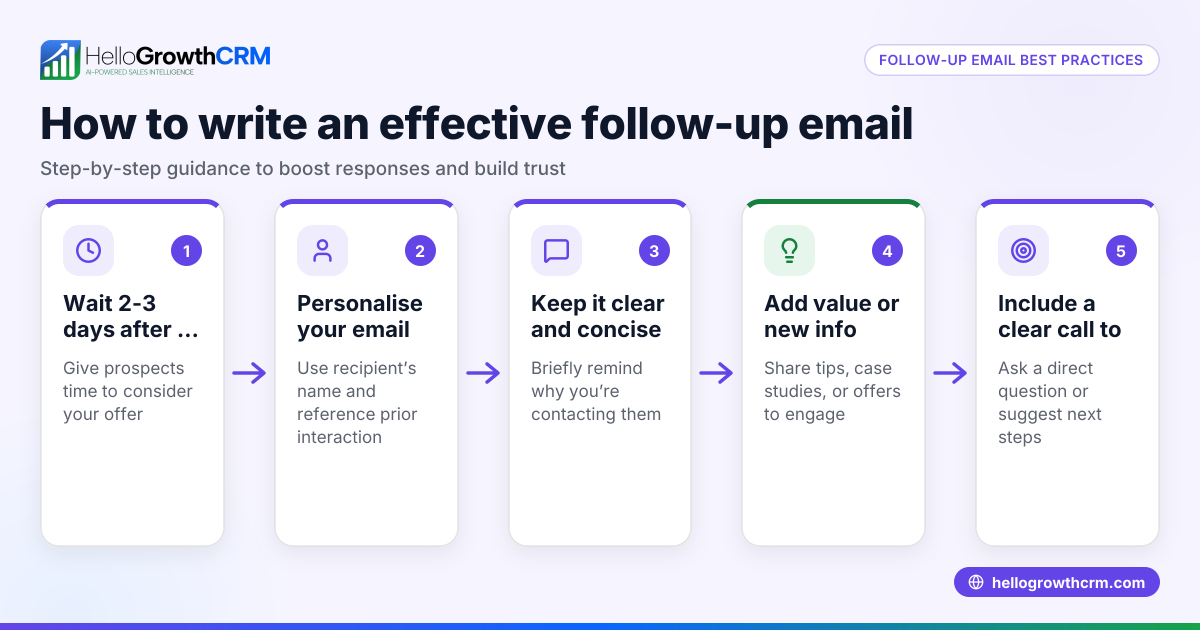
- Create follow-up templates: Write clear, concise messages for each follow-up step. Keep them polite and add value or new information.
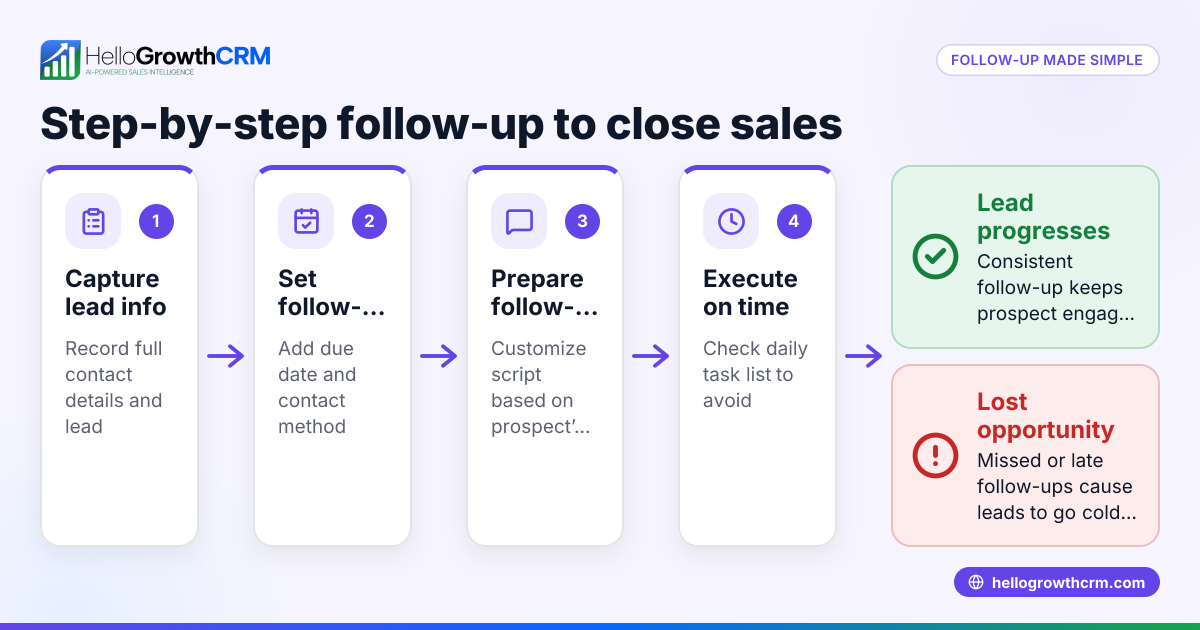
- Set up task reminders or sequences:
- For task reminders, create a task for each follow-up with a due date.
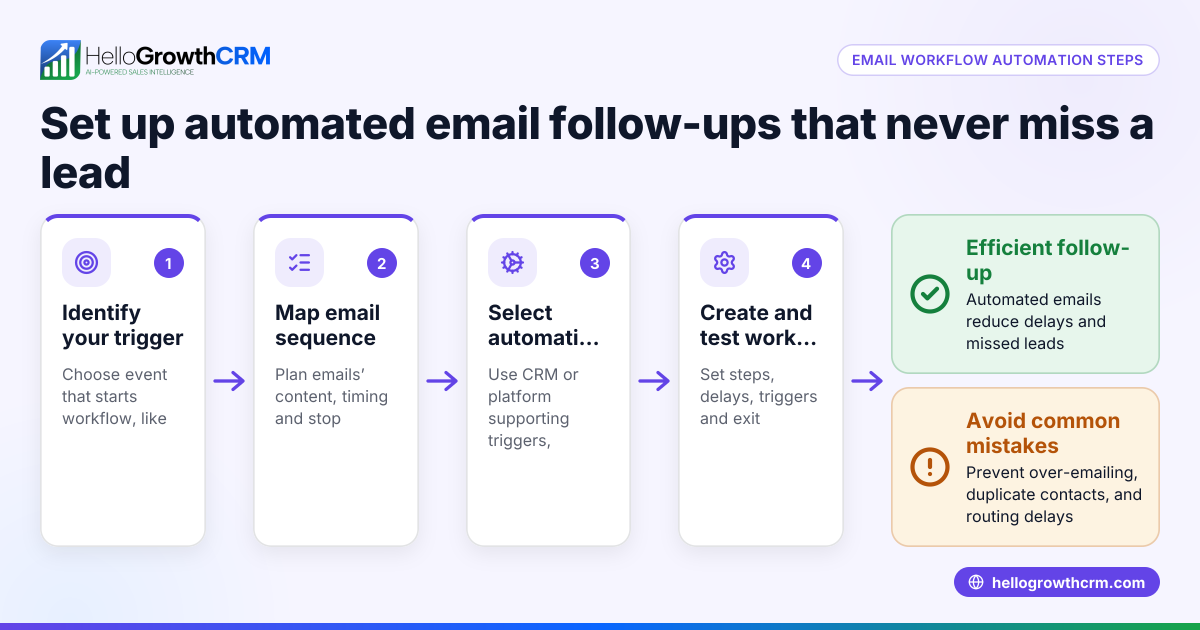
- For automated sequences, set up a multi-step workflow that sends messages on schedule and stops when the prospect replies.
- Assign tasks or sequences to leads: Link the follow-up tasks or enroll leads in sequences as soon as a lead enters your pipeline.
- Track and update follow-ups: Regularly check task boards or sequence reports to see which leads need attention and update statuses.
- Adjust based on results: Review open rates, reply rates, and task completion to refine timing and messaging.
Check that your system sends reminders or messages consistently and that reps are notified of due tasks daily.
Example (fictional figures)
A B2B software reseller in Denver, Colorado, wants to automate follow-up reminders for new leads.
- Follow-up plan: 5 messages over 14 days.
- Lead enters on 06/01/2024.
Schedule:
- Follow-up 1: 06/02/2024 (next day)
- Follow-up 2: 06/05/2024 (+3 days)
- Follow-up 3: 06/08/2024 (+3 days)
- Follow-up 4: 06/12/2024 (+4 days)
- Follow-up 5: 06/15/2024 (+3 days)
If the lead replies on 06/05/2024, the sequence stops immediately.
Cost example for manual task reminders:
- Each task takes 5 minutes to create and assign.
- 5 follow-ups × 5 minutes = 25 minutes per lead.
With automation, this time is saved, allowing reps to focus on closing deals.
Common mistakes
- Ignoring automation setup: Not setting up automated reminders or sequences means relying on memory, which fails. Prevent by using task boards or sequences consistently.
- Too many or too few follow-ups: Overloading prospects with messages can annoy them; too few can lose interest. Prevent by testing and adjusting follow-up frequency.
- Not stopping follow-ups when prospects reply: Continuing outreach after a reply frustrates prospects. Prevent by using systems that automatically stop sequences on response.
- Unclear task ownership: If tasks are not assigned clearly, follow-ups get missed. Prevent by assigning tasks to specific reps and reviewing the sales task boards daily.
- Poor message quality: Generic or repetitive messages reduce engagement. Prevent by customizing templates and using AI assistance where available.
- Not tracking results: Without tracking, you can’t improve. Prevent by monitoring task completion and response rates.
Doing this in HelloGrowthCRM
HelloGrowthCRM offers tools to automate follow-up reminders effectively:
- Activities and task boards: Each follow-up becomes a task with a due date; your day’s calls and tasks appear as a list, not a memory test. This keeps follow-ups organized and visible. Learn more at sales task boards.
- Sequences and campaigns: Automate multi-step outreach workflows that send timed messages via email, SMS, and WhatsApp until a prospect replies, stopping immediately. This runs follow-ups on autopilot. See details at email automation and sequences.
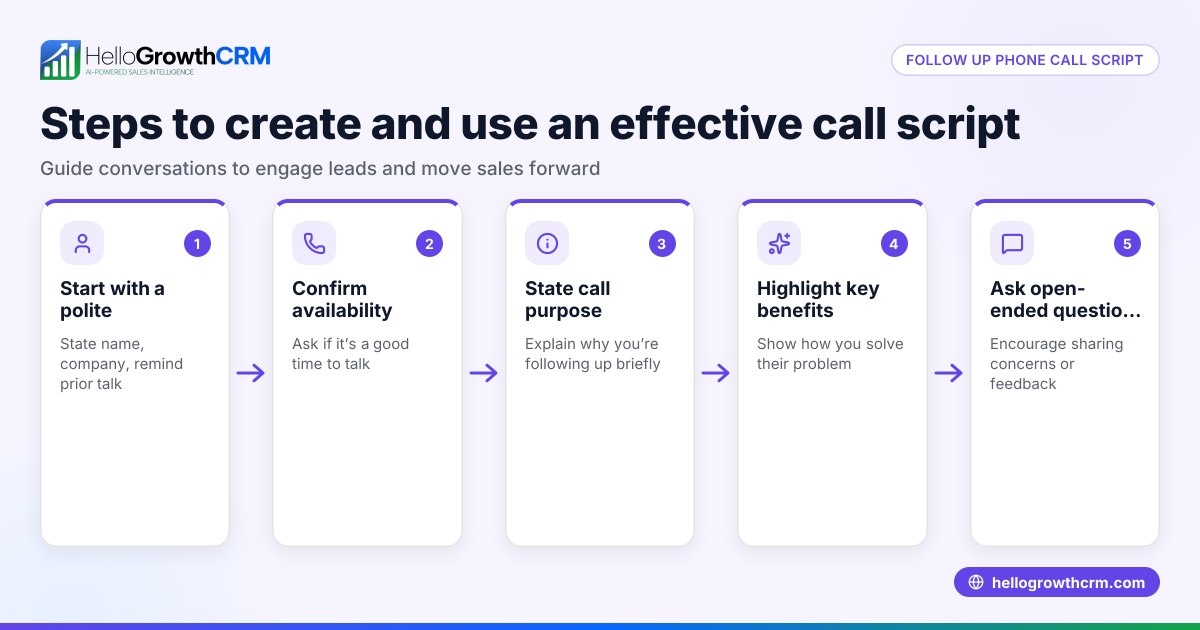
- AI agents (Beta): After a call, an AI agent drafts the follow-up message for the rep to review and send, saving time on writing. More info at HelloGrowthCRM for the United States.
Frequently asked questions
How often should I automate follow-up reminders? Set reminders based on your sales cycle. A common approach is 3 to 5 follow-ups spaced 2 to 4 days apart over two weeks. Adjust based on your industry and prospect response.
Can I automate follow-ups across multiple channels? Yes, automation sequences can send messages via email, SMS, and WhatsApp, increasing the chance your prospect sees them.
What if a prospect responds before all follow-ups are sent? Good automation tools stop the sequence immediately when a reply is detected, preventing redundant messages.
Is it better to use task boards or automated sequences? Task boards work well for manual follow-ups and team coordination. Automated sequences handle outreach without manual effort. Use both together for best results.
How do I keep track of all follow-up tasks? Use a CRM with a task board feature that lists all due tasks and calls daily, so reps never miss reminders. HelloGrowthCRM offers this feature.
Key takeaways
- Automate follow-up reminders by scheduling tasks or using multi-step message sequences.
- Define clear follow-up intervals and message templates before automation.
- Stop follow-ups automatically when prospects reply to avoid annoyance.
- Use task boards to assign and track follow-ups effectively.
- Monitor and adjust your follow-up strategy based on response data.
- HelloGrowthCRM supports automation with task boards, sequences, and AI agents.
Start automating your sales follow-up reminders today to keep leads engaged and improve conversion rates. You can start on the Free Forever plan (200 leads, no credit card) and see how HelloGrowthCRM can simplify your sales follow-up process.
Ready to put this into practice?
Set up your pipeline, WhatsApp follow-ups, and AI lead scoring in minutes — free, no credit card.
Try HelloGrowthCRM freeGet CRM tips in your inbox
Join thousands of sales professionals who get weekly insights on CRM strategy, AI automation, and pipeline optimization.

The HelloGrowthCRM team publishes guides on CRM strategy, AI sales tools, and revenue operations for small business sales teams.