HelloGrowthCRM software
Built for real small-business sales teams
HelloGrowthCRM helps reps qualify faster, follow up on time, and close more deals—with practical automation in one place.
- AI lead scoring and pipeline visibility
- Built-in dialer, WhatsApp, and email automation
- Sales forecasting and RevOps-ready reporting
Cleaning your customer contact list is essential for accurate communication and effective sales follow-up. Start by identifying and removing duplicate entries, then correct any misspelled names, phone numbers, or email addresses. Update missing data fields and verify contacts to ensure they are current and valid. This guide covers why cleaning your list matters, detailed steps to do it, a practical example, common pitfalls, and how HelloGrowthCRM can help you manage contacts after cleaning.
Why this comes up / what goes wrong
Small business owners in the USA often face issues with their customer contact lists that grow messy over time. Contacts may have duplicates from multiple data sources like web forms, email lists, or spreadsheets. Information can be outdated, such as old phone numbers or emails, or incomplete with missing fields. This leads to lost leads, slow follow-up, and wasted sales efforts. Cleaning the list ensures your sales and marketing reach the right people promptly.
Step-by-step
- Export your contact list: Start by exporting your full customer list from your CRM, spreadsheet, or email marketing tool into a single file for review.
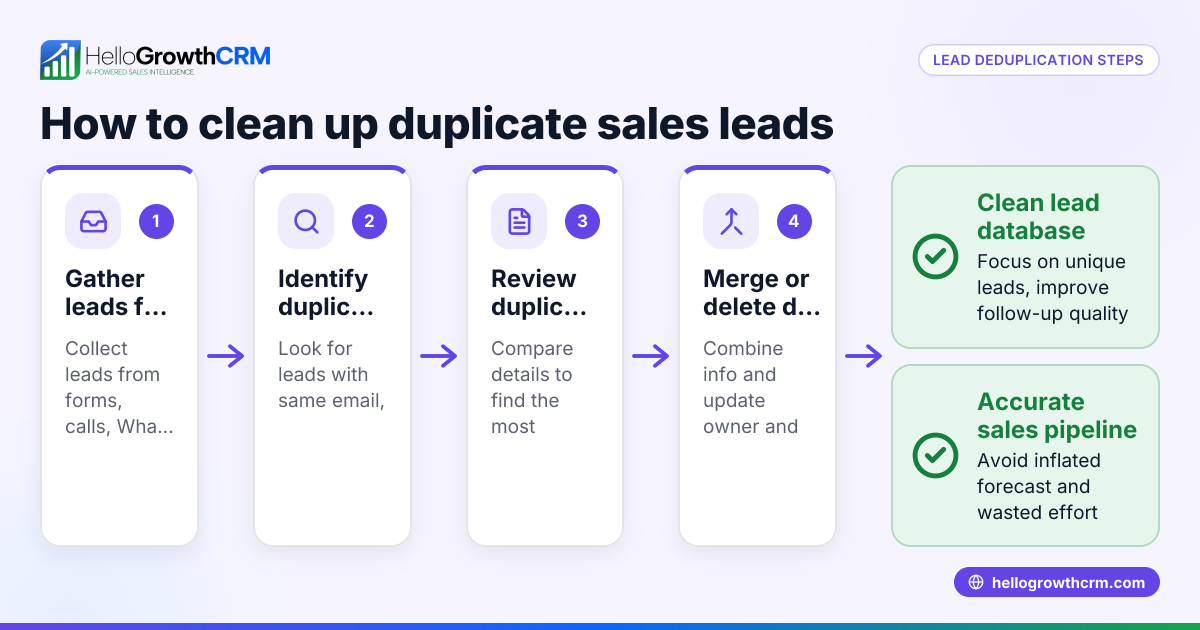
- Remove duplicates: Use spreadsheet functions or dedicated software to find and delete duplicate contacts based on email or phone number.
- Correct errors: Scan for misspelled names, incorrect phone formats (e.g., missing area codes), or invalid email addresses. Fix these manually or with tools.
- Fill missing information: Identify contacts missing key data like phone numbers or emails. Reach out or check other sources to complete these fields.
- Verify contacts: Use email validation tools or call to confirm phone numbers are active and contacts are interested.
- Segment your list: Group contacts by status (active, inactive), region, or purchase history to target communications better.
- Update your CRM: Import the cleaned and verified list back into your CRM, replacing outdated data.
- Set ongoing maintenance: Schedule regular cleaning (monthly or quarterly) to keep the list accurate.
- Track customer health score: Use CRM features like the customer health score to monitor contact engagement and prioritize follow-up.
- Use communication tools effectively: Manage outreach with integrated WhatsApp and SMS sequences in your CRM to improve response rates and avoid losing leads. See WhatsApp and SMS CRM.
Example (fictional figures)
A landscaping contractor in Charlotte, North Carolina, has a contact list of 3,000 entries as of 04/15/2024.
- Duplicate contacts found: 450
- Contacts with incorrect phone or email: 300
- Contacts missing phone or email: 250
Step 1: Remove duplicates 3,000 - 450 = 2,550 contacts remain
Step 2: Correct errors Fix 300 contacts’ info (no reduction in count)
Step 3: Fill missing info Outreach recovers 150 missing contacts, 100 remain incomplete
Step 4: Verify contacts Call or email 2,550 contacts; 200 are unreachable or disinterested, remove them
Final cleaned list size 2,550 - 200 = 2,350 contacts
This cleaned list is now accurate and ready for targeted sales efforts.
Common mistakes
- Skipping duplicate removal: Leads to redundant outreach and confusion. Prevent by always running duplicate checks.
- Ignoring data errors: Misspelled or incomplete data reduces contactability. Prevent by carefully reviewing and correcting entries.
- Not verifying contacts: Outdated contacts waste time. Prevent by validating emails and phone numbers regularly.
- Failing to segment: Sending generic messages lowers engagement. Prevent by grouping contacts based on relevant criteria.
- Neglecting ongoing updates: Lists degrade quickly. Prevent by scheduling regular cleaning and updates.
- Not using CRM features: Manual management is error-prone. Prevent by leveraging CRM tools like customer health score and WhatsApp and SMS CRM.
Doing this in HelloGrowthCRM
After cleaning your customer contact list, HelloGrowthCRM helps you keep customer information organized with its customer portal, referrals, tickets, and knowledge base features. Service requests and support tickets stay linked on the same customer record as the deal, ensuring a complete view of your relationship. Learn more about how HelloGrowthCRM supports US businesses at HelloGrowthCRM for the United States.
Frequently asked questions
How often should I clean my customer contact list? Cleaning your contact list every 3 to 6 months is ideal to maintain accuracy and engagement. Regular maintenance prevents data decay and keeps your sales efforts efficient.
What tools can I use to find duplicates and errors? Spreadsheet programs like Excel or Google Sheets have built-in functions to find duplicates. Email validation services and phone verification tools can help detect errors. Some CRMs also offer built-in cleaning features.
Is it necessary to verify every contact? Verifying every contact ensures your outreach reaches active and interested customers. Prioritize verification for high-value or recent leads to optimize time.
Can I automate cleaning in a CRM? Many CRMs support automation for duplicate detection and data validation. Using features like the customer health score can help prioritize which contacts need attention.
What if I have contacts without emails or phones? Try to collect missing information through follow-ups or other sources. Segment those without contact details separately and consider alternative communication methods.
Key takeaways
- Export and consolidate your contact list before cleaning.
- Remove duplicates and correct data errors carefully.
- Verify contacts to ensure information is current and valid.
- Segment your list for targeted outreach.
- Schedule regular cleaning to maintain accuracy.
- Use CRM features like customer health scores and WhatsApp/SMS tools to manage contacts effectively.
Cleaning your customer contact list improves sales efficiency and customer communication. Start your clean-up today and manage contacts easily with HelloGrowthCRM. Start on the Free Forever plan (200 leads, no credit card).
Ready to put this into practice?
Set up your pipeline, WhatsApp follow-ups, and AI lead scoring in minutes — free, no credit card.
Try HelloGrowthCRM freeGet CRM tips in your inbox
Join thousands of sales professionals who get weekly insights on CRM strategy, AI automation, and pipeline optimization.

The HelloGrowthCRM team publishes guides on CRM strategy, AI sales tools, and revenue operations for small business sales teams.