HelloGrowthCRM software
Built for real small-business sales teams
HelloGrowthCRM helps reps qualify faster, follow up on time, and close more deals—with practical automation in one place.
- AI lead scoring and pipeline visibility
- Built-in dialer, WhatsApp, and email automation
- Sales forecasting and RevOps-ready reporting
To collect payments after issuing an invoice in the UAE, you need to send a professional invoice with clear payment instructions, follow up with your customer on time, and confirm when the payment is received. This ensures your cash flow stays steady and your business runs smoothly. This article explains why payment collection can be challenging, provides a step-by-step guide with checks, includes a worked example showing the arithmetic, highlights common mistakes, and shows how HelloGrowthCRM can help manage invoices and payments.
Why this comes up / what goes wrong
Many small business owners in the UAE struggle to collect payments promptly after sending an invoice. This often happens because invoices lack clear payment terms, follow-up is delayed or inconsistent, or payment methods are not convenient for the customer. Businesses relying on WhatsApp, calls, or spreadsheets may lose track of unpaid invoices and miss reminders. Slow payment collection impacts cash flow, delays new purchases or payroll, and increases administrative work.
Step-by-step
- Prepare and send a clear invoice: Include your company name and address, customer details, invoice number, issue date, due date, an itemised list of goods or services, total amount payable in AED, and accepted payment methods. Ensure payment terms are clearly stated.
- Specify payment terms: Clearly state the payment due date (for example, 30 days from invoice date), any late payment penalties, and preferred payment methods such as bank transfer, cheque, or digital payment.
- Send the invoice promptly: Deliver the invoice by email or the customer's preferred channel immediately after the deal is confirmed or service completed. Confirm the customer has received and viewed it.
- Set reminders: Schedule follow-up reminders a few days before the due date and on the due date if payment is not received. Use calls, WhatsApp messages, or emails to prompt payment.
- Follow up after the due date: If payment is late, contact the customer promptly to request payment, clarify any issues, and negotiate if needed.
- Confirm payment receipt: Once payment arrives, verify the amount matches the invoice and update your records to mark the invoice as paid.
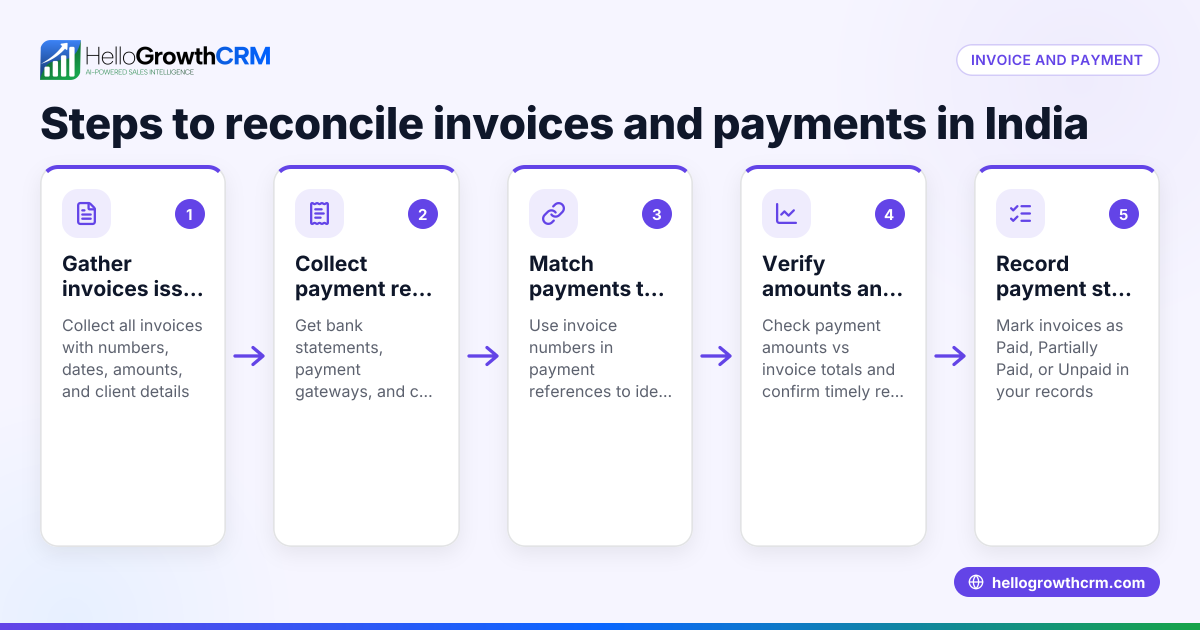
- Reconcile payments: Match payments received against invoices in your accounting system or CRM to avoid confusion and track outstanding amounts.
- Maintain records: Keep copies of invoices, payment confirmations, and communication for reference and any disputes.
Using a CRM with integrated invoicing and payment tracking helps reduce errors and speeds up follow-up. See how HelloGrowthCRM supports this below.
Example (fictional figures)
A car rental company in Abu Dhabi issues an invoice on 01/04/2024 for AED 15,000 for a rental service.
- Invoice date = 01/04/2024
- Payment terms = 30 days
- Due date = 01/05/2024
- Amount = AED 15,000
Step 1: Send the invoice immediately on 01/04/2024.
Step 2: Schedule a reminder for 28/04/2024 (3 days before due date).
Step 3: If no payment by 01/05/2024, send a follow-up message.
Step 4: Customer pays AED 15,000 on 05/05/2024.
Step 5: Confirm payment matches invoice:
AED 15,000 (payment received) = AED 15,000 (invoice amount)
Step 6: Mark invoice as paid and update records.
This clear timeline and follow-up process helps ensure payment is collected efficiently.
Common mistakes
- Not specifying clear payment terms: Always state due dates and accepted payment methods to avoid confusion. Prevention: Include terms prominently on every invoice.
- Delaying follow-up: Waiting too long to remind customers causes payment delays. Prevention: Schedule reminders before and on due dates.
- Using multiple unconnected tools: Managing invoices on WhatsApp, calls, and spreadsheets leads to lost information. Prevention: Use a CRM with integrated invoicing and payment tracking.
- Not confirming payment receipt: Assuming payment was made without verification can cause accounting errors. Prevention: Always match payment amounts against invoices and update records.
- Poor record keeping: Losing invoices or payment confirmations risks disputes. Prevention: Store all documents digitally in one place.
Doing this in HelloGrowthCRM
HelloGrowthCRM offers a built-in quoting and proposal tool for building, sending, and tracking commercial documents like invoices directly from a deal record. The quotation or invoice status (sent, viewed, accepted) appears on the same screen as your follow-up tasks. Payments received are linked to invoices and deals for easy reconciliation. This reduces manual work and helps your sales team follow up on payments efficiently. Learn more about the built-in CRM dialer and WhatsApp and SMS CRM features that complement payment follow-up.
Frequently asked questions
How soon should I send an invoice after delivering a service? Send the invoice immediately after the service is completed or the deal is closed to start the payment clock and avoid delays.
What payment methods are common in the UAE for invoice payments? Bank transfers, cheques, credit/debit cards, and digital wallets are commonly accepted. Specify your preferred methods on the invoice.
How do I handle late payments from customers? Follow up promptly with reminders, clarify any disputes, and consider late payment penalties if stated in your terms.
Can I automate invoice follow-ups? Yes, using a CRM like HelloGrowthCRM you can automate reminders and track invoice status to streamline collections.
What information must an invoice contain in the UAE? Include your company name and address, customer details, invoice number, date, description of goods/services, amount in AED, and payment terms. NEEDS EXPERT REVIEW
Key takeaways
- Send clear, professional invoices with detailed payment terms.
- Schedule reminders before and after the due date to prompt payment.
- Confirm and reconcile payments against invoices to maintain accurate records.
- Avoid managing invoices and payments across multiple disconnected tools.
- Use HelloGrowthCRM to create, send, and track invoices and payments from one platform.
Collecting payments promptly after invoicing is vital for your business cash flow. Start organising your invoicing and follow-up process today and reduce payment delays. To simplify this, you can start on the Free Forever plan (200 leads, no credit card) with HelloGrowthCRM.
Ready to put this into practice?
Set up your pipeline, WhatsApp follow-ups, and AI lead scoring in minutes — free, no credit card.
Try HelloGrowthCRM freeGet CRM tips in your inbox
Join thousands of sales professionals who get weekly insights on CRM strategy, AI automation, and pipeline optimization.

The HelloGrowthCRM team publishes guides on CRM strategy, AI sales tools, and revenue operations for small business sales teams.