HelloGrowthCRM software
Built for real small-business sales teams
HelloGrowthCRM helps reps qualify faster, follow up on time, and close more deals—with practical automation in one place.
- AI lead scoring and pipeline visibility
- Built-in dialer, WhatsApp, and email automation
- Sales forecasting and RevOps-ready reporting
Creating a business invoice in Singapore requires careful inclusion of all necessary information to ensure clarity and prompt payment. This guide explains why business owners seek invoice guidance, provides detailed steps to create one, shows a fictional example with calculations, highlights common mistakes, and describes how HelloGrowthCRM supports managing quotes and payments.
Why this comes up / what goes wrong
Many small and mid-sized business owners in Singapore handle sales informally via WhatsApp, email, or spreadsheets without a formal invoicing process. This often results in lost leads, delayed payments, and difficulty tracking outstanding amounts. Without clear invoices, customers may dispute charges or delay payment, affecting cash flow. Business owners need a reliable method to create professional invoices that include all necessary details and payment terms.
Step-by-step
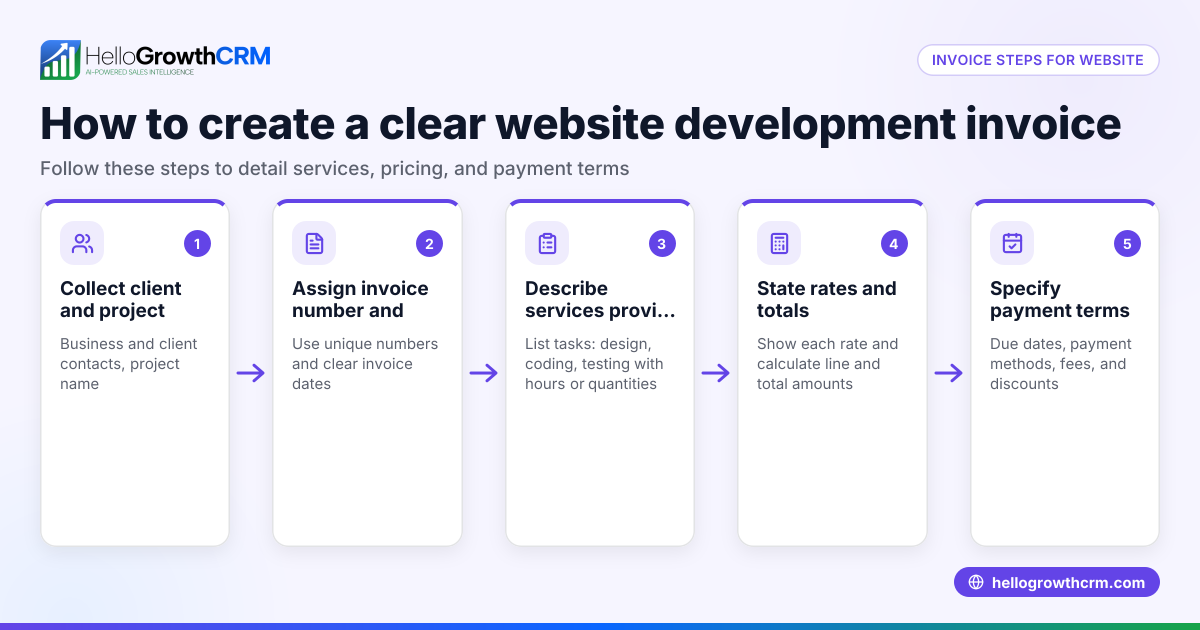
- Add your business details: Include your company name, registered address, contact number, and email. If your business is GST-registered, add your GSTIN.
- Include customer information: Write the customer’s full name, company name if applicable, and contact details.
- Assign a unique invoice number: Use a sequential numbering system, for example, INV-20240501-001, to keep invoices organised and easily referenced.
- Set the invoice date: This is the date the invoice is issued.
- Describe goods or services provided: Clearly list each item or service with a brief description.
- Specify quantities and unit prices: For each item or service, state the number of units and price per unit.
- Calculate subtotals for each line: Multiply quantity by unit price.
- Add applicable taxes (e.g., GST): If your business is GST-registered, calculate GST on the subtotal and include it.
- Calculate the total amount payable: Sum all line subtotals and taxes.
- State payment terms: Specify the payment due date (e.g., 14 or 30 days from invoice date) and acceptable payment methods such as bank transfer or cheque.
- Provide payment instructions: Include your bank account details or other payment information to make it easy for customers.
- Review the invoice: Double-check all details for accuracy before sending.
To manage sales communication and follow-up efficiently, consider tools like HelloGrowthCRM’s quoting features that allow sending and tracking commercial documents from the same deal screen. See more about its built-in CRM dialer and WhatsApp and SMS CRM capabilities.
Example (fictional figures)
A property agency in Novena issues an invoice on 15/05/2024 for rental services.
- Business name: Novena Property Agency
- Customer: Mr Tan Wei
- Invoice number: INV-20240515-001
- Description: Rental service for 1 month
- Quantity: 1
- Unit price: S$3,000
- GST (assumed illustrative rate 8%): calculated on subtotal
Calculations:
Subtotal = S$3,000 × 1 = S$3,000 GST = S$3,000 × 8% = S$240 Total amount payable = S$3,000 + S$240 = S$3,240
The invoice specifies payment due within 14 days by bank transfer to the agency’s account.
Common mistakes
- Omitting the invoice number: Prevent by using a clear, sequential numbering system to avoid confusion.
- Incorrect GST details: Verify your GST registration status and rates before adding GST to avoid tax issues.
- Vague descriptions: Use detailed descriptions of goods or services to prevent disputes.
- No payment terms: Always specify payment due dates and accepted payment methods to encourage timely payment.
- Calculation errors: Double-check all arithmetic or use tools to reduce mistakes.
- Not tracking invoice status: Use CRM tools to monitor whether invoices have been sent, viewed, or accepted, aiding follow-up.
Doing this in HelloGrowthCRM
HelloGrowthCRM offers a quoting and proposal tool that lets you build, send, and track commercial documents such as quotes and proposals from the deal record. The status of quotations (sent, viewed, accepted) appears on the same screen as your follow-up tasks, helping you manage sales and customer communication efficiently.
Frequently asked questions
How do I create recurring invoices in Singapore? Recurring invoices are issued regularly, such as monthly for subscriptions or ongoing services. You can create a template invoice with fixed details and manually send it each cycle or use software that supports recurring billing. Check your software’s capabilities for automating this process.
Do I need to include GST on all invoices? Only if your business is registered for GST and the supply is taxable. If not registered or the supply is exempt, do not include GST. Confirm your GST registration status before adding GST to invoices.
Can I send invoices via WhatsApp? Yes, sending invoices through WhatsApp can be convenient for your customers. Using CRM tools with WhatsApp integration can help you send and track invoices and messages efficiently. HelloGrowthCRM supports WhatsApp and SMS communication to assist with customer engagement.
What payment terms should I use on my invoice? Common payment terms are 14 or 30 days from the invoice date. Clearly state the due date and accepted payment methods such as bank transfer, cheque, or other options.
How do I track if my invoice has been viewed or accepted? Use CRM tools that show the status of your quotations and follow-ups. HelloGrowthCRM displays quote status (sent, viewed, accepted) on the same screen as follow-up tasks, helping you keep track without switching screens.
Key takeaways
- Include complete business and customer details on every invoice.
- Use unique invoice numbers and clear item descriptions.
- Calculate totals carefully, including GST if applicable.
- Specify payment terms and provide payment instructions.
- Avoid common mistakes by reviewing invoices before sending.
- Use CRM tools like HelloGrowthCRM to manage quotes and track customer communication.
Start creating professional invoices today to improve your cash flow and customer relations. To get started with easy quoting and sales management, start on the Free Forever plan (200 leads, no credit card).
Ready to put this into practice?
Set up your pipeline, WhatsApp follow-ups, and AI lead scoring in minutes — free, no credit card.
Try HelloGrowthCRM freeGet CRM tips in your inbox
Join thousands of sales professionals who get weekly insights on CRM strategy, AI automation, and pipeline optimization.

The HelloGrowthCRM team publishes guides on CRM strategy, AI sales tools, and revenue operations for small business sales teams.