HelloGrowthCRM software
Built for real small-business sales teams
HelloGrowthCRM helps reps qualify faster, follow up on time, and close more deals—with practical automation in one place.
- AI lead scoring and pipeline visibility
- Built-in dialer, WhatsApp, and email automation
- Sales forecasting and RevOps-ready reporting
Creating a customer payment link is essential for small and mid-sized businesses in New Zealand to get paid promptly and securely. Customers appreciate the convenience of clicking a link to pay via credit card, debit card, or other online methods. Here’s how to do it clearly and correctly.
Why this comes up / what goes wrong
Small business owners often need payment links when invoicing customers remotely or via email. Without a payment link, customers may delay payment or get confused about how to pay. Many businesses try to send payment details via text or email without an official link, leading to lost payments or manual follow-up. Using a payment link ensures clarity, speeds up payment, and reduces errors.
Step-by-step
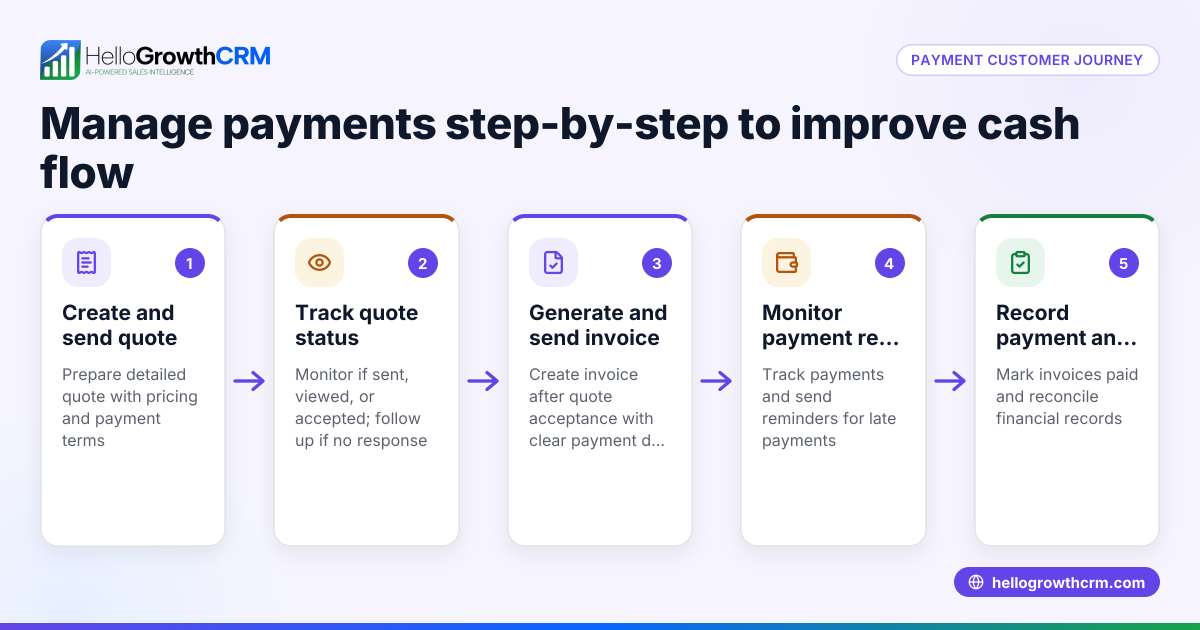
- Choose a payment platform or invoicing tool: Use a service that supports online payment links. Examples include payment gateways or invoicing software that complies with New Zealand regulations. Check they support NZD payments and popular payment methods.
- Create an invoice or payment request:
- Enter customer details: full name, email, and contact number.
- Specify the payment amount in NZD.
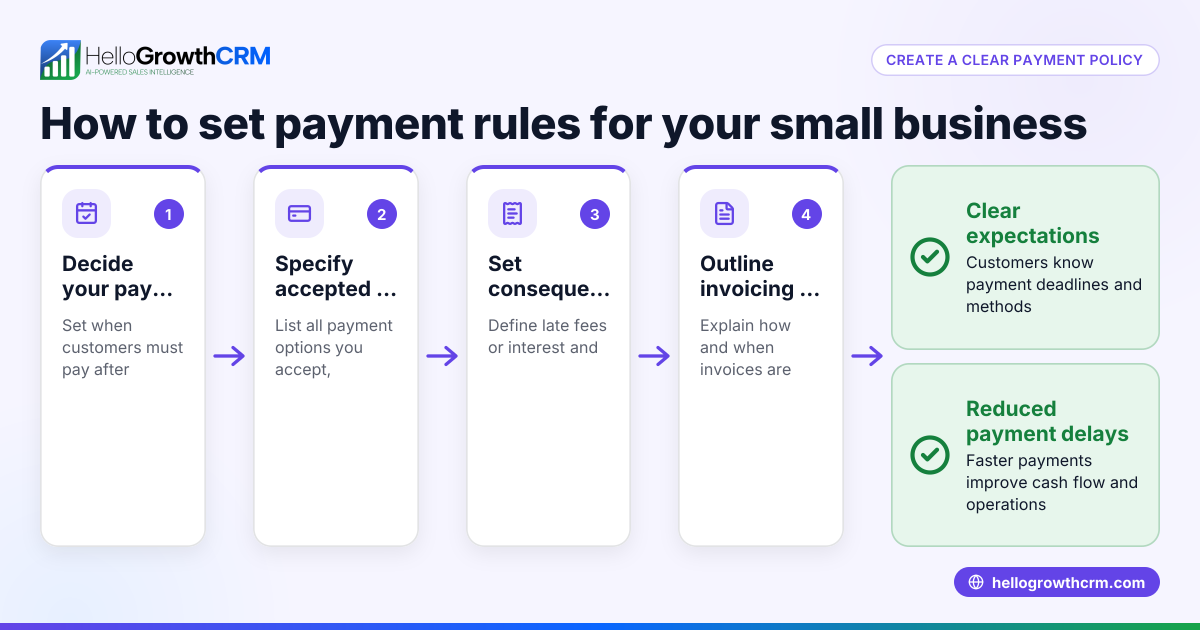
- Set a clear due date.
- Include a description of goods or services.
- Generate the payment link:
- Most platforms have a "Create payment link" or "Send invoice" button.
- Confirm the details are accurate before generating.
- The system will produce a unique URL for this payment.
- Send the payment link to the customer:
- Email or message the link directly.
- Include instructions on how to pay and the due date.
- Follow up and track payment status:
- Monitor if the link is clicked and payment made.
- Send reminders if unpaid near the due date.
- Record the payment in your accounting or CRM system to keep your records up to date.
For businesses using HelloGrowthCRM, you can create quotes, proposals, and invoices linked to deals and track payment status on the same screen as follow-up tasks. This helps keep sales and payment workflows organised. After the sale, service requests and tickets stay on the same customer record, helping your team manage ongoing customer needs. Learn more about WhatsApp and SMS CRM and customer health score.
Example (fictional figures)
A Christchurch building company, Kiwi Builders Ltd, creates a payment link for a customer.
- Invoice amount: NZ$3,500
- Due date: 30/06/2024
- Description: "Kitchen renovation deposit"
Steps:
- Enter customer details: Jane Smith, jane.smith@email.nz, 021 123 4567.
- Enter payment amount: NZ$3,500.
- Set due date: 30/06/2024.
- Add description: "Kitchen renovation deposit."
- Generate payment link: system creates URL https://paymentprovider.nz/pay/abc123
- Send link via email with payment instructions.
When Jane clicks the link and pays NZ$3,500, Kiwi Builders records the payment in their CRM and updates the invoice status to "Paid."
Common mistakes
- Incorrect payment amount: Double-check the NZD figure before generating the link to avoid undercharging or overcharging.
- Missing customer contact details: Without a valid email or phone number, the link may not reach the customer.
- Not setting a clear due date: This can cause confusion and delay payment.
- Sending the wrong link: Verify the link corresponds to the correct invoice or deal.
- Failing to follow up: Track unpaid links and send reminders to improve cash flow.
- Not recording payments properly: Always update your records to avoid confusion and maintain accurate accounts.
Prevent these by reviewing all details carefully and using a CRM like HelloGrowthCRM to keep payment and customer information organised.
Doing this in HelloGrowthCRM
HelloGrowthCRM includes built-in quoting and proposal tools that let you create, send, and track commercial documents like invoices and payment requests directly from a deal record. The status of each quote or invoice (sent, viewed, accepted) appears alongside your follow-up tasks, making it easy to manage sales and payments in one place. After the sale, service requests and support tickets remain on the same customer record, helping your team deliver ongoing service efficiently. Explore HelloGrowthCRM features and benefits tailored for New Zealand businesses at HelloGrowthCRM for New Zealand.
Frequently asked questions
Can I create a payment link without invoicing software? You can generate payment links directly through some payment gateways or banks, but invoicing software helps keep your billing organised and professional. It also makes tracking payments easier.
What payment methods do NZ payment links usually support? Most payment links accept credit and debit cards, and some support bank transfers or digital wallets. Check your payment provider’s options to confirm.
How do I know if a customer has paid via the link? Your payment platform or invoicing tool will usually notify you when a payment is received. In HelloGrowthCRM, payments are reconciled and linked to invoices and deals automatically.
Is it safe to send payment links by email or text? Yes, as long as you use a secure payment provider that encrypts data. Avoid sharing sensitive information directly in messages.
Can I customise payment links with my branding? Many platforms allow you to add your logo and business details to payment pages, reinforcing your brand and trustworthiness.
How do payment links help improve cash flow? They simplify and speed up payment, reducing delays and manual follow-up, which helps maintain steady cash flow.
Key takeaways
- Use a reliable payment platform or invoicing tool to create payment links.
- Include accurate customer details, payment amount in NZD, due date, and description.
- Send the link directly to the customer with clear instructions.
- Track payment status and follow up on unpaid links promptly.
- Avoid common mistakes like incorrect amounts and missing contact info.
- HelloGrowthCRM helps manage quotes, invoices, payments, and customer service in one place.
Start creating customer payment links confidently today to get paid faster and keep your business running smoothly.
Start on the Free Forever plan (200 leads, no credit card) at HelloGrowthCRM.
Ready to put this into practice?
Set up your pipeline, WhatsApp follow-ups, and AI lead scoring in minutes — free, no credit card.
Try HelloGrowthCRM freeGet CRM tips in your inbox
Join thousands of sales professionals who get weekly insights on CRM strategy, AI automation, and pipeline optimization.

The HelloGrowthCRM team publishes guides on CRM strategy, AI sales tools, and revenue operations for small business sales teams.