HelloGrowthCRM software
Built for real small-business sales teams
HelloGrowthCRM helps reps qualify faster, follow up on time, and close more deals—with practical automation in one place.
- AI lead scoring and pipeline visibility
- Built-in dialer, WhatsApp, and email automation
- Sales forecasting and RevOps-ready reporting
The payment customer journey is the sequence of actions a customer takes from the moment they receive a price quote or proposal until they complete payment and any post-sale service is handled. For small businesses, managing this journey clearly and efficiently is critical to improving cash flow and customer satisfaction.
Why this comes up / what goes wrong
Many small-business owners struggle with managing payments because the process involves multiple steps and communication channels. Without a clear system, quotes may be forgotten, invoices delayed, and payments missed. Customers can become frustrated if follow-up is slow or if service requests after payment are disorganized. Commonly, small businesses rely on spreadsheets, email chains, and text messages to track payments, which leads to confusion and delays. This disorganization can cause lost revenue and harm customer relationships.
Step-by-step
- Create and send a quote or proposal: Use a quoting tool or CRM to prepare a clear, detailed quote. Include pricing, payment terms, and validity period. Send it promptly to the customer.
- Track quote status: Monitor whether the customer has received, viewed, or accepted the quote. Follow up if there is no response within the expected timeframe.
- Convert the accepted quote into an invoice: Once the customer accepts the quote, generate an invoice linked to the deal. Confirm that the invoice matches the accepted terms.
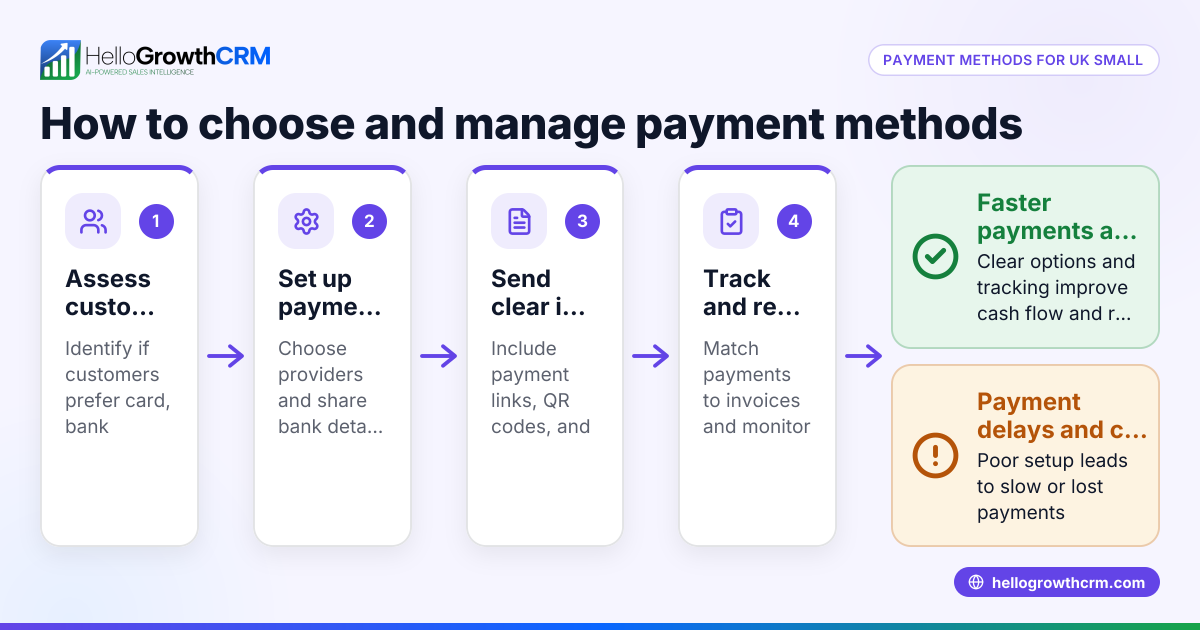
- Send the invoice and request payment: Deliver the invoice promptly by email or customer portal. Clearly specify payment methods, due dates, and any instructions.
- Monitor payment receipt: Track payments against invoices carefully. If the payment is late, send polite reminders or make follow-up calls.
- Record payment and reconcile accounts: When payment arrives, mark the invoice as paid in your system and update financial records.
- Handle post-sale service requests: Keep any customer support tickets or service requests linked to the same customer record to maintain continuity and improve service quality.
At each step, check that communications are timely, documents are accurate, and customer responses are logged. Using a CRM that integrates quoting, invoicing, and payment tracking helps avoid missed steps.
Example (fictional figures)
A B2B software reseller in Denver, Colorado, sends a quote on 05/01/2026 for $25,000 to a client.
Step 1: Quote sent on 05/01/2026 for $25,000. Step 2: Customer views quote on 05/03/2026. Step 3: Customer accepts quote on 05/05/2026. Step 4: Invoice generated and sent on 05/06/2026 for $25,000. Step 5: Payment due by 05/20/2026. Step 6: Payment of $25,000 received on 05/18/2026. Step 7: Invoice marked paid on 05/18/2026.
Calculation example: $25,000 (quote amount) = $25,000 (invoice amount) $25,000 (invoice amount) - $25,000 (payment received) = $0 (balance due)
This example shows clear tracking of dates and amounts to prevent confusion and delays.
Common mistakes
- Not tracking quote status: Leads to missed follow-ups and lost sales. Prevent by using a CRM that shows quote status (sent, viewed, accepted) on the deal screen.
- Delaying invoice generation: Causes payment delays and cash flow problems. Generate and send invoices immediately after quote acceptance.
- Unclear payment terms: Customers may delay payment if payment methods or due dates are not clearly communicated. Always specify payment terms clearly on quotes and invoices.
- Separating sales and service records: Makes post-sale support inefficient and frustrating for customers. Keep service requests linked to the same customer record.
- Relying on spreadsheets or emails: Increases the chance of errors and missed tasks. Use a CRM with integrated quoting, invoicing, payment tracking, and customer service.
Doing this in HelloGrowthCRM
HelloGrowthCRM helps small and mid-sized businesses manage the payment customer journey by integrating quotes, proposals, invoices, and payments directly from the deal record. You can send a quotation and see its status (sent, viewed, accepted) on the same screen as your follow-up task, ensuring you never miss a step. After the sale, any service requests like tickets stay linked to the same customer record, keeping all customer information in one place. Learn more about these features at WhatsApp and SMS CRM and customer health score.
Frequently asked questions
What is the payment customer journey? It is the process customers follow from receiving a quote to completing payment and receiving any after-sale service. Managing it well improves cash flow and customer satisfaction.
How can I speed up payments from customers? Send clear quotes and invoices promptly, specify payment terms, follow up on viewed but unaccepted quotes, and send reminders for overdue payments. Using a CRM helps automate and track these steps.
Why keep service requests linked to the customer record? Keeping service requests on the same customer record provides a complete view of the customer’s history, making support easier and improving retention. HelloGrowthCRM supports this by storing tickets on the same record.
Can I track quote status in a CRM? Yes, a CRM like HelloGrowthCRM shows if a quote has been sent, viewed, or accepted, helping you prioritize follow-ups effectively.
How does HelloGrowthCRM handle payments? Payments received are linked to invoices and deals, allowing you to reconcile accounts easily and keep accurate records.
Key takeaways
- The payment customer journey includes quoting, invoicing, payment collection, and post-sale service.
- Timely communication and tracking at each step prevent delays and errors.
- Use a CRM to monitor quote status, send invoices, track payments, and manage service requests.
- Common mistakes include poor tracking, unclear payment terms, and separating sales from service records.
- HelloGrowthCRM integrates quotes, invoices, payments, and tickets on one platform to streamline this process.
Start managing your payment customer journey efficiently. Start on the Free Forever plan (200 leads, no credit card) today.
Ready to put this into practice?
Set up your pipeline, WhatsApp follow-ups, and AI lead scoring in minutes — free, no credit card.
Try HelloGrowthCRM freeGet CRM tips in your inbox
Join thousands of sales professionals who get weekly insights on CRM strategy, AI automation, and pipeline optimization.

The HelloGrowthCRM team publishes guides on CRM strategy, AI sales tools, and revenue operations for small business sales teams.