HelloGrowthCRM software
Built for real small-business sales teams
HelloGrowthCRM helps reps qualify faster, follow up on time, and close more deals—with practical automation in one place.
- AI lead scoring and pipeline visibility
- Built-in dialer, WhatsApp, and email automation
- Sales forecasting and RevOps-ready reporting
Managing customer data in Excel is a practical way for US small businesses to organize and track customer information without extra software. Start by setting up clear columns for all essential customer details, keep data consistent, and use Excel features like tables and filters to find and update records easily. This guide explains why proper data management is important, provides step-by-step instructions, a realistic example, common mistakes to avoid, and an overview of relevant HelloGrowthCRM features.
Why this comes up / what goes wrong
Many small business owners in the US begin managing customer data in Excel because it is widely available and familiar. However, without a clear system, data entry can become inconsistent, duplicated, or scattered across multiple files. This leads to lost leads, slow follow-up, and difficulty understanding customer history, which can hurt sales and customer relationships. Properly managing customer data in Excel helps keep your sales organized and supports better communication with your customers.
Step-by-step
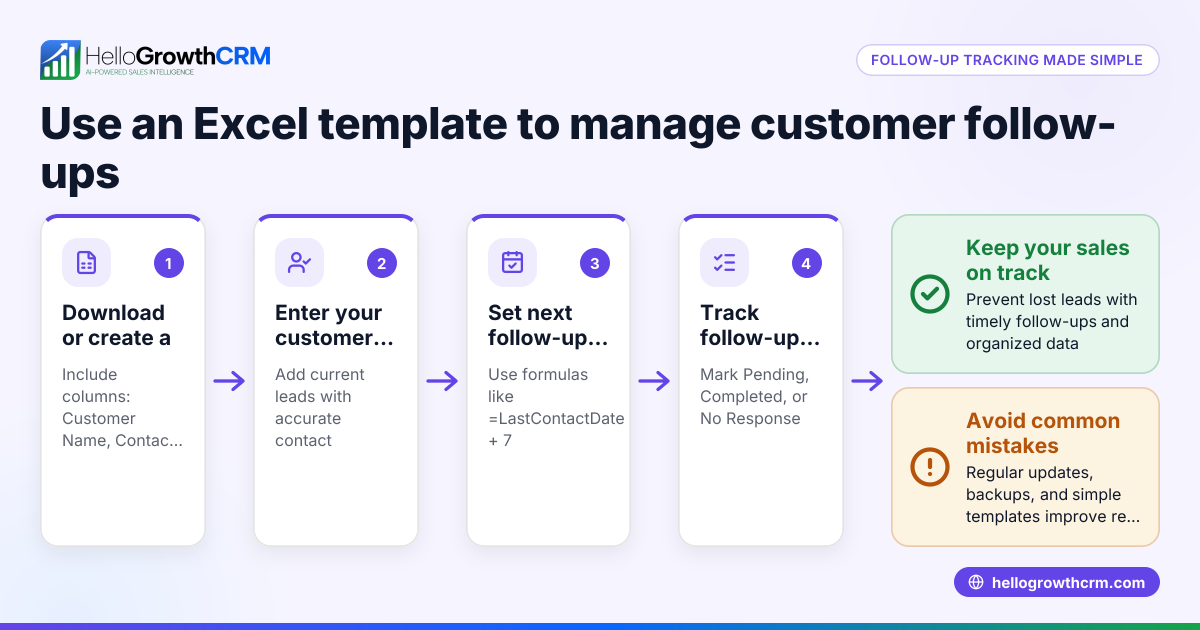
- Set up your spreadsheet columns: Include these essential fields - Customer ID, First Name, Last Name, Email, Phone Number, Address, Date of First Contact, Last Purchase Date, Purchase Amount, and Notes.
- Enter data consistently: Use a uniform format for phone numbers (e.g., (555) 123-4567) and dates (MM/DD/YYYY). Double-check entries to avoid typos.
- Convert your data range to an Excel table: Select your data and go to Insert > Table. This enables easy sorting, filtering, and structured referencing.
- Apply filters: Use filter buttons on each column header to quickly find customers by criteria such as last purchase date or location.
- Create drop-down lists for common fields: For fields like State or Customer Status, use Data > Data Validation to create lists. This reduces entry errors and keeps data consistent.
- Regularly update and clean data: Use Data > Remove Duplicates to eliminate repeated entries and correct mistakes as soon as you spot them.
- Back up your file frequently: Save copies regularly to avoid losing data due to file corruption or accidental deletion.
- Use formulas for insights: For example, calculate total sales per customer with =SUMIF(CustomerIDRange, CustomerID, PurchaseAmountRange).
Example (fictional figures)
A plumbing company in Austin, Texas manages customer data in Excel.
| Customer ID | First Name | Last Name | Phone | Address | Date of First Contact | Last Purchase Date | Purchase Amount | Notes | |
|---|---|---|---|---|---|---|---|---|---|
| 001 | John | Smith | john.smith@email.com | (512) 555-1234 | 123 Main St, Austin TX | 01/15/2024 | 03/10/2024 | $350 | Repaired leak |
Calculate total sales from John Smith: $350 (only one purchase) = $350
If John makes another $200 purchase on 04/05/2024, update the Last Purchase Date to 04/05/2024 and add $200 to Purchase Amount: $350 + $200 = $550
Common mistakes
- Inconsistent data entry: Prevent by using drop-down lists and standard formats for phone numbers and dates.
- Not backing up data: Prevent by scheduling regular backups to avoid data loss.
- Duplicate entries: Prevent by using Excel’s Remove Duplicates tool regularly.
- No tracking of last contact: Prevent by adding a Last Contact Date column and updating it after each interaction.
- Too many manual tasks: Prevent by using Excel tables and formulas to automate sorting and calculations.
- Ignoring data privacy: Prevent by restricting file access and avoiding insecure sharing of sensitive customer information. Consider more secure options like HelloGrowthCRM for US businesses managing customer data. See HelloGrowthCRM for the United States.
Doing this in HelloGrowthCRM
HelloGrowthCRM provides security and compliance features ensuring customer data stays in India for teams that need residency. Its built-in dialer lets telecallers work customer lists directly from inside the CRM, logging call outcomes on each lead. After the sale, service requests remain attached to the same customer record through the customer portal, referrals, tickets, and knowledge base features. These capabilities help small businesses manage customer data and follow-ups more efficiently than Excel alone. Learn more about the WhatsApp and SMS CRM features and the customer health score.
Frequently asked questions
How do I keep customer data secure in Excel? Store your Excel file in a secure location with controlled access. Use password protection and restrict sharing. Regular backups help prevent data loss.
Can Excel handle large customer databases? Excel can manage thousands of rows but may slow down with very large datasets. Growing businesses should consider CRM software to handle data more efficiently.
How do I track customer interactions in Excel? Add columns such as Last Contact Date and Notes to record each interaction. Use filters to prioritize follow-ups.
Is there a way to automate customer follow-up reminders in Excel? Excel has limited automation. You can use formulas and conditional formatting to highlight customers needing follow-up, but CRM tools offer better automation.
How can I analyze customer purchase trends in Excel? Use PivotTables to summarize purchase amounts by customer, date, or product. This helps identify your best customers and sales patterns.
Key takeaways
- Structure your Excel sheet with clear, consistent fields.
- Use tables, filters, and drop-down lists to reduce errors and find data quickly.
- Regularly update, clean, and back up your data.
- Avoid common mistakes like duplicates and inconsistent formats.
- Consider HelloGrowthCRM for enhanced security, calling, and customer service tracking.
Managing customer data in Excel is a practical way to start organizing your sales and contacts today. When you're ready to upgrade, HelloGrowthCRM can help you manage leads and customer relationships more efficiently. Start on the Free Forever plan (200 leads, no credit card) at HelloGrowthCRM.
Ready to put this into practice?
Set up your pipeline, WhatsApp follow-ups, and AI lead scoring in minutes — free, no credit card.
Try HelloGrowthCRM freeGet CRM tips in your inbox
Join thousands of sales professionals who get weekly insights on CRM strategy, AI automation, and pipeline optimization.

The HelloGrowthCRM team publishes guides on CRM strategy, AI sales tools, and revenue operations for small business sales teams.