HelloGrowthCRM software
Built for real small-business sales teams
HelloGrowthCRM helps reps qualify faster, follow up on time, and close more deals—with practical automation in one place.
- AI lead scoring and pipeline visibility
- Built-in dialer, WhatsApp, and email automation
- Sales forecasting and RevOps-ready reporting
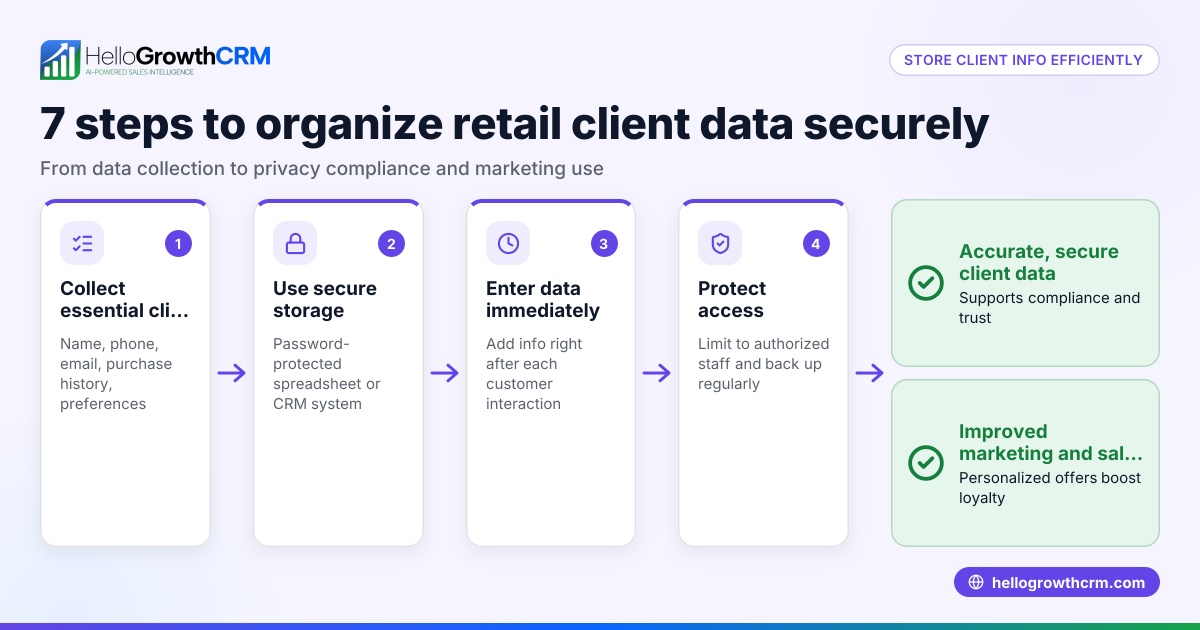
Protecting customer information in your CRM is essential for Indian small and mid-sized businesses to maintain customer trust and prevent data breaches. You must control who can access sensitive data, secure communication channels, back up information regularly, and train your team on data privacy best practices.
Why this comes up / what goes wrong
Many Indian SMBs start sales operations using WhatsApp and spreadsheets, which scatter customer data and increase risks of loss or misuse. When these businesses move to a CRM, they often face challenges such as unauthorized staff access, accidental data loss, or leaks through unsecured communication channels. Poor protection of customer information can lead to slow follow-up, lost leads, damaged customer relationships, and potential legal issues.
Step-by-step
- Limit User Access:
- Assign CRM user roles carefully based on job responsibilities to restrict access to sensitive customer data.
- Regularly review and update permissions, especially when employees leave or change roles.
- Use Strong Passwords and Two-Factor Authentication (2FA):
- Require complex passwords for CRM login that include letters, numbers, and symbols.
- Enable 2FA if your CRM supports it to add an extra layer of security.
- Encrypt Customer Data:
- Ensure your CRM encrypts data both at rest and during transmission.
- Avoid exporting sensitive customer information to unsecured files or devices.
- Secure Communication Channels:
- Use CRM-integrated WhatsApp and SMS features to keep conversations logged securely on lead records.
- Do not share customer details over personal WhatsApp chats or unencrypted emails.
- Regular Data Backups:
- Schedule automatic backups of CRM data to prevent loss.
- Store backups securely, ideally offsite or in encrypted cloud storage.
- Train Your Team:
- Educate staff on data privacy best practices and company policies regularly.
- Emphasize the importance of protecting customer information and following secure workflows.
- Monitor and Audit CRM Activity:
- Use CRM audit logs to track who accesses or modifies customer data.
- Investigate any unusual access or changes immediately to prevent breaches.
- Comply with Indian Data Privacy Laws:
- Stay informed about the Data Protection Bill and other regulations (NEEDS EXPERT REVIEW).
- Obtain explicit customer consent before collecting or processing their personal data.
Example (fictional figures)
ABC Traders, a Mumbai-based SMB, wants to secure 5,000 customer records in its CRM by 01/07/2024.
- They assign user roles so only the sales manager and telecalling team can access sensitive data.
- Password policies require 12-character passwords with numbers and symbols.
- Two-factor authentication is enabled for all CRM users.
- They use CRM's WhatsApp and SMS features to log conversations securely.
- Daily automated backups are scheduled and stored on an encrypted cloud server.
- Quarterly staff training costs ₹20,000 per session.
Costs:
Training per year = ₹20,000 × 4 = ₹80,000
Backup service = ₹5,000 per month × 12 = ₹60,000
Total annual security investment = ₹80,000 + ₹60,000 = ₹1,40,000
This investment helps ABC Traders avoid costly data breaches and maintain customer trust.
Common mistakes
- Giving all employees full access: Prevent by assigning roles and reviewing permissions regularly.
- Using weak or shared passwords: Prevent by enforcing strong passwords and 2FA.
- Sharing customer data via personal WhatsApp or email: Prevent by using CRM-integrated WhatsApp and SMS workflows to keep data secure and logged. See WhatsApp and SMS CRM.
- Not backing up data: Prevent by scheduling automated backups.
- Ignoring staff training: Prevent by conducting regular data privacy sessions.
- Not monitoring CRM activity: Prevent by enabling audit logs and reviewing access.
Doing this in HelloGrowthCRM
HelloGrowthCRM helps protect customer information by logging all WhatsApp conversations with leads directly on their records. Telecallers use the built-in dialer to call leads from inside the CRM, and every call outcome is logged, reducing risks of data leakage. AI agents draft follow-up messages after calls, so reps only review and send, maintaining data accuracy and consistency. Learn more about HelloGrowthCRM for India.
Frequently asked questions
How do I ensure my CRM complies with Indian data privacy laws? Stay updated on the Data Protection Bill and other regulations (NEEDS EXPERT REVIEW). Obtain explicit consent from customers before collecting data and only store necessary information.
Can WhatsApp conversations be securely stored in a CRM? Yes, CRM-integrated WhatsApp features log conversations securely on lead records, reducing risks compared to personal WhatsApp chats. See WhatsApp and SMS CRM.
What are the risks of not backing up CRM data? Without backups, data loss from accidental deletion, corruption, or cyberattacks can cause lost customer information and sales opportunities.
How can I monitor who accessed customer data in the CRM? Enable CRM audit logs to track user activity, including data access and changes. Review these logs regularly for unusual activity.
What is the benefit of using a built-in dialer in CRM? A built-in dialer lets telecallers call leads directly from the CRM, automatically logging call outcomes on lead records, improving data accuracy and security. See customer health score for managing lead quality.
Key takeaways
- Limit CRM user access and review permissions regularly.
- Use strong passwords and enable two-factor authentication.
- Keep all customer communication within CRM-integrated WhatsApp and SMS channels.
- Schedule regular data backups and store them securely.
- Train your team on data privacy and proper CRM use.
- Monitor CRM activity logs to detect unauthorized access.
Start protecting your customer information today. Start on the Free Forever plan (200 leads, no credit card) with HelloGrowthCRM to manage your sales securely and efficiently.
Ready to put this into practice?
Set up your pipeline, WhatsApp follow-ups, and AI lead scoring in minutes — free, no credit card.
Try HelloGrowthCRM freeGet CRM tips in your inbox
Join thousands of sales professionals who get weekly insights on CRM strategy, AI automation, and pipeline optimization.

The HelloGrowthCRM team publishes guides on CRM strategy, AI sales tools, and revenue operations for small business sales teams.