HelloGrowthCRM software
Built for real small-business sales teams
HelloGrowthCRM helps reps qualify faster, follow up on time, and close more deals—with practical automation in one place.
- AI lead scoring and pipeline visibility
- Built-in dialer, WhatsApp, and email automation
- Sales forecasting and RevOps-ready reporting
To schedule WhatsApp messages for customers in Singapore, you need a platform that allows you to compose your message, choose the recipients, and specify the date and time to send it. Once scheduled, the system automatically sends the message without manual intervention. This saves time, ensures timely follow-ups, and helps you maintain consistent communication with your customers.
Why this comes up / what goes wrong
Many small and mid-sized businesses in Singapore rely on WhatsApp for customer communication because it is widely used and convenient. However, sending messages manually can lead to delays or missed follow-ups, especially when handling many customers. Without scheduling, business owners or sales teams may forget to send important reminders, promotions, or updates. This results in lost leads or dissatisfied customers.
Scheduling WhatsApp messages helps businesses stay organised and professional, avoiding the back-and-forth of manual messaging. It also reduces the risk of sending messages at inappropriate times or missing peak engagement windows.
Step-by-step
- Choose a WhatsApp scheduling tool or CRM: Select a platform that supports WhatsApp message scheduling. Many CRMs designed for Singapore businesses include this feature. Check if the tool logs conversations and supports follow-ups.
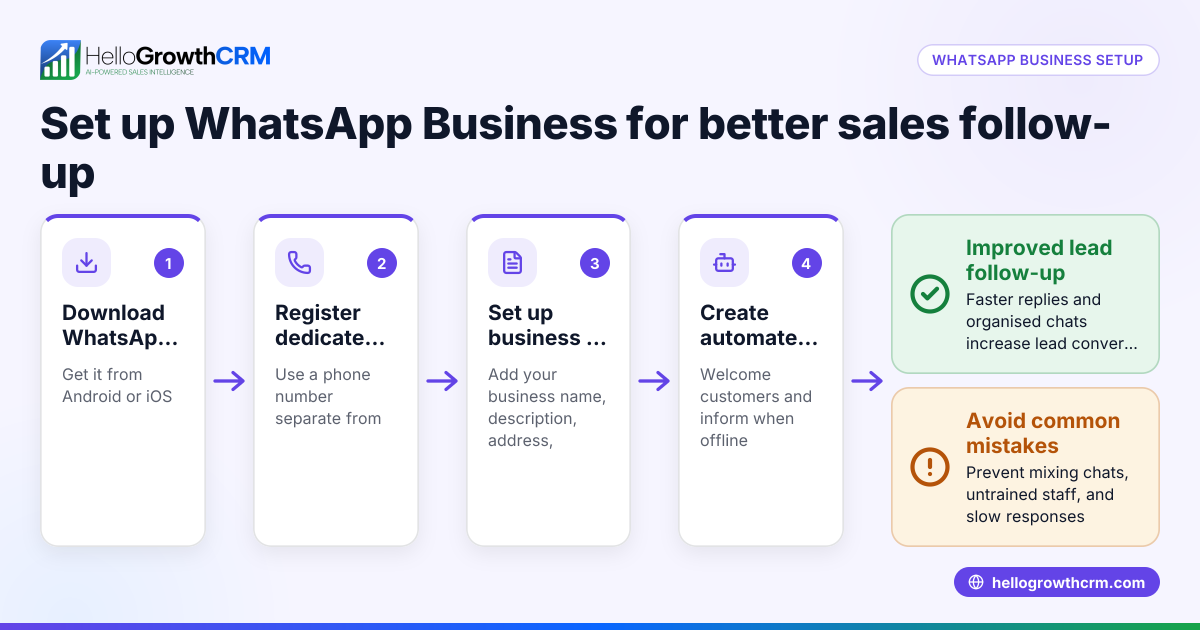
- Connect your WhatsApp Business account: Link your WhatsApp Business number to the scheduling tool. This usually involves verifying your phone number and granting permissions.
- Create your message content: Write the message you want to send. Keep it clear, concise, and personalised if possible.
- Select the recipients: Upload or select your customer list. Ensure numbers are in the correct format (e.g., +65 for Singapore).
- Set the schedule date and time: Choose when the message should be sent. Consider Singapore business hours and customer preferences.
- Review and confirm: Double-check the message content, recipient list, and schedule time.
- Activate the schedule: Confirm the scheduling. The system will send the message automatically at the set time.
- Monitor delivery and responses: After sending, track message status and replies. Use the CRM to log conversations and plan follow-ups.
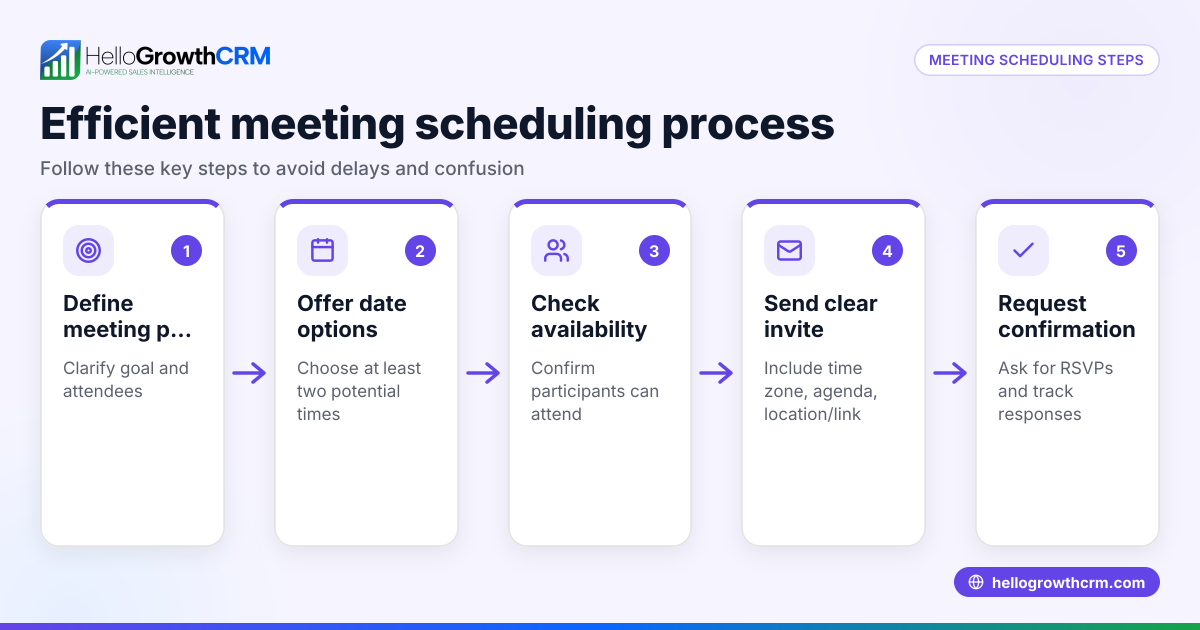
For businesses that want to shorten the path from interest to conversation, integrating a meeting scheduler can also help reduce the need for multiple WhatsApp messages.
Example (fictional figures)
A tuition centre in Tampines wants to remind 30 students about a special revision class on 15/07/2024 at 7 PM.
- Message: "Reminder: Revision class on 15/07/2024 at 7 PM. Please confirm your attendance."
- Number of students: 30
Steps:
- Prepare message content.
- Select 30 student contact numbers in +65 format.
- Schedule message for 14/07/2024 at 6 PM to give students a day’s notice.
No arithmetic is needed here for scheduling, but the timing is critical to ensure students receive the reminder early enough.
Common mistakes
- Not verifying phone numbers: Sending messages to incorrect or incomplete numbers wastes effort and may cause delivery failures. Always check number formats.
- Scheduling without considering time zones or business hours: Sending messages too early or late can annoy customers. Schedule within Singapore business hours.
- Ignoring message personalisation: Generic messages reduce engagement. Use tools that support personalisation to address customers by name.
- Failing to monitor message delivery and responses: Without tracking, you can miss follow-up opportunities. Use a CRM that logs WhatsApp conversations.
- Overloading customers with too many messages: Spamming can cause customers to block your number. Space out messages and respect opt-out requests.
- Not testing scheduled messages: Send test messages to yourself or a colleague to verify formatting and timing.
Including a customer health score can help you prioritise which customers to message and when.
Doing this in HelloGrowthCRM
HelloGrowthCRM supports WhatsApp and SMS messaging where conversations with leads are logged on their records. You can schedule WhatsApp follow-ups to go out as messages, ensuring timely communication without manual sending. The CRM also includes a meeting scheduler so prospects can pick a slot via a link, reducing back-and-forth on WhatsApp. After sales, service requests stay on the same customer record, helping you keep all communication in one place. Learn more about WhatsApp and SMS CRM and how HelloGrowthCRM fits Singapore businesses on the HelloGrowthCRM for Singapore page.
Frequently asked questions
Can I schedule WhatsApp messages for free? Some tools offer free plans with limited scheduling features, but many require a paid plan for WhatsApp message scheduling. HelloGrowthCRM offers scheduling on its Free and paid tiers with WhatsApp messaging on Starter and above.
How do I ensure my WhatsApp messages comply with Meta policies? You must follow WhatsApp Business policies, including obtaining customer consent before messaging. Scheduling tools do not bypass these rules. Refer to Meta's official WhatsApp Business guidelines for compliance.
Can I personalise scheduled WhatsApp messages? Yes, many CRMs and scheduling tools support personalisation fields like customer name or appointment details to increase engagement.
What happens if a scheduled WhatsApp message fails to send? Most platforms notify you of failures. You should monitor delivery reports and resend manually if needed.
Is it possible to schedule bulk WhatsApp messages? Yes, you can schedule bulk messages, but be cautious of spam regulations and limit frequency to avoid customer complaints.
Key takeaways
- Scheduling WhatsApp messages automates customer communication and prevents missed follow-ups.
- Use a CRM or scheduling tool that supports WhatsApp message scheduling and logs conversations.
- Verify phone numbers and schedule messages during Singapore business hours.
- Personalise messages and monitor delivery and responses.
- Avoid spamming customers by spacing messages and respecting opt-outs.
- HelloGrowthCRM offers WhatsApp messaging with scheduling and integrated meeting booking.
Start scheduling your WhatsApp messages efficiently today. Start on the Free Forever plan (200 leads, no credit card) to try HelloGrowthCRM and improve your customer communication.
Ready to put this into practice?
Set up your pipeline, WhatsApp follow-ups, and AI lead scoring in minutes — free, no credit card.
Try HelloGrowthCRM freeGet CRM tips in your inbox
Join thousands of sales professionals who get weekly insights on CRM strategy, AI automation, and pipeline optimization.

The HelloGrowthCRM team publishes guides on CRM strategy, AI sales tools, and revenue operations for small business sales teams.