HelloGrowthCRM software
Built for real small-business sales teams
HelloGrowthCRM helps reps qualify faster, follow up on time, and close more deals—with practical automation in one place.
- AI lead scoring and pipeline visibility
- Built-in dialer, WhatsApp, and email automation
- Sales forecasting and RevOps-ready reporting
Sending WhatsApp appointment reminders in Singapore requires collecting accurate WhatsApp contact numbers, scheduling appointments clearly, and sending timely reminder messages to reduce no-shows and improve customer communication. This article explains why appointment reminders are important for small businesses, offers a detailed step-by-step guide, a realistic worked example with arithmetic, common mistakes to avoid, and how HelloGrowthCRM supports this process.
Why this comes up / what goes wrong
Many small business owners in Singapore rely on informal methods like WhatsApp chats, phone calls, or spreadsheets to remind customers about appointments. This often leads to missed or late reminders, forgotten appointments, and lost revenue. Customers expect reminders on WhatsApp because it is widely used and convenient. Without a clear, repeatable process, reminders might be sent to wrong numbers, too late, or not at all. A reliable system for WhatsApp appointment reminders helps improve attendance rates and customer satisfaction.
Step-by-step
- Collect WhatsApp Numbers: Obtain the customer's WhatsApp number and verify it is correct and active on WhatsApp. Ask the customer to confirm the number during booking.
- Schedule the Appointment: Record the appointment date, time, and location clearly in a calendar or scheduling tool to avoid errors. Use a meeting scheduler to let customers pick slots directly, reducing back-and-forth messages. See meeting scheduler.
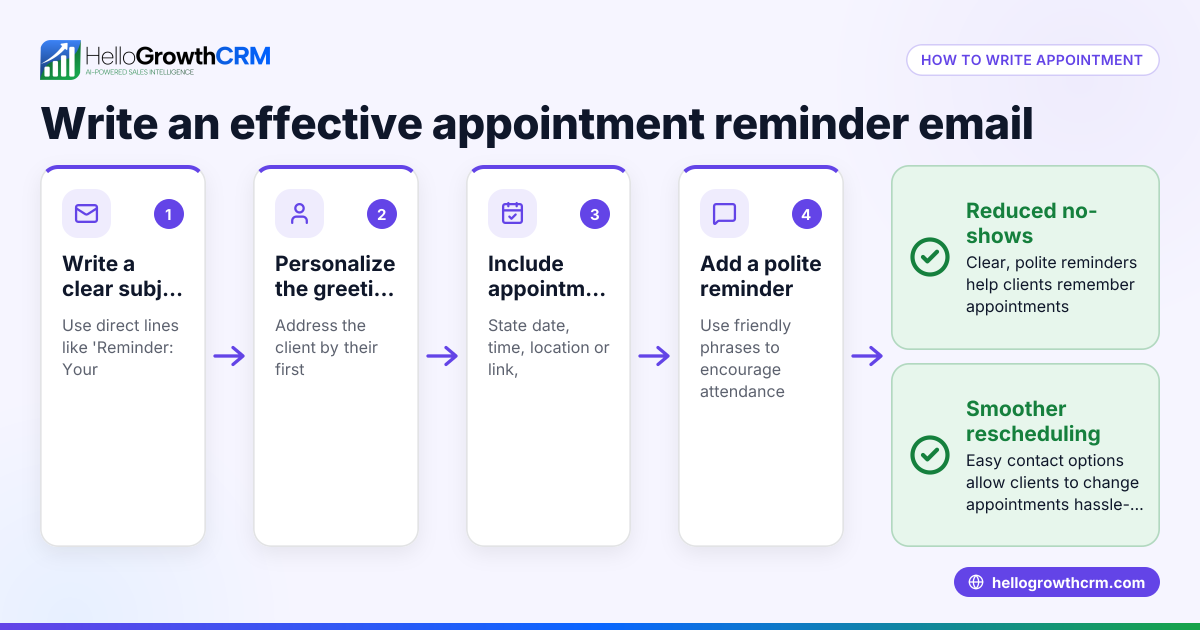
- Prepare the Reminder Message: Write a clear, polite message including the appointment date, time, location, and any preparation instructions. Keep the message concise and easy to understand.
- Decide When to Send Reminders: Common practice is to send one reminder 24 hours before and optionally another 1 hour before the appointment to reduce no-shows.
- Send the Reminder on WhatsApp: Open WhatsApp, select the customer's contact, and send the reminder manually or use a CRM tool to automate sending. Confirm the message is delivered.
- Confirm Delivery and Response: Check that the message was delivered and read if possible. Follow up if the customer does not respond or confirm.
- Log the Reminder: Keep records of reminders sent for tracking and follow-up purposes. Use sales task boards to organise reminders and follow-ups efficiently. See sales task boards.
- Adjust Based on Feedback: Modify timing or message content based on customer preferences and response patterns.
Example (fictional figures)
A tuition centre in Tampines schedules a student for a 1-hour session on 15/07/2024 at 3:00 PM. The tuition fee is S$80 per session. The centre wants to send a WhatsApp reminder 24 hours before to reduce no-shows.
- Appointment date and time: 15/07/2024 3:00 PM
- Reminder time: 14/07/2024 3:00 PM
- WhatsApp number: +65 9123 4567
Steps:
- Prepare the message:
"Reminder: Your tuition session is on 15/07/2024 at 3:00 PM at Tampines centre. Please bring your materials."
- Send the message on 14/07/2024 at 3:00 PM.
- If the student misses the session without notice, the centre loses S$80.
Calculations:
Loss without reminder = S$80
If reminders reduce no-shows by 50% (assumed), potential savings = S$80 × 50% = S$40
Therefore, sending reminders can save approximately S$40 per missed session.
Common mistakes
- Using incorrect WhatsApp numbers: Always verify numbers to avoid sending reminders to wrong contacts. Confirm numbers during booking.
- Sending reminders too late or too early: Stick to common timings like 24 hours and 1 hour before appointments to ensure reminders are effective.
- Not confirming message delivery: Check if reminders were delivered and read; follow up if necessary to ensure customers received the message.
- Managing reminders manually without logs: Keep records to avoid duplicate or missed reminders. Use digital tools like sales task boards for organisation.
- Ignoring customer preferences: Adapt reminder timing and message style based on customer feedback to improve response rates.
Organise reminders and tasks efficiently with sales task boards.
Doing this in HelloGrowthCRM
HelloGrowthCRM supports WhatsApp and SMS messaging where conversations with leads are logged on the lead record. This lets you send follow-ups and appointment reminders directly as messages, keeping communication organised. Its scheduling and booking feature allows prospects to pick appointment slots via a link, reducing back-and-forth on WhatsApp and streamlining appointment setting. For details, see WhatsApp and SMS CRM and meeting scheduler.
Frequently asked questions
Can I send WhatsApp appointment reminders automatically? You can automate reminders using CRM tools that support WhatsApp messaging workflows. These tools send messages based on scheduled times without manual effort, saving time and reducing errors.
Do customers in Singapore prefer WhatsApp reminders? Yes, WhatsApp is widely used in Singapore. Customers appreciate appointment reminders there because it is convenient and immediate.
Is customer consent needed before sending WhatsApp reminders? Yes, it is best practice and often required to obtain consent before sending promotional or reminder messages on WhatsApp to comply with privacy regulations.
How far in advance should I send appointment reminders? Standard practice is sending one reminder 24 hours before and optionally another 1 hour before the appointment to reduce no-shows.
Can HelloGrowthCRM schedule appointments and send reminders? Yes, HelloGrowthCRM offers scheduling and booking features where customers select slots, plus WhatsApp messaging to send reminders, all integrated in one platform.
Key takeaways
- Collect accurate WhatsApp numbers and verify them.
- Schedule appointments clearly and use scheduling tools.
- Send reminders 24 hours and optionally 1 hour before appointments.
- Use clear, polite messages with appointment details.
- Keep logs of reminders sent to track communication.
- Avoid mistakes like wrong numbers and poor timing.
- Use HelloGrowthCRM for WhatsApp messaging and scheduling to simplify reminders.
Start sending WhatsApp appointment reminders efficiently today. You can Start on the Free Forever plan (200 leads, no credit card) to try scheduling and messaging features for your business.
Ready to put this into practice?
Set up your pipeline, WhatsApp follow-ups, and AI lead scoring in minutes — free, no credit card.
Try HelloGrowthCRM freeGet CRM tips in your inbox
Join thousands of sales professionals who get weekly insights on CRM strategy, AI automation, and pipeline optimization.

The HelloGrowthCRM team publishes guides on CRM strategy, AI sales tools, and revenue operations for small business sales teams.