HelloGrowthCRM software
Built for real small-business sales teams
HelloGrowthCRM helps reps qualify faster, follow up on time, and close more deals—with practical automation in one place.
- AI lead scoring and pipeline visibility
- Built-in dialer, WhatsApp, and email automation
- Sales forecasting and RevOps-ready reporting
Tracking patient appointment reminders is essential for Canadian small businesses like clinics or therapy centres to reduce no-shows and keep schedules efficient. You need a reliable method to record appointments, send reminders, and monitor responses. This guide explains why tracking reminders matters, provides step-by-step instructions, a worked example with Canadian figures, common mistakes, and how HelloGrowthCRM's scheduling feature can simplify the process.
Why this comes up / what goes wrong
Many small healthcare businesses in Canada lose revenue and waste staff time due to missed appointments. Without a clear tracking system, reminders can be inconsistent or forgotten. This leads to patients not showing up or last-minute cancellations, disrupting daily operations. Business owners often rely on manual notes, text messages, or spreadsheets, which are error-prone and hard to update in real time. Efficient tracking ensures reminders are sent on time and responses recorded, improving patient attendance and cash flow.
Step-by-step
- Create a central appointment log: Use a spreadsheet or CRM to enter patient name, contact info, appointment date/time, and type of appointment. Check for accuracy.
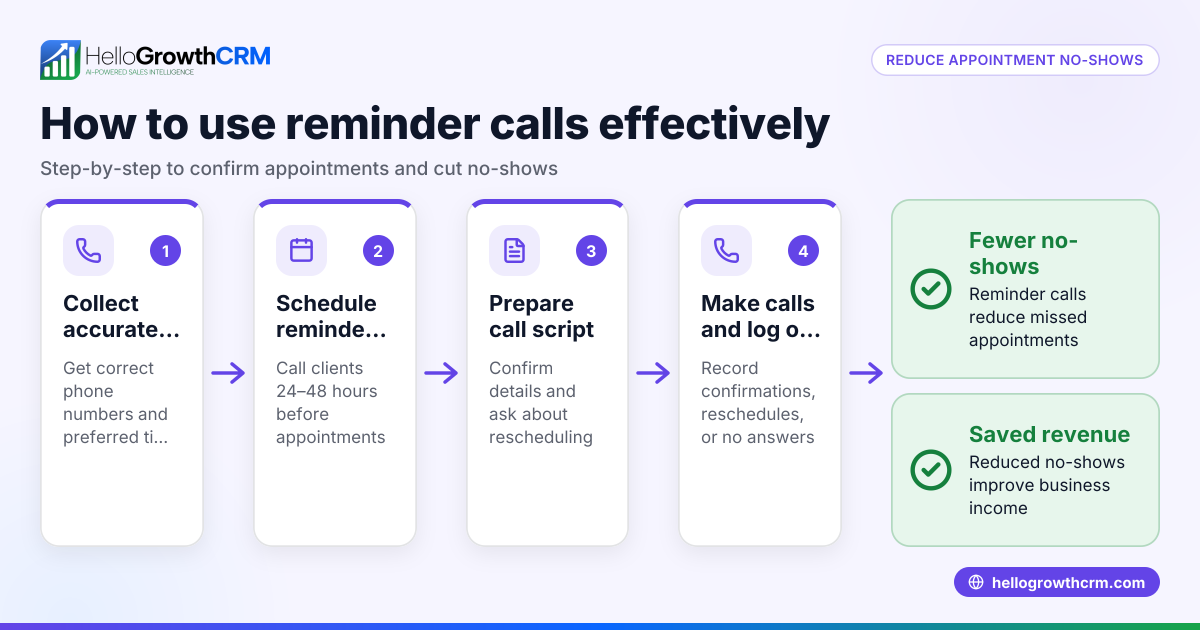
- Schedule reminders: Decide reminder timing (e.g., 48 hours and 24 hours before). Note these dates in your log.
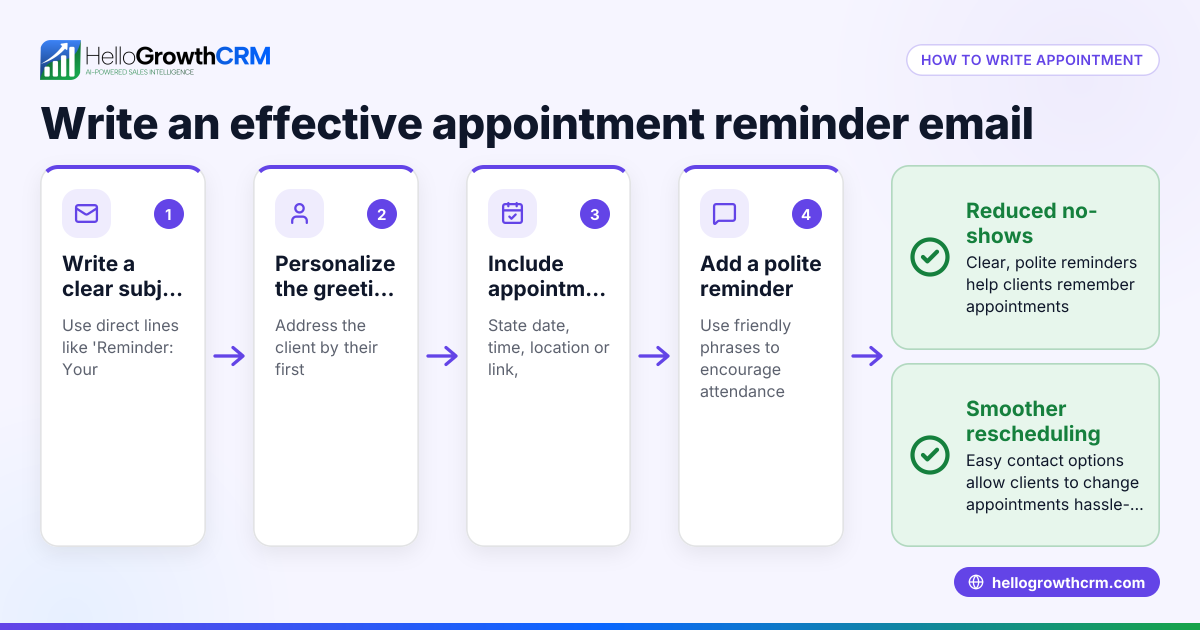
- Send reminders via preferred channels: Call, SMS, or WhatsApp messages work well. Keep messages clear and polite.
- Record patient responses: After sending, update the log with confirmation, reschedule requests, or no response.
- Follow up on no responses: Make a phone call or send a second reminder if the patient hasn’t replied 24 hours before.
- Update appointment status: Mark appointments as confirmed, rescheduled, or no-show after the appointment time.
- Analyse trends monthly: Review your log for frequent no-shows or cancellations and adjust reminder methods accordingly.
Check your system weekly to ensure no appointments or reminders are missed. Use tools like sales task boards to manage follow-ups efficiently.
Example (fictional figures)
A physiotherapy clinic in Halifax, Nova Scotia, schedules an appointment for patient Sarah Lee on 2024-07-15 at 10:00 AM. They set reminders 48 hours and 24 hours before.
- Appointment date: 2024-07-15 10:00 AM
- First reminder date: 2024-07-13 10:00 AM
- Second reminder date: 2024-07-14 10:00 AM
They send an SMS reminder on 2024-07-13 and record “Reminder sent” in their log.
Sarah replies confirming the appointment on 2024-07-13 11:00 AM. The clinic updates the log to “Confirmed.”
On 2024-07-14 at 10:00 AM, they send the second reminder via WhatsApp.
Sarah does not respond to the second reminder. The clinic calls her on 2024-07-14 at 2:00 PM and confirms she will attend.
On 2024-07-15 after the appointment, the status is updated to “Attended.”
This process helps the clinic reduce no-shows and keep daily schedules accurate.
Common mistakes
- Not recording responses immediately: Leads to confusion about who confirmed or cancelled. Prevent by updating the log right after contact.
- Using inconsistent reminder times: Patients may miss reminders if timings vary. Prevent by standardizing reminder intervals.
- Relying on one communication channel only: Some patients prefer calls, others texts. Prevent by asking patient preference and using multiple channels.
- Failing to follow up on no responses: Missed opportunities to confirm attendance. Prevent by scheduling a follow-up call or message.
- Not reviewing reminder effectiveness: Missing patterns in no-shows. Prevent by monthly analysis and adapting your method.
- Manual tracking without automation: Increases errors and time spent. Prevent by using tools like meeting scheduler to automate booking and reminders.
Doing this in HelloGrowthCRM
HelloGrowthCRM offers a meeting scheduler feature that lets patients pick an appointment slot from a link, eliminating back-and-forth messaging. This ensures appointments are logged automatically and reminders can be scheduled and sent via WhatsApp or SMS. It helps small Canadian businesses keep appointments organised and reduces no-shows by simplifying scheduling and tracking.
Frequently asked questions
How often should I send patient appointment reminders? Sending two reminders is common: one 48 hours before and another 24 hours before the appointment. This timing balances giving patients enough notice without overwhelming them.
What is the best way to send reminders to Canadian patients? Use the communication channel patients prefer: phone calls, SMS, or WhatsApp messages are effective. Confirm preferences when booking to increase response rates.
How can I track appointment reminders without software? Use a detailed spreadsheet with columns for patient info, appointment date/time, reminder dates, response status, and notes. Update it daily and review regularly.
What should I do if a patient repeatedly misses appointments? Contact the patient to understand reasons and remind them of cancellation policies. Consider requiring deposits or prepayment to reduce no-shows.
Can HelloGrowthCRM integrate with my current booking system? HelloGrowthCRM supports scheduling via its meeting scheduler feature, which can replace manual booking and integrates reminders through WhatsApp and SMS.
Key takeaways
- Use a central log to record all appointments and reminder schedules.
- Send reminders twice: 48 and 24 hours before the appointment.
- Use multiple communication channels based on patient preference.
- Update the tracking system immediately after sending reminders or receiving responses.
- Follow up on patients who do not respond to reminders.
- Review appointment and reminder data regularly to improve processes.
Start tracking your patient appointment reminders today with HelloGrowthCRM’s meeting scheduler and manage your follow-ups using sales task boards. For Canadian businesses, see more at HelloGrowthCRM for Canada.
Ready to improve your appointment tracking? Start on the Free Forever plan (200 leads, no credit card).
Ready to put this into practice?
Set up your pipeline, WhatsApp follow-ups, and AI lead scoring in minutes — free, no credit card.
Try HelloGrowthCRM freeGet CRM tips in your inbox
Join thousands of sales professionals who get weekly insights on CRM strategy, AI automation, and pipeline optimization.

The HelloGrowthCRM team publishes guides on CRM strategy, AI sales tools, and revenue operations for small business sales teams.