HelloGrowthCRM software
Built for real small-business sales teams
HelloGrowthCRM helps reps qualify faster, follow up on time, and close more deals—with practical automation in one place.
- AI lead scoring and pipeline visibility
- Built-in dialer, WhatsApp, and email automation
- Sales forecasting and RevOps-ready reporting
Tracking unpaid customer invoices is critical for small businesses in India to maintain steady cash flow and avoid losses. Many business owners struggle with delayed payments because they lack a systematic way to monitor which invoices remain unpaid and by when. This article explains why this problem arises, gives you a clear step-by-step method to track unpaid invoices, provides a realistic example with calculations, highlights common pitfalls, and shows how HelloGrowthCRM can assist.
Why this comes up / what goes wrong
Small business owners in India often issue invoices manually or via basic spreadsheets but fail to update payment status promptly. This leads to confusion about who owes what and when. Sometimes, invoices get lost in WhatsApp chats or emails, making follow-up difficult. Without a clear tracking system, overdue payments pile up unnoticed, affecting working capital and business growth.
Step-by-step
- Maintain a Master Invoice Register: Create a list or spreadsheet with these columns: Invoice Number, Customer Name, Invoice Date, Due Date, Invoice Amount, Payment Status (Paid/Unpaid), and Payment Date.
- Record Every Invoice Issued Immediately: As soon as you send an invoice, enter all details in the register. This prevents missing any invoice later.
- Set Clear Payment Terms: On each invoice, mention the due date or payment terms (e.g., "Payment due within 30 days of invoice date"). This helps in calculating overdue status.
- Regularly Update Payment Status: When you receive payment, update the Payment Status and Payment Date in your register without delay.
- Identify Overdue Invoices: At least once a week, filter your register for invoices where Payment Status is "Unpaid" and Due Date is before today’s date. These are your unpaid invoices.
- Prioritize Follow-up: Contact customers with overdue invoices by phone, WhatsApp, or email. Keep a log of follow-up attempts.
- Use Reminders and Alerts: Set calendar reminders a few days before due dates to prompt early follow-up.
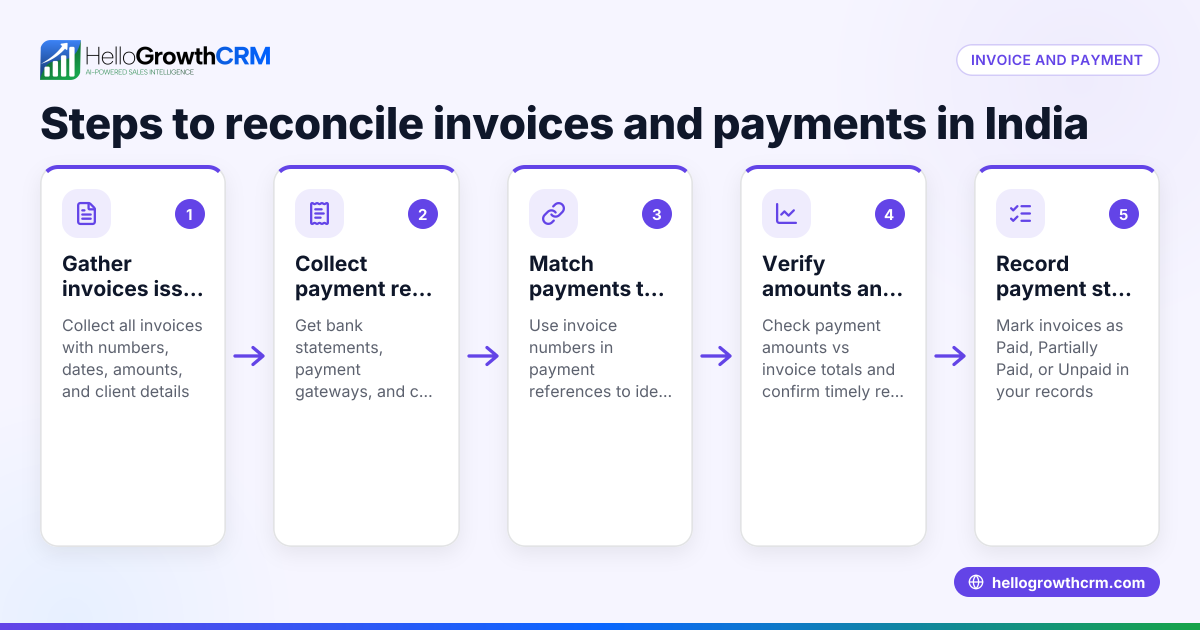
- Reconcile Payments Periodically: Match your bank statements or payment receipts against your invoice register to ensure no payments are missed.
- Review Aging Reports: Group unpaid invoices by how long they are overdue (e.g., 0-30 days, 31-60 days, 60+ days) to focus on the oldest debts.
- Keep Customer Communication Records: Maintain notes of calls or messages about payments linked to each invoice.
Example (fictional figures)
Imagine you run a small textile business. On 01/04/2024, you issue an invoice to "ABC Traders":
- Invoice Number: INV-101
- Invoice Date: 01/04/2024
- Due Date: 30/04/2024
- Invoice Amount: ₹1,50,000
- Payment Status: Unpaid
You record this in your register immediately.
On 05/05/2024, you check your register:
- Due Date (30/04/2024) is before today (05/05/2024)
- Payment Status is Unpaid
This invoice is overdue by 5 days.
You call ABC Traders to remind them. They confirm payment will be made on 10/05/2024.
When payment arrives on 10/05/2024:
- Update Payment Status to Paid
- Enter Payment Date: 10/05/2024
This clear tracking helps you avoid missing payments or following up too late.
Common mistakes
- Not Updating Payment Status Immediately: Leads to confusion. Prevent by updating your register as soon as payment is received.
- Losing Track of Due Dates: Causes late follow-ups. Prevent by setting reminders before due dates.
- Mixing Invoice and Payment Records: Makes reconciliation hard. Prevent by keeping a dedicated invoice register.
- Ignoring Small Overdue Amounts: They add up. Prevent by following up on all unpaid invoices regardless of size.
- Using Multiple Unlinked Tools: Like WhatsApp chats and Excel separately, causing data loss. Prevent by centralizing tracking in one system, such as a CRM with WhatsApp integration like HelloGrowthCRM (/product/whatsapp-sms-crm).
- Not Documenting Follow-ups: Makes escalation difficult. Prevent by keeping notes linked to each invoice or customer.
Doing this in HelloGrowthCRM
HelloGrowthCRM offers a built-in quoting and proposal tool that lets you create, send, and track invoices directly from the deal record. You can see the status of each quotation or invoice—whether sent, viewed, or accepted—on the same screen where you manage follow-up tasks. Payments received are reconciled against invoices and deals for clear tracking. After sales, service requests and tickets stay linked to the customer record, helping you keep all customer interactions in one place (/product/customer-health-score). This integration reduces manual work and improves follow-up efficiency.
Frequently asked questions
How can I remind customers about unpaid invoices without seeming pushy? Start with polite reminders mentioning the invoice details and due date. Use WhatsApp or email templates for consistency. Follow up regularly but space out reminders to avoid pressure.
What if a customer disputes an invoice? Record the dispute details in your notes. Communicate clearly to resolve the issue quickly. Adjust the invoice if needed and update your records accordingly.
How often should I review unpaid invoices? Review your unpaid invoice register at least once a week. Frequent checks help catch overdue payments early and improve cash flow.
Can I automate invoice tracking reminders? Yes, CRM tools like HelloGrowthCRM can automate reminders and follow-ups, reducing manual effort and ensuring timely communication (/product/whatsapp-sms-crm).
What information must an invoice contain for effective tracking? Include invoice number, date, customer name, detailed items or services, total amount, payment terms, and due date. Clear information helps avoid confusion.
How to handle partial payments in tracking? Record the amount received and update the outstanding balance. Follow up on the remaining unpaid amount separately.
Key takeaways
- Keep a detailed, updated invoice register with payment status and due dates.
- Review unpaid invoices regularly and prioritize follow-ups.
- Use reminders and document all communication with customers.
- Avoid mixing different tools; centralize tracking in one system.
- HelloGrowthCRM integrates invoice tracking with WhatsApp follow-ups and payment reconciliation.
Start tracking your unpaid customer invoices today to improve your business cash flow and customer relationships. To make this easier, you can start on the Free Forever plan (200 leads, no credit card) with HelloGrowthCRM.
Ready to put this into practice?
Set up your pipeline, WhatsApp follow-ups, and AI lead scoring in minutes — free, no credit card.
Try HelloGrowthCRM freeGet CRM tips in your inbox
Join thousands of sales professionals who get weekly insights on CRM strategy, AI automation, and pipeline optimization.

The HelloGrowthCRM team publishes guides on CRM strategy, AI sales tools, and revenue operations for small business sales teams.