HelloGrowthCRM software
Built for real small-business sales teams
HelloGrowthCRM helps reps qualify faster, follow up on time, and close more deals—with practical automation in one place.
- AI lead scoring and pipeline visibility
- Built-in dialer, WhatsApp, and email automation
- Sales forecasting and RevOps-ready reporting
An inbound call tracker records and monitors all incoming phone calls to your business. It captures caller information, logs call outcomes, and helps you follow up efficiently, ensuring no lead or customer inquiry is missed. This article covers why small businesses need inbound call tracking, how to implement it step-by-step, a practical example, common mistakes to avoid, and how HelloGrowthCRM’s built-in dialer supports this process.
Why this comes up / what goes wrong
Small business owners often rely heavily on phone calls for customer inquiries, quotes, and sales. Without an inbound call tracker, calls may be missed, details lost, or follow-ups delayed. This leads to lost sales opportunities and frustrated customers. Businesses that run sales through text messages, email, and spreadsheets especially struggle to keep inbound call data organized and actionable. An inbound call tracker centralizes call information, making it easier to manage leads and respond promptly.
Step-by-step
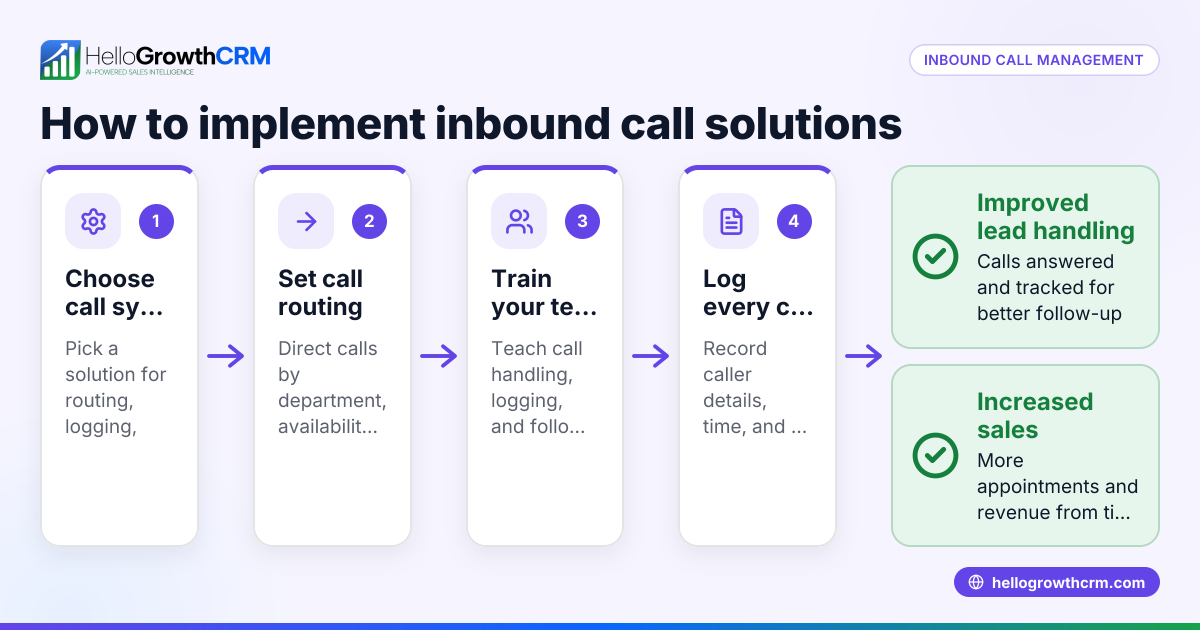
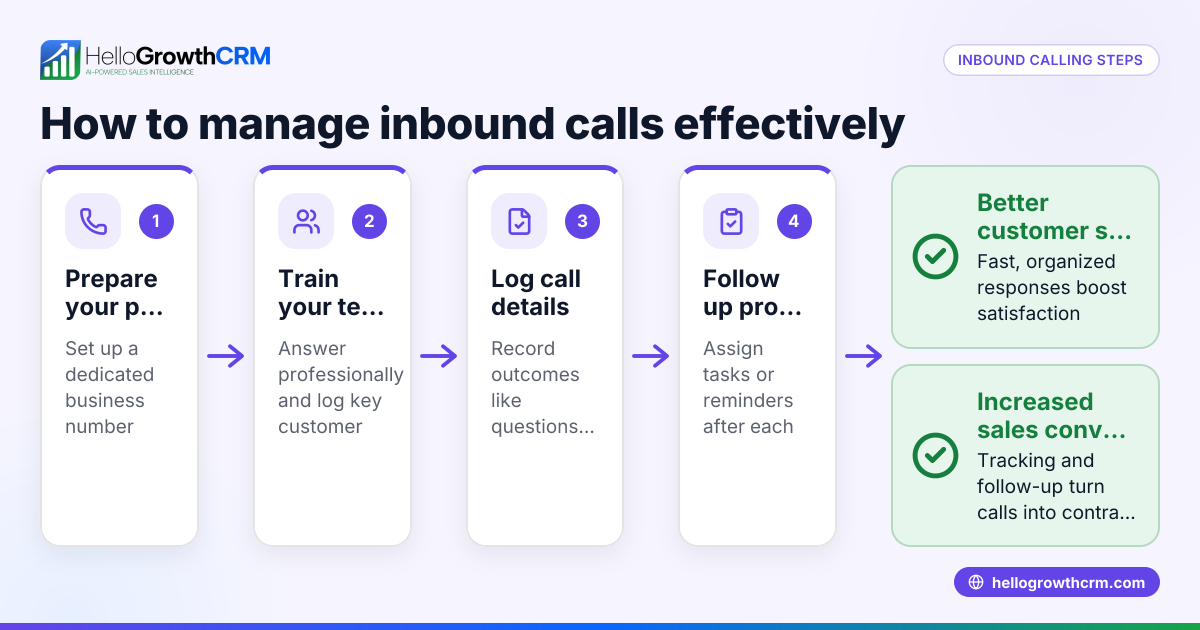
- Choose a call tracking method: Pick a system that captures caller ID, call time, and can log call outcomes. This could be dedicated call tracking software or a CRM with call tracking features.
- Set up phone numbers: Assign unique phone numbers to different marketing channels or campaigns to track which source generates calls. Verify these numbers forward correctly.
- Capture caller details: Ensure the system records caller name, number, and call duration automatically or prompts the agent to enter missing details.
- Log call outcomes: Define categories such as interested, callback later, or not interested. Require agents to select one after each call.
- Assign follow-up tasks: Link follow-up actions like callbacks or sending information to each inbound call.
- Analyze call data: Review call volume, outcomes, and response times regularly to identify trends or issues.
- Integrate with CRM: Connect your call tracker with your CRM to keep all lead and customer data centralized for better sales management.
Using a CRM with a built-in dialer simplifies these steps by logging calls directly on contact and deal records. See the built-in CRM dialer for details.
Example (fictional figures)
A landscaping contractor in Charlotte, North Carolina, starts tracking inbound calls from their website and social media ads on 04/01/2026.
- They set up two unique phone numbers: one for the website, one for ads.
- In April, the website number received 120 calls; the ad number received 80 calls.
- Calls logged with outcomes: 100 interested, 50 callback later, 50 not interested.
- Follow-ups scheduled: 100 callbacks.
Calculations:
Total calls = 120 + 80 = 200
Interested calls = 100
Callback later calls = 50
Not interested calls = 50
Follow-ups = 100
This tracking helps the contractor focus on the 100 interested leads and schedule timely callbacks, improving conversion rates.
Common mistakes
- Not logging call outcomes: Agents may forget to record call results, causing lost data. Prevent this by making outcome logging mandatory.
- Using a single phone number for all channels: This makes it hard to track which marketing efforts drive calls. Use unique numbers per channel.
- Failing to assign follow-up tasks: Leads can slip through the cracks. Always create and assign follow-ups immediately.
- Relying on manual notes only: This leads to errors and lost information. Use a digital system or CRM to automate logging.
- Not reviewing call data regularly: Without analysis, problems go unnoticed. Set a weekly review schedule.
A WhatsApp and SMS CRM can reduce manual errors and improve tracking consistency.
Doing this in HelloGrowthCRM
HelloGrowthCRM includes a built-in dialer that lets reps work a list directly inside the CRM. Each call outcome is logged on the lead record, keeping the full call history tied to contacts and deals. This centralized tracking helps small and mid-sized businesses manage inbound calls efficiently and never lose track of leads. Learn more about the built-in CRM dialer.
Frequently asked questions
What is an inbound call tracker? An inbound call tracker is a tool that records incoming business calls, capturing caller details, call results, and follow-up tasks to help manage leads and improve customer service.
Can I use one system to track calls from multiple phone numbers? Yes, many inbound call trackers or CRMs consolidate calls from multiple phone numbers and channels, showing all interactions in one place for easier management.
How does tracking inbound calls help sales? Tracking calls ensures every inquiry is logged, call outcomes are recorded, and follow-ups are assigned promptly. This improves lead management and boosts conversion rates.
Is manual call tracking enough for small businesses? Manual tracking can work at first but often leads to errors and lost information as call volume grows. Using a CRM with call tracking improves accuracy and saves time.
Does HelloGrowthCRM support inbound call tracking? Yes, its built-in dialer logs call outcomes and keeps the full call history tied to leads and deals, helping teams track inbound and outbound calls efficiently.
Key takeaways
- An inbound call tracker records and organizes all incoming business calls.
- Tracking calls captures caller details, logs outcomes, and assigns follow-ups.
- Use unique phone numbers per channel to track marketing effectiveness.
- Avoid manual-only tracking to reduce lost data and errors.
- HelloGrowthCRM’s built-in dialer logs call outcomes directly on leads.
Start tracking your inbound calls efficiently today. Start on the Free Forever plan (200 leads, no credit card) with HelloGrowthCRM.
Ready to put this into practice?
Set up your pipeline, WhatsApp follow-ups, and AI lead scoring in minutes — free, no credit card.
Try HelloGrowthCRM freeGet CRM tips in your inbox
Join thousands of sales professionals who get weekly insights on CRM strategy, AI automation, and pipeline optimization.

The HelloGrowthCRM team publishes guides on CRM strategy, AI sales tools, and revenue operations for small business sales teams.