HelloGrowthCRM software
Built for real small-business sales teams
HelloGrowthCRM helps reps qualify faster, follow up on time, and close more deals—with practical automation in one place.
- AI lead scoring and pipeline visibility
- Built-in dialer, WhatsApp, and email automation
- Sales forecasting and RevOps-ready reporting
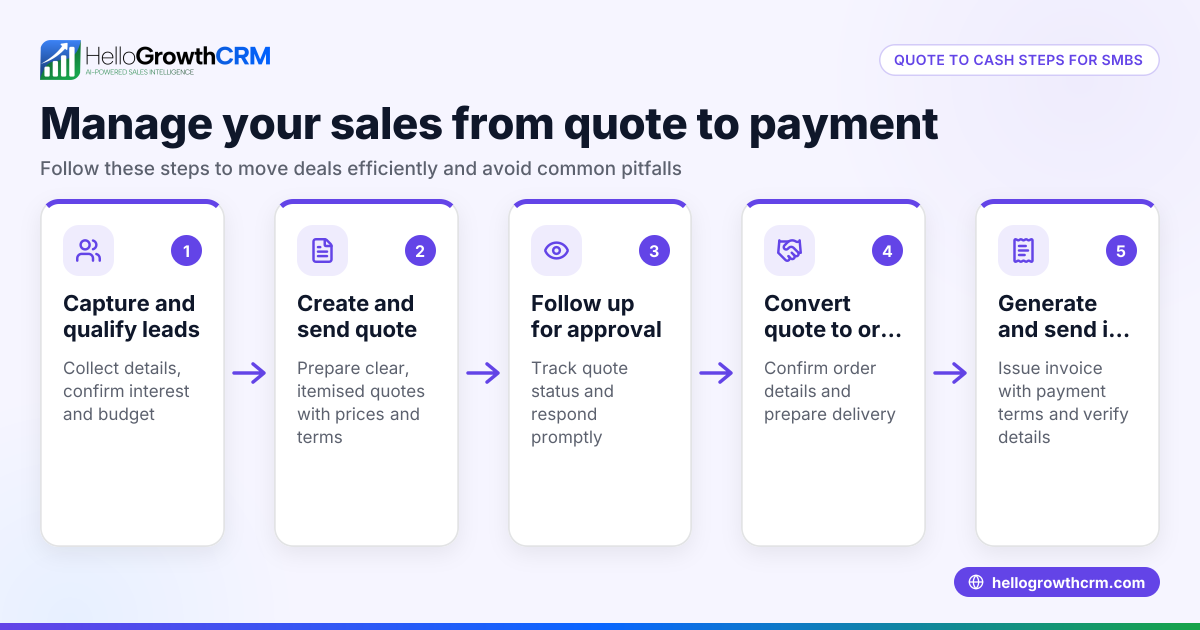
The invoice to cash process is essential for managing your business cash flow. It involves creating an invoice, sending it to the customer, following up on payment, and recording the payment once received. Ensuring each step is done correctly helps avoid delays and lost revenue.
Why this comes up / what goes wrong
Small-business owners often face cash flow issues because invoices are delayed, lost, or payments are slow to arrive. Without a clear process, invoices might be sent late or forgotten, follow-ups missed, and payments not tracked properly. This leads to confusion, disputes, and difficulty forecasting revenue. Many small businesses rely on spreadsheets, emails, or text messages to manage this process, which increases errors and slows down collections.
Step-by-step
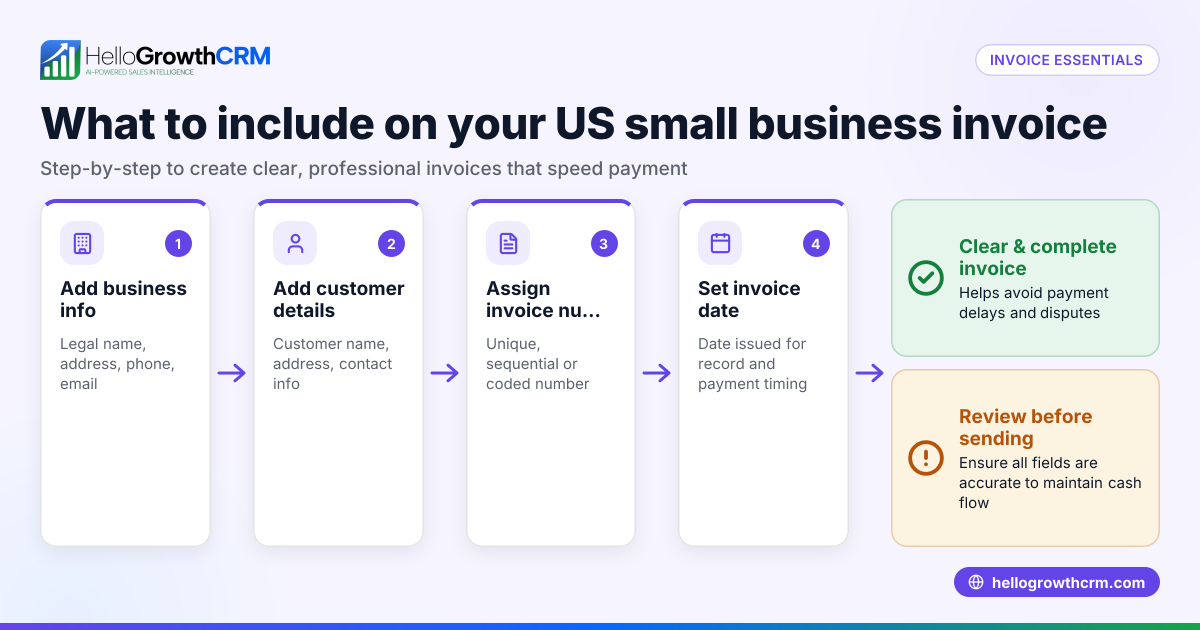
- Create a clear invoice: Use a professional template that includes your business name, contact info, invoice number, date, payment terms, and a detailed list of goods or services with prices.
- Send the invoice promptly: Deliver the invoice via email or a customer’s preferred method immediately after the sale or service completion. Confirm receipt if possible.
- Track invoice status: Maintain a record of sent invoices and note when they are due. Monitor which invoices have been viewed or accepted to prioritize follow-ups.
- Follow up on overdue invoices: Contact customers before and after the due date via phone, email, or WhatsApp to remind them of payment. Keep communications polite but firm.
- Record payments when received: Once payment arrives, whether by check, bank transfer, or digital payment, update your records immediately to avoid confusion.
- Reconcile payments with invoices: Match payments to the correct invoices to ensure your accounts are accurate and up to date.
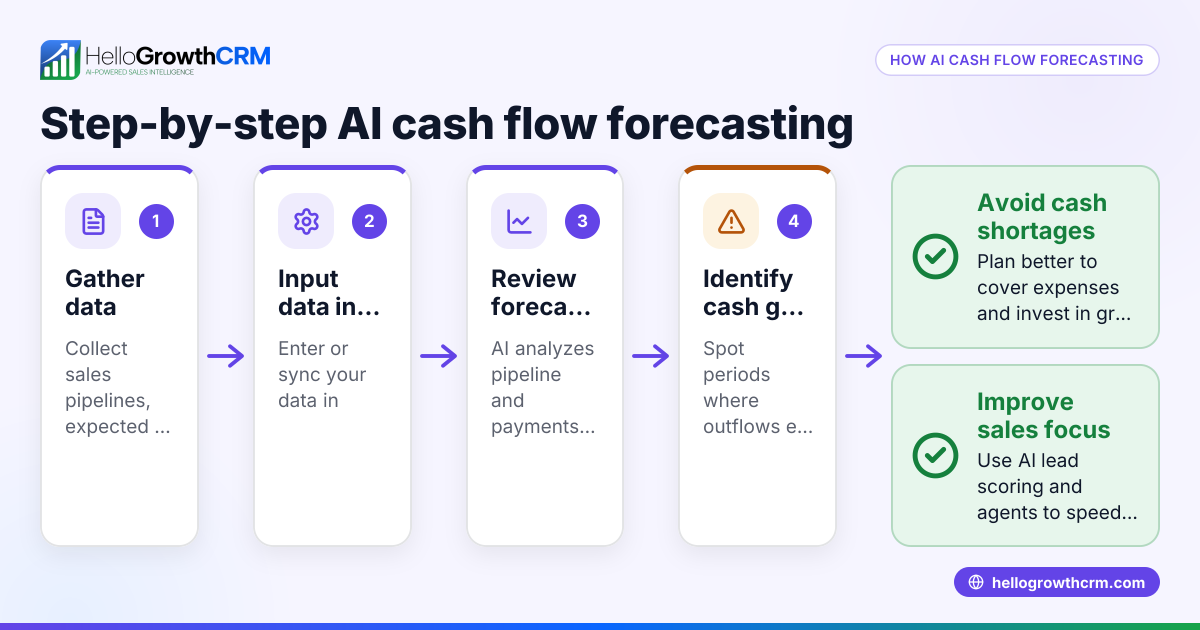
- Report and forecast cash flow: Use your records to analyze payment trends and predict future cash flow needs.
Using a CRM with built-in tools for quoting, invoicing, and payment tracking can automate many of these steps and reduce errors. For example, HelloGrowthCRM offers a quoting and proposal tool tied directly to deals, with invoice generation and payment reconciliation all on one screen. Learn more about the built-in CRM dialer and WhatsApp and SMS CRM features that support follow-ups.
Example (fictional figures)
A two-location dental practice in Columbus, Ohio, provides teeth cleaning services. On 05/01/2026, they complete a $1,200 cleaning for a patient.
Step 1: Create invoice for $1,200. Step 2: Send invoice on 05/01/2026 with payment due in 30 days (06/01/2026). Step 3: Track invoice status; note due date. Step 4: On 06/02/2026, invoice is overdue; send reminder via email. Step 5: Patient pays $1,200 on 06/05/2026 via bank transfer. Step 6: Record payment received on 06/05/2026 and reconcile with invoice. Step 7: Update cash flow report to include this payment.
Calculations: $1,200 (invoice amount) Payment received = $1,200 Balance due = $1,200 - $1,200 = $0
Common mistakes
- Delaying invoice creation or sending: Prevent by preparing invoices immediately after service or sale.
- Lack of follow-up on overdue payments: Schedule reminders and use multi-channel communication like WhatsApp or SMS.
- Poor record keeping: Use a CRM or digital system to track invoices and payments instead of spreadsheets.
- Not reconciling payments properly: Always match payments to invoices to avoid accounting errors.
- Ignoring customer communication preferences: Confirm how customers prefer to receive invoices and reminders.
- Failing to forecast cash flow: Regularly review payment patterns to anticipate slow periods.
Doing this in HelloGrowthCRM
HelloGrowthCRM streamlines the invoice to cash process with a built-in quoting and proposal tool that lets you build, send, and track commercial documents directly from a deal record. You can generate invoices tied to closed deals and reconcile payments received, all visible on the same screen as your follow-up tasks. This integration helps you manage the entire process efficiently without juggling multiple apps. Explore more about HelloGrowthCRM for the United States here.
Frequently asked questions
What is the difference between invoicing and billing? Invoicing is the process of creating and sending a detailed statement of goods or services provided, with payment terms. Billing often refers to the broader process of requesting payment, which includes invoicing, payment collection, and record keeping.
How soon should I send an invoice after delivering a product or service? Send your invoice as soon as possible after delivery or completion, ideally within 24 hours. Prompt invoicing helps speed up payment and improves cash flow.
What payment terms should I include on an invoice? Common payment terms are Net 30 (payment due in 30 days) or Net 15. Specify the due date clearly and any late fees or discounts for early payment.
How can I follow up professionally on late payments? Send polite reminders before and after the due date via email or messaging apps. Keep a record of communications and escalate if necessary.
Can I automate invoice tracking and follow-ups? Yes, using a CRM like HelloGrowthCRM allows you to automate invoice sending, status tracking, and reminders through email, WhatsApp, or SMS.
Key takeaways
- Create and send clear invoices promptly after sale or service.
- Track invoice status and due dates carefully.
- Follow up on overdue payments using multiple communication channels.
- Record and reconcile payments immediately to maintain accurate accounts.
- Use CRM tools like HelloGrowthCRM to simplify and automate the process.
Start managing your invoice to cash process with HelloGrowthCRM and improve your cash flow. Start on the Free Forever plan (200 leads, no credit card).
Ready to put this into practice?
Set up your pipeline, WhatsApp follow-ups, and AI lead scoring in minutes — free, no credit card.
Try HelloGrowthCRM freeGet CRM tips in your inbox
Join thousands of sales professionals who get weekly insights on CRM strategy, AI automation, and pipeline optimization.

The HelloGrowthCRM team publishes guides on CRM strategy, AI sales tools, and revenue operations for small business sales teams.