HelloGrowthCRM software
Built for real small-business sales teams
HelloGrowthCRM helps reps qualify faster, follow up on time, and close more deals—with practical automation in one place.
- AI lead scoring and pipeline visibility
- Built-in dialer, WhatsApp, and email automation
- Sales forecasting and RevOps-ready reporting
Multi-user CRM software pricing in New Zealand depends on the number of users, features included, and the level of automation and integrations offered. Most providers charge a monthly fee per user, often with tiered plans that unlock more capabilities as you pay more. Understanding these pricing models helps you avoid surprises and choose software that fits your business size and sales process.
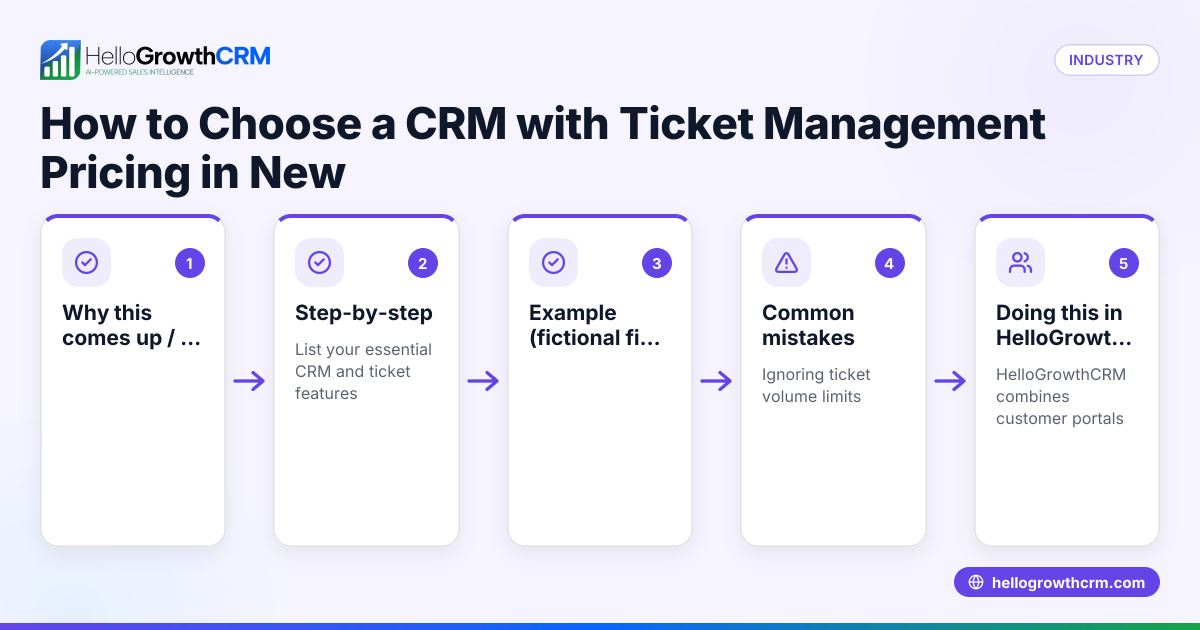
Why this comes up / what goes wrong
Small and mid-sized business owners in New Zealand often search for multi-user CRM software pricing when they want to organise their sales teams and lead management better. Many start with manual methods like spreadsheets, email, or text messaging, which become inefficient as the team grows. They want to know how much it will cost to get a CRM that supports multiple users and automates follow-ups without breaking the budget. Without clear pricing information, they risk choosing an expensive solution with unused features or a cheap one lacking essential tools.
Step-by-step
- Identify your team size and growth plans: Count your current sales and support users who need CRM access. Check if pricing scales linearly or offers discounts for larger teams.
- List must-have features: Decide if you need multi-channel messaging (WhatsApp, SMS, email), AI assistance, pipeline management, or integrations. Pricing often increases with advanced features.
- Compare pricing models: Look for monthly per-user fees, setup costs, and limits on contacts or messages. Some CRMs offer free tiers for small teams.
- Check contract terms: See if there are minimum commitments, cancellation fees, or price increases after the first year.
- Ask about onboarding and support: Some providers include training or dedicated support which can affect total cost.
- Trial the software: Use free trials or free plans to test usability and feature fit before committing.
- Review integration options: Ensure the CRM can connect with your existing tools like web forms or email platforms without extra fees.
- Calculate total cost of ownership: Include subscription fees, any add-ons, training, and potential productivity gains.
For more on features to consider, see our CRM features page.
Example (fictional figures)
A Queenstown tourism operator has a sales team of 5 people needing CRM access, plus 2 support staff who occasionally follow up leads.
- Base CRM plan costs NZ$30 per user per month.
- AI-powered messaging add-on costs NZ$10 per user per month.
- Integration with webforms is included.
Calculate monthly cost:
7 users × NZ$30 = NZ$210
7 users × NZ$10 = NZ$70
Total monthly cost = NZ$210 + NZ$70 = NZ$280
Annual cost = NZ$280 × 12 = NZ$3,360
They decide to try a free plan first to evaluate basic features before upgrading.
Common mistakes
- Not accounting for all users: Forgetting to include all team members who need CRM access leads to unexpected fees. Prevent this by listing every user upfront.
- Ignoring feature limitations on lower tiers: Some cheaper plans exclude messaging automation or AI features. Check the AI CRM and messaging capabilities before choosing.
- Overlooking contract terms: Missing minimum contract periods or cancellation fees can lock you in. Always read terms carefully.
- Choosing based on price alone: The cheapest CRM may lack critical features or have poor usability. Balance cost with functionality.
- Skipping trials or demos: Not testing the software can lead to poor adoption. Use free plans or trials to ensure the team will use the CRM.
- Neglecting integration needs: If the CRM doesn’t connect with your lead sources, you’ll lose efficiency. Confirm integrations early.
Doing this in HelloGrowthCRM
HelloGrowthCRM offers a Free Forever plan for two-person teams to run their pipeline at no cost until they need calling or WhatsApp automation. For larger teams, Starter and Growth plans include WhatsApp and SMS workflows where WhatsApp conversations with leads are logged on the lead record, and follow-ups can be sent as messages. Growth plans (Beta) add AI agents that draft follow-up messages after calls, so reps only review and send them. This helps small and mid-sized New Zealand businesses manage multi-user CRM needs efficiently.
Learn more about HelloGrowthCRM’s WhatsApp and SMS CRM and AI CRM.
Frequently asked questions
What are typical pricing models for multi-user CRM software in New Zealand? Most multi-user CRMs charge a monthly fee per user, often with tiered plans offering different features. Some include add-ons like AI or messaging automation at extra cost. Free plans for small teams are common but limited.
Are there AI-powered CRM options for New Zealand small businesses? Yes, some CRMs offer AI features like automated follow-up drafts or lead scoring. HelloGrowthCRM includes AI agents that draft follow-ups after calls, available on Growth plans (Beta).
How can I compare multi-user CRM pricing effectively? List your team size and must-have features, then compare per-user fees, feature sets, contract terms, and support. Use comparison tools or guides like our compare CRMs page.
What alternatives exist to multi-user CRM software in New Zealand? Alternatives include manual tracking with spreadsheets or email, but these don’t scale well. Some businesses use standalone messaging apps or basic contact managers, but these lack automation and team collaboration.
Does HelloGrowthCRM offer a free plan for multi-user teams? HelloGrowthCRM’s Free Forever plan supports two users managing leads and pipelines at no cost but excludes calling and WhatsApp automation. Larger teams need Starter or Growth plans.
Key takeaways
- Multi-user CRM pricing in New Zealand typically charges per user per month with tiered features.
- Identify your team size and required features before comparing prices.
- Watch for contract terms, feature limits, and integration capabilities.
- Use free trials or free plans to test software before buying.
- HelloGrowthCRM offers a Free Forever plan for two users and AI-powered messaging on higher plans.
- Comparing CRMs using feature and pricing guides helps find the best fit.
Explore detailed CRM features and compare options on our compare CRMs page.
To see pricing tailored for New Zealand businesses, See New Zealand pricing.
Ready to put this into practice?
Set up your pipeline, WhatsApp follow-ups, and AI lead scoring in minutes — free, no credit card.
Try HelloGrowthCRM freeGet CRM tips in your inbox
Join thousands of sales professionals who get weekly insights on CRM strategy, AI automation, and pipeline optimization.

The HelloGrowthCRM team publishes guides on CRM strategy, AI sales tools, and revenue operations for small business sales teams.