HelloGrowthCRM software
Built for real small-business sales teams
HelloGrowthCRM helps reps qualify faster, follow up on time, and close more deals—with practical automation in one place.
- AI lead scoring and pipeline visibility
- Built-in dialer, WhatsApp, and email automation
- Sales forecasting and RevOps-ready reporting
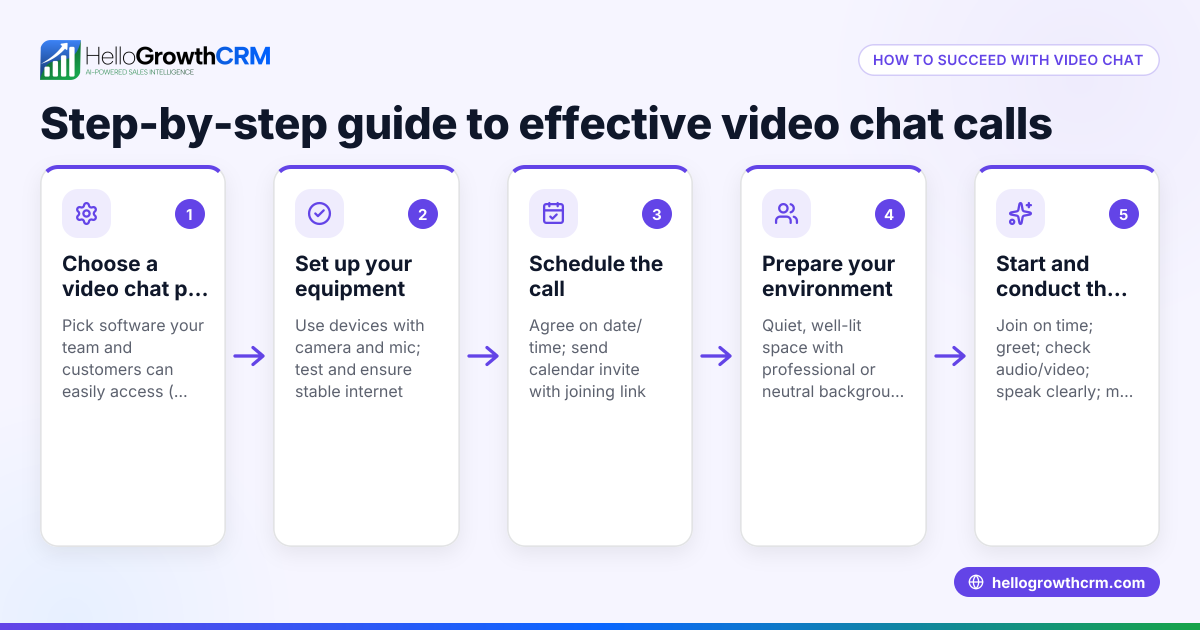
An online video call is a live conversation conducted over the internet using video and audio. It allows participants in different locations to see and hear each other in real time. For UAE small businesses, online video calls enable efficient communication with clients, partners, and remote team members without the need for physical meetings. This can reduce travel costs, speed up decision-making, and improve customer engagement.
Why this comes up / what goes wrong
Many small-business owners in the UAE search for online video call solutions because traditional communication methods like WhatsApp chats, phone calls, and emails sometimes fail to close deals or deliver timely support. Common problems include:
- Difficulty arranging meetings with clients or suppliers who are in different emirates or countries.
- Losing leads due to slow follow-up or missed calls.
- Using multiple apps without a centralised view of customer interactions, leading to confusion and duplicated efforts.
- Poor call quality or unstable connections that interrupt conversations and frustrate participants.
These issues reduce sales opportunities and damage customer relationships, making it essential to choose the right video call software.
Step-by-step
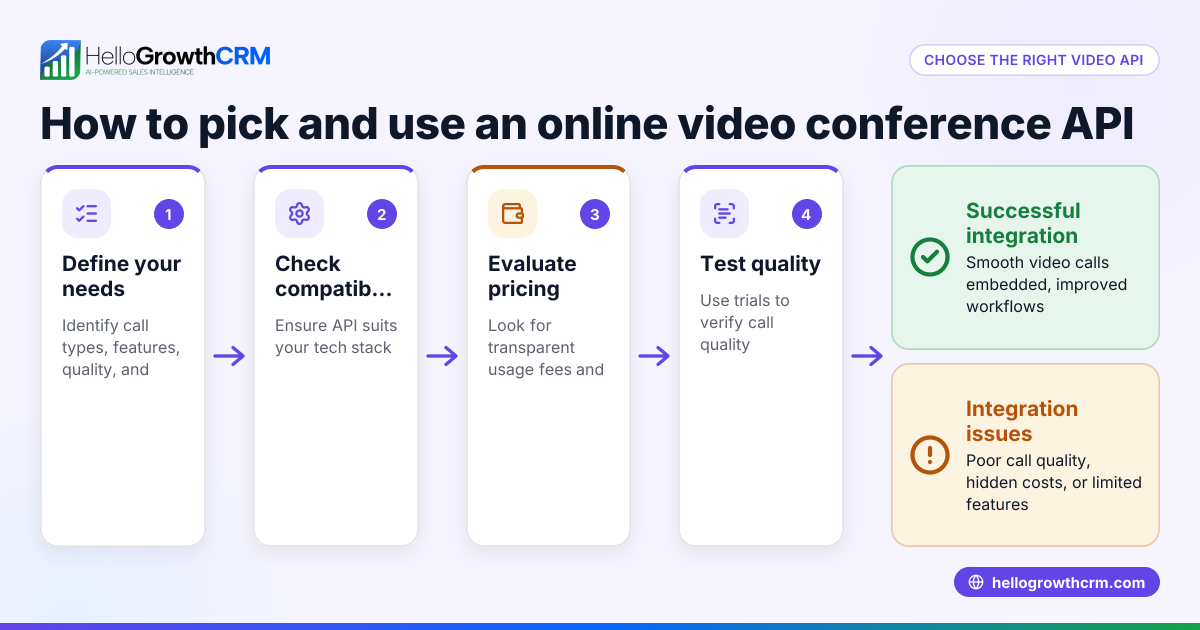
- Identify your business needs: List the features you require, such as participant limits, screen sharing, chat during calls, and whether call recording is necessary. Also, consider if integration with your CRM or sales tools is important.
- Check device compatibility: Ensure the software runs smoothly on your team's devices, including desktops, laptops, tablets, and smartphones, and supports your operating systems.
- Test call quality: Use free trials or demos to evaluate video and audio clarity, connection stability, and user interface simplicity.
- Evaluate integration options: Prefer solutions that integrate with your CRM or sales platforms, so calls and follow-ups are tracked centrally. For example, HelloGrowthCRM offers a built-in dialer that logs calls to leads.
- Review security features: Confirm that the provider uses encryption and complies with data privacy standards to protect your business information.
- Consider pricing and scalability: Choose a plan that fits your budget and can scale as your team or client base grows.
- Train your team: Provide training materials or sessions to ensure consistent and effective use of the software.
Example (fictional figures)
A Sharjah-based interior fit-out contractor wants to reduce travel expenses and improve client meetings by using online video calls.
- Current monthly travel cost: AED 3,000
- Estimated monthly savings by using video calls: AED 2,000
- Software subscription cost: AED 300 per month
Calculation:
AED 3,000 - AED 2,000 = AED 1,000 (reduced travel cost) AED 1,000 - AED 300 = AED 700 (net monthly savings)
By switching to video calls, the contractor saves AED 700 monthly, improving efficiency and client communication.
Common mistakes
- Choosing software without testing: Avoid this by always trying a free trial to assess call quality and usability.
- Ignoring integration needs: Prevent this by confirming compatibility with your CRM or sales tools such as HelloGrowthCRM’s built-in dialer.
- Overlooking security: Prevent this by reviewing encryption and privacy policies thoroughly.
- Not training staff: Avoid this by scheduling training sessions and providing clear usage guidelines.
- Using multiple unconnected communication apps: Prevent this by centralising calls and follow-ups in one system to avoid lost leads.
Doing this in HelloGrowthCRM
HelloGrowthCRM includes a built-in dialer that lets your rep work from a call list inside the CRM. Calls are made directly from the system, and the outcome of each call is logged on the lead record. This keeps all communication history tied to contacts and deals, helping your team follow up promptly and avoid losing leads. Learn more about the built-in CRM dialer and how HelloGrowthCRM supports WhatsApp and SMS communication on the WhatsApp and SMS CRM page. For UAE businesses, tailored support is available on the HelloGrowthCRM for the United Arab Emirates page.
Frequently asked questions
What equipment do I need for online video calls? You need a device with a camera and microphone, such as a smartphone, tablet, or computer. A stable internet connection is essential for good call quality.
Can I use online video calls for sales and customer support? Yes. Video calls help build trust with clients, demonstrate products, and resolve issues faster. Integrating calls with your CRM helps track interactions and schedule follow-ups.
Are online video calls secure? Most reputable services use encryption to protect calls. Always check the provider’s security features to ensure your business data remains private.
How many participants can join a video call? Participant limits vary among video call services, so choose based on your meeting needs.
Can I record video calls for future reference? Some platforms offer call recording, but check your local laws and privacy policies before recording. HelloGrowthCRM logs call outcomes but does not record calls.
How do I avoid losing leads after a video call? Use a CRM with calling features like HelloGrowthCRM’s built-in dialer to log call outcomes and schedule follow-ups promptly.
Key takeaways
- Define your business needs before choosing a video call solution.
- Test call quality and ease of use with a free trial.
- Prioritise software that integrates with your CRM and sales tools.
- Train your team to use the tool consistently.
- Avoid scattered communication by centralising calls and follow-ups.
- HelloGrowthCRM’s built-in dialer helps log calls and manage leads efficiently.
Start improving your sales and customer communication with online video calls. Start on the Free Forever plan (200 leads, no credit card).
Ready to put this into practice?
Set up your pipeline, WhatsApp follow-ups, and AI lead scoring in minutes — free, no credit card.
Try HelloGrowthCRM freeGet CRM tips in your inbox
Join thousands of sales professionals who get weekly insights on CRM strategy, AI automation, and pipeline optimization.

The HelloGrowthCRM team publishes guides on CRM strategy, AI sales tools, and revenue operations for small business sales teams.