HelloGrowthCRM software
Built for real small-business sales teams
HelloGrowthCRM helps reps qualify faster, follow up on time, and close more deals—with practical automation in one place.
- AI lead scoring and pipeline visibility
- Built-in dialer, WhatsApp, and email automation
- Sales forecasting and RevOps-ready reporting
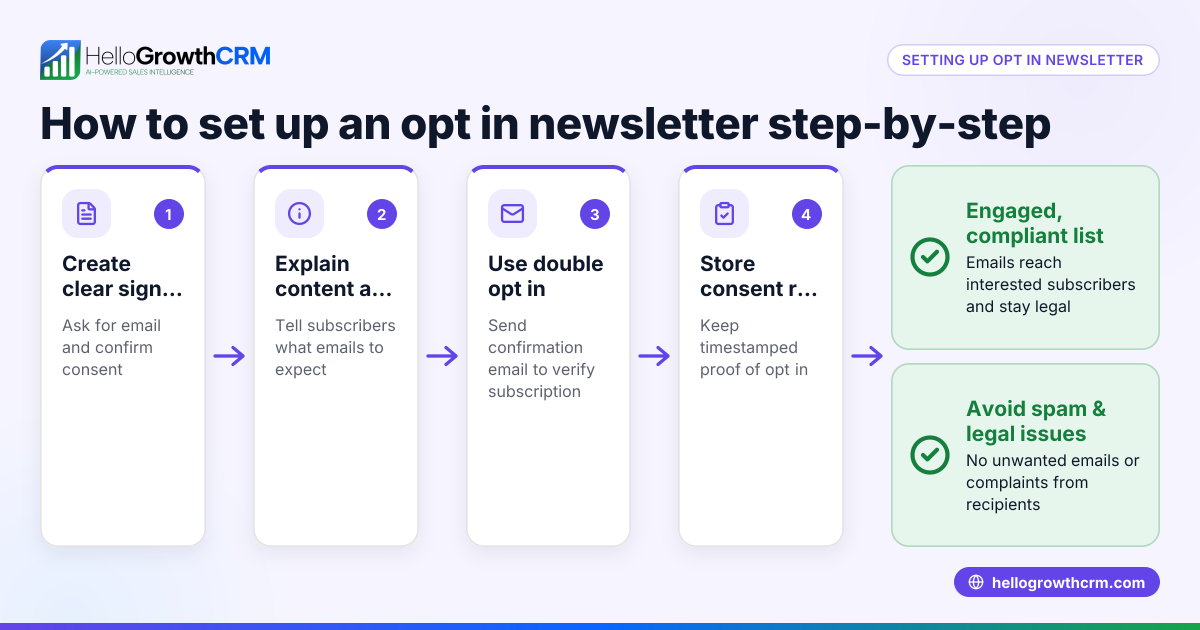
Opt in messages are the first step in getting explicit consent from customers or leads to send them promotional or sales communications. They clearly explain what the recipient is agreeing to and ask for a simple confirmation. This helps businesses comply with regulations and build trust.
Why this comes up / what goes wrong
Many small-business owners want to grow their customer base by sending texts or WhatsApp messages but struggle with how to ask permission correctly. Without proper opt in messages, businesses risk sending unwanted messages that annoy customers or violate rules. This can lead to lost leads, damaged reputation, and even legal issues. Owners also often don’t know what wording works best to get a clear, positive response.
Step-by-step
- Identify the purpose of your messages: Decide if you want to send promotions, appointment reminders, updates, or surveys. This helps tailor your opt in message.
- Write a clear, simple message: Include what the customer is signing up for and how often they will hear from you. Use plain language.
- Request explicit consent: Ask the recipient to reply with a keyword like YES, JOIN, or START to opt in.
- Include your business name: This builds trust and clarifies who is contacting them.
- Provide an easy opt-out option: Mention how they can stop messages later (e.g., reply STOP).
- Test your message on a small group: Check that it’s clear and gets responses.
- Log opt ins properly: Keep records of who opted in and when, for compliance and follow-up.
- Use tools to manage messaging: Consider a CRM that logs WhatsApp and SMS conversations and supports follow-ups efficiently.
Example (fictional figures)
A plumbing company in Austin, Texas, called "Austin Pipes" wants to send promotional offers via SMS.
Opt in message: "Hi! This is Austin Pipes. Reply YES to get exclusive plumbing offers and tips. Msg freq: 1-2 per month. Txt STOP to unsubscribe."
If 1,000 customers receive this message and 250 reply YES:
Number opted in = 250
If Austin Pipes sends a $50 discount coupon to each opted-in customer and expects 20% to redeem:
Coupons sent = 250
Expected redemptions = 250 × 20% = 50
Cost of coupons redeemed = 50 × $50 = $2,500
If average new job value is $300 and 15 customers book a job after redeeming coupons:
Jobs booked = 15
Revenue from jobs = 15 × $300 = $4,500
Net gain = Revenue - Coupon cost = $4,500 - $2,500 = $2,000
This example shows how opt in messages lead to measurable business outcomes.
Common mistakes
- Using vague language: Avoid unclear terms; be specific about message content and frequency. Prevent by writing simple, direct messages.
- Not asking for explicit consent: Don’t assume consent; always request a clear reply like YES. Prevent by including a call to action.
- Skipping opt-out info: Always tell recipients how to stop messages. Prevent complaints by including STOP instructions.
- Sending messages too frequently: Over-messaging annoys customers. Prevent by stating and respecting message frequency.
- Not logging opt ins: Failing to keep records can cause compliance issues. Prevent by tracking opt ins in your CRM.
- Ignoring follow-up: After opt in, neglecting to follow up wastes leads. Prevent by scheduling timely follow-ups.
Doing this in HelloGrowthCRM
HelloGrowthCRM helps you manage opt in messages efficiently. WhatsApp conversations with leads are logged on their records, and follow-ups can be sent as WhatsApp or SMS messages, ensuring no lead is lost. The built-in dialer lets your reps call leads directly from the CRM and log call outcomes, keeping all communication organized. Learn more about WhatsApp and SMS CRM and the built-in CRM dialer to improve your outreach.
Frequently asked questions
What is an opt in message? An opt in message is a text sent to potential customers asking their permission to receive future marketing or sales communications. It explains what they will get and requests a clear confirmation.
Why do I need an opt in message? You need opt in messages to comply with regulations like the Telephone Consumer Protection Act (TCPA) and to avoid annoying customers with unsolicited messages. (docs.fcc.gov) It also builds trust and improves engagement.
What should I include in an opt in message? Include your business name, what the messages will be about, how often you will send them, a clear call to action (e.g., reply YES), and opt-out instructions (e.g., reply STOP).
Can I send opt in messages via WhatsApp? Yes, WhatsApp can be used for opt in messages, but you must get explicit consent first. HelloGrowthCRM supports WhatsApp messaging and logs conversations to keep track.
How do I handle opt outs? Always provide an easy way for recipients to opt out, such as replying STOP. Respect these requests promptly to maintain compliance and customer goodwill.
How do I keep track of opt ins and follow-ups? Use a CRM like HelloGrowthCRM that logs WhatsApp and SMS conversations and call outcomes. This helps you manage leads and follow up efficiently.
Key takeaways
- Opt in messages ask customers’ permission clearly and simply.
- Include business name, message purpose, frequency, consent request, and opt-out instructions.
- Keep records of opt ins and respect opt outs.
- Avoid vague language, over-messaging, and skipping follow-up.
- Using HelloGrowthCRM’s WhatsApp and SMS features and built-in dialer helps manage opt ins and follow-ups.
Start on the Free Forever plan (200 leads, no credit card) at HelloGrowthCRM to organize your opt ins and customer messaging.
Ready to put this into practice?
Set up your pipeline, WhatsApp follow-ups, and AI lead scoring in minutes — free, no credit card.
Try HelloGrowthCRM freeGet CRM tips in your inbox
Join thousands of sales professionals who get weekly insights on CRM strategy, AI automation, and pipeline optimization.

The HelloGrowthCRM team publishes guides on CRM strategy, AI sales tools, and revenue operations for small business sales teams.