HelloGrowthCRM software
Built for real small-business sales teams
HelloGrowthCRM helps reps qualify faster, follow up on time, and close more deals—with practical automation in one place.
- AI lead scoring and pipeline visibility
- Built-in dialer, WhatsApp, and email automation
- Sales forecasting and RevOps-ready reporting
Outbound call center CRM software is designed to streamline the process of making outbound sales or service calls by combining calling capabilities with customer relationship management features. It enables telecallers to work through call lists, log call outcomes, and manage follow-ups all within one platform.
Why this comes up / what goes wrong
Many Australian small-business owners find themselves losing leads or wasting time because their outbound calling process relies on disconnected tools like spreadsheets, separate phone systems, and manual follow-ups. This fragmentation leads to slow response times, missed opportunities, and poor team coordination. When the sales team uses text messages, email, and spreadsheets without a unified CRM, it becomes difficult to track call results and follow up effectively.
Choosing the right outbound call center CRM software helps bring calling, lead management, and messaging together. This is especially important for small to mid-sized businesses (5-200 employees) that want to improve sales efficiency without overwhelming their team with complex systems.
Step-by-step
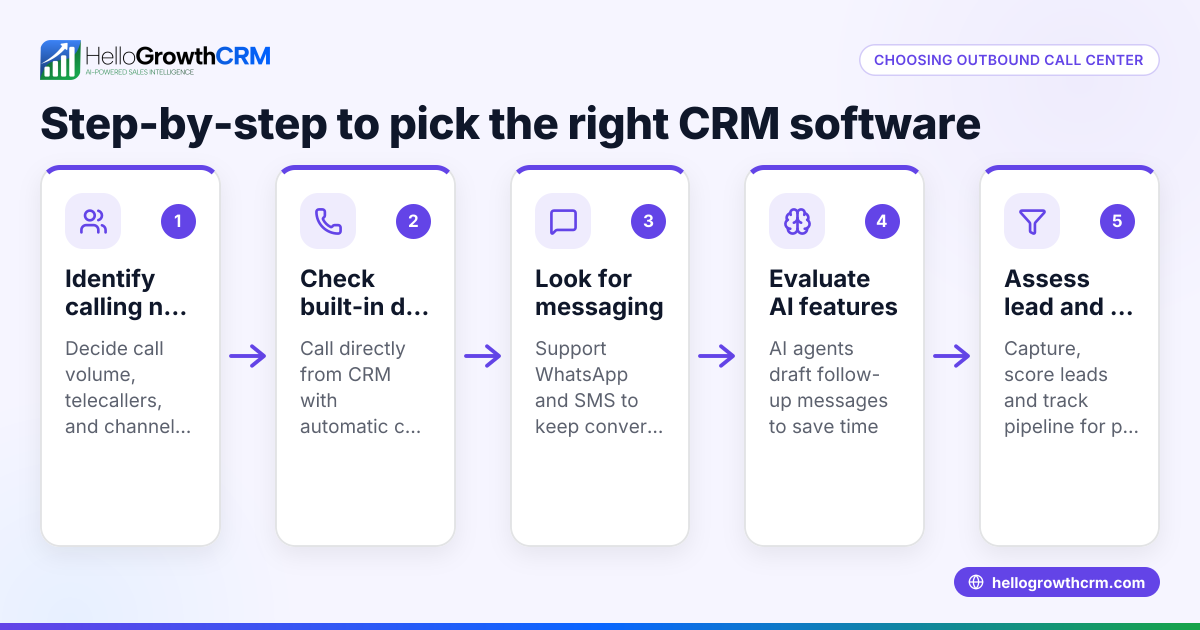
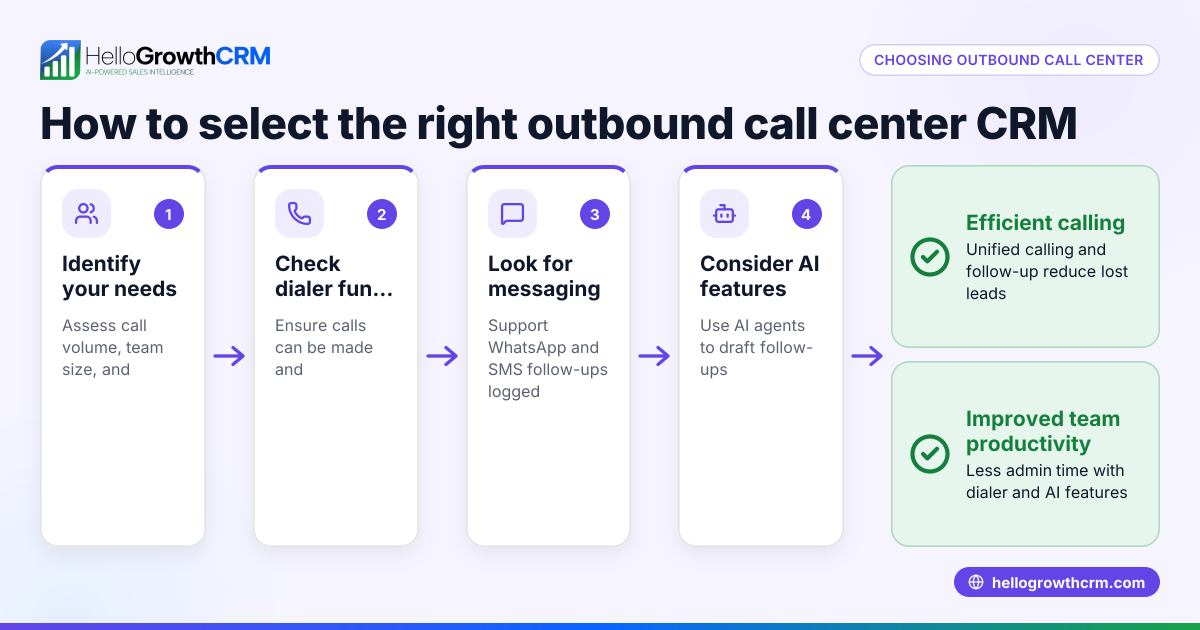
- Identify your business needs: Determine how many calls your team makes daily, whether you need SMS or WhatsApp follow-ups, and if AI assistance for drafting messages would help. Check if your team prefers calling from desktops or mobiles.
- Check calling features: Look for a built-in dialer that lets reps call leads directly from the CRM and logs call outcomes automatically. This reduces manual data entry and keeps call history tied to each lead.
- Evaluate messaging integration: Confirm the software supports WhatsApp and SMS messaging within the CRM to continue conversations on channels customers use, with all messages logged on lead records.
- Consider AI capabilities: If you want to save time on follow-ups, see if the CRM offers AI agents that can draft follow-up messages after calls for reps to review and send.
- Assess ease of use and adoption: Choose software that your sales team will actually use daily without complex setup or training.
- Review reporting and pipeline management: Ensure the CRM provides clear pipeline views and call outcome reports to track progress and forecast sales.
- Compare pricing and plans: Match features to your budget, noting that some advanced features like AI agents or power dialers may only be available on higher plans.
- Test with a free trial or demo: Use trial versions to see how well the software fits your workflow and integrates with other tools.
For more detail on CRM features, see CRM features. For calling specifics, check the built-in CRM dialer.
Example (fictional figures)
Consider a plumbing and gas business in Perth, Western Australia, with 10 sales reps making outbound calls to potential customers.
- They plan to call 300 leads per week.
- Each call takes about 5 minutes including logging outcomes.
- They want to automate follow-up messages via WhatsApp.
Calculations:
Total call time per week = 300 calls × 5 minutes = 1,500 minutes = 25 hours
If manual logging and follow-ups add 3 minutes per call:
Additional time = 300 calls × 3 minutes = 900 minutes = 15 hours
Total weekly time spent on calls and admin = 25 + 15 = 40 hours
By using outbound call center CRM software with a built-in dialer and AI-assisted follow-ups, they can reduce admin time by at least half, saving about 7.5 hours weekly per rep.
This efficiency gain lets the team focus more on calls and closing deals.
Common mistakes
- Using separate tools for calls and CRM: Leads to lost data and slow follow-up. Prevent by choosing software with integrated dialer and CRM.
- Ignoring messaging channels: Customers often respond better on WhatsApp or SMS. Prevent by selecting software with WhatsApp and SMS support.
- Overlooking user adoption: Complex software that reps avoid wastes investment. Prevent by involving your team in the selection and choosing user-friendly CRM.
- Not testing AI features: AI can save time but may need tuning. Prevent by trialing AI agents and reviewing their drafts before full use.
- Neglecting reporting needs: Without clear reports, it's hard to track success. Prevent by ensuring the CRM offers pipeline and call outcome reports.
For tips on avoiding these mistakes, see HelloGrowthCRM for Australia.
Doing this in HelloGrowthCRM
HelloGrowthCRM offers a built-in dialer that lets telecallers work through call lists inside the CRM, logging each call outcome directly on the lead record. WhatsApp conversations and SMS follow-ups are fully integrated and recorded on lead profiles, helping teams engage customers on channels they prefer. Additionally, AI agents (currently in Beta on Growth plans) draft follow-up messages after calls, so reps only need to review and send, saving time and improving consistency. Learn more about these features at built-in CRM dialer and WhatsApp and SMS CRM.
Frequently asked questions
What is outbound call center CRM software? Outbound call center CRM software combines telephony features with customer management tools to help teams make, track, and follow up on outbound calls efficiently.
How does a built-in dialer improve sales calls? A built-in dialer allows reps to call leads directly from the CRM, automatically logging call outcomes and saving time compared to using separate phone systems and manual data entry.
Can I use messaging apps like WhatsApp in outbound CRM software? Yes, many modern CRM systems integrate WhatsApp and SMS messaging, letting you continue conversations on channels your customers use, with messages logged against leads.
What are AI agents in CRM software? AI agents can automate tasks such as drafting follow-up messages after calls, updating records, and executing workflows, reducing manual work for sales reps.
How do I ensure my team adopts new outbound call center CRM software? Involve your team early in the evaluation, choose user-friendly software, provide training, and select a system that fits your existing workflows.
Key takeaways
- Outbound call center CRM software integrates calling, lead tracking, and messaging for efficient sales workflows.
- Look for built-in dialers, WhatsApp/SMS integration, and AI assistance to save time and improve follow-up.
- Avoid common mistakes like using disconnected tools and neglecting user adoption.
- Trial software to ensure it fits your team’s needs and sales process.
- HelloGrowthCRM offers built-in dialer, WhatsApp and SMS messaging, and AI agents to support outbound calling.
Start improving your outbound calling today. Start on the Free Forever plan (200 leads, no credit card).
Ready to put this into practice?
Set up your pipeline, WhatsApp follow-ups, and AI lead scoring in minutes — free, no credit card.
Try HelloGrowthCRM freeGet CRM tips in your inbox
Join thousands of sales professionals who get weekly insights on CRM strategy, AI automation, and pipeline optimization.

The HelloGrowthCRM team publishes guides on CRM strategy, AI sales tools, and revenue operations for small business sales teams.