HelloGrowthCRM software
Built for real small-business sales teams
HelloGrowthCRM helps reps qualify faster, follow up on time, and close more deals—with practical automation in one place.
- AI lead scoring and pipeline visibility
- Built-in dialer, WhatsApp, and email automation
- Sales forecasting and RevOps-ready reporting
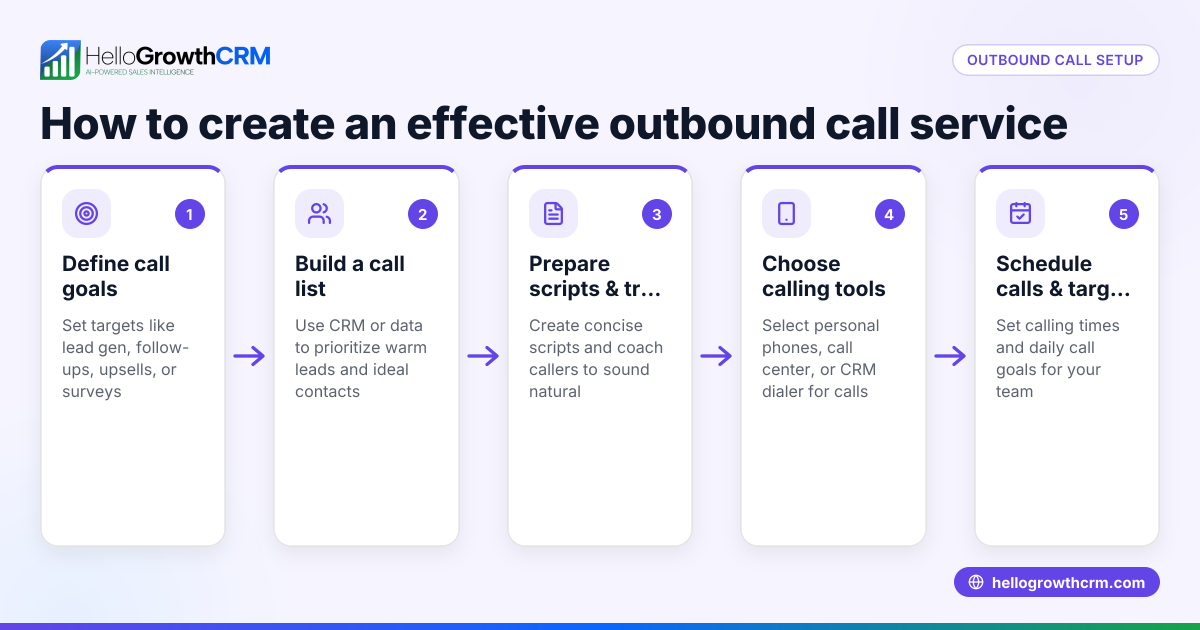
An outbound script is a structured outline or script that sales representatives use when making outbound calls to potential customers. It includes key points such as introductions, qualifying questions, product benefits, objection handling, and closing statements. Using a script ensures that every call is focused and professional, helping small business owners improve lead conversion and reduce lost opportunities.
Why this comes up / what goes wrong
Small business owners often struggle with inconsistent or ineffective outbound sales calls. Without a clear script, sales reps may forget important points, speak off-message, or fail to respond well to objections. This leads to lost leads, wasted time, and missed sales. Business owners searching for "outbound script" want a reliable way to standardize their calling process and train their teams to follow a proven approach.
Step-by-step
- Define your objective: Decide what the goal of the call is—setting an appointment, qualifying the lead, or closing a sale. Check that this goal aligns with your overall sales process.
- Write a strong opening: Create an introduction that clearly states who you are, your company, and the reason for calling. Check that it grabs attention and sounds natural.
- Prepare qualifying questions: List questions that determine if the prospect fits your ideal customer profile. Check that these questions are open-ended and relevant.
- Highlight key benefits: Outline the main advantages of your product or service tailored to the prospect’s needs. Check that these points address common pain points.
- Anticipate objections: Identify common objections and prepare clear, concise responses. Check that your answers are honest and helpful.
- Create a closing statement: Decide on a call-to-action, such as scheduling a meeting or sending additional information. Check that it is clear and easy for the prospect to respond to.
- Practice and revise: Role-play the script with your team and adjust based on feedback. Check that it sounds conversational and not robotic.
- Use a template: Download a free outbound script template to customize. Check that it fits your business and sales style.
Example (fictional figures)
Imagine a B2B software reseller in Denver, Colorado, called "Tech Solutions." They want to set appointments to demo their new CRM software.
- Objective: Schedule a demo appointment.
- Opening: "Hi, this is Sarah from Tech Solutions. We help small businesses in Denver improve sales follow-up with easy-to-use CRM software. Do you have a moment?"
- Qualifying question: "How do you currently manage your sales leads?"
- Benefit highlight: "Our CRM automates follow-up reminders and integrates with WhatsApp and SMS to keep your team on track."
- Objection response: "I understand budget is a concern. Many clients find the time saved offsets the cost quickly."
- Closing: "Can we schedule a 15-minute demo next week to show you how it works?"
This script guides Sarah through the call, helping her stay focused and professional.
Common mistakes
- Reading the script word-for-word: This sounds robotic and turns prospects off. Prevent by practicing until the script feels natural.
- Ignoring objections: Not preparing for common objections causes lost opportunities. Prevent by listing objections and crafting clear responses.
- Overloading with information: Too many details overwhelm the prospect. Prevent by focusing on 2-3 key benefits relevant to the prospect.
- Skipping the call-to-action: Without a clear next step, calls end without progress. Prevent by always including a specific closing statement.
- Not updating the script: Market changes or new products require script updates. Prevent by reviewing and revising scripts regularly.
- Failing to personalize: Using a generic script for every prospect reduces effectiveness. Prevent by customizing scripts based on industry or prospect type.
Doing this in HelloGrowthCRM
HelloGrowthCRM offers free sales tools, templates, and calculators including outbound call scripts and pipeline templates. You can download a follow-up cadence or pipeline template without creating an account, helping you get started quickly and organize your sales process. Visit the sales templates page to access these free resources.
Frequently asked questions
What is the difference between an outbound script and a sales pitch? An outbound script is a structured guide covering various parts of a sales call, including questions and objection handling. A sales pitch is typically a concise presentation of your product’s value. The script helps deliver the pitch effectively and adapt to the conversation.
How long should an outbound script be? Scripts should be concise enough to keep the call engaging, usually 1-2 pages or around 3-5 minutes of speaking. This allows flexibility for natural conversation and follow-up questions.
Can I use an outbound script for WhatsApp or SMS outreach? Yes, scripts can be adapted for text-based outreach. HelloGrowthCRM’s WhatsApp and SMS CRM features support sequences that follow scripted messaging tailored for these channels.
How often should I update my outbound script? Review and update your script at least quarterly or whenever your product, market, or sales goals change. Regular updates keep your messaging relevant and effective.
Where can I find free outbound script templates? HelloGrowthCRM provides free sales templates, including outbound scripts, available without signup. Check out the sales templates section to download and customize them.
Key takeaways
- An outbound script guides your sales calls for consistency and better results.
- Define clear objectives and customize scripts for your audience.
- Practice scripts to sound natural, not robotic.
- Prepare for objections and always include a call-to-action.
- Use free templates like those from HelloGrowthCRM to get started easily.
Start improving your outbound sales calls today by using a clear script. Download free templates and organize your sales process with HelloGrowthCRM’s sales templates. Ready to try a CRM built for small businesses? Start on the Free Forever plan (200 leads, no credit card).
Ready to put this into practice?
Set up your pipeline, WhatsApp follow-ups, and AI lead scoring in minutes — free, no credit card.
Try HelloGrowthCRM freeGet CRM tips in your inbox
Join thousands of sales professionals who get weekly insights on CRM strategy, AI automation, and pipeline optimization.

The HelloGrowthCRM team publishes guides on CRM strategy, AI sales tools, and revenue operations for small business sales teams.