HelloGrowthCRM software
Built for real small-business sales teams
HelloGrowthCRM helps reps qualify faster, follow up on time, and close more deals—with practical automation in one place.
- AI lead scoring and pipeline visibility
- Built-in dialer, WhatsApp, and email automation
- Sales forecasting and RevOps-ready reporting
Phone conference calling allows three or more participants to connect on a single phone call, enabling real-time group discussions. Small businesses use it to hold remote meetings, collaborate with clients, or conduct sales calls efficiently without travel or separate calls.
Why this comes up / what goes wrong
Many small business owners discover phone conference calling when they need to communicate with multiple people at once but lack a clear, simple way to do so. For example, a sales leader might want to update the team on new leads or a contractor might need to discuss project details with clients and subcontractors simultaneously. Without conference calling, they might juggle multiple calls or rely on email chains, which slow down communication and risk missed information.
Common challenges include confusing setup processes, dropped calls, unclear audio, or difficulty managing who speaks and when. These issues can waste time and frustrate participants, especially when sales or project decisions depend on clear communication.
Step-by-step
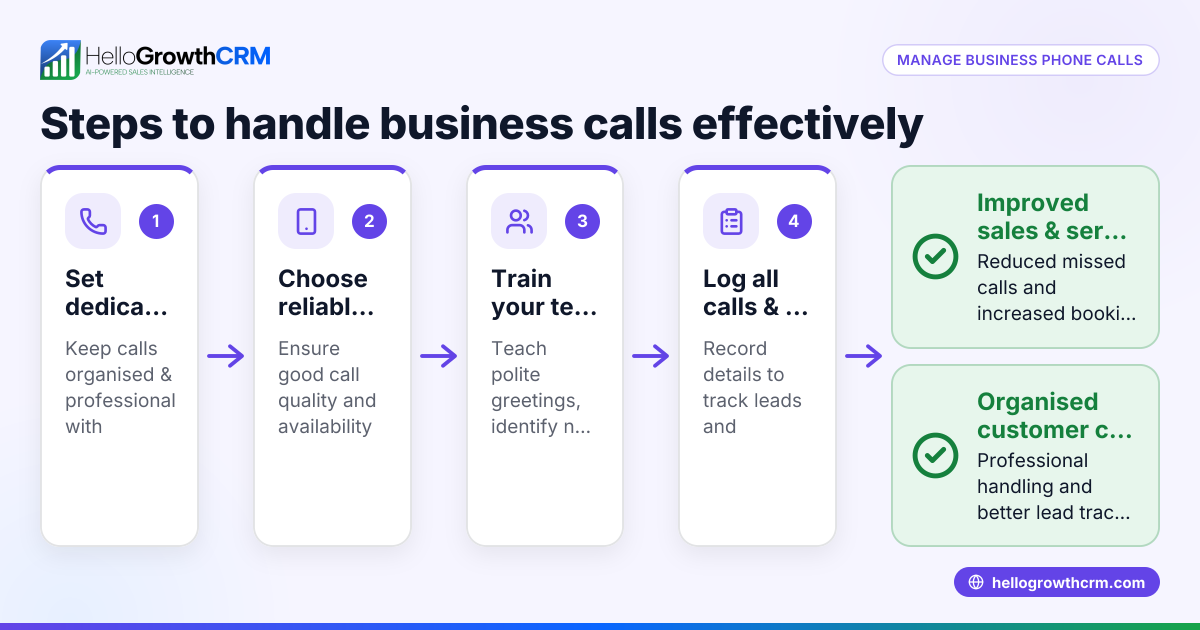
- Choose a conference calling method: Decide whether to use your phone provider’s conference feature, a third-party app, or a business phone system.
- Check participant limits: Confirm how many people can join the call at once to ensure everyone needed can participate.
- Schedule the call: Pick a date and time convenient for all participants and send calendar invites with dial-in numbers or links.
- Prepare the call details: Have an agenda ready and share any necessary documents or links beforehand.
- Start the call: Dial in or open the app, then add participants by calling their numbers or sharing the access code.
- Manage the call: Mute participants when needed to reduce background noise and guide the discussion to stay on topic.
- End and follow up: After the call, summarize key points and next steps in an email or CRM notes.
Check your phone plan for any extra charges related to conference calls and test the connection quality before important meetings.
Example (fictional figures)
GreenLeaf Landscaping in Charlotte, North Carolina, wants to hold a weekly sales conference call with 5 team members.
- The local phone provider allows up to 6 participants on a conference call.
- The business schedules the call every Monday at 10:00 AM.
- Each call lasts about 30 minutes.
- The phone plan charges $0.05 per minute for conference calls.
Calculation of weekly conference call cost:
30 minutes × $0.05 = $1.50 per call $1.50 × 1 call per week = $1.50 weekly cost $1.50 × 52 weeks = $78 annual cost
GreenLeaf budgets $78 annually for conference calling to keep the sales team connected without travel expenses.
Common mistakes
- Not testing the call setup in advance: Prevent by running a test call with team members before the actual meeting.
- Ignoring participant limits: Check your phone or app limits to avoid dropped participants.
- Failing to mute when not speaking: Ask participants to mute to reduce background noise.
- No clear agenda or roles: Prepare and share an agenda; assign a moderator to keep the call focused.
- Not logging call outcomes: Take notes or record key points in your CRM or communication tool.
Using a CRM with a built-in dialer can help log call outcomes automatically and keep your leads organized.
Doing this in HelloGrowthCRM
HelloGrowthCRM includes a built-in dialer that lets your rep work through a list of leads directly inside the CRM. Each call's outcome is logged automatically on the lead's record, keeping the full call history tied to contacts and deals. This streamlines managing calls and follow-ups, especially when coordinating phone conference calls with prospects or clients. Learn more about the built-in CRM dialer and how it supports your sales process.
Frequently asked questions
What is the difference between a phone conference call and a group call? A phone conference call typically involves participants dialing into a single call line using phone numbers, often managed by a phone provider or app. Group calls can also include video or internet-based calls using apps like WhatsApp or Zoom, which may offer additional features like screen sharing.
Do phone conference calls cost extra? Costs depend on your phone plan and provider. Some plans include conference calling at no extra charge, while others may bill per minute or participant. Check with your provider and consider apps that use internet data for lower costs.
Can I use WhatsApp for conference calling? WhatsApp supports group voice calls, but it requires all participants to have the app installed and internet access. For business calls with clients who may not use WhatsApp, traditional phone conference calling might be more reliable. HelloGrowthCRM integrates WhatsApp and SMS for messaging but uses its built-in dialer for phone calls. Learn more about the WhatsApp and SMS CRM.
How many people can join a phone conference call? This varies by phone provider or app. Some allow just a few participants, while business services can support hundreds. Confirm your provider’s limits before scheduling large meetings.
How do I keep track of calls and follow-ups? Using a CRM with a built-in dialer, like HelloGrowthCRM, helps you log call outcomes automatically and manage follow-ups efficiently. This avoids lost information and keeps your sales process organized.
Key takeaways
- Phone conference calling connects multiple participants on one call for real-time group communication.
- Choose a method, check participant limits, schedule, prepare, manage, and follow up to run effective calls.
- Test setups, mute participants when needed, and use agendas to avoid common mistakes.
- HelloGrowthCRM’s built-in dialer logs call outcomes and call history inside the CRM, aiding sales and follow-up.
- Costs and participant limits vary by provider; always verify before scheduling.
Start using phone conference calling to improve communication and save time. If you want a tool that helps you manage calls and leads together, try HelloGrowthCRM. Start on the Free Forever plan (200 leads, no credit card).
Ready to put this into practice?
Set up your pipeline, WhatsApp follow-ups, and AI lead scoring in minutes — free, no credit card.
Try HelloGrowthCRM freeGet CRM tips in your inbox
Join thousands of sales professionals who get weekly insights on CRM strategy, AI automation, and pipeline optimization.

The HelloGrowthCRM team publishes guides on CRM strategy, AI sales tools, and revenue operations for small business sales teams.