HelloGrowthCRM software
Built for real small-business sales teams
HelloGrowthCRM helps reps qualify faster, follow up on time, and close more deals—with practical automation in one place.
- AI lead scoring and pipeline visibility
- Built-in dialer, WhatsApp, and email automation
- Sales forecasting and RevOps-ready reporting
Phone for web means connecting your phone’s calling and messaging functions to a web browser or web app so you can make and receive calls, send texts, and manage communication directly from your computer. This setup is useful for small and mid-sized businesses that want to streamline sales communication without juggling multiple devices or apps.
Why this comes up / what goes wrong
Many small business owners run sales through text messages, email, and spreadsheets but lose leads because follow-up is slow or disorganized. They rely on mobile phones alone, which can cause missed calls or delayed replies when away from the phone or busy. This slows sales and frustrates prospects waiting for a response. Phone for web solves this by letting you handle calls and messages on your desktop or laptop, where it’s easier to manage and respond quickly.
Small teams especially benefit because one person can manage multiple communication channels more efficiently from one place. Without phone-for-web, switching between phone, email, and spreadsheets wastes time and risks losing track of leads.
Step-by-step
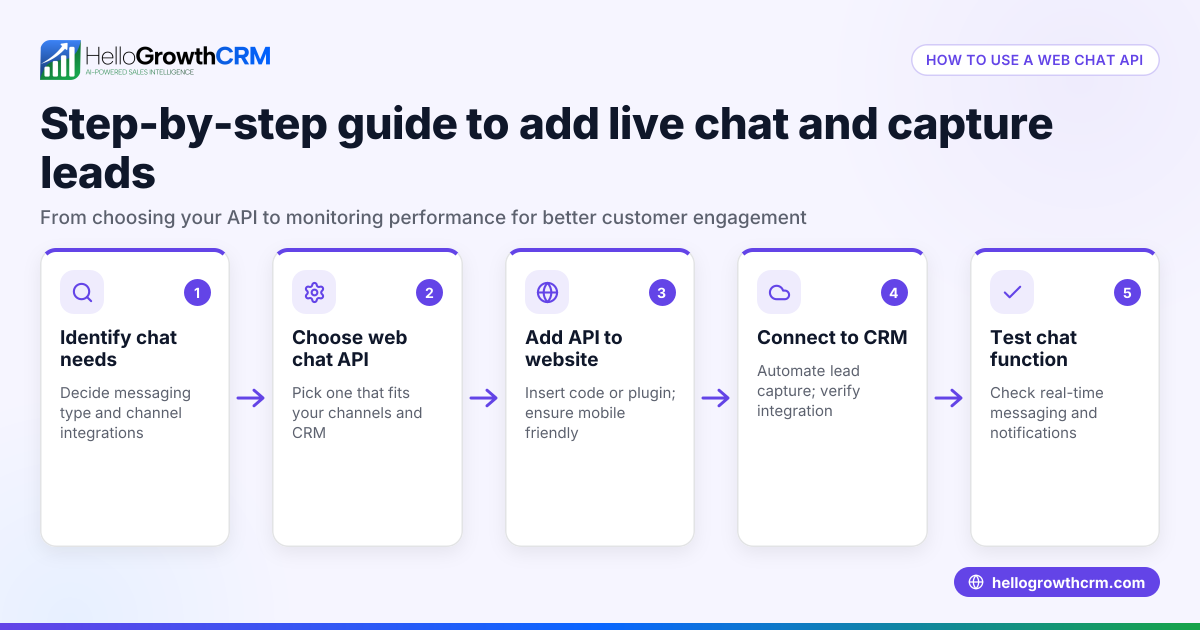
- Choose a phone-for-web service or app: Pick a solution that supports your phone number on a web browser, such as a CRM with a built-in dialer or a web-based messaging platform. Confirm it supports your communication channels like calls, SMS, and WhatsApp.
- Install or sign in to the web app: Access the service through your browser or install its desktop app. Log in with your business phone number or account credentials.
- Connect your phone number: Follow instructions to link your mobile number to the web app, often by verifying via SMS or a call.
- Test calling and messaging features: Make test calls and send messages from the web interface to ensure everything works smoothly.
- Train your team: Teach your inside sales team how to use the phone-for-web tools to handle leads efficiently and avoid confusion.
- Integrate with your CRM: If possible, connect the phone-for-web tool to your CRM so calls and messages log automatically with customer records. This helps keep lead data organized and follow-up timely.
- Monitor and optimize: Regularly check call quality, message delivery, and response times. Adjust settings or workflows to improve sales follow-up.
Example (fictional figures)
A B2B software reseller in Denver, Colorado, uses phone-for-web to speed up follow-up. On 05/15/2026, they reviewed sales results.
- Monthly leads before: 500
- Conversion rate before: 10%
- Monthly revenue before: $500,000 × 10% = $50,000
After setting up phone-for-web, conversion rose to 15% because faster follow-up improved lead response.
- Monthly converted leads after: 500 × 15% = 75
- Revenue after: 75 × $1,000 average sale = $75,000
Increase in monthly revenue:
- $75,000 - $50,000 = $25,000 more per month
This example shows how phone-for-web can boost sales by enabling quicker contact with leads.
Common mistakes
- Not testing the connection before going live: Prevent by making test calls and messages to catch issues early.
- Failing to train the team: Prevent by providing clear instructions and practice sessions.
- Ignoring integration with CRM: Prevent by linking phone-for-web tools to your CRM for automatic logging.
- Relying on mobile only: Prevent by using web tools to avoid missed calls and slow replies.
- Not monitoring usage and quality: Prevent by regularly reviewing call and message metrics.
- Overlooking data security: Prevent by choosing services with encryption and secure login methods.
Doing this in HelloGrowthCRM
HelloGrowthCRM offers Managed RevOps, which helps founders without a sales manager by assigning a revenue specialist to work the follow-up queue every week. This ensures leads captured through phone-for-web channels get timely follow-up and pipeline hygiene. Learn more about HelloGrowthCRM for the United States and its WhatsApp and SMS CRM features. The built-in CRM dialer lets your team make calls directly from the CRM interface, streamlining phone-for-web usage — see built-in CRM dialer.
Frequently asked questions
What devices support phone-for-web? Most modern computers and tablets with internet browsers support phone-for-web apps. Your phone number is linked to the web app, so calls and texts route through your computer.
Is phone-for-web secure for business use? Security depends on the app or service you use. Choose platforms with encryption and compliance features. HelloGrowthCRM follows security best practices for business communication.
Can I use phone-for-web with WhatsApp? Yes, some CRMs and apps integrate WhatsApp messaging into their web interface, allowing you to send and receive WhatsApp messages alongside calls and SMS.
How does phone-for-web improve sales follow-up? By centralizing communication on a computer, your team can respond faster, log conversations automatically, and avoid missed leads.
Do I need special hardware for phone-for-web? Typically, you will need your computer and a reliable internet connection to use phone-for-web services. Some setups may use a headset for better call quality.
Can phone-for-web tools integrate with other sales software? Many phone-for-web solutions offer APIs or built-in integrations with CRMs and sales platforms, helping automate data entry and follow-up tasks.
Key takeaways
- Phone for web means using your phone’s calling and messaging features through a browser or web app.
- It helps small businesses respond faster and avoid losing leads.
- Set up involves choosing a service, linking your number, testing, and training your team.
- Common mistakes include skipping tests, ignoring CRM integration, and neglecting security.
- HelloGrowthCRM’s Managed RevOps supports follow-up by managing your lead queue weekly.
Start using phone-for-web tools to improve your sales communication. You can Start on the Free Forever plan (200 leads, no credit card) with HelloGrowthCRM today.
Ready to put this into practice?
Set up your pipeline, WhatsApp follow-ups, and AI lead scoring in minutes — free, no credit card.
Try HelloGrowthCRM freeGet CRM tips in your inbox
Join thousands of sales professionals who get weekly insights on CRM strategy, AI automation, and pipeline optimization.

The HelloGrowthCRM team publishes guides on CRM strategy, AI sales tools, and revenue operations for small business sales teams.