HelloGrowthCRM software
Built for real small-business sales teams
HelloGrowthCRM helps reps qualify faster, follow up on time, and close more deals—with practical automation in one place.
- AI lead scoring and pipeline visibility
- Built-in dialer, WhatsApp, and email automation
- Sales forecasting and RevOps-ready reporting
Pipedrive, HubSpot, and Zoho are popular CRM options for small and mid-sized businesses in Canada. Choosing the right one depends on your business priorities like ease of use, features, pricing, and integrations. This article compares these three platforms on key criteria and guides you to pick the best fit.
Why this comes up / what goes wrong
Small business owners in Canada often start managing sales leads using spreadsheets, emails, or text messages. This informal approach can work initially but quickly becomes inefficient as the volume of leads grows. Follow-ups get missed, deals slip through the cracks, and sales teams lose visibility into their pipeline. At this point, owners look for a CRM to organise contacts, automate routine tasks, and track sales progress.
Pipedrive, HubSpot, and Zoho are common CRM options considered by small businesses. However, each CRM offers different strengths and weaknesses. Without a clear comparison, business owners risk picking a CRM that is either too complex, too limited, or too costly for their needs. Understanding these differences helps avoid wasted time and money.
Step-by-step
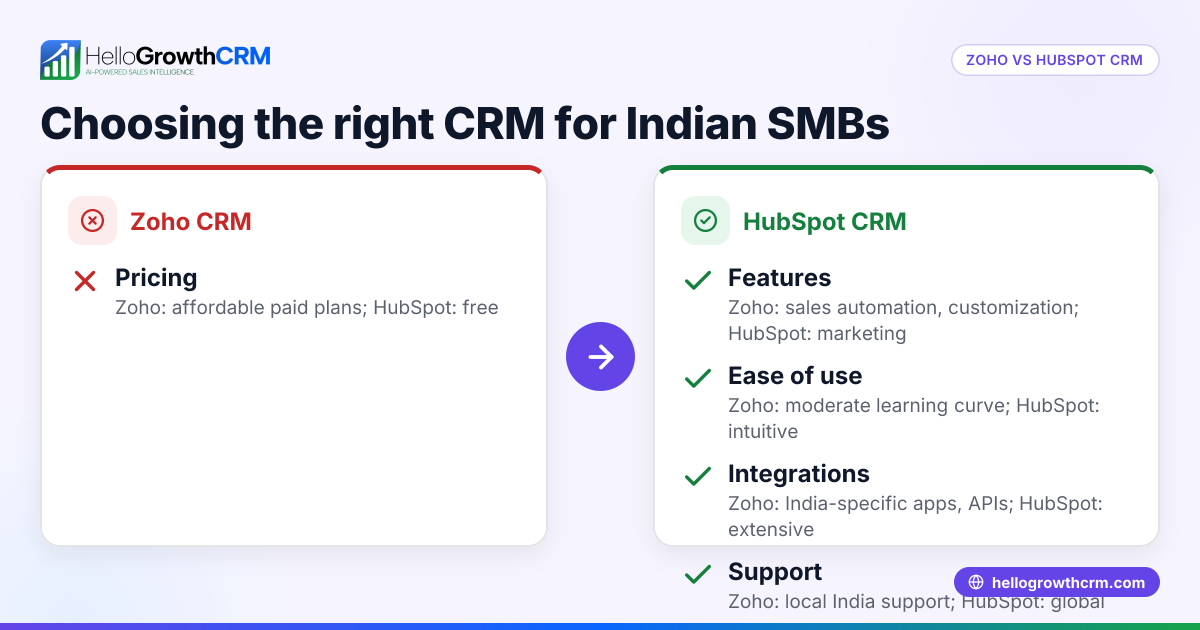
| Criteria | Pipedrive | HubSpot | Zoho CRM |
|---|---|---|---|
| Ease of Use | Intuitive pipeline-focused UI, easy for sales teams | User-friendly with free starter tools, good for marketing and sales | More complex interface, steeper learning curve but highly customizable |
| Features | Strong sales pipeline, deal tracking, basic automation | Free CRM with marketing, sales, and service tools; advanced features paid | Wide feature set including AI, automation, analytics, and customization |
| Pricing | Starts affordable, scales with add-ons | Free tier available; paid plans can be costly as features increase | Competitive pricing with multiple plans; good value for features |
| Integrations | Good with common sales tools | Extensive integrations and marketplace | Large ecosystem, supports many third-party apps |
| Customization | Limited custom fields and workflows | Moderate customization, especially in paid tiers | Highly customizable modules and workflows |
| Reporting & Analytics | Basic sales reports | Advanced reports and dashboards | Detailed analytics with AI insights |
Who should pick which?
- Pipedrive suits small sales teams wanting a simple, sales-focused CRM without marketing complexity. It is ideal if you want a clear visual pipeline and straightforward deal management.
- HubSpot fits businesses that want a free CRM to start, especially if marketing automation and customer service tools are important. It’s good for teams that want an all-in-one platform.
- Zoho CRM is ideal for businesses needing deep customization and a broad feature set at a competitive price. It suits companies ready to invest time in setup and want AI-powered insights.
For more details on CRM choices, see our compare CRMs guide.
Example (fictional figures)
An HVAC company in Surrey, British Columbia, with 15 employees, wants to improve sales follow-up and pipeline visibility. They expect about C$1,000,000 in annual sales and plan to invest in a CRM.
They consider the first-year cost including subscription and training.
- Pipedrive: Base plan at C$30/user/month × 15 users × 12 months = C$5,400
- HubSpot: Free CRM, but paid Sales Hub Starter plan at C$50/user/month × 15 users × 12 months = C$9,000
- Zoho CRM: Standard plan at C$20/user/month × 15 users × 12 months = C$3,600
Pipedrive cost = C$30 × 15 × 12 = C$5,400 HubSpot cost = C$50 × 15 × 12 = C$9,000 Zoho cost = C$20 × 15 × 12 = C$3,600
The company chooses Zoho for its customization and affordability, balancing features with budget.
Common mistakes
- Choosing based on price alone: A cheaper CRM may lack needed features or scalability. Prevent this by listing your must-have features before comparing prices.
- Ignoring user adoption: Complex CRMs can discourage team use, leading to poor data quality. Prevent this by trialing CRMs with your sales team to check ease of use.
- Overlooking integration needs: Your CRM should connect with your existing tools like email, calendars, or marketing software. Check integration marketplaces before deciding.
- Skipping training and onboarding: Without proper training, your team may not use the CRM effectively. Plan onboarding sessions and ongoing support.
- Not reviewing contract terms carefully: Watch for auto-renewals, hidden fees, or restrictive cancellation policies. Read all terms before signing.
Learn more about CRM adoption challenges in our HelloGrowthCRM for Canada resource.
Frequently asked questions
What are the main differences between HubSpot and Zoho? HubSpot offers a free CRM with strong marketing tools and is easy to start with, but paid plans can become expensive as you add features. Zoho CRM provides more advanced customization and features at a lower price point but requires more setup and training.
Is Pipedrive better than HubSpot for small businesses? Pipedrive is better if your focus is straightforward sales pipeline management without marketing automation. HubSpot is better if you want a CRM that supports marketing, sales, and customer service in one platform.
Can I integrate these CRMs with WhatsApp or SMS? All three CRMs offer integrations or APIs to connect with messaging platforms, but the ease and cost vary. For a WhatsApp and SMS focused CRM, consider specialised options like WhatsApp and SMS CRM.
Which CRM is easiest for a small Canadian business to use? HubSpot is generally the easiest to start with due to its free tier and user-friendly interface. Pipedrive is also simple but more sales-focused. Zoho offers more features but requires more setup and training.
Are there Canadian-specific considerations when choosing a CRM? Yes, consider data residency, bilingual support, and compliance with Canadian privacy laws. Also, check if the CRM supports Canadian payment methods and tax settings. For more guidance, see our compare CRMs page.
Key takeaways
- Pipedrive is best for simple, sales-focused CRM needs.
- HubSpot offers a free, user-friendly CRM with strong marketing tools.
- Zoho CRM provides extensive features and customization at a competitive price.
- Consider your business size, budget, and feature needs before choosing.
- Trial each CRM with your team to ensure good fit and adoption.
Start your CRM journey with a risk-free option by visiting Start on the Free Forever plan (200 leads, no credit card).
Ready to put this into practice?
Set up your pipeline, WhatsApp follow-ups, and AI lead scoring in minutes — free, no credit card.
Try HelloGrowthCRM freeGet CRM tips in your inbox
Join thousands of sales professionals who get weekly insights on CRM strategy, AI automation, and pipeline optimization.

The HelloGrowthCRM team publishes guides on CRM strategy, AI sales tools, and revenue operations for small business sales teams.