HelloGrowthCRM software
Built for real small-business sales teams
HelloGrowthCRM helps reps qualify faster, follow up on time, and close more deals—with practical automation in one place.
- AI lead scoring and pipeline visibility
- Built-in dialer, WhatsApp, and email automation
- Sales forecasting and RevOps-ready reporting
You can download a ready-to-use sales lead tracker Excel template tailored for Singapore small businesses to organise and follow up on leads efficiently. This article covers why such a template is needed, how to use it step-by-step, a practical example with Singapore figures, common mistakes to avoid, and how HelloGrowthCRM can help automate lead tracking.
Why this comes up / what goes wrong
Many small business owners in Singapore rely on informal methods like WhatsApp chats, emails, or spreadsheets to track sales leads. Without a structured format, leads get lost, follow-ups are delayed, and opportunities slip away. A sales lead tracker Excel template provides a simple, central place to record lead details, status, and next steps. However, using a generic or incomplete template can cause confusion or errors, especially if it lacks fields relevant to Singapore businesses or clear process steps.
Step-by-step
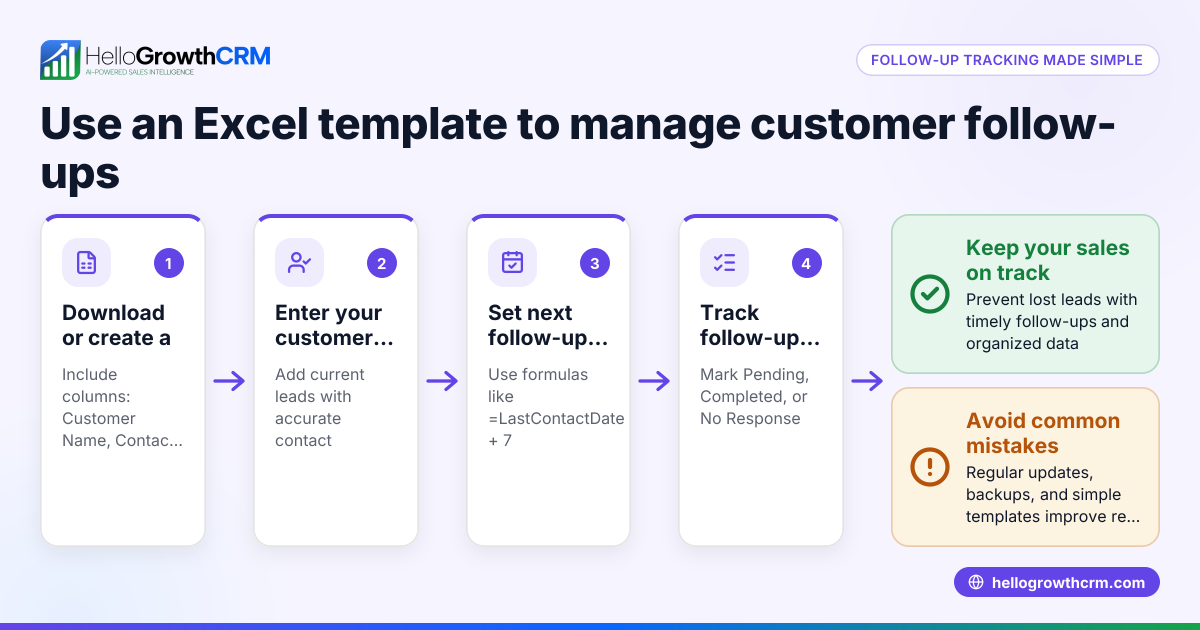
- Download a Singapore-specific sales lead tracker Excel template
- Look for a template that includes columns for lead name, contact details, source, enquiry date, lead status, next follow-up date, and notes.
- Check it supports local date formats (DD/MM/YYYY) and currency (S$).
- Enter lead details immediately when a new enquiry arrives
- Fill in all known information to avoid missing data later.
- Assign a lead owner if you have a sales team.
- Update the lead status regularly
- Use statuses like New, Contacted, Qualified, Proposal Sent, Negotiation, Won, or Lost.
- Check that status updates trigger next-step actions.
- Schedule next follow-up dates and reminders
- Set clear next steps and dates in the tracker.
- Verify you have a way to get alerts or review the tracker daily.
- Review and prioritise leads weekly
- Sort leads by follow-up date and status.
- Focus on leads closest to closing.
- Analyse lead sources and conversion rates monthly
- Add columns for lead source (e.g., website, referral, cold call).
- Calculate conversion percentages to identify effective channels.
- Back up your Excel file regularly
- Save copies in secure cloud storage to prevent data loss.
Example (fictional figures)
An interior design studio in Tanjong Pagar receives a new lead on 15/05/2024.
| Lead Name | Contact Number | Lead Source | Enquiry Date | Lead Status | Next Follow-up Date | Notes |
|---|---|---|---|---|---|---|
| Lee Wei | 9123 4567 | Website | 15/05/2024 | New | 17/05/2024 | Interested in office renovation |
Step 1: Enter lead details immediately. Step 2: Update status after first call on 17/05/2024 to Contacted. Step 3: Schedule next follow-up on 22/05/2024.
Tracking revenue potential:
Estimated project value: S$48,000
Calculate expected revenue assuming 20% chance of closing:
S$48,000 × 20% = S$9,600 expected revenue
By keeping this in the tracker, the studio prioritises leads and forecasts sales.
Common mistakes
- Not updating the tracker promptly: Leads become stale. Prevent by setting daily review times.
- Missing key lead information: Contact details or source missing. Prevent by making fields mandatory.
- No clear next step or follow-up date: Leads fall through cracks. Prevent by always scheduling next actions.
- Using a generic template without localisation: Dates or currency formats cause confusion. Prevent by choosing Singapore-specific templates or customising.
- Not backing up data: Risk of losing lead info. Prevent by saving files to cloud storage.
- Overcomplicating the tracker: Too many columns discourage use. Prevent by keeping it simple and relevant.
For more structured sales templates, see sales templates.
Doing this in HelloGrowthCRM
HelloGrowthCRM offers free sales tools, templates and calculators you can download without signing up, including follow-up cadence and pipeline templates at free sales tools and calculators. Every enquiry from a form, call or WhatsApp automatically lands as a lead with an owner and a next step, avoiding lost leads or notebook chaos. Telecallers can prioritise calls using AI lead scoring to focus on leads most likely to convert first. Learn more about AI lead scoring and how HelloGrowthCRM supports Singapore businesses at HelloGrowthCRM for Singapore.
Frequently asked questions
Can I customise the sales lead tracker Excel template for my business? Yes, most templates allow you to add or remove columns to fit your sales process. Ensure you keep essential fields like contact info and follow-up dates.
How often should I update the sales lead tracker? Ideally, update it immediately after each customer interaction and review it daily to keep leads moving through the pipeline.
Is Excel the best tool for tracking sales leads? Excel is simple and widely available but can become cumbersome for larger teams or many leads. Consider CRM software like HelloGrowthCRM for automation and AI lead scoring.
What details should I include for each sales lead? Include lead name, contact number, source, enquiry date, status, next follow-up date, lead owner, and notes on the conversation or requirements.
How can I ensure my sales team uses the tracker consistently? Keep the tracker simple, train the team on its importance, assign lead owners, and review progress regularly.
Key takeaways
- Download a Singapore-specific sales lead tracker Excel template with local date and currency formats.
- Enter lead details immediately and update status and next steps regularly.
- Schedule follow-ups and review leads daily to prevent lost opportunities.
- Avoid common mistakes like missing data, no follow-up dates, and lack of backups.
- HelloGrowthCRM offers free sales templates and AI lead scoring to automate and prioritise leads.
Start organising your leads better today. Start on the Free Forever plan (200 leads, no credit card).
Ready to put this into practice?
Set up your pipeline, WhatsApp follow-ups, and AI lead scoring in minutes — free, no credit card.
Try HelloGrowthCRM freeGet CRM tips in your inbox
Join thousands of sales professionals who get weekly insights on CRM strategy, AI automation, and pipeline optimization.

The HelloGrowthCRM team publishes guides on CRM strategy, AI sales tools, and revenue operations for small business sales teams.