HelloGrowthCRM software
Built for real small-business sales teams
HelloGrowthCRM helps reps qualify faster, follow up on time, and close more deals—with practical automation in one place.
- AI lead scoring and pipeline visibility
- Built-in dialer, WhatsApp, and email automation
- Sales forecasting and RevOps-ready reporting
A sales map is a tool that displays your business’s sales information by location. It helps you see where your customers are, plan sales visits, assign territories, and manage your sales team’s activities across different areas. For UK small and mid-sized businesses, using a sales map can improve follow-up speed, reduce lost leads, and optimise field sales efforts.
Why this comes up / what goes wrong
Many small business owners in the UK find it challenging to manage sales when leads and customers are spread out geographically. Sales teams often rely on WhatsApp, email, or spreadsheets to track leads, which can lead to missed opportunities and slow follow-up. Without a clear view of where sales activities happen, it’s hard to organise territories, assign reps efficiently, or monitor field visits. This causes confusion, duplicated effort, and lost revenue.
Step-by-step
- Gather your sales data with locations – Collect your customer addresses, leads, and existing sales records including postcodes or towns.
- Choose a mapping tool or CRM with territory features – Decide if you want a simple map view or a CRM that supports territory management and field operations.
- Define sales territories – Group your sales areas logically by geography, customer type, or sales rep availability.
- Assign sales reps to territories – Allocate team members to cover specific areas, making sure each territory is manageable.
- Plan field visits and routes – Schedule visits based on customer priority and geography to save travel time.
- Track sales activities on the map – Use tools to log visits, calls, and outcomes linked to each location.
- Review and adjust territories regularly – Update your sales map based on performance, new leads, or changes in team capacity.
Example (fictional figures)
A solar-panel installer in Glasgow wants to organise their sales territories for more efficient field visits.
- Total leads in Glasgow area: 300
- Sales reps available: 3
- Territory division: North, South, and Central Glasgow
The installer assigns:
- North Glasgow: 100 leads
- South Glasgow: 120 leads
- Central Glasgow: 80 leads
Each rep plans weekly visits to 20 leads in their territory.
Calculations:
Total leads = 300 Leads per rep = 300 ÷ 3 = 100 Weekly visits per rep = 20 Number of weeks to visit all leads = 100 ÷ 20 = 5 weeks
By dividing the city into three sales territories and scheduling visits, the installer ensures all leads are contacted within five weeks, improving follow-up speed and reducing lost sales.
Common mistakes
- Not updating the sales map regularly: Territories and leads change; schedule regular reviews to keep data current.
- Assigning too large or too small territories: Balance workload to avoid overburdening reps or wasting resources.
- Using multiple disconnected tools: Avoid tracking sales on WhatsApp, email, and spreadsheets separately to prevent confusion; use integrated tools instead.
- Ignoring field activity logging: Without logging visits and outcomes on the map, it’s hard to measure rep performance or customer engagement.
- Failing to set follow-up reminders: Leads can be forgotten without scheduled follow-ups linked to territory management.
Prevent these by setting clear processes, using CRM tools with territory and activity features, and training your team.
Doing this in HelloGrowthCRM
HelloGrowthCRM supports sales mapping with features tailored for UK small and mid-sized businesses. Its Territories, field operations and commissions tools allow you to define territories, assign reps, and track field visits with mobile check-ins and visit logs. Managers can see daily sales beats on a map view, improving oversight.
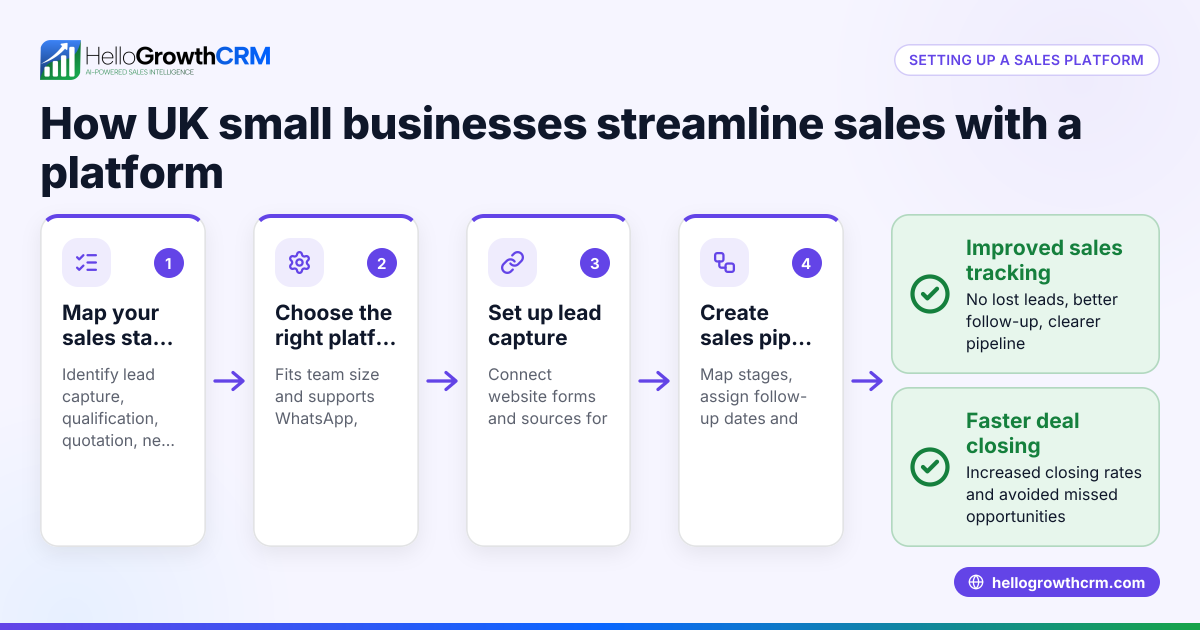
Deals (pipeline) lets you track quotations as deals at different stages with follow-up dates, so no lead is forgotten. For founders without a sales manager, Managed RevOps provides weekly follow-up support, pipeline hygiene, and KPI reporting to keep your sales map active and effective.
Learn more about WhatsApp and SMS CRM, the built-in CRM dialer, and HelloGrowthCRM for the United Kingdom.
Frequently asked questions
What is the difference between a sales map and a sales territory? A sales map is a visual representation of where your customers and leads are located. A sales territory is a defined geographic area assigned to a sales rep or team. The sales map helps you create and manage these territories effectively.
How often should I update my sales map? You should update your sales map regularly, ideally monthly or quarterly, to reflect new leads, closed deals, and changes in territory boundaries or sales team capacity.
Can I use HelloGrowthCRM to manage sales maps? Yes, HelloGrowthCRM offers territory management with map views, field sales activity logging, and commission tracking to help you organise and monitor sales territories.
How does a sales map improve lead follow-up? By organising leads geographically and assigning follow-up tasks within territories, a sales map ensures leads are contacted promptly and systematically, reducing the chance of lost opportunities.
Is a sales map useful for remote sales teams? Yes, even remote teams benefit from sales maps to understand customer distribution, plan outreach, and coordinate efforts across different locations.
Key takeaways
- A sales map visually organises leads and customers by location to improve sales efficiency.
- Defining territories and assigning reps helps balance workloads and speeds up follow-up.
- Regular updates and logging field activities keep the sales map accurate and actionable.
- Avoid using disconnected tools; integrated CRM solutions streamline sales mapping.
- HelloGrowthCRM offers territory management, field visit logging, and pipeline follow-up features.
Start organising your sales territories and visits effectively with HelloGrowthCRM. Start on the Free Forever plan (200 leads, no credit card) today.
Ready to put this into practice?
Set up your pipeline, WhatsApp follow-ups, and AI lead scoring in minutes — free, no credit card.
Try HelloGrowthCRM freeGet CRM tips in your inbox
Join thousands of sales professionals who get weekly insights on CRM strategy, AI automation, and pipeline optimization.

The HelloGrowthCRM team publishes guides on CRM strategy, AI sales tools, and revenue operations for small business sales teams.