HelloGrowthCRM software
Built for real small-business sales teams
HelloGrowthCRM helps reps qualify faster, follow up on time, and close more deals—with practical automation in one place.
- AI lead scoring and pipeline visibility
- Built-in dialer, WhatsApp, and email automation
- Sales forecasting and RevOps-ready reporting
Sales order form templates are standardized documents that small and mid-sized businesses use to record sales transactions. They help ensure orders are complete, accurate, and easy to process by capturing essential information like customer details, item descriptions, quantities, prices, and payment terms. Using templates saves time and reduces errors compared to creating orders from scratch each time.
Why this comes up / what goes wrong
Small business owners often face challenges managing orders when they rely on informal methods such as emails, text messages, or spreadsheets. Without a consistent sales order form, details can be missed or misunderstood, leading to delayed shipments, billing errors, or lost sales. This problem becomes more apparent as sales teams grow or when multiple people handle orders. A sales order form template provides a clear, repeatable format that everyone can use to capture orders properly and keep the sales process organized and efficient.
Step-by-step
- Identify the key information to include. Ensure your template captures customer name, contact information, order date, product or service details, quantity, unit price, total cost, payment terms, and delivery instructions.
- Choose a format. Use a spreadsheet, word processor, or PDF form that your team can easily fill out and share. Keep the layout clean and logical to avoid confusion.
- Add your company branding. Include your logo, company name, address, and contact details to make the form look professional and trustworthy.
- Include terms and conditions. Briefly state your payment terms, return policy, and any other important conditions to set clear expectations.
- Test the template. Fill out a sample order to check for any missing fields or confusing sections and adjust accordingly.
- Train your sales team. Make sure everyone knows how to use the template correctly and where to save completed forms to maintain consistency.
- Review and update regularly. Adjust the template as your products, prices, or policies change to keep it current.
For more sales document templates, see sales templates.
Example (fictional figures)
Imagine a plumbing company in Austin, Texas, called "Austin PipeWorks" receiving an order on 08/15/2025.
- Customer: John Smith
- Product: Pipe replacement kit
- Quantity: 5
- Unit price: $120
Calculations:
$120 × 5 = $600 (total product cost)
Add a flat $50 delivery fee:
$600 + $50 = $650 (total order amount)
The sales order form records:
- Customer info
- Order date: 08/15/2025
- Product details
- Quantity and price calculations
- Delivery fee
- Total amount due
This clear summary helps the sales team process the order, schedule delivery, and invoice accurately.
Common mistakes
- Leaving out key details. Prevent this by using a checklist when designing your template to ensure all necessary fields are included.
- Using inconsistent formats. Standardize the form format and train your team to use it to avoid confusion and errors.
- Not updating the template. Schedule periodic reviews to keep the template aligned with any changes in products, pricing, or policies.
- Failing to track orders after submission. Integrate order tracking into your sales process to follow up on orders and prevent lost sales.
- Ignoring digital options. Use free digital templates and tools to reduce errors and speed up order processing. See free sales tools and calculators for useful resources.
Doing this in HelloGrowthCRM
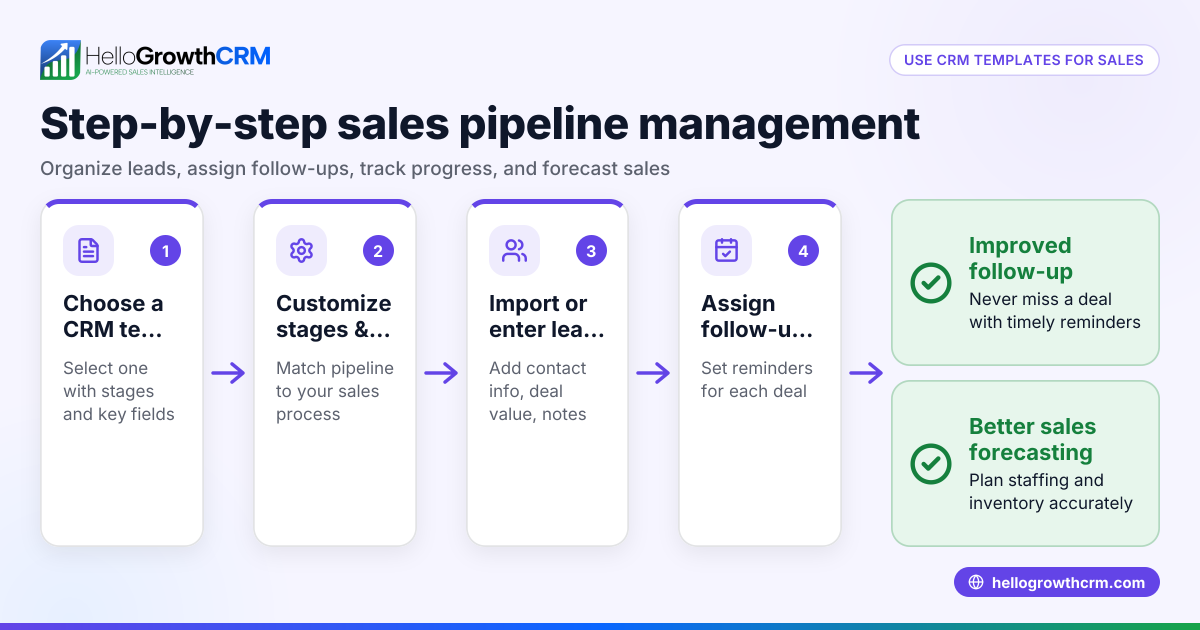
HelloGrowthCRM offers free sales tools, templates, and calculators that you can download without an account, including follow-up cadence and pipeline templates to keep your sales organized. Its Deals (pipeline) feature tracks quotations sent and shows them as deals at the 'quote sent' stage with follow-up dates, ensuring no sales order is forgotten. For businesses with field reps, the Territories, field operations and commissions tools allow logging visits and managing sales territories from mobile devices, helping keep order processing connected to field activities. Learn more about HelloGrowthCRM for the United States at HelloGrowthCRM for the United States.
Frequently asked questions
What is the difference between a sales order and an invoice? A sales order confirms the details of a customer's purchase and initiates order fulfillment. An invoice is a request for payment sent after the order is processed or shipped.
Can I customize sales order form templates for my business? Yes, templates should be tailored to include your specific products, pricing, terms, and branding to suit your business needs.
Are there free sales order form templates available? Yes, many free templates are available online, including the free tools and templates offered by HelloGrowthCRM at free sales tools and calculators.
How do sales order forms help prevent errors? They standardize the information collected, reducing omissions and miscommunication between sales, shipping, and billing teams.
Can I use sales order forms on mobile devices? Yes, with the right digital templates and tools, sales order forms can be accessed and completed on mobile devices, which is especially helpful for field sales reps. HelloGrowthCRM supports mobile use for managing deals and field sales activities.
How does tracking sales orders in a CRM help? Tracking sales orders in a CRM like HelloGrowthCRM helps you follow up on quotes, monitor deal progress, and avoid losing leads. The pipeline view lets you see orders at different stages and prioritize follow-ups.
Key takeaways
- Sales order form templates standardize order details for accuracy and efficiency.
- Include all essential information: customer, products, prices, and terms.
- Use clear, consistent formats and update templates regularly.
- Avoid common mistakes by training your team and using checklists.
- Use digital tools and templates to speed up processing and reduce errors.
- HelloGrowthCRM provides free templates and tools to manage orders and sales pipelines.
Start organizing your sales orders with a clear template and manage your sales pipeline efficiently. To get started, Start on the Free Forever plan (200 leads, no credit card).
Ready to put this into practice?
Set up your pipeline, WhatsApp follow-ups, and AI lead scoring in minutes — free, no credit card.
Try HelloGrowthCRM freeGet CRM tips in your inbox
Join thousands of sales professionals who get weekly insights on CRM strategy, AI automation, and pipeline optimization.

The HelloGrowthCRM team publishes guides on CRM strategy, AI sales tools, and revenue operations for small business sales teams.